Look, I’m not going to pretend I tested these games in some fancy lab setup. I just wanted to see which browser tycoon games actually respect your time in 2026. After clicking through 10 different management sims, here’s what I found: most of them use the same low-poly Unity template, but a few genuinely surprised me with how addictive they got. The weird thing is, the simplest-looking ones often had the most satisfying progression loops. If you’re looking for a tycoon game that won’t make your laptop sound like a jet engine, I’ve got opinions.
TL;DR (Quick Summary)
- Best for Beginners: Idle Supermarket Tycoon – Clear objectives, simple shop management loop
- Total Games: 10 browser games
- Average Rating: 4.3/5.0
Quick Comparison Table
| # | Game | Genre | Key Feature | Rating |
|---|---|---|---|---|
| 1 | Idle Hotel Empire Tycoon | Idle Tycoon | Room customization | 4.3/5.0 |
| 2 | Idle Supermarket Tycoon | Business Simulation | Store layout optimization | 4.2/5.0 |
| 3 | Idle Airport Tycoon | Airport Management | Aircraft scheduling | 4.0/5.0 |
| 4 | Cat Restaurant Tycoon | Idle | Tycoon, Simulation | 4.4/5.0 |
| 5 | My Perfect Farm: Idle Tycoon | Idle | Farm, Simulation | 4.6/5.0 |
| 6 | Veggie Cats: Idle Farm Tycoon | Idle | Tycoon, Farm | 4.1/5.0 |
| 7 | Idle Train Empire Tycoon | Railway Simulation | Track-switching puzzles | 4.0/5.0 |
| 8 | Airplane Factory – Tycoon | Factory Simulation | Assembly line management | 4.5/5.0 |
| 9 | Build a Rollercoaster: Simulator | Building Simulator | Track piece customization | 4.5/5.0 |
| 10 | Animal Care Tycoon | Pet Management | Multi-station workflow | 4.2/5.0 |
1. Idle Hotel Empire Tycoon
Quick Info
- Genre: Idle Tycoon
- Developer: Hako Idle Games
- Rating: 4.3/5.0 (833 ratings)
Screenshots
Player in hotel lobby
Furnishing empty hotel rooms
Building relaxation rooms
What’s the Point?
You’re managing a hotel from the ground up—opening rooms, adding cafes, upgrading parking lots, and watching tiny guests check in. The core loop is classic idle tycoon: earn money from visitors, reinvest in upgrades, unlock new facilities. You can tap progress bars to speed things up, which feels satisfying when you’re trying to squeeze out extra cash before closing a browser tab. What makes this one stand out (slightly) is the exterior/interior decoration system. You’re not just placing rooms—you’re customizing how they look to attract more guests. It’s shallow, but it gives you something to do beyond watching numbers go up. The game also lets you watch ads for temporary boosts, which is… fine, I guess, if you’re into that. Visually, it’s low-poly 3D with flat shading. Think mobile game vibes. The isometric view keeps everything readable, and the UI is clean enough that you won’t get lost in menus. Performance-wise, it’s light—no fan spin, no lag. Just a straightforward hotel sim that does what it says on the tin.
Personal Experience
From the author: When I first opened this, I was greeted by a tutorial that held my hand through buying my first room and upgrading a bed. Honestly? It felt a bit patronizing, but I get it—this is aimed at casual players. Once I got past that, I found myself in a rhythm: tap the reception desk to speed up check-ins, collect cash, upgrade the next room. The pacing is slow, which is either relaxing or boring depending on your mood. I noticed the game kept generating income even when I wasn’t actively playing, which is the whole point of ‘idle’ games, but it still felt weird to come back to a pile of cash after doing nothing.
How to Play
Controls: Mouse clicks to purchase and upgrade rooms, tap progress bars to speed up service
Goal: Expand your hotel by unlocking all rooms and leisure facilities to maximize profits from each visitor
Performance & Browser Compatibility
Speed: Fast loading, smooth 60fps, minimal resource usage
Works best on: Desktop (mouse-friendly UI, but playable on mobile)
Browser: Chrome, Firefox, Safari (HTML5)
Who is this game for?
This is perfect for casual players aged 10-16 who want a low-stress management game with clear progression. If you’re the type who likes opening a game in a background tab and checking back every 10 minutes, this will scratch that itch. Kids will enjoy the building aspect, and the simple mechanics mean there’s no steep learning curve. Not ideal for hardcore strategy fans—there’s not much depth here.
Pros & Cons
✅ Pros
- Clean, readable UI with no clutter
- Idle income generation works offline
- Light on system resources, runs smoothly
⛔ Cons
- Very standard mobile-style tycoon game
- Tutorial is overly hand-holdy
- Ad-based boosts feel intrusive
2. Idle Supermarket Tycoon
Quick Info
- Genre: Business Simulation
- Developer: Vladimir Kharitonov
- Rating: 4.2/5.0 (1447 ratings)
Gameplay Video
Watch real gameplay footage
Screenshots
Overview of store layout
Customers at checkout
Expanding store sections
What’s the Point?
You’re running a shopping mall, and your job is to place stores, stock shelves, and serve customers. The loop is simple: customers walk in, staff operate checkouts, you collect cash, reinvest in upgrades. Rinse, repeat. The game throws in a reputation system alongside money, so you’re juggling two currencies to unlock new stores and improve your mall’s exterior. What I noticed is the game really wants you to optimize your layout. Placing checkout counters and shelves efficiently speeds up customer flow, which directly impacts your earnings. It’s not rocket science, but there’s a small puzzle element to figuring out the best setup. The game also has missions and rewards, which give you short-term goals beyond ‘make number go up.’ Visually, it’s low-poly 3D with flat colors—think minimalist Unity asset store vibes. The isometric view keeps things clear, and the animations are basic but functional. Performance is solid; no lag, no stuttering. It’s a mobile game ported to browser, and it shows in the simplified graphics and touch-friendly UI.
Personal Experience
From the author: I started by placing a single checkout counter and a shelf, and immediately customers started flowing in. The staff moved autonomously, which was nice—I didn’t have to micromanage every action. I tapped on a few ‘LEVEL UP’ buttons to upgrade my checkout speed, and the green progress bars filled faster. It felt good in that dopamine-hit kind of way, but after 10 minutes, I realized I was just repeating the same actions. The slow pace is intentional for an idle game, but it made me wish there was more variety in the tasks.
How to Play
Controls: Mouse clicks to place objects, upgrade facilities, and manage deliveries
Goal: Grow your shopping mall by acquiring new shops, improving designs, and satisfying customers to increase earnings and reputation
Performance & Browser Compatibility
Speed: Quick load times, stable 60fps, no performance issues
Works best on: Desktop or Mobile (touch-friendly UI)
Browser: Chrome, Firefox, Safari (HTML5)
Who is this game for?
Casual mobile gamers aged 10-30 will love this. If you prefer idle or low-stress management sims with clear progression and short gameplay loops, this is your jam. It’s also great for kids learning basic resource management concepts. Hardcore tycoon fans might find it too simplistic, but for quick office break sessions, it’s perfect.
Pros & Cons
✅ Pros
- Clear progression with missions and rewards
- Layout optimization adds a small puzzle element
- Runs smoothly on both desktop and mobile
⛔ Cons
- Very repetitive after the first 15 minutes
- Generic low-poly art style
- Lacks depth for experienced tycoon players
3. Idle Airport Tycoon
Quick Info
- Genre: Airport Management
- Developer: Vladimir Kharitonov
- Rating: 4.0/5.0 (500 ratings)
Gameplay Video
Watch real gameplay footage
Screenshots
Upgrading information desk
Assigning administrator to Baggage
Aircraft selection menu
What’s the Point?
You’re building an airport from scratch—starting with a humble airstrip and expanding into a massive travel hub. The core loop involves upgrading terminals, managing aircraft schedules, and assigning administrators to different rooms (waiting halls, baggage areas, cafes). The game uses multiple currencies (cash, gems, energy), which is a red flag for mobile-style monetization, but it’s not too aggressive here. What’s interesting is the aircraft management system. You can select planes, schedule them, and observe their ticket prices and passenger capacity. It’s more hands-on than just clicking ‘upgrade’ buttons, and it adds a layer of strategy. You’re also managing staff and electricity costs, so there’s a bit of resource balancing involved. Visually, it’s low-poly 3D with simple textures and basic lighting. The isometric view is clean, but the graphics lack detail. It’s functional, not pretty. Performance-wise, it’s light—no lag, no fan noise. The UI is cluttered with multiple menus and currencies, which can feel overwhelming at first, but you get used to it.
Personal Experience
From the author: I started by clicking on the ‘Information Desk’ in the Waiting Hall and upgrading it, which increased my profit and electricity usage. Then I jumped into the Aircraft menu and started scheduling planes. Watching the ticket prices and passenger numbers update in real-time was oddly satisfying. Later, I assigned an administrator to a baggage drop-off area, and the efficiency boost was noticeable. The game has a lot of moving parts, which kept me engaged longer than I expected. That said, the multiple currencies and energy bar made me feel like I was being nudged toward in-app purchases, even though I was playing the browser version.
How to Play
Controls: Mouse clicks to upgrade facilities, assign administrators, and manage aircraft. Use +/- keys to zoom camera
Goal: Expand your airport by building and upgrading facilities, managing aircraft schedules, and increasing passenger flow to generate more income
Performance & Browser Compatibility
Speed: Fast loading, smooth performance, no lag
Works best on: Desktop (complex UI benefits from larger screen)
Browser: Chrome, Firefox, Safari (HTML5)
Who is this game for?
This is for casual to mid-core mobile gamers aged 10-30 who enjoy idle/tycoon management games with clear progression. If you like short, frequent play sessions and are okay with multiple currencies and energy bars, you’ll fit right in. Kids might struggle with the cluttered UI, but teens and adults will appreciate the aircraft management depth. Not for hardcore sim fans—it’s too simplified.
Pros & Cons
✅ Pros
- Aircraft scheduling adds strategic depth
- Multiple upgrade paths keep progression interesting
- Smooth performance, no technical issues
⛔ Cons
- Cluttered UI with multiple currencies
- Energy bar and gem system feel like mobile monetization
- Generic low-poly graphics lack personality
4. Cat Restaurant Tycoon

Quick Info
- Genre: Idle, Tycoon
- Developer: Bravestars
- Rating: 4.4/5.0 (17 ratings)
- Platforms: PC, Android, iOS
Screenshots
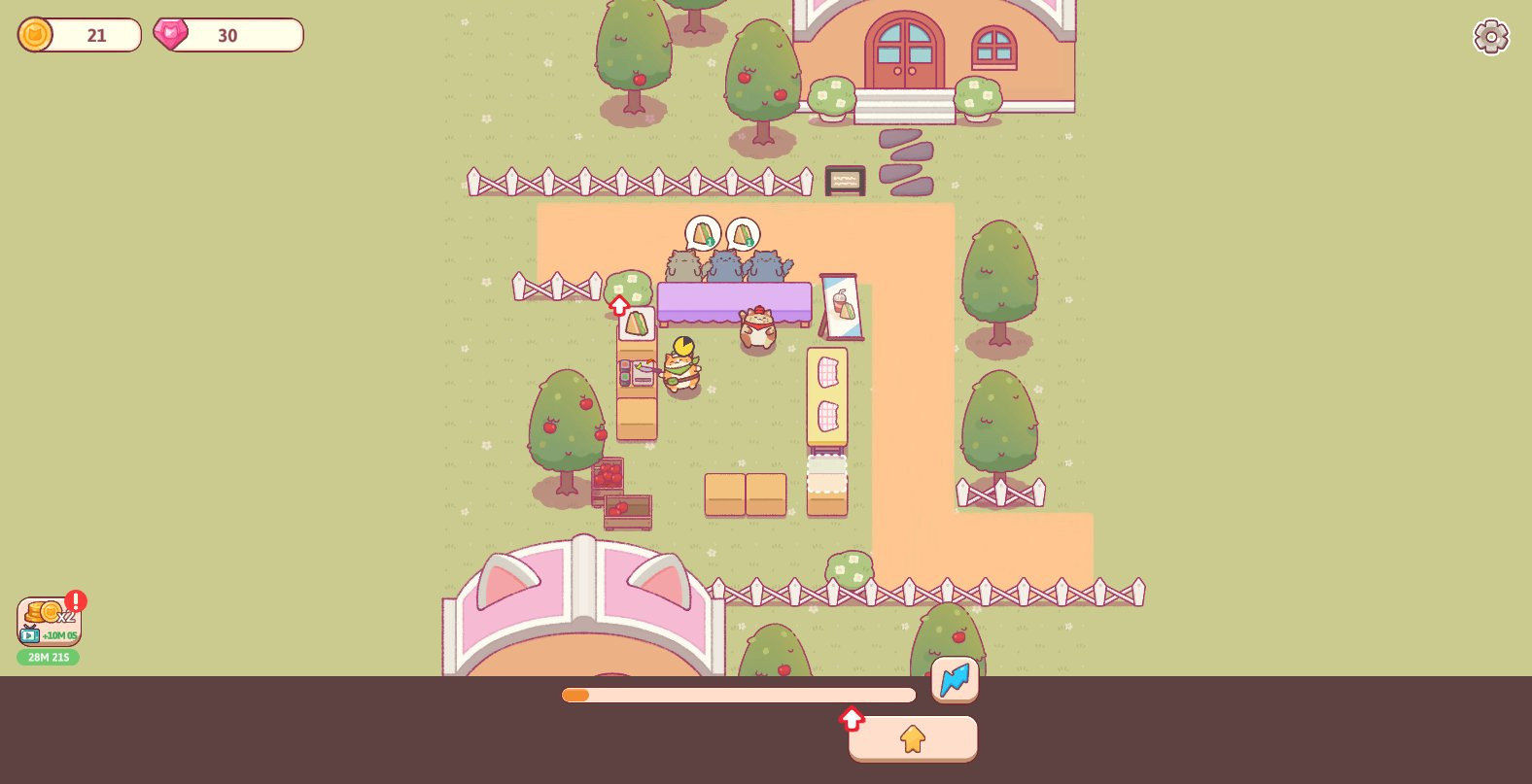
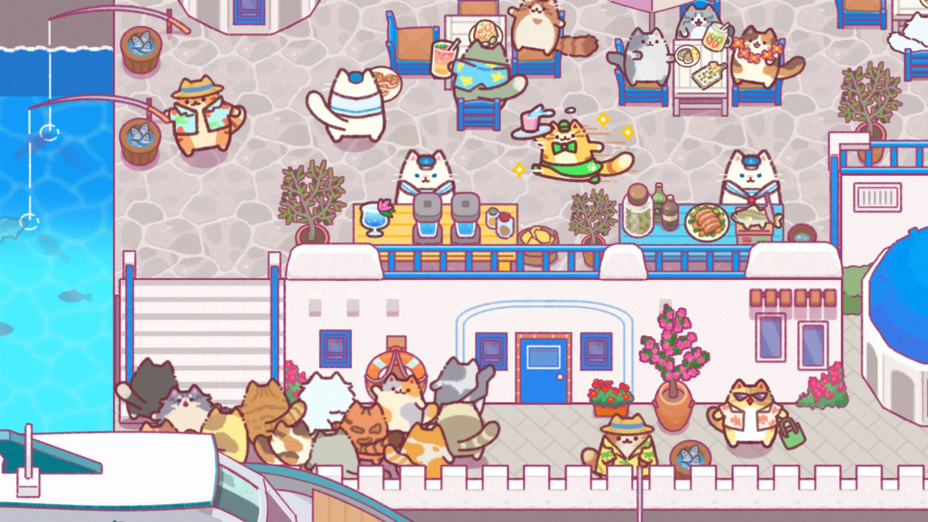

What’s the Point?
Cat Restaurant Tycoon puts you in charge of a growing eatery where cats are central to every aspect of the experience. The game blends food service management with the playful presence of feline companions, creating a space where culinary ambition and cat camaraderie go hand in hand. Strategy, creativity, and a warm sense of discovery shape the journey from a modest starting point toward a celebrated dining destination.
How to Play
Start small as an aspiring restaurant owner and work toward building a sought-after dining spot. Managing a growing eatery comes with real challenges, and your cat team is there to help navigate each one — their whimsical presence turns every decision into part of a larger journey.
Controls:
- No specific control mappings are provided for Cat Restaurant Tycoon.
5. My Perfect Farm: Idle Tycoon

Quick Info
- Genre: Idle, Farm
- Developer: Tapfire
- Rating: 4.6/5.0 (380 ratings)
- Platforms: PC, Android, iOS
Screenshots



What’s the Point?
My Perfect Farm: Idle Tycoon puts you in charge of turning green fields into a bustling farm city. Starting from open land, you plant and harvest crops, care for animals, hire helpers, and steadily grow a full farm business. The game pitches itself as a warm, soothing escape from everyday hustle — a cozy farming simulator where the pace is yours to set.
How to Play
The core loop revolves around planting seeds, tending animals, and trading produce for coins to reinvest in the farm. As farm manager, you move freely around the farm area, interact with objects, and make decisions that push a small plot toward a full farm city.
Controls:
- WASD / Arrow Keys: Move around the farm area
- Mouse: Move around the farm area
- Left Mouse Button: Interact with objects, plant and harvest crops, upgrade buildings, and expand the farm
6. Veggie Cats: Idle Farm Tycoon
Quick Info
- Genre: Idle, Tycoon
- Developer: Booblyc
- Rating: 4.1/5.0 (11 ratings)
- Platforms: PC, Android, iOS
Screenshots
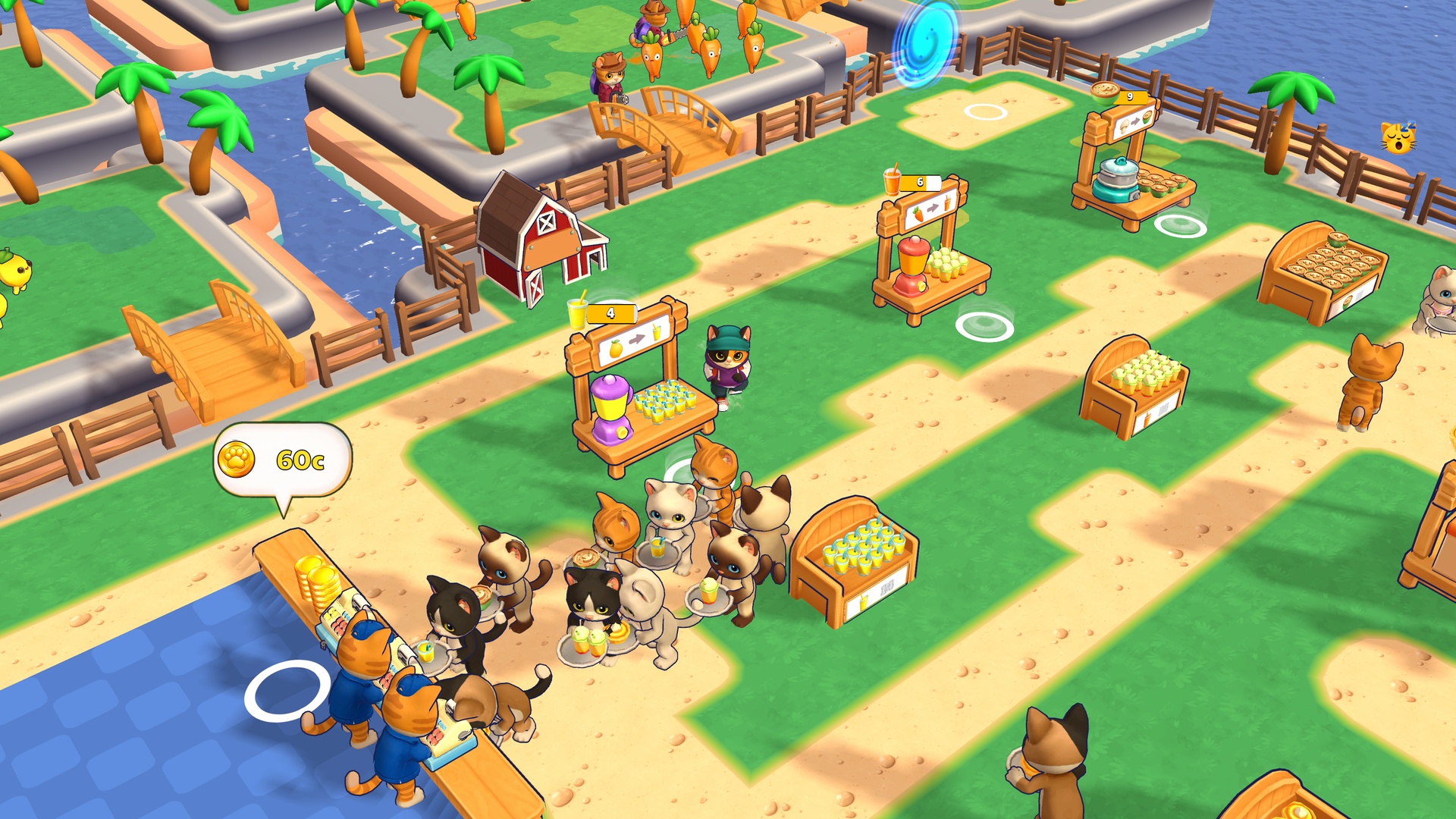
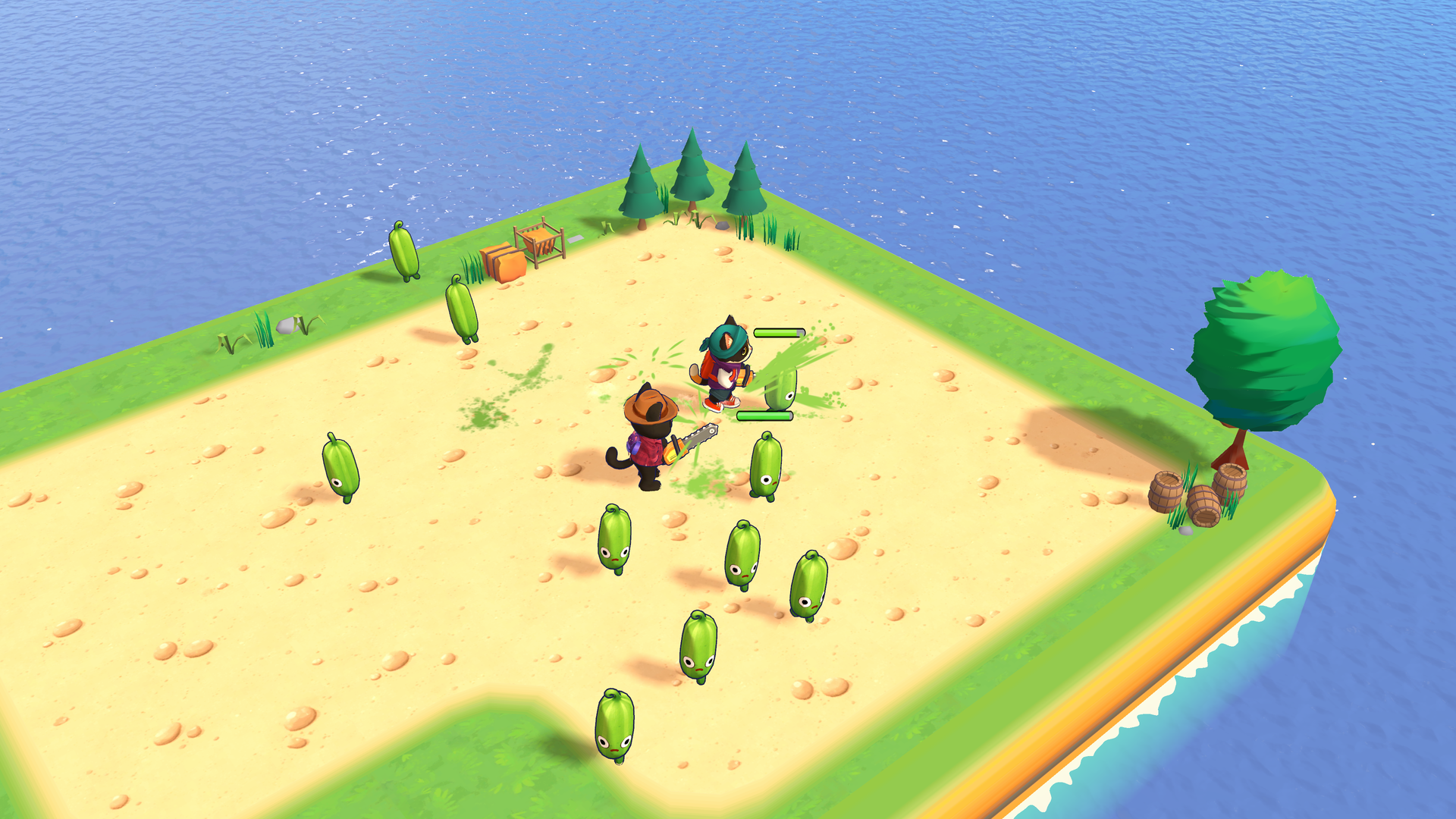
What’s the Point?
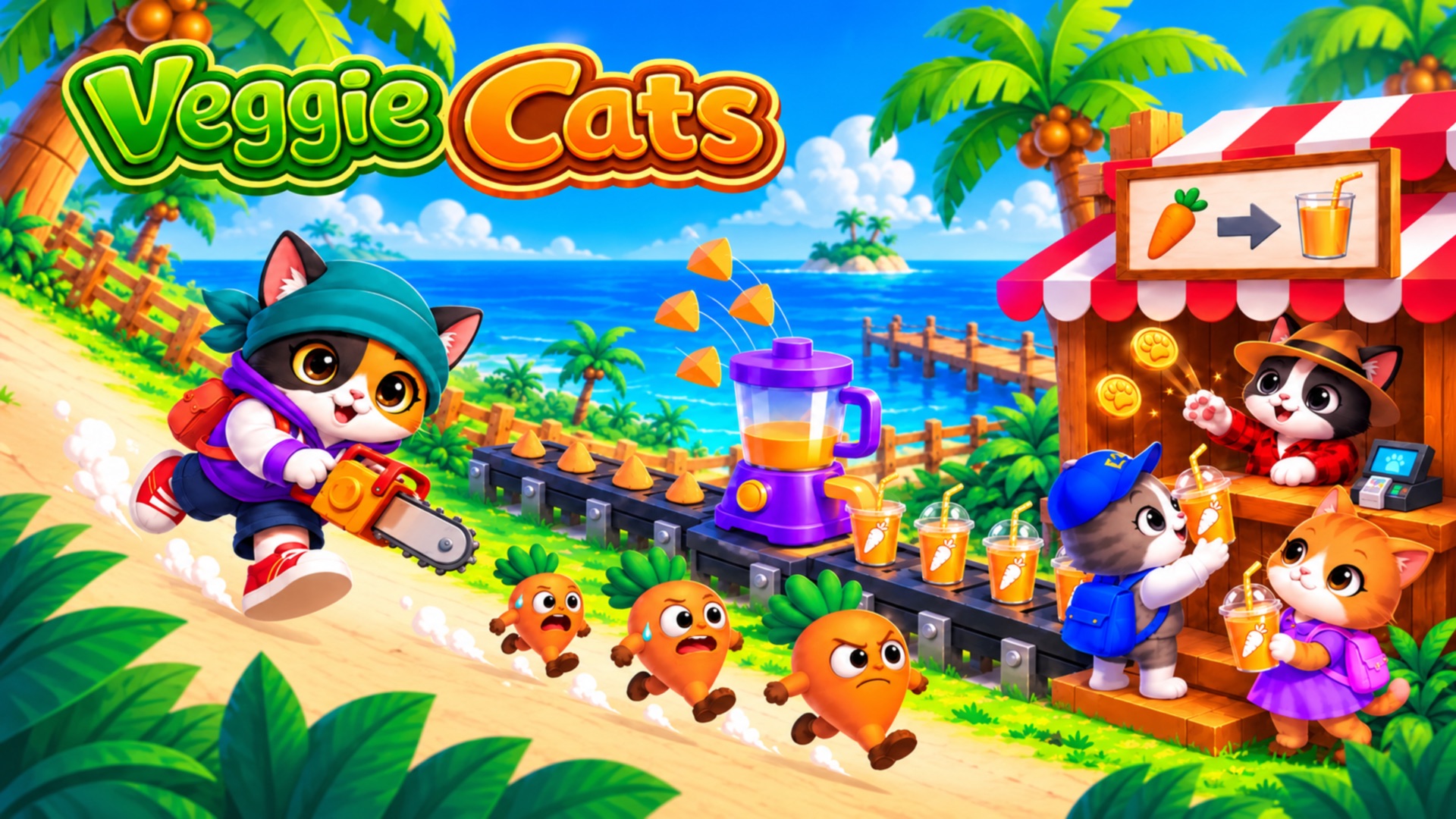
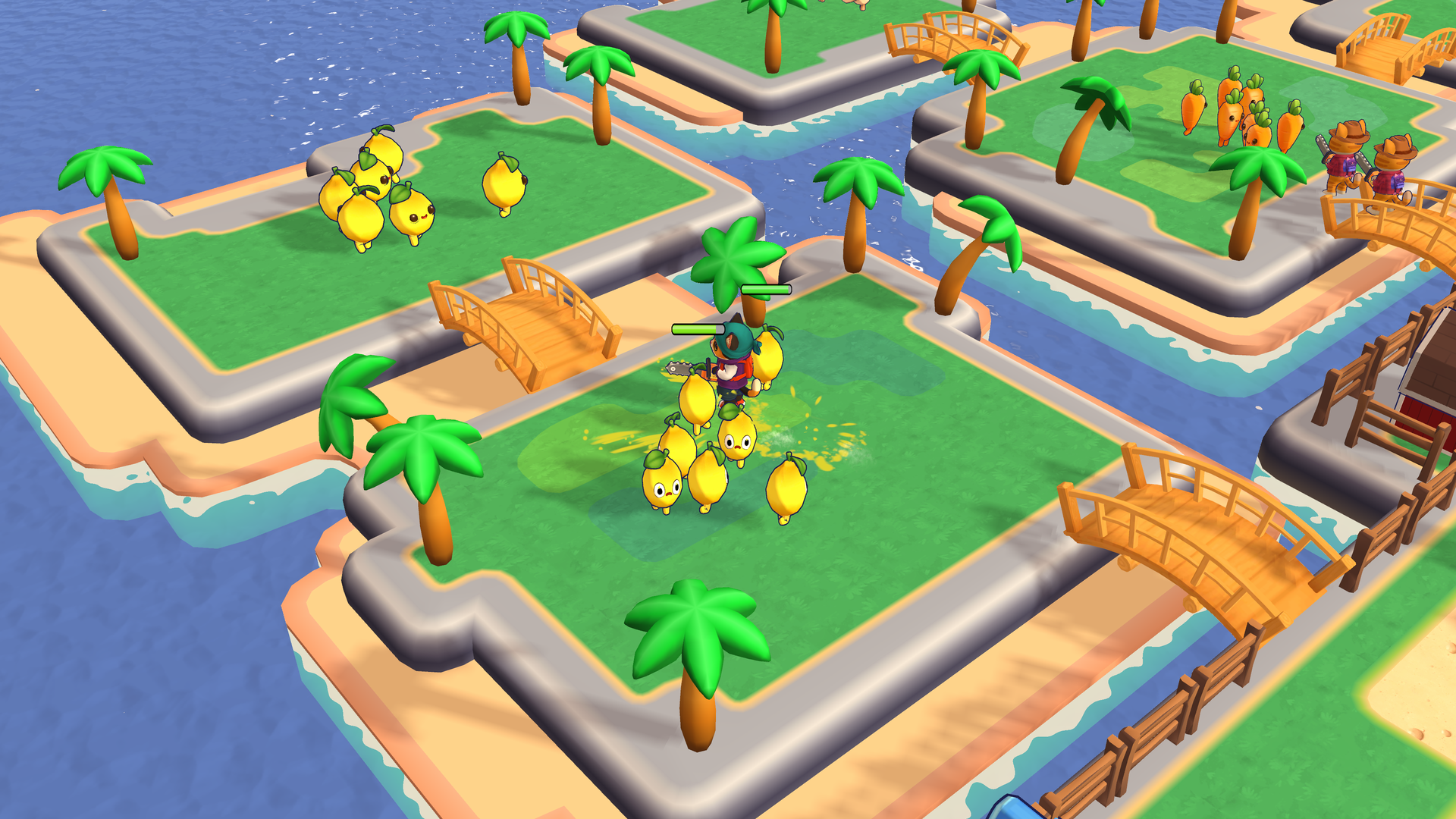
Veggie Cats: Idle Farm Tycoon is a cozy idle farm tycoon where you run a growing veggie business across a series of islands. Harvest runaway vegetables, process them into juices and snacks inside your factory, and serve a line of hungry customers at the counter. The business keeps earning even while you are away, so there is always progress waiting when you return.
How to Play
Walk your cat up to vegetables to harvest them, carry the crop to the machines to process it, then bring the finished products to the counter to sell. Spend coins on upgrades and new buildings, complete quests for rewards, and unlock the next island when you are ready. Hire cashiers, porters, and hunters, upgrade every machine, and build the biggest veggie business around.
Controls:
- WASD or Arrow Keys: Move your cat
- Press and drag (mouse or finger): Use the on-screen joystick to move your cat
7. Idle Train Empire Tycoon
Quick Info
- Genre: Railway Simulation
- Developer: Vladimir Kharitonov
- Rating: 4.0/5.0 (2214 ratings)
Gameplay Video
Watch real gameplay footage
Screenshots
Passengers waiting at station
Passengers queuing at gates
Train track puzzle game
What’s the Point?
This one surprised me. You’re managing a train station, directing passengers, and solving track-switching puzzles to guide trains from start to finish. The game alternates between two modes: an isometric station management view where you handle passenger flow, and a 2D top-down puzzle mini-game where you manipulate tracks. It’s a weird combo, but it works. The station management side is standard idle tycoon fare—passengers queue up, you upgrade turnstiles and benches, and you expand infrastructure. The puzzle mini-game is where things get interesting. You’re switching tracks in real-time to guide trains to their destinations, which adds a skill-based element. It’s not groundbreaking, but it breaks up the monotony of pure idle clicking. Visually, it’s a mix of low-fidelity isometric and 2D top-down graphics. The station view is clean and functional, while the puzzle segments are simple but clear. Performance is solid—no lag, no stuttering. The dual gameplay modes might confuse casual players, but they add variety.
Personal Experience
From the author: I started by managing passenger flow in the isometric station view, watching tiny characters queue up at turnstiles and sit on benches. The camera panning was smooth, and everything felt responsive. Then the game abruptly switched to a 2D puzzle mini-game, and I had to manipulate train tracks to guide a train to its destination. The transition was jarring at first, but the puzzle was satisfying to solve. I appreciated the variety—it kept me from zoning out like I do with pure idle games.
How to Play
Controls: Mouse clicks to manage passenger flow and solve track-switching puzzles. Swipe on mobile
Goal: Manage your train station by directing passengers, solving track puzzles, and ensuring trains run on schedule to expand your railway empire
Performance & Browser Compatibility
Speed: Fast loading, stable 60fps, no performance issues
Works best on: Mobile (touch-friendly puzzles) or Desktop
Browser: Chrome, Firefox, Safari (HTML5)
Who is this game for?
Casual mobile gamers aged 8-15 who prefer simple simulation and puzzle mechanics. If you like short play sessions with a mix of management and puzzle-solving, this is for you. Kids will enjoy the train theme and the track-switching mini-game. Not for hardcore tycoon fans—the management side is too shallow.
Pros & Cons
✅ Pros
- Track-switching puzzles add variety
- Dual gameplay modes break up monotony
- Smooth performance, no technical issues
⛔ Cons
- Abrupt transitions between modes feel jarring
- Management side is very shallow
- Puzzle mini-game is a common mobile mechanic
8. Airplane Factory – Tycoon
Quick Info
- Genre: Factory Simulation
- Developer: Ermac Alex
- Rating: 4.5/5.0 (1479 ratings)
Gameplay Video
Watch real gameplay footage
Screenshots
Player collecting processed items
Player assembling helicopter parts
Helicopter assembly completion
What’s the Point?
You’re running an airplane factory, starting with lightweight planes and scaling up to giant airliners and fighter jets. The loop is classic idle factory: collect resources (boxes), process them through machines, assemble larger objects (helicopters, planes), and sell them for currency. You use that currency to upgrade machines, unlock new areas, and expand production. What’s interesting here is the assembly process. You’re not just clicking ‘upgrade’ buttons—you’re watching parts gradually build up into complete aircraft. It’s more visual than most idle games, which makes the progression feel tangible. The game also has a clear upgrade path, so you always know what to work toward next. Visually, it’s low-poly, flat-shaded, and cartoonish. The aesthetic prioritizes performance over detail, which is smart for a browser game. The UI is minimal—just an ‘Upgrade’ prompt and a currency counter. Performance is excellent; no lag, no stuttering. It’s optimized for mobile but works fine on desktop.
Personal Experience
From the author: I started by running around as a yellow stick figure, automatically collecting boxes from a conveyor belt and depositing them into a processing machine. Once processed, I collected the output and moved it to an assembly area where helicopters were being constructed. Watching the helicopter gradually take shape was oddly satisfying. I then moved the completed item to a ‘Sell’ point, collected my cash, and immediately upgraded my machine. The loop is repetitive, but the visual feedback kept me engaged longer than I expected.
How to Play
Controls: WASD or Left Mouse Click to move character around the map. Swipe on mobile
Goal: Collect resources, process them through machines, assemble aircraft, and sell them to expand your factory and unlock new production lines
Performance & Browser Compatibility
Speed: Instant loading, smooth 60fps, minimal resource usage
Works best on: Mobile (optimized for touch), but works fine on Desktop
Browser: Chrome, Firefox, Safari (HTML5)
Who is this game for?
Casual mobile gamers aged 8-16 who prefer short, repetitive sessions with clear progression. If you enjoy incremental progress and simple management tasks, this is for you. Kids will love the assembly line visuals and the sense of building something. Not for players seeking strategic depth—it’s extremely shallow.
Pros & Cons
✅ Pros
- Visual assembly process is satisfying
- Clear upgrade path keeps progression focused
- Excellent performance, no lag
⛔ Cons
- Direct clone of numerous idle factory games
- Extremely repetitive gameplay loop
- Generic low-poly art style
9. Build a Rollercoaster: Simulator
Quick Info
- Genre: Building Simulator
- Developer: Square Dino LLC
- Rating: 4.5/5.0 (167 ratings)
Gameplay Video
Watch real gameplay footage
Screenshots
Player building track
Player running on track
Player building track
What’s the Point?
This is a Roblox game where you’re building and riding custom roller coasters. The loop involves earning in-game currency, buying track pieces (direct routes, turns, bumpers), placing them on a grid-based terrain, and then riding your creation to generate more income. It’s part building game, part idle tycoon, and it’s surprisingly addictive. What makes this fun is the creative freedom. You’re not following a template—you’re designing your own roller coaster circuit. The building mode lets you rotate and place track segments, which gives you control over the layout. Once your track is built, you can ride it from a first-person perspective, which is a nice touch. The income generation is passive, so you’re constantly earning money to expand. Visually, it’s blocky 3D typical of Roblox—simple textures, minimal lighting, and basic geometry. The UI is clean, with shop and upgrade buttons clearly labeled. Performance is solid for a Roblox game—no major lag, though the framerate can dip during complex track rides.
Personal Experience
From the author: I started by running around a basic blocky environment, then opened the shop UI to purchase track pieces like ‘Direct route’ and ‘Turn 90.’ After buying a few pieces, I entered building mode and started placing and rotating segments on the grid. The UI prompted me with ‘PRESS to place – PRESS R to rotate,’ which was helpful. Once I built a simple circuit, I hopped into a cart and rode the track from a first-person view. The ride was bumpy and the camera shook, but it felt rewarding to see my creation in action. I earned money from the ride and immediately bought more track pieces to expand.
How to Play
Controls: WASD or Arrow keys to move, mouse clicks to place and rotate track pieces. On mobile, use on-screen joystick and touch controls
Goal: Build and expand custom roller coaster tracks, ride them to earn in-game currency, and use that currency to unlock more track pieces and upgrades
Performance & Browser Compatibility
Speed: Moderate loading (Roblox platform), stable 60fps during building, occasional dips during rides
Works best on: Desktop (benefits from keyboard and mouse for building)
Browser: Chrome, Firefox, Safari (HTML5)
Who is this game for?
Casual Roblox players, likely kids and pre-teens aged 8-14, who enjoy creative building and idle progression. If you like short, satisfying sessions of building and earning, this is perfect. The game offers simple tycoon mechanics with a creative twist. Not for players seeking realistic simulation—it’s blocky and basic.
Pros & Cons
✅ Pros
- Creative freedom in track design
- First-person ride view is a nice touch
- Clean UI, easy to understand
⛔ Cons
- Blocky Roblox graphics lack detail
- Framerate dips during complex rides
- Shallow tycoon mechanics
10. Animal Care Tycoon
Quick Info
- Genre: Pet Management
- Developer: John Hany
- Rating: 4.2/5.0 (167 ratings)
Gameplay Video
Watch real gameplay footage
Screenshots
Pet grooming station
Customer service desk
Expanding new area
What’s the Point?
You’re running an animal hospital, treating fluffy patients like cats, dogs, sheep, and zebras. The loop involves upgrading treatment stations, hiring staff, and processing customers (pets) to earn in-game currency. It’s a standard idle/tycoon game with a cute pet care theme. You’re managing customer flow, reinvesting in upgrades, and expanding your hospital to treat more animals. What sets this apart slightly is the variety of treatment stations. You’re not just clicking one button—you’re managing multiple rooms (treatment, grooming, check-in) and ensuring staff are efficiently processing patients. The game also has a progression system where you unlock advanced tools and new treatments, which gives you short-term goals. Visually, it’s low-poly, stylized 3D with simple textures and a vibrant color palette. The top-down perspective keeps everything clear, and the character pathfinding is smooth. Performance is solid—no lag, no stuttering. The UI is clean with a currency counter and shop button clearly visible.
Personal Experience
From the author: I started by tapping on objects to collect currency and initiate upgrades. Characters (staff and pets) moved autonomously along predefined paths, which was nice—I didn’t have to micromanage. I upgraded a few stations, and the monetary costs were clearly displayed. The visual feedback for collecting money was a ‘+$X’ pop-up with confetti-like particles, which felt satisfying. The pace was slow, typical for an idle game, but the variety of stations kept me engaged longer than I expected. After about 15 minutes, I realized I was just repeating the same actions, but the cute pet theme made it more tolerable.
How to Play
Controls: WASD or Arrow keys to move on PC, mouse clicks to interact with animals and upgrade stations. On mobile, use on-screen joystick and touch controls
Goal: Manage your animal hospital by treating pets, upgrading stations, hiring staff, and expanding your facility to maximize profits
Performance & Browser Compatibility
Speed: Fast loading, smooth 60fps, minimal resource usage
Works best on: Mobile (optimized for touch), but works fine on Desktop
Browser: Chrome, Firefox, Safari (HTML5)
Who is this game for?
Casual mobile gamers aged 8-16 who prefer short, repetitive sessions with cute aesthetics. If you enjoy management and simulation games with low skill requirements and clear progression, this is for you. Kids will love the pet care theme and the colorful visuals. Not for players seeking deep strategy or variety.
Pros & Cons
✅ Pros
- Cute pet theme with colorful visuals
- Multiple treatment stations add variety
- Smooth performance, clean UI
⛔ Cons
- Standard idle/tycoon clone with pet skin
- Very repetitive gameplay loop
- Shallow mechanics, no long-term depth