A step-by-step guide: generating the assets, building the game with an AI coding agent, and getting it to players with Playgama Bridge and Playgama MCP. Every screenshot comes from the real build.
Can AI really make a game? We made one to find out. Sky Shift is a 3D car stunt race in the sky: the tracks float over the sea, and every gate you drive through swaps your car for a different one. It runs in any browser, on a computer and on a phone.
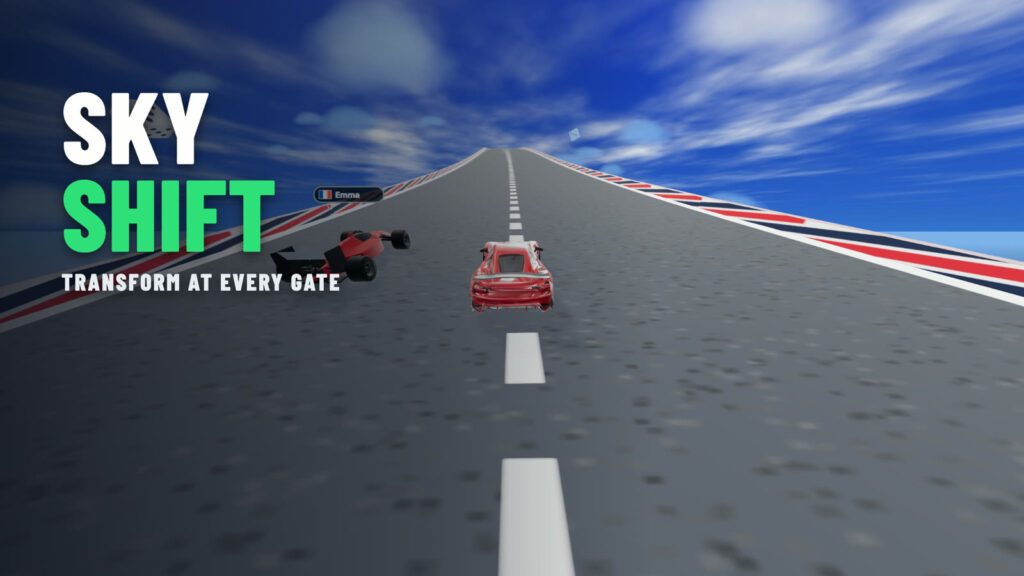
AI did a lot of the work. The two cars were generated from images. An AI coding agent, Claude Code, wrote every line of the game’s code. And the same agent got the game ready for Playgama through Playgama MCP. The decisions stayed with us: what to build, how it should feel, and when it was good enough. This guide shows every step, including the parts that didn’t work the first time.
What you’ll learn
- how to plan a game with ChatGPT and a game design document (GDD);
- how to generate 3D cars with AI and make them ready for a game;
- where to find free models, sounds and music, and how to read their licences;
- how an AI agent builds a game from plain-language requests, and how to give it “eyes”;
- how Playgama Bridge and Playgama MCP get a game ready for Playgama: ads, saves, translations, the checklist;
- how publishing works with Playgama MCP, and how to read your game’s analytics.
The tools we used for Sky Shift
| Tool | What it did |
|---|---|
| ChatGPT | concept images of the cars |
| Tripo | turned the images into 3D models |
| Blender | made the models game-ready, with a script |
| Kenney, Sketchfab | free props and sounds |
| Suno | the music |
| Claude Code | wrote the game |
| Playgama Bridge SDK | ads, saves, leaderboards and languages, on every platform |
| Playgama MCP | gets the game ready, publishes it, and reads its analytics |
Contents: The role of AI · Step 1 · Brainstorming and the GDD · Step 2 · Assets · Step 3 · Development · Step 4 · Getting ready for Playgama · Step 5 · Distribution · Top AI tools · Challenges · What we learned
The role of AI in modern game development
AI is a co-pilot, not a replacement for you. It drafts, generates and fixes faster than any solo developer can, but it doesn’t know what makes your game fun. You still choose the idea, judge every version and decide when it’s ready. For a solo or indie developer, that split is what saves time and money: the slow, repetitive parts go to the tools, and your hours go into the decisions.
Here is where AI helps most, stage by stage:
- Ideas and design: brainstorming, lore, mechanics and a structured game design document (GDD), with ChatGPT or another chat model;
- Art: concept images (ChatGPT) and 3D models from an image (Tripo, Meshy);
- Code: a whole browser game on three.js, written by an AI coding agent such as Claude Code;
- Audio: music (Suno), plus ready-made free sound packs;
- Testing and release: checking the build, fixing what breaks and publishing it, which an agent can do through Playgama MCP.
The skill that ties it together is prompt engineering: asking for exactly what you want, in small, specific pieces. Every step below shows the real prompts we used, so you can see what a useful one looks like.
Step 1: Brainstorming and the game design document (GDD)
A game design document (GDD) is the plan of your game in one place: the genre, the core loop, the controls, the levels, the art style and what “done” means. It matters even more when you work with AI, because every later prompt can point back to it. An agent that has read your GDD makes fewer guesses, and you have something to check its work against.
Sky Shift started small: a one-paragraph idea, which you’ll see in Step 3, and four questions the agent asked us before it wrote any code. For a bigger game, write the GDD first.
Using ChatGPT for game design ideas
Give the model your constraints, not just a theme, and ask for a fixed structure. Compare two prompts:
- Vague: “Make me a cool racing game idea.” You get a generic list that fits any game.
- Specific: the template below. You get a document you can build from, and you can ask the model to change one section at a time.
You are a game designer. Write a one-page game design document for a browser game. Constraints: [genre], [platform: desktop and mobile browser], [session length: 2–3 minutes], [solo developer, 4 weeks], [art: low-poly 3D]. Use these sections: 1) one-sentence pitch, 2) core loop, 3) controls for keyboard and touch, 4) three levels from easy to hard, 5) progression and rewards, 6) art and audio style, 7) monetization moments (natural pauses for ads), 8) what is out of scope. Then ask me five questions about anything that is unclear before you finish.
A GDD prompt template for ChatGPT
Then iterate: ask for three alternative core loops, a short backstory for each character, or a harder version of level 2. Keep what you like, paste it back into the document, and move on. A generated GDD should cover:
- genre and a one-sentence pitch;
- the core loop: what the player does every few seconds, and why they come back;
- mechanics and controls, for every device you support;
- levels or content, with how difficulty grows;
- story, lore and characters, if the game has them;
- art and audio style, so every asset you generate matches;
- rewards, progression and where ads or purchases fit;
- what you will not build in the first version.
Step 2: Generating game assets with AI
Every game needs assets: the cars you drive, the props you crash into, and the music behind it all. There are three ways to get them: generate them with AI, take them from free libraries, or buy them. For Sky Shift we used the first two. Here is exactly how, including the parts that didn’t work the first time.
Generate 3D models with AI
Our two cars were made with Tripo, an AI tool that turns a text prompt or an image into a 3D model.
Start with an image, not a 3D model
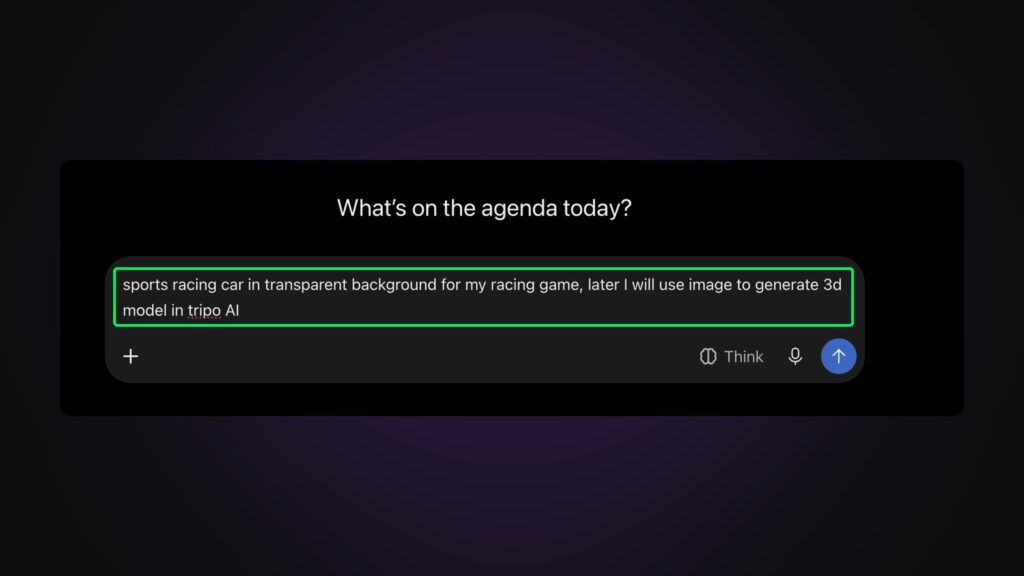
A 3D generator works best from a clean picture of exactly what you want. So the first step was an image. We asked ChatGPT:
sports racing car in transparent background for my racing game, later I will use image to generate 3d model in tripo AI
Our prompt in ChatGPT
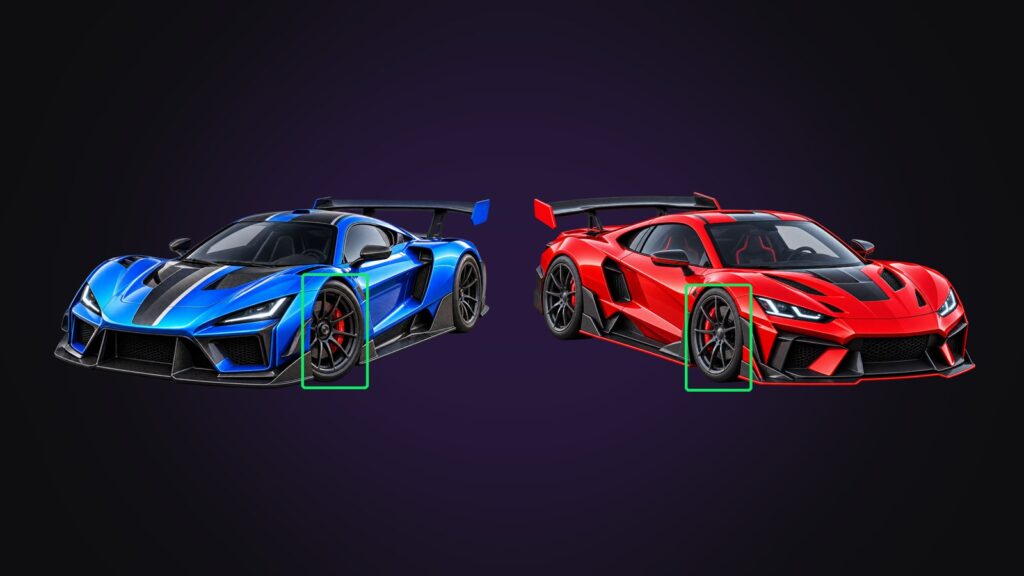
The first car came out with its front wheels turned, a typical “dynamic” pose. That matters more than it looks: a 3D generator copies whatever it sees, so turned wheels end up baked into the model, and you can’t steer them straight later. One more prompt fixed it:
generate this same car but with straigth wheels
Our follow-up prompt, typo included
From image to 3D in Tripo
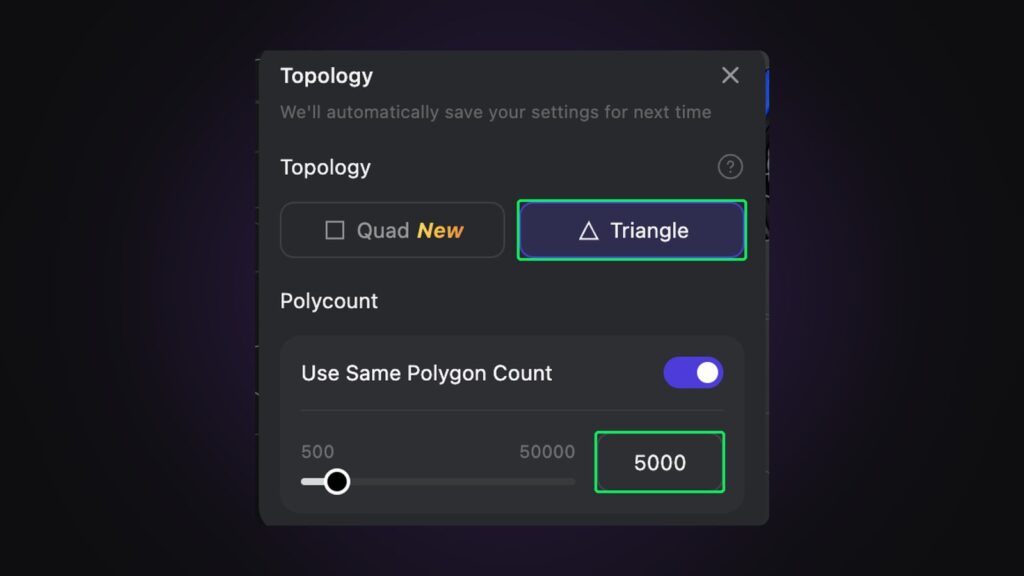
In Tripo, the image becomes a textured 3D model. Two settings matter for a game that runs in a browser:
- Topology and polycount. We chose triangles and about 5,000 of them. That’s plenty for a car seen from a chase camera, and light enough for a phone.
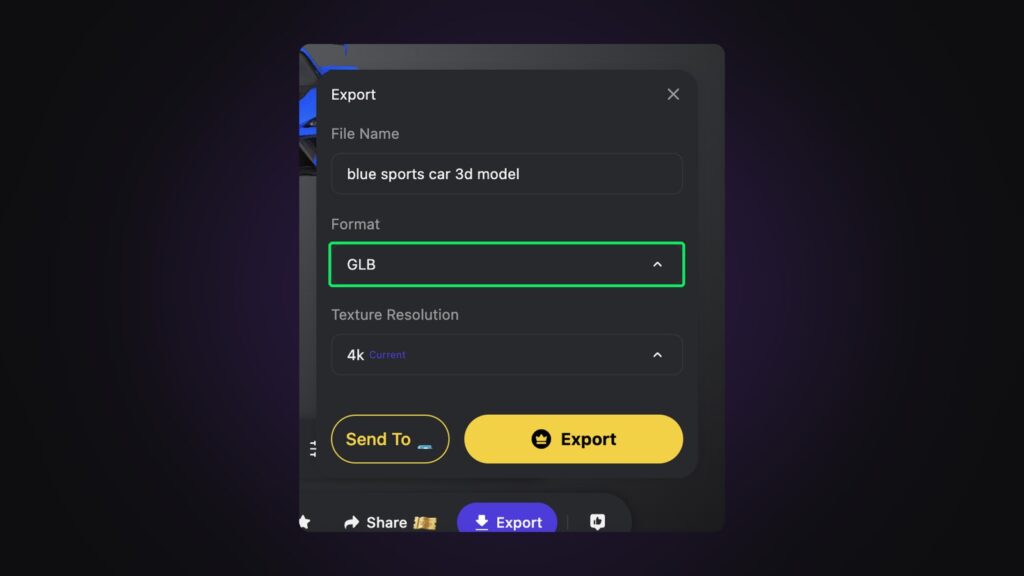
- Export format: GLB. It’s a single file with the mesh and its textures, and every web 3D engine loads it. Tripo’s export dialog was set to 4K textures; for a web game, 1K–2K is enough.
Split the car so the wheels can spin
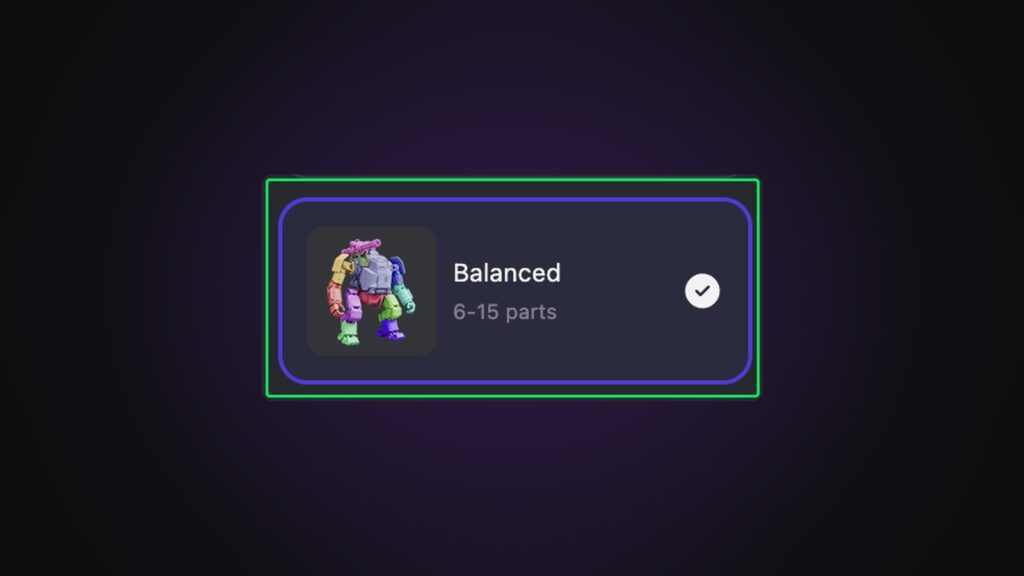
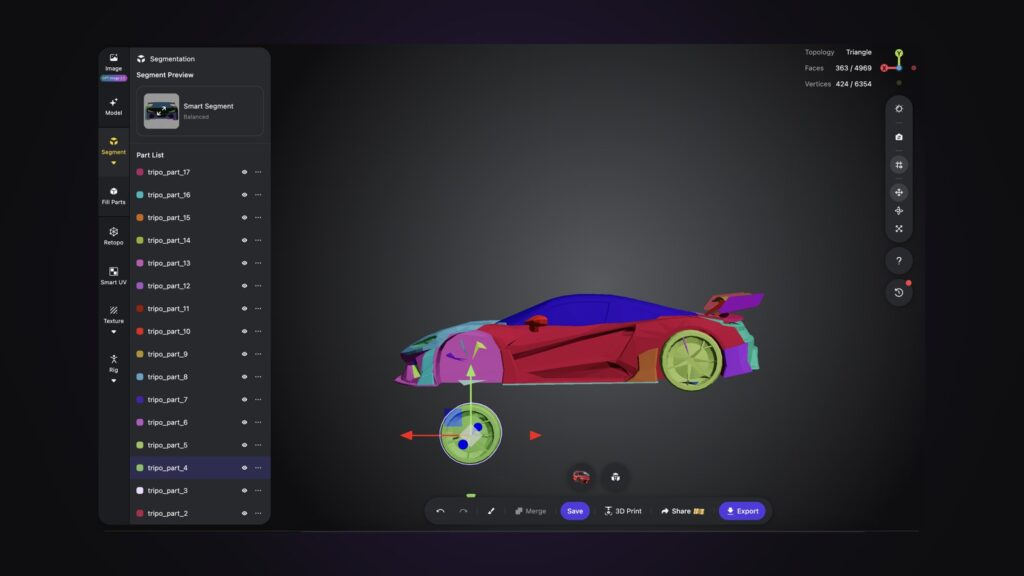
A car is only drivable if its wheels are separate objects that the game can spin and steer. Tripo’s segmentation splits a model into parts, and the wheels come out on their own.
Make the model game-ready
Segmentation has a side effect. Our red car came back in 55 parts, each with its own texture, and those textures are tiny: most are 32 to 128 pixels across. A browser draws every part separately, and Playgama’s own game checklist puts it plainly: “Budget draw calls, not polygons.”
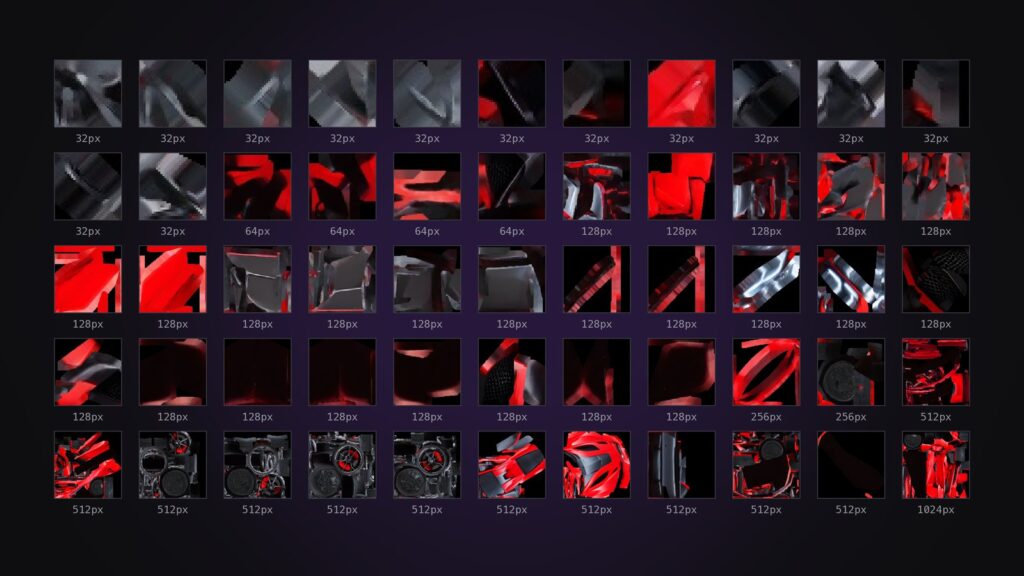
Our first fix made it worse. We baked the 55 small textures into one, and the car came out blurry: baking can’t add detail that isn’t there. The unsplit export of the same model has one texture of 2048 × 2048 for the whole car, and the same triangles. So the final Blender script, which runs without opening Blender, takes the best of both:
- it reads the split export only to learn which triangles are the wheels (gathering each wheel’s loose pieces);
- it cuts the body and the four wheels out of the unsplit export, so all five keep its one sharp texture;
- it moves each wheel’s pivot to its axle, so the wheel spins in place;
- it scales the car to real size.
blender -b --python clean_car.py -- red-car-split.glb red.glb renders/ 4.4 --full red-car-full.glb| Split export from Tripo | After the script | |
|---|---|---|
| Meshes | 55 | 5 (body + 4 wheels) |
| Textures | 55, mostly 32–128 px | 1, 2048 px |
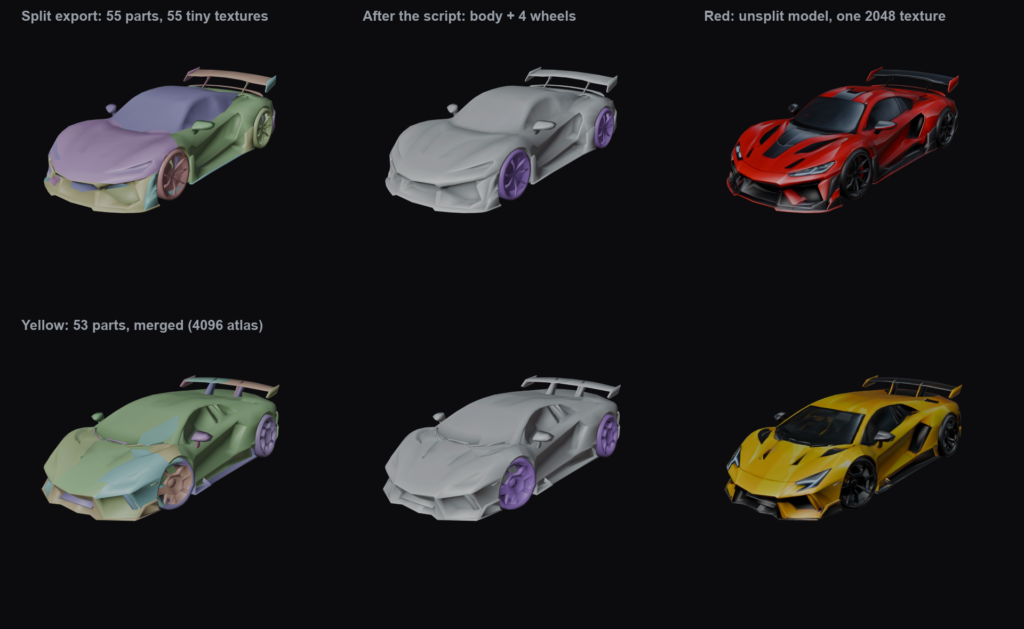
For the yellow car we only had the split export: we hadn’t exported the original before segmenting it, and couldn’t get it back afterwards. So the script joined its 53 small textures into one 4096 × 4096 atlas instead. It’s cleaner than before, but softer than the red car. The lesson: export the unsplit model first, then segment.
The same script runs on every car, which is another tip from Playgama’s checklist: “Script the asset pipeline into one command instead of optimizing by hand.” Other generators work the same way; Meshy is a popular alternative.
Take assets from free libraries
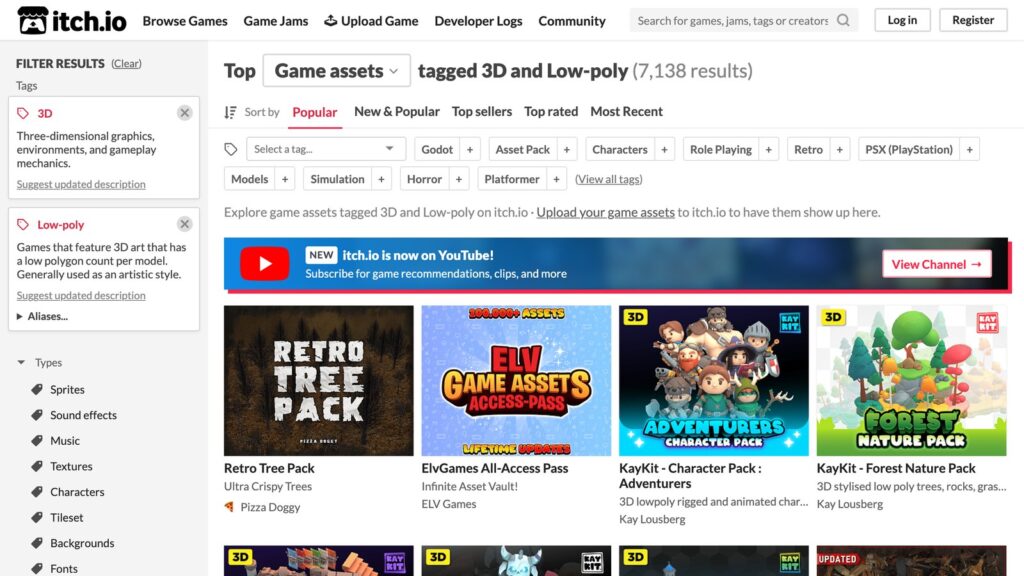
Kenney publishes game assets under CC0: you can use them in a commercial game, and you don’t have to credit him. From Kenney we took:
- the Racing Kit: barriers, billboards, flags, ramps and road pieces;
- Impact Sounds for crashes and Interface Sounds for the menus.
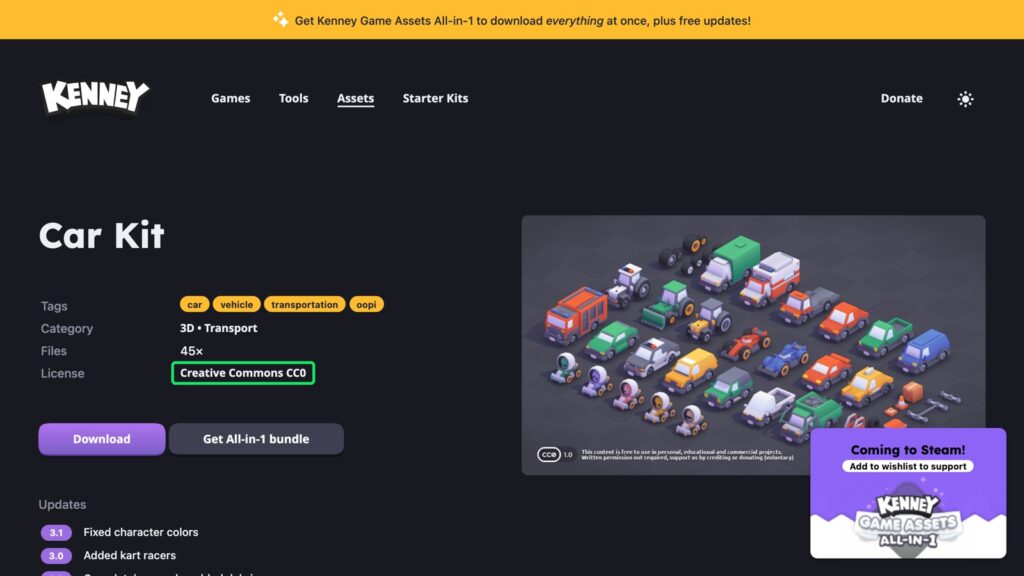
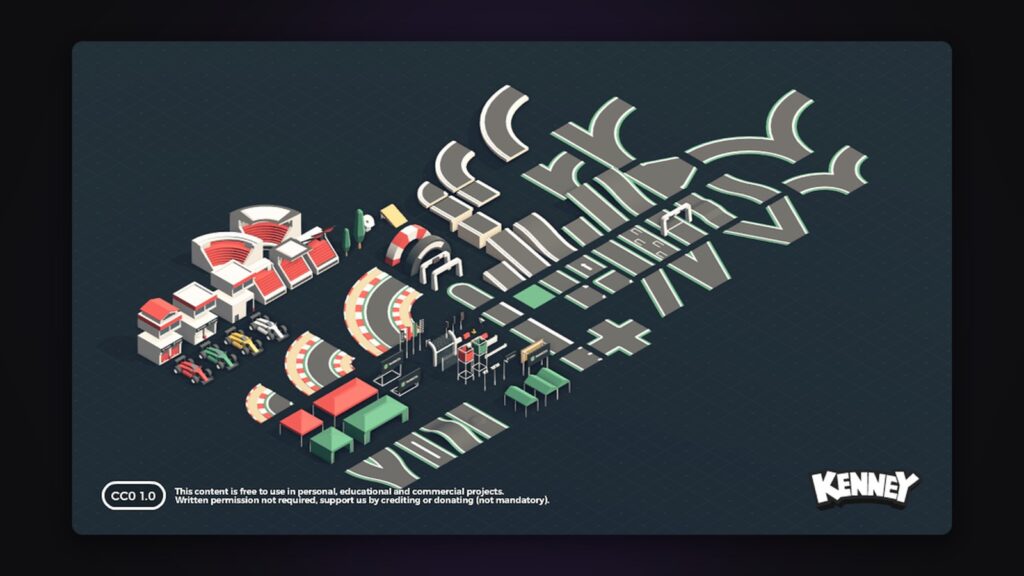
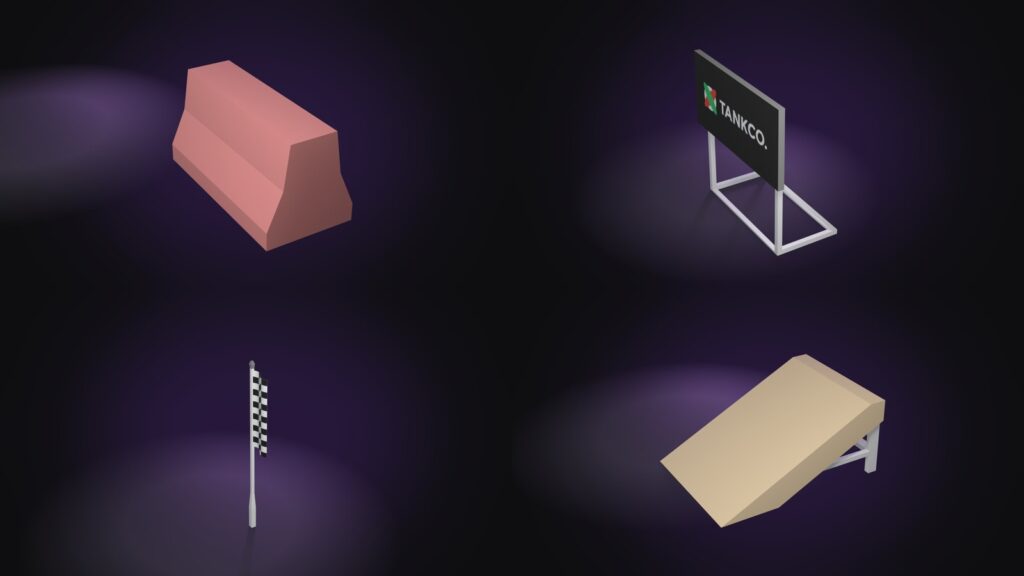
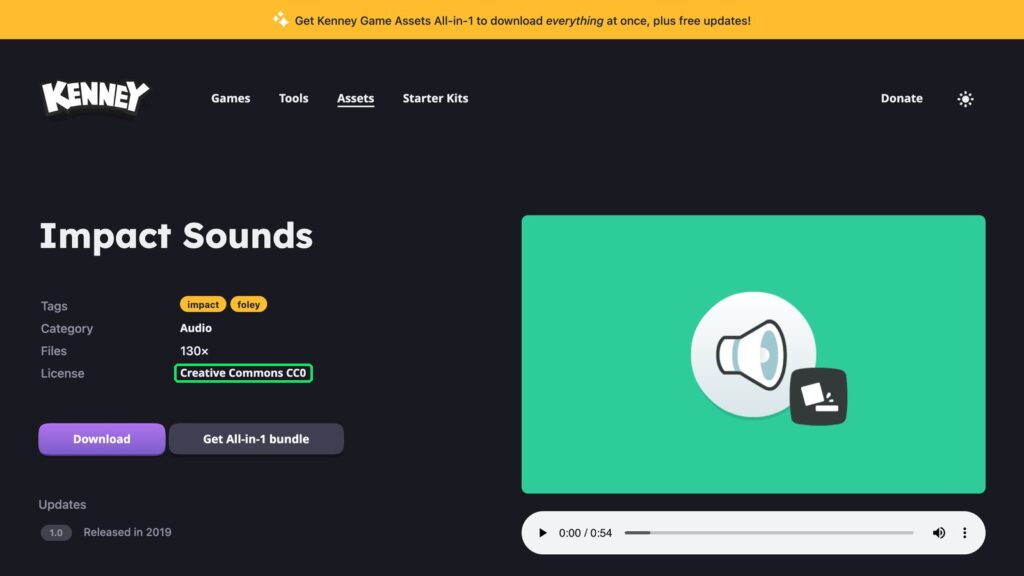
Playgama’s checklist has two tips here: take assets from free CC0 libraries and download them before you start, rather than asking the AI agent to look for them along the way; and don’t synthesize sound in code: ready-made free sound packs are faster and sound far better.
Sketchfab has far more models, but every model carries its own licence:
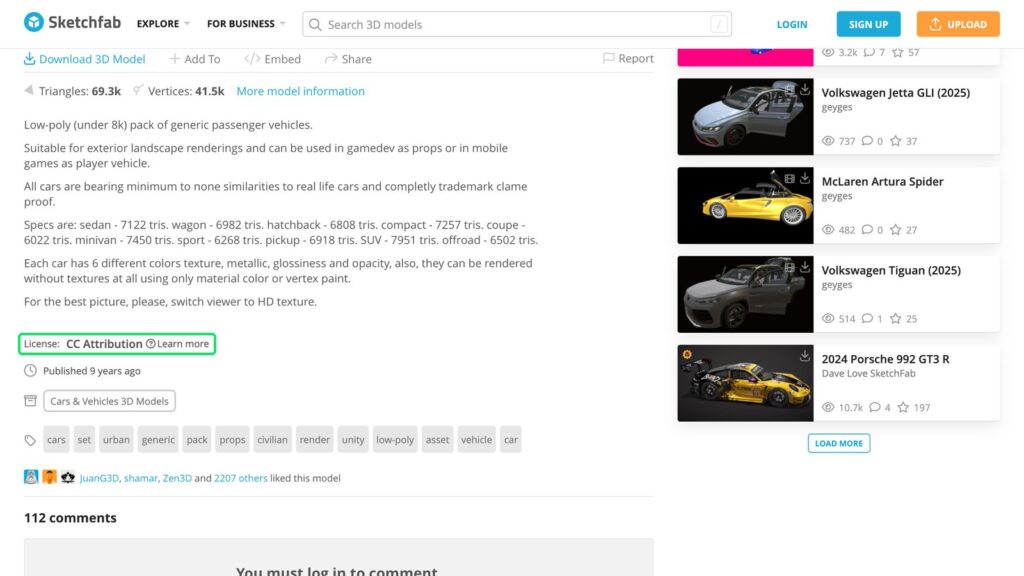
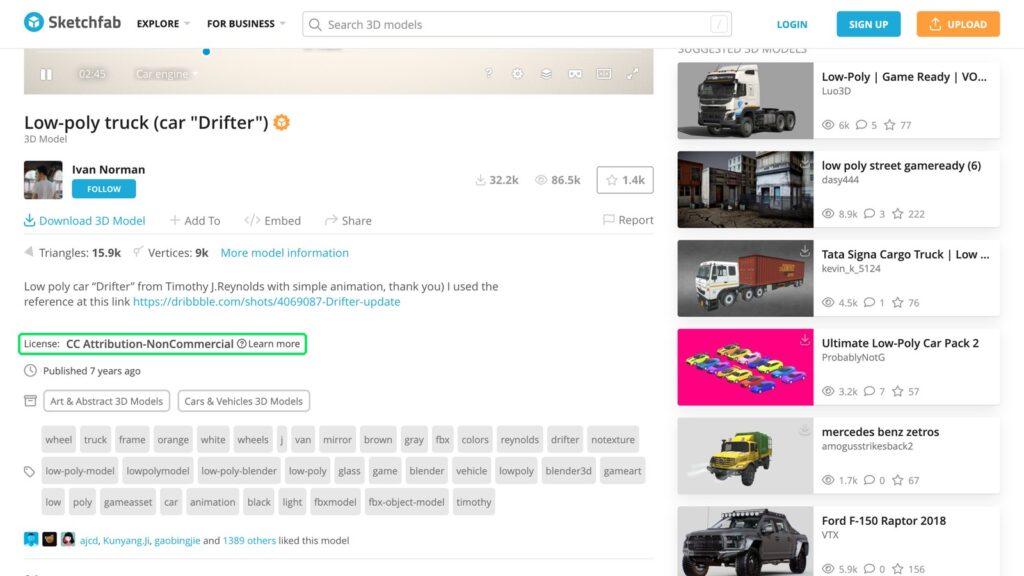
| Licence | What it means |
|---|---|
| CC0 | no conditions |
| CC BY | credit the author |
| CC BY-NC | not for commercial use: not for a game with ads |
| Store licences | bought models, under the store’s terms |
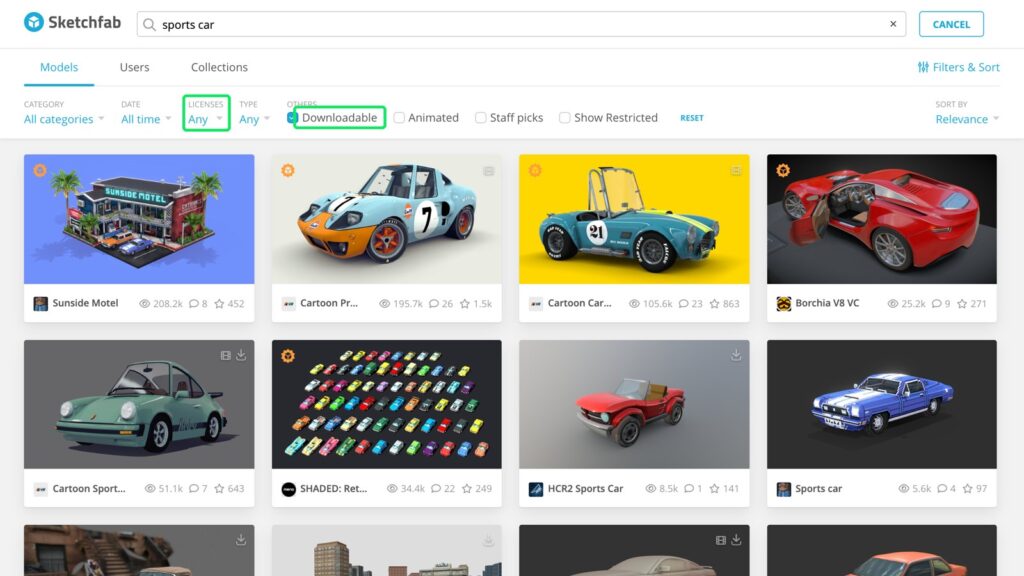
Filter by “Downloadable”, and read the licence before you download.
Or buy them
Ready-made packs from asset stores are the fastest route to one consistent style. For Sky Shift, AI and free libraries were enough.
Music with Suno
The music was made with Suno from one prompt:
energetic electronic racing game soundtrack, driving synth bass, punchy drums, bright arpeggios, upbeat, confident, instrumental, 128 bpm
Our prompt in Suno
It gave two full tracks, 2:32 and 2:27 long, and we kept the first. Check Suno’s terms for commercial use before you ship.
What we used
| Asset | Where it came from | Licence |
|---|---|---|
| 2 cars | ChatGPT image → Tripo → our Blender script | Tripo’s terms for your plan |
| Props | Kenney Racing Kit | CC0 |
| Sounds | Kenney Impact Sounds, Interface Sounds | CC0 |
| Music | Suno | Suno’s terms |
Next, we hand these assets to an AI agent and build the game itself.
Step 3: Coding the game with an AI agent
For the code, we used an AI coding agent, Claude Code. It wrote every line of Sky Shift: 33,113 lines of JavaScript. The way of working is simple: you describe what you want, the agent builds it, and you play every version and decide what changes next.
The decisions stay with you
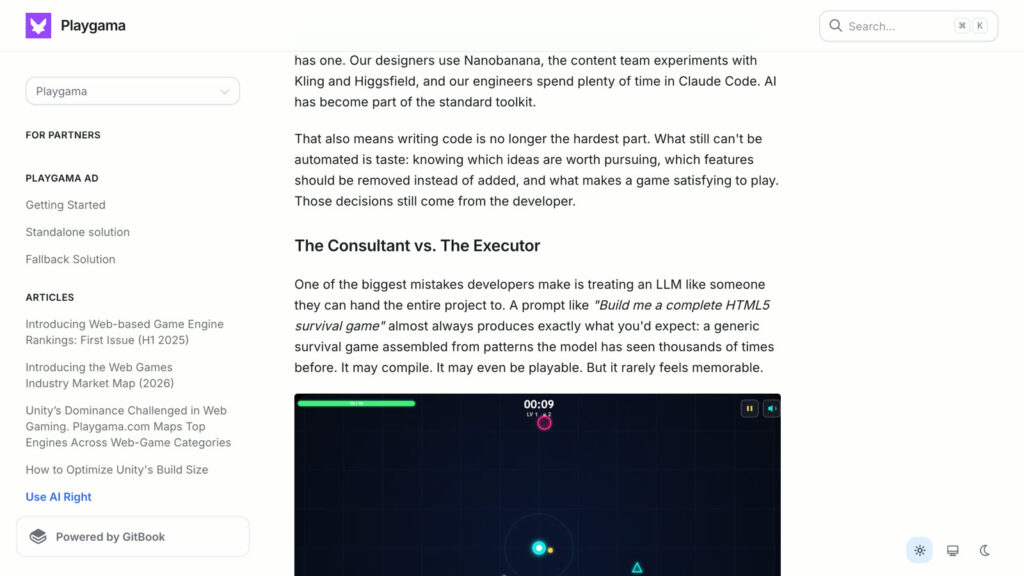
Playgama’s own guide to making games with AI, Use AI Right, puts it plainly: the model speeds up the work, but taste, what to build and what to cut, still comes from the developer. In its words: “Those decisions still come from the developer.”
The engine
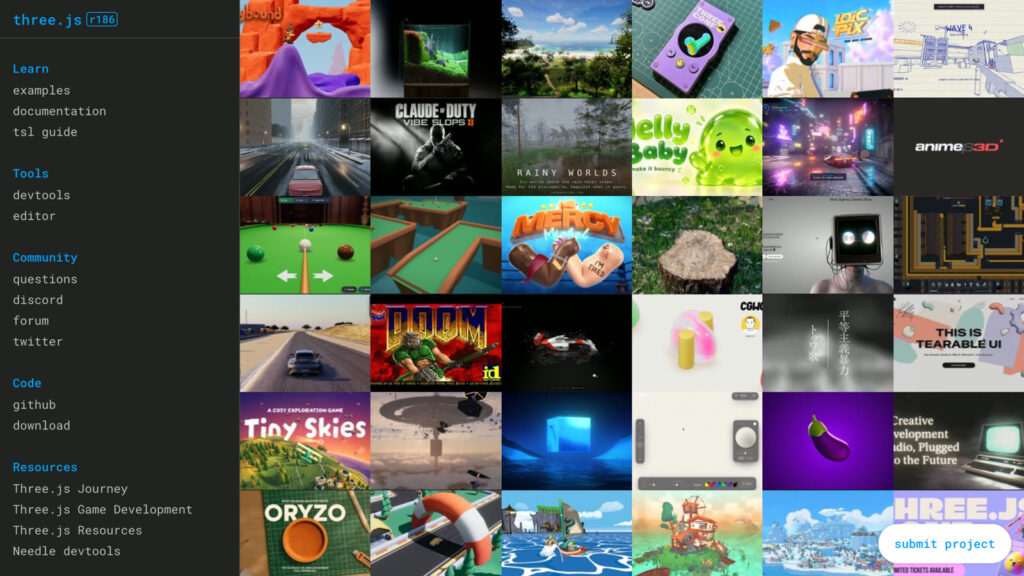
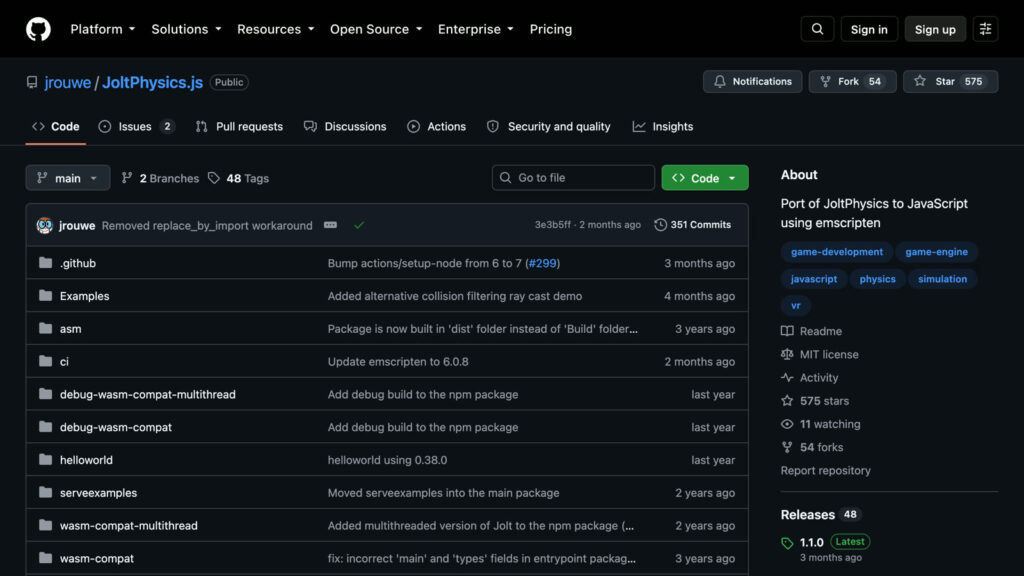
The engine was our choice: three.js to draw the 3D world, and the Jolt physics engine, because we wanted real collisions. Jolt brings proper car physics: suspension, tyre friction, differentials and a gearbox. Both are free and run in any browser, and both ship inside the game: nothing is loaded from a CDN, which is also a rule of Playgama’s game checklist.
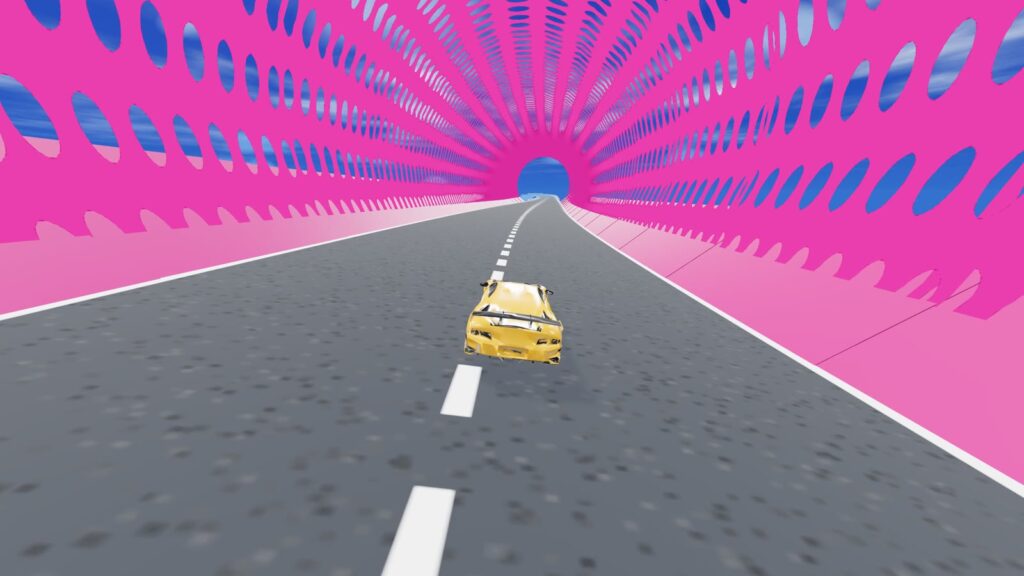
The idea: every gate swaps your car
The idea was a transform race in the sky, like the stunt races in GTA: you drive one car into a gate and come out of it in another. Our request to the agent (translated, like every prompt in this guide):
Let’s make the gameplay a transform race in the clouds, like in GTA: the player drives one car to a portal, and the car changes into another car, and so on. Not a normal road: a path in the sky.
Our request to Claude Code
Research first, then four questions
To get the tracks right, we gave the agent fourteen screenshots of the kind of maps we wanted and asked it to research how they are built:
Please look at all these screenshots and tell me what you understand about the tracks in them. Ask me questions about building a new track like these. What is the big problem with our track?
Our request to Claude Code
The agent studied the screenshots and the reference pages, then asked four questions before writing any code:
| The agent asked | We answered |
|---|---|
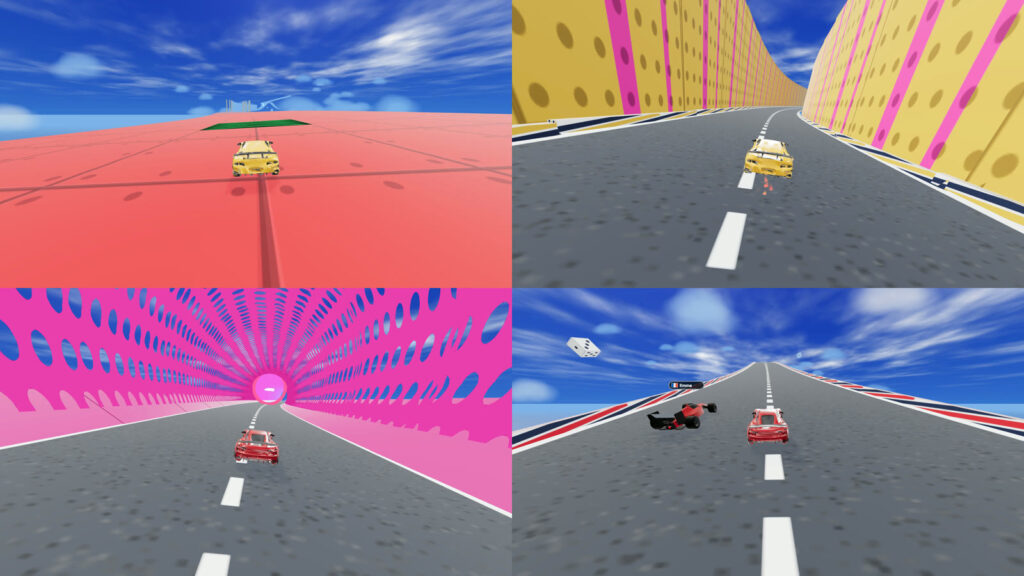
| Which set pieces should we build first? | the mega-platform, the canyon, the tube, steep climbs and drops |
| Keep the three-lap ring, or change the format? | a point-to-point sprint |
| Change the vehicle type too, like the real transform races? | cars only, for now |
| A colour for each section? | a colour per zone |
Then it built the new track: a sprint over the sea, with a giant platform, a canyon, a tube and steep climbs. Tip: ask the agent to ask you questions. It turns a vague taste into concrete choices.
One request at a time
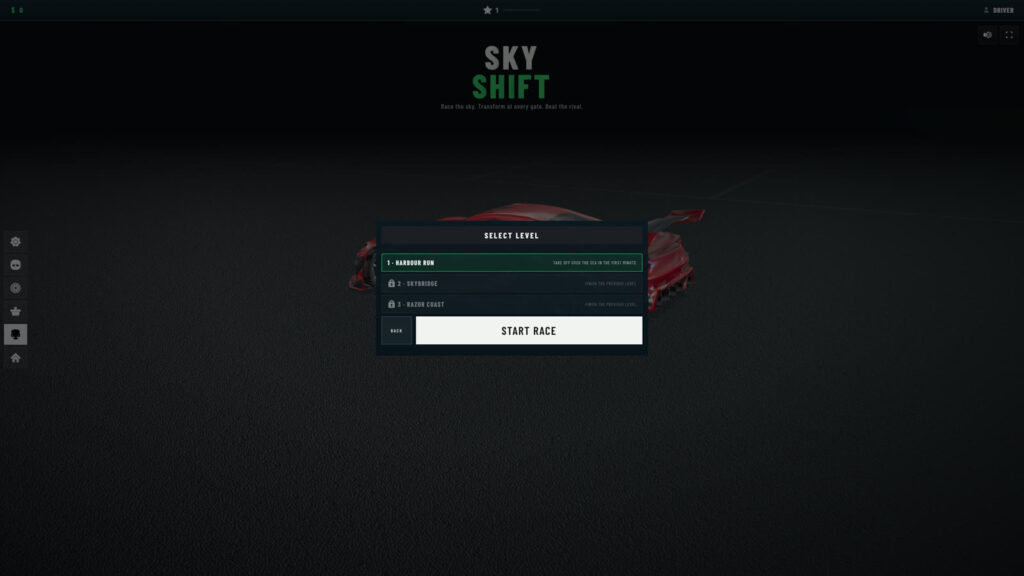
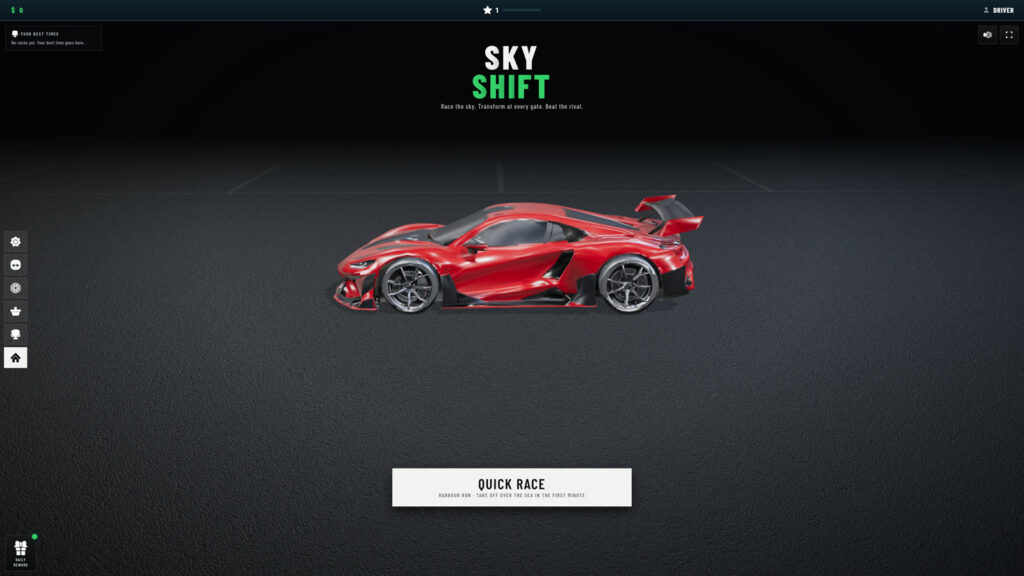
The rest came the same way, one request at a time: rivals that swap cars at their own gates, a puff of smoke at every swap, three levels (Harbour Run, Skybridge and Razor Coast), a finish screen, and arcade handling. The agent even picked the name: Sky Shift.
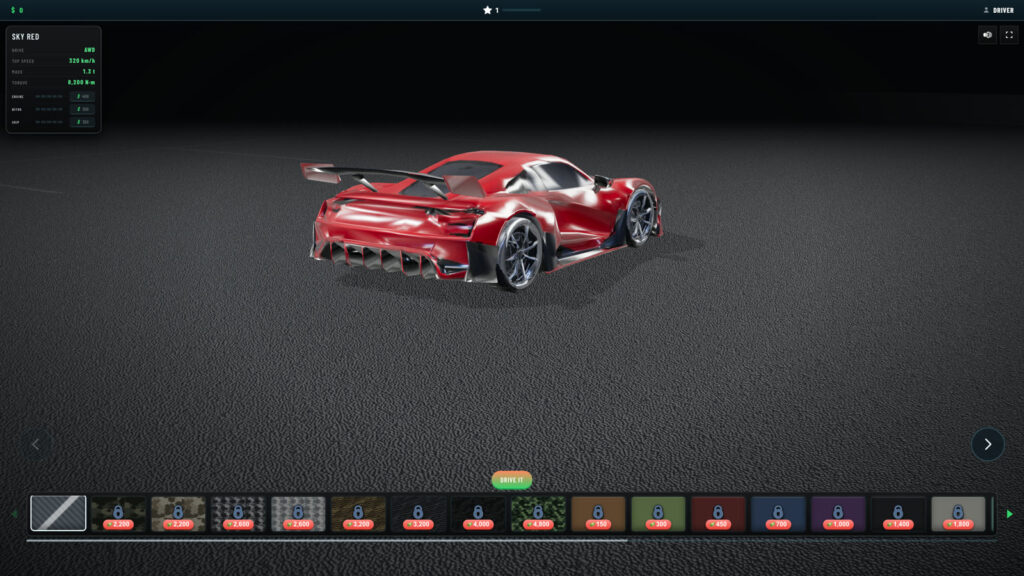
Our own cars, with wheels that work
Then we dropped in our own cars from the asset step. Because the wheels are separate objects, the code spins them, steers the front ones and lets the suspension work.
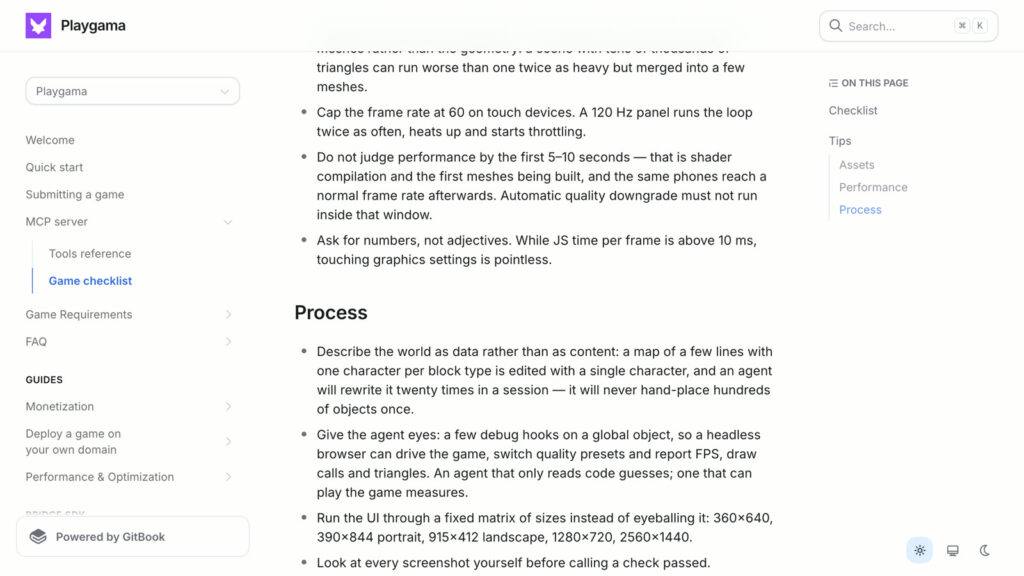
Describe the world as data
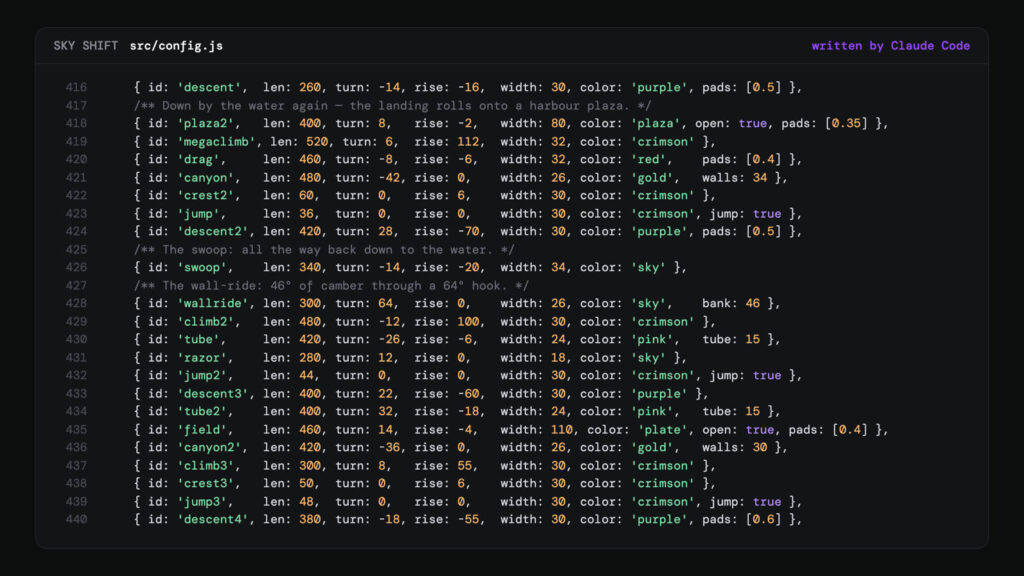
The track is written as data, not built by hand. Each line is one section: its length, its turn, its climb, its width, and what it is: a canyon with walls, a jump, a tube or a banked wall-ride. Reorder the lines and you have a new track. This is a tip from Playgama’s game checklist, and it suits an agent perfectly: changing a level is changing a line, and the agent can rewrite a whole track from one sentence.
Give the agent eyes
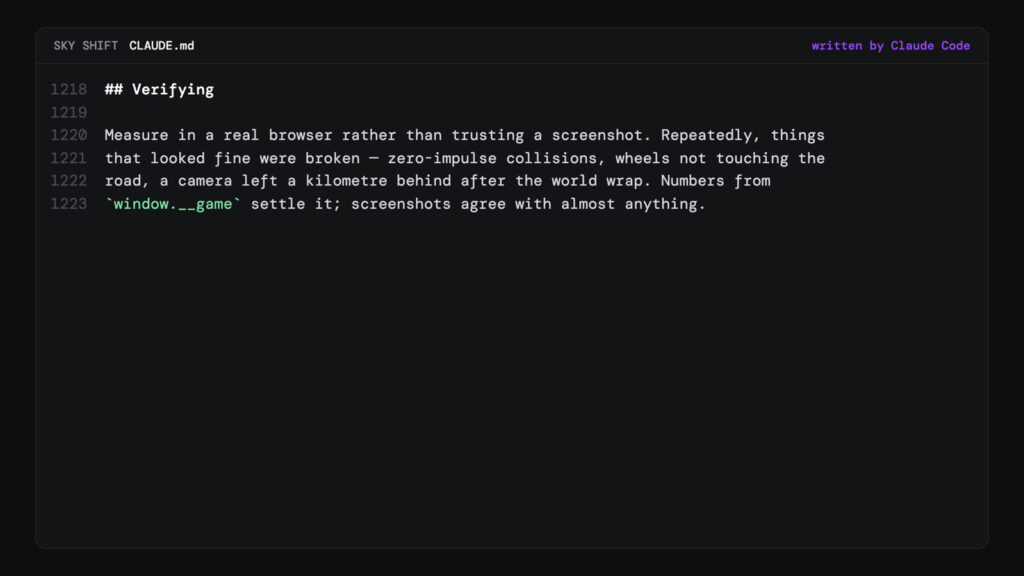
Another tip from the checklist: give the agent eyes. The game exposes its state on a global object, window.__game, so the agent can drive it in a headless browser, take screenshots and measure the frame rate, instead of guessing from the code.
The agent wrote its own rule into the project’s notes: “Numbers from window.__game settle it; screenshots agree with almost anything.”
The same hooks filmed the gameplay for this guide’s video, one game step per frame, so the footage is smooth however slowly the machine renders:
node tools/capture-steps.mjs --url "localhost:5190/?record=1&autopilot=1" --w 2560 --h 1440 --seconds 100Every screen size
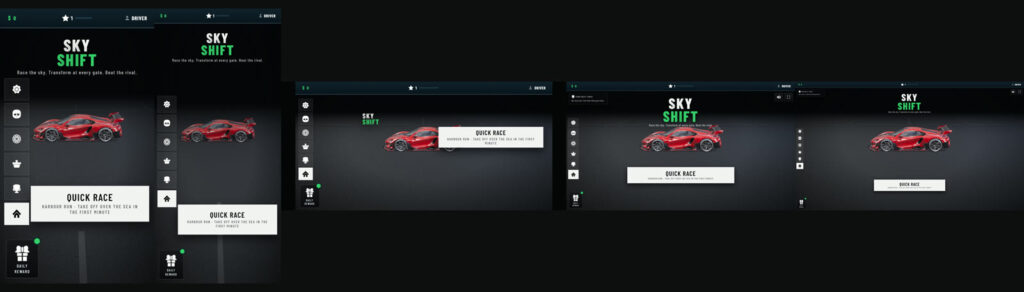
The agent checks the interface at a fixed set of sizes, from a small phone in portrait to a large monitor, and measures whether anything overlaps. On one pass it found three places where the interface overlapped, fixed them, and checked all fourteen screens again.
When something breaks
Not everything worked the first time. At high speed, a hard turn tipped the car onto two wheels, and some cars flipped over. So we asked the agent to look at how other people solve it:
Some cars still flip over. Think, search the internet for how car control is done on the engine we use, and make it as good as you can.
Our request to Claude Code
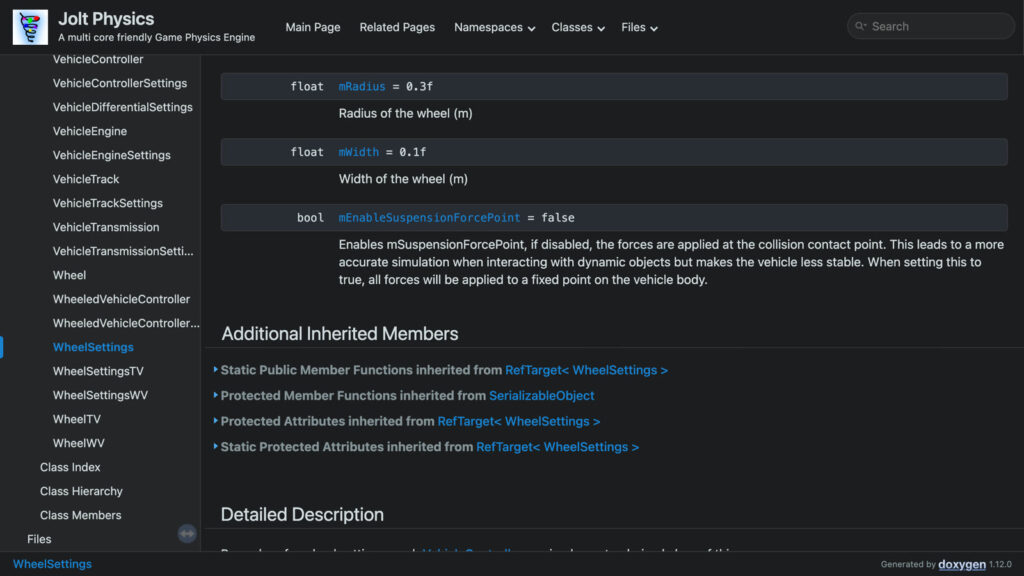
The answer was in Jolt’s own documentation. By default, Jolt applies the tyre forces where the tyre touches the road, which, as the docs say, “makes the vehicle less stable.” Applying them at a fixed point on the car’s body instead turned a 75° rollover at full lock and 245 km/h into 4.5° of lean, on all four wheels. Tip: when the agent is stuck, point it at the engine’s documentation.
Step 4: Getting the game ready for Playgama
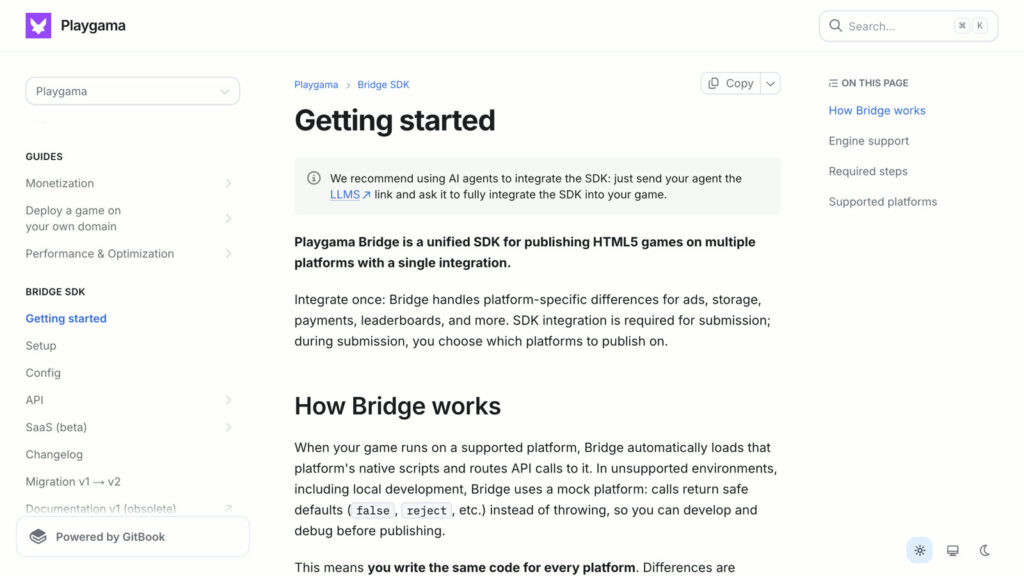
Every game on Playgama runs on the Playgama Bridge SDK: one integration that handles ads, saves, leaderboards and more, on every platform the game goes to. Playgama recommends letting an AI agent integrate it.
You don’t have to wire it up by hand. Connect Playgama MCP to your agent once (the setup is at playgama.com/mcp), and the agent gets everything it needs: the SDK documentation, Playgama’s 26-point game checklist, and the QA tool. Then one request is enough:
Get this game ready for Playgama.
Our request to Claude Code
For Sky Shift, the agent read the checklist and the docs through the MCP, checked the game point by point, and found four things to fix. It fixed all four:
| What the check found | What the agent did |
|---|---|
| An older SDK version | updated Playgama Bridge from 2.0.2 to 2.2.0, the version Playgama’s sandbox takes |
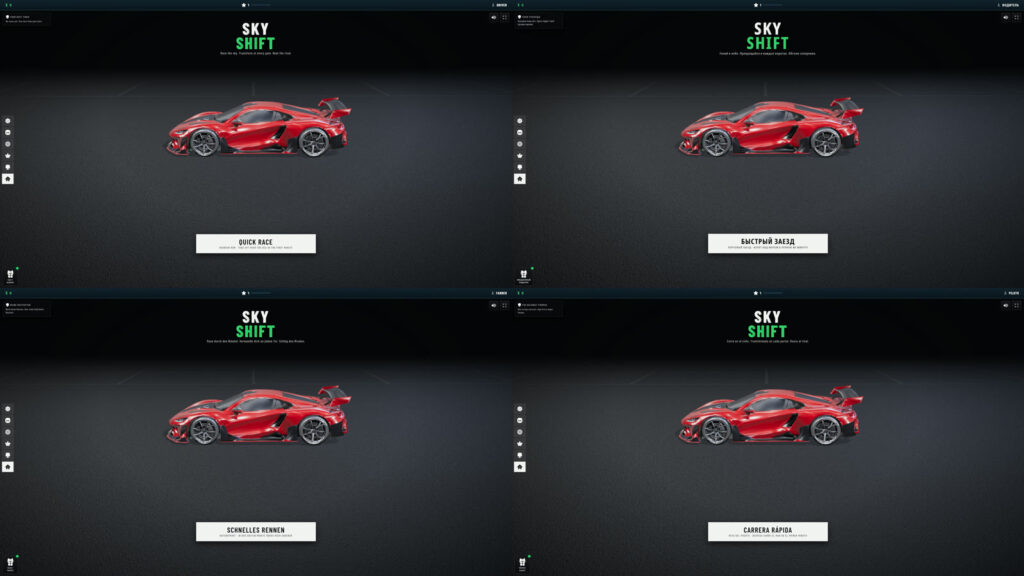
| No translations (a required step) | translated the game into eight languages: English, Spanish, Portuguese, French, German, Italian, Russian and Turkish, in the language the platform reports |
| Saves sent one setting at a time | saved everything in a single call |
| A picture stretched on very wide screens | kept the game within 2:1 on desktop, with margins |
Then it replayed a recorded race to prove the gameplay hadn’t changed.
How the game earns
The Bridge also shows the ads. In Sky Shift, an interstitial ad shows only at a natural pause, when the player leaves a results screen, never in the first 30 seconds of a race, and at most once every three minutes. And a player can choose to watch a rewarded video to double the coins from a win; the reward arrives only after the video has been watched to the end.
Test it in the QA tool
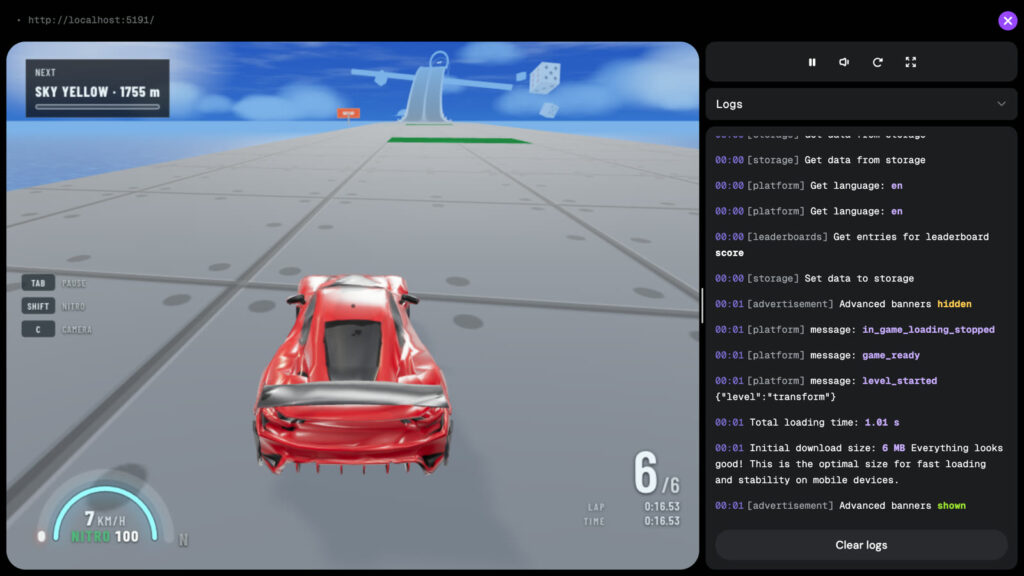
Before publishing, the agent opens the game in Playgama’s QA tool, which runs it inside the Bridge, just like the real platform. Sky Shift passed: the Bridge started, the game reported that it was ready, the saves loaded in a single call, and the tool measured an initial download of 6 MB, “Everything looks good!”, with the game loaded in about a second.
Step 5: Publishing your game and finding players
The hard part was never publishing your game. It’s getting anyone to play it. Playgama gives you both: a public link, and your first players.
One sentence
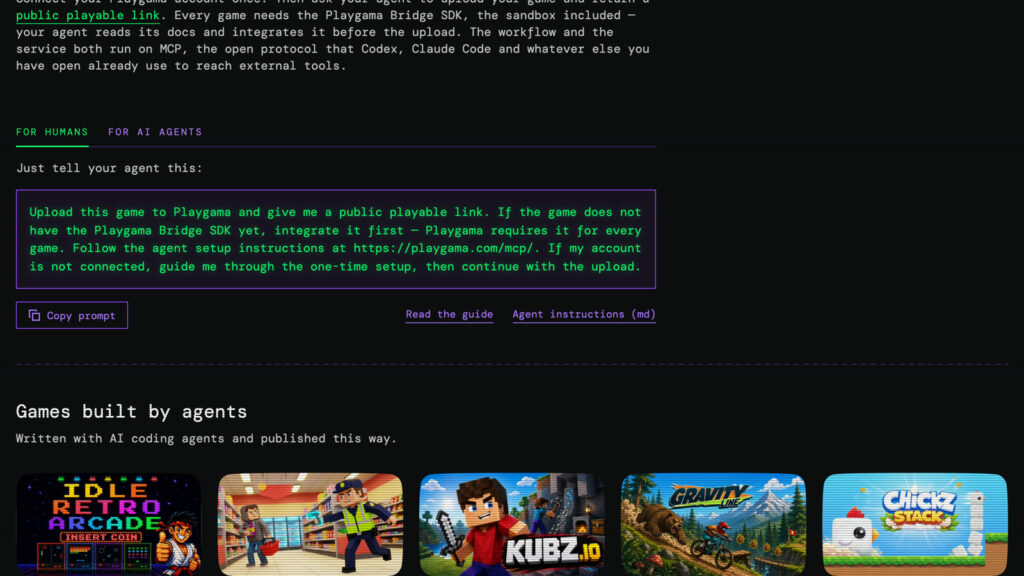
The instruction is written for you on playgama.com/mcp, with a copy button:
Upload this game to Playgama and give me a public playable link.
The prompt from playgama.com/mcp
What the agent does
Through Playgama MCP, the agent:
- creates the game in your developer account;
- packs the build and sends it;
- waits for it to unpack and pass the automatic check, the Bridge SDK included;
- publishes it to a sandbox: a public link, live the moment it finishes, with no review queue.
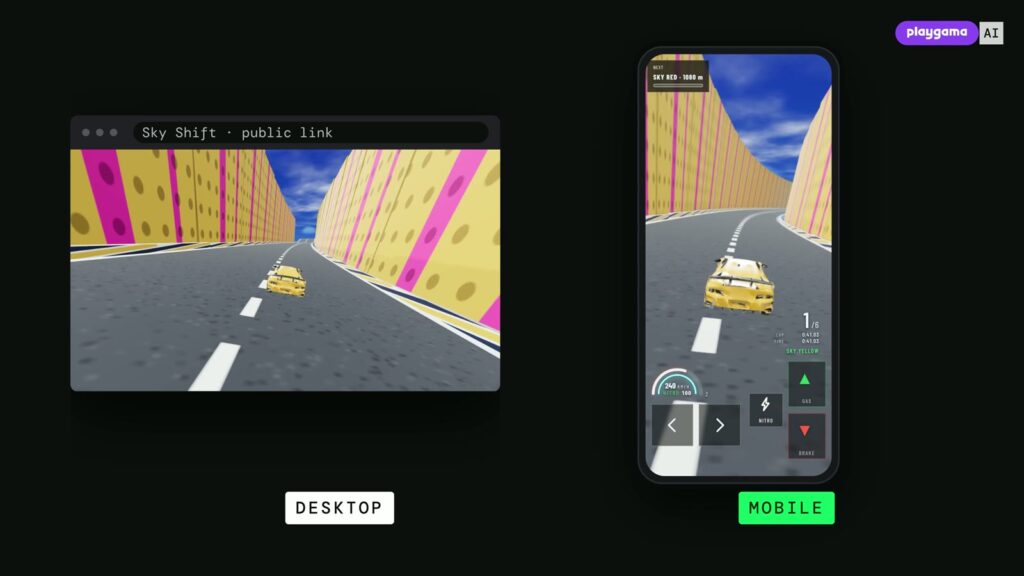
The agent asks you before it publishes, because anyone with a sandbox link can play the game. The link works on a computer and on a phone, and you can send it to anyone.
Covers
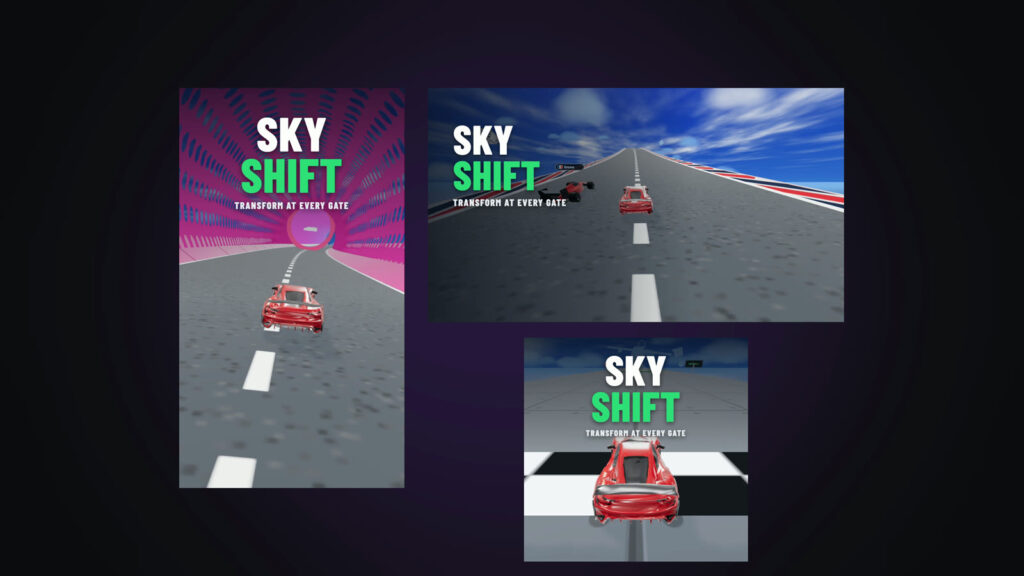
A game needs three covers: square (800 × 800), portrait (1080 × 1920) and landscape (1920 × 1080). The agent can draw them from the game’s own frames and upload them for you.
Players
Then share the game. The agent writes the post and gives you the share links; you publish it, and paste the links to your posts back. Each one adds to a free campaign on Playgama’s own network that brings real players to the game. The first campaign is free, and the agent asks you before it starts one.
Read what comes back
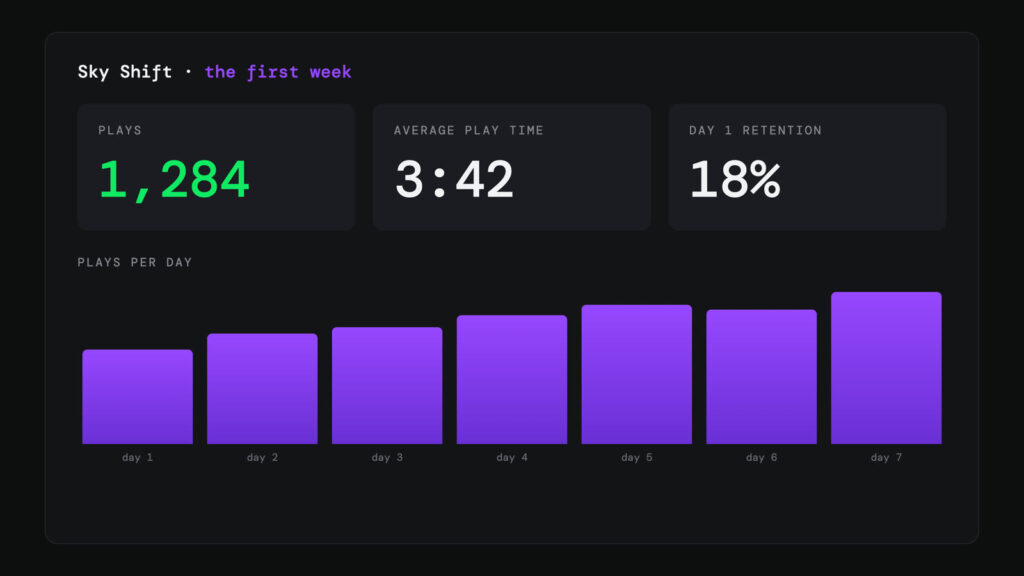
Once players arrive, you read what came back: plays, average play time and day-one retention.
Your game’s own events
The Bridge can also send your game’s own analytics events: where a level starts, how far a player gets, and where they give up. The documentation’s rule: keep event names short and stable, and put the values that change, like the level or the section, into the event’s data. Your agent adds them in a few lines (custom events need Playgama Bridge 2.3.0 or newer).
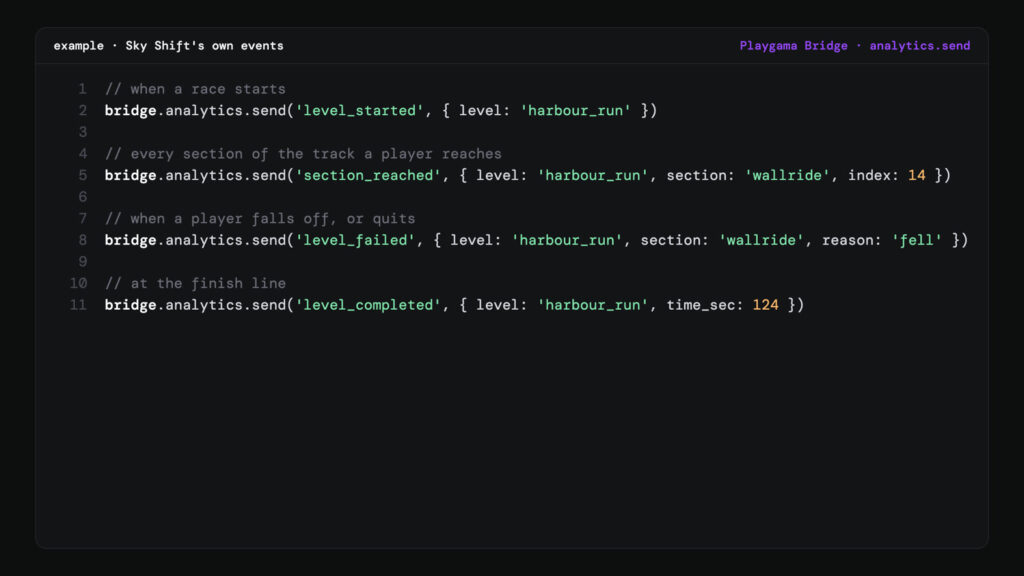
The agent reads them back through Playgama MCP. Playgama’s telemetry guide for agents tells it to look for where players drop off, make the smallest safe change, and measure the next version before claiming it helped.
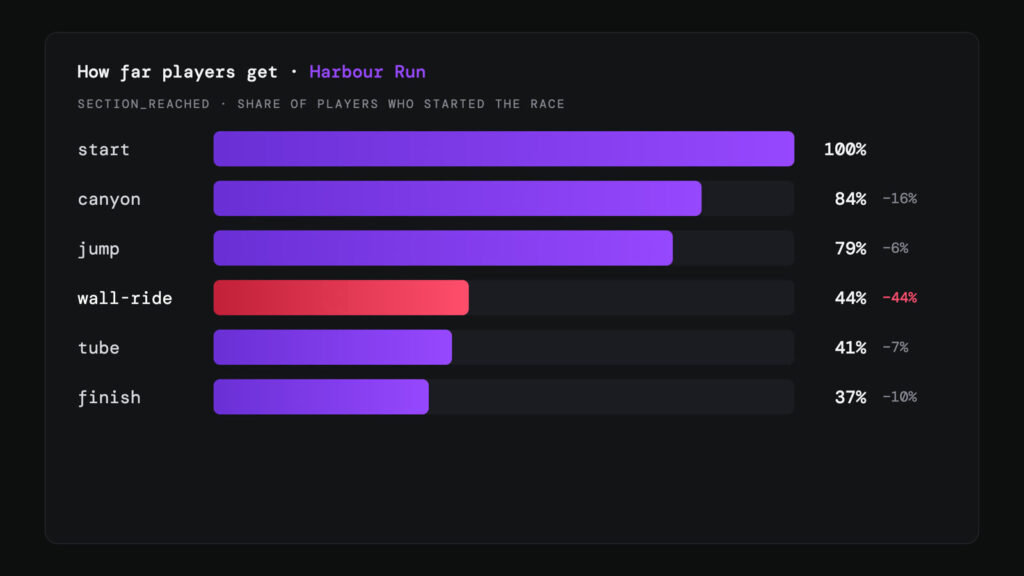
In this example, the agent would see the wall-ride in the numbers, make that section easier, and check again with the next version.
Top AI tools for game development (pricing and features)
A quick reference to the stack behind Sky Shift. Prices are starting prices with monthly billing unless noted, as listed on each vendor’s site at the time of writing. They change often, so treat them as estimates and check before you subscribe.
| Tool | Category | Best for | Price (starting at) |
|---|---|---|---|
| ChatGPT | Ideas, design, images | GDDs, lore, concept images of what you want in 3D | Free plan; Go $8/month; Plus $20/month |
| Tripo | 3D models | image or text to a textured 3D model | free plan (public, non-commercial); Pro $20/month billed annually |
| Meshy | 3D models | an alternative image or text to 3D generator | free plan (CC BY 4.0 outputs); Pro $20/month |
| Blender | 3D clean-up | scripted asset pipelines | free and open source |
| Kenney | Free assets | CC0 models, props and sounds | free |
| Sketchfab | Models | a large library, every model with its own licence | free and paid models |
| Suno | Music | full soundtracks from a prompt | free plan (no commercial rights); Pro $10/month |
| Claude Code | AI coding agent | building a whole game from plain-language requests | included in Claude Pro, $20/month |
| Playgama Bridge SDK | Platform SDK | ads, saves, leaderboards and languages on every platform | see the Bridge docs |
| Playgama MCP | Publishing | readying, publishing and analysing a game from your agent | see playgama.com/mcp; the first player campaign is free |
Challenges, copyright and limitations
AI speeds up the work, but three problems come with it, and all three matter once you publish.
Steam’s rules on AI content
Planning a Steam release? Valve asks every developer to disclose AI-generated content in the Steam content survey, and much of that disclosure appears on the game’s store page. It covers content that ships with the game and that players see or hear, such as art, sound, narrative and localization; using AI tools only to work faster is not the focus. There are two categories. Pre-generated content was made with AI during development and is reviewed like any other content. Live-generated content is created while the game runs, and Valve asks you to describe the guardrails you put on your AI. Check the current text in Steamworks before you submit, because Valve updates it.
Copyright and commercial use
In the US, the Copyright Office’s position is clear: “Copyright does not extend to purely AI-generated material, or material where there is insufficient human control over the expressive elements,” and “prompts alone do not provide sufficient human control.” In practice, the more you select, edit and combine the output, the stronger your claim to the result. Separately, check each tool’s licence for commercial use: the free plans of Suno and Tripo do not allow it, Meshy’s free outputs are CC BY 4.0, and on Sketchfab every model carries its own licence. A game with ads is a commercial product.
Hallucinations in AI code
Models make things up with confidence. In code, that looks like methods the engine doesn’t have, or settings from another version. The fix is the one that worked for Sky Shift: give the AI real sources and real measurements. Our agent stopped guessing about the flipping cars once it read Jolt’s documentation, and its own rule was to trust numbers from the running game over screenshots.
What we learned
So, can AI make a game? It made every part of Sky Shift faster: the models, the code, the publishing. But the decisions were still ours: what to build, how it should feel, and when it was ready.
The tips that saved us the most time:
- Start a 3D model from a clean image, and export the unsplit model before you segment it.
- Take assets from free CC0 libraries, and read every licence before you download.
- Ask the agent to ask you questions before it builds.
- Give the agent eyes: debug hooks and numbers, not guesses from the code.
- Describe the world as data, so one sentence can change a whole level.
- When the agent is stuck, point it at the engine’s documentation.
- Let the agent do the Playgama integration through Playgama MCP, then test the game in the QA tool.
- Send your game’s own events, and let the agent read them.
Start here: playgama.com/mcp · Playgama Bridge documentation · Playgama’s game checklist