Table of Contents
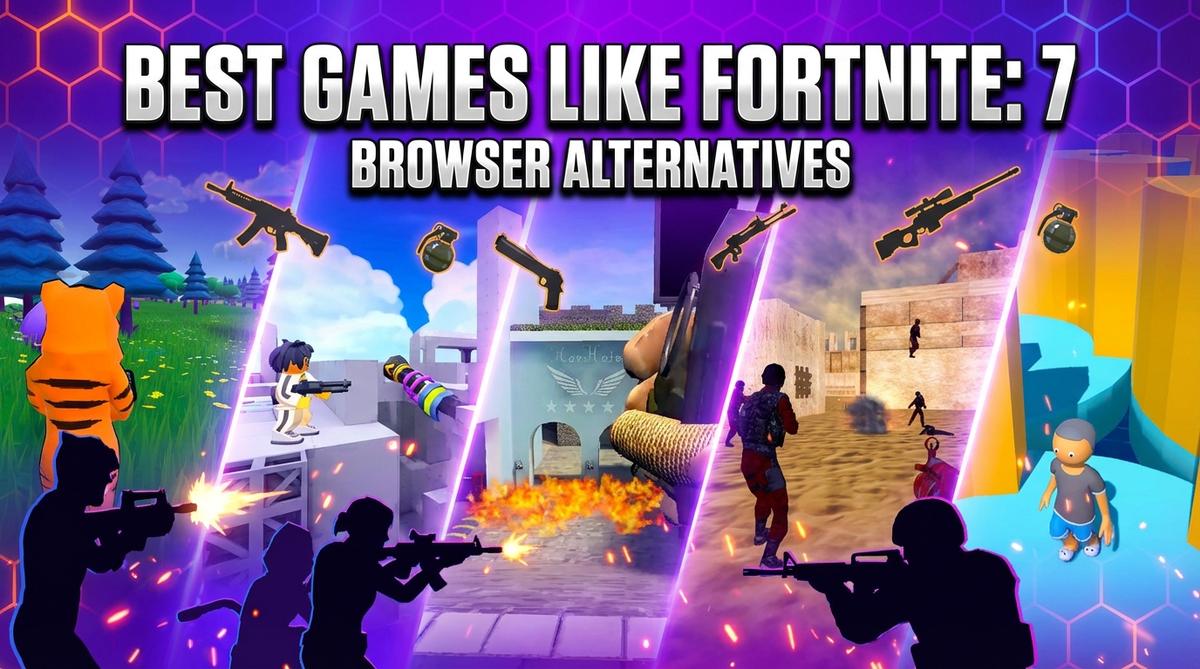
I spent the last week testing 7 browser-based shooters and battle royale games that capture bits of Fortnite’s magic—building mechanics, fast-paced combat, and that addictive ‘one more match’ feeling. Some are surprisingly solid, others are janky clones, but all run straight in your browser without downloads. Here’s what I found.
TL;DR (Quick Summary)
- Best Overall: Fortzone Battle Royale – Most faithful Fortnite clone with building, decent gunplay, and actual player matches
- Best Graphics: Arena Shooter Online! Fight with Friends! – Cleanest visuals with smooth FPS mechanics and varied map design
- Best for Beginners: Obby: Mini-Games VS 1000 – Simple controls, colorful Fall Guys-style chaos, and instant fun without shooting skills
- Total Games: 7 browser games tested
- Tested on: MacBook/PC, Chrome browser, no special hardware
- Average Rating: 4.4/5.0
Quick Comparison Table
| # | Game | Genre | Key Feature | Rating |
|---|---|---|---|---|
| 1 | Fortzone Battle Royale | Battle Royale / Building Shooter | Fortnite-style building mechanics | 4.1/5.0 |
| 2 | Arena Shooter Online! Fight with Friends! | First-Person Shooter / Arena Combat | Diverse map variety with platforming | 4.2/5.0 |
| 3 | Hazmob FPS: Online Shooter | Multiplayer FPS / Team Deathmatch | Multiple competitive game modes | 4.2/5.0 |
| 4 | Crazy Shooters 2 | Multiplayer FPS / Open Rooms | Player-hosted custom rooms | 4.1/5.0 |
| 5 | Obby: Mini-Games VS 1000 | Battle Royale / Party Game / Obstacle Course | Fall Guys-style elimination rounds | 4.5/5.0 |
| 6 | Epic Battle Simulator 2 | Real-Time Strategy / Battle Simulator | Army composition sandbox | 4.9/5.0 |
| 7 | Gangsta Island: Crime City | Open-World Crime / Hyper-Casual | GTA-style crime sandbox | 4.9/5.0 |
1. Fortzone Battle Royale
Quick Info
- Genre: Battle Royale / Building Shooter
- Developer: MirraGames
- Rating: 4.1/5.0 (18617 ratings)
Gameplay Video
Watch real gameplay footage
Screenshots
Player skydiving over map
Tiger character aiming weapon
Player shooting skeleton enemy
What’s the Point?
This is the closest you’ll get to Fortnite in a browser. You drop onto a map, scavenge weapons, and most importantly—you can build walls and ramps mid-combat. The building system is surprisingly responsive for a web game, though don’t expect Creative mode-level editing. Matches fill with other players (or bots, honestly hard to tell), and the destructible environment adds tactical depth. You can hop in cars to rotate faster, which is a nice touch. The low-poly art style keeps performance smooth even on older machines.
Play free games on Playgama.com
Personal Experience
From the author: When I first dropped into Fortzone, I immediately noticed the building felt snappier than I expected—walls popped up fast enough to actually save me from getting lasered. The gunplay is floaty, though. I had to lead my shots more than usual, and damage numbers felt inconsistent. What surprised me was how much the vehicle physics reminded me of early PUBG—janky but functional. After a few matches, I realized the map is smaller than it looks, which keeps the action moving. The pink bunny skin I unlocked was a nice dopamine hit.
How to Play
Controls: WASD to move, Space to jump, C to crouch, 1-6 for weapons, Mouse to aim/shoot, Building keys for structures
Goal: Be the last player (or team) standing by outlasting opponents through combat and smart positioning
Performance & Browser Compatibility
Speed: Loads in ~8 seconds, runs at 40-50 FPS on mid-tier laptops, occasional stutters during heavy building
Works best on: Desktop (keyboard + mouse essential for building)
Browser: Chrome, Firefox, Safari (HTML5)
Who is this game for?
Perfect for casual Fortnite fans aged 10-18 who want quick 10-minute matches without the commitment of a full download. Great for school Chromebooks or office breaks. If you’re a hardcore builder, the simplified mechanics might frustrate you, but for everyone else, it’s a solid way to scratch that battle royale itch during lunch.
Pros & Cons
✅ Pros
- Building mechanics actually work and feel responsive
- Decent variety of skins and weapons
- Vehicles add mobility options beyond just running
⛔ Cons
- Gunplay feels floaty with inconsistent hit detection
- Hard to tell bots from real players
- Low-poly graphics won’t impress anyone
2. Arena Shooter Online! Fight with Friends!
Quick Info
- Genre: First-Person Shooter / Arena Combat
- Developer: Eccentric Studio
- Rating: 4.2/5.0 (174 ratings)
Gameplay Video
Watch real gameplay footage
Screenshots
Player aims colorful weapon
Player aims sniper rifle
Player in lava map
What’s the Point?
This game throws you into fast, chaotic FPS matches across wildly different arenas—one minute you’re in a neon-lit indoor maze, the next you’re dodging lava on bouncy platforms. It’s less ‘tactical shooter’ and more ‘Roblox meets Quake.’ The weapon variety is solid (sniper, shotgun, energy guns), and movement feels fluid with bunny-hopping potential. The platforming elements set it apart from standard shooters—some maps require jumping skill as much as aim. It’s clearly inspired by blocky character shooters, but the map design shows some creativity.
Personal Experience
From the author: I jumped into a match and immediately got disoriented by the ‘backrooms’ aesthetic of the first map—all yellow walls and weird angles. The shooting felt snappy, though, and I appreciated how quickly I could swap weapons. What threw me off was the sudden shift to a lava-filled platforming section. I died more to mistimed jumps than actual gunfire. The bouncy castle arena was pure chaos—players flying everywhere, shotguns blasting. It’s not a ‘serious’ shooter, and that’s kind of the point. My laptop fan started spinning after 15 minutes, though.
How to Play
Controls: WASD to move, Mouse to aim/rotate camera, Space to jump, C to crouch, E to interact with objects
Goal: Eliminate opponents across various game modes and climb the leaderboard through combat and platforming skill
Performance & Browser Compatibility
Speed: Fast initial load (~5 seconds), but frame drops in busy platforming sections, runs 30-45 FPS
Works best on: Desktop (precise aiming needed, platforming is tough on mobile)
Browser: Chrome, Firefox, Safari (HTML5)
Who is this game for?
Casual PC gamers aged 8-16 who enjoy quick, silly multiplayer sessions without the pressure of ranked play. If you liked Roblox shooters or Pixel Gun 3D, this hits the same vibe. Not for competitive players—it’s too chaotic and unpolished. Great for kids who want to mess around with friends after school.
Pros & Cons
✅ Pros
- Map variety keeps things fresh—platforming adds unexpected challenge
- Smooth movement with fluid jumping mechanics
- Low barrier to entry, instant action
⛔ Cons
- Blatant Roblox clone aesthetic with no original art direction
- Performance tanks in complex maps
- Hit detection feels off at range
3. Hazmob FPS: Online Shooter
Quick Info
- Genre: Multiplayer FPS / Team Deathmatch
- Developer: Hazmob
- Rating: 4.2/5.0 (4580 ratings)
Gameplay Video
Watch real gameplay footage
Screenshots
Player aims at enemy
Reloading weapon, fire
Player shoots enemy
What’s the Point?
Hazmob FPS is a no-frills, fast-paced multiplayer shooter with seven game modes (Team Deathmatch, Search and Destroy, Capture the Flag, etc.). It’s clearly modeled after Call of Duty Mobile but stripped down for browser play. The maps are small and designed for close-quarters combat, so matches are quick and reflex-heavy. You get standard FPS fare—assault rifles, snipers, grenades—and the controls are intuitive if you’ve played any modern shooter. The skill system (buttons 4, 5, 6) adds light abilities, though they’re not well explained.
Personal Experience
From the author: I loaded into a Team Deathmatch and was immediately in the action—no lobby wait, just spawn and shoot. The hit markers felt satisfying, and I racked up a ‘Triple Kill’ within the first minute, which gave me a nice dopamine spike. The sniper rifle was my favorite—one-shot kills felt crisp. But the more I played, the more I noticed the low-poly models and basic textures. It’s functional, not pretty. The ‘Penta Kill’ overlay after wiping a team was a fun touch, but the maps started feeling repetitive after five matches. My laptop stayed cool, though, which is rare for browser shooters.
How to Play
Controls: WASD to move, Space to jump, Left Mouse to shoot, Right Mouse/V to aim, Shift to run, 1-3 to switch weapons, 4-6 for skills
Goal: Dominate opponents across various modes (TDM, S&D, CTF) by getting kills and completing objectives
Performance & Browser Compatibility
Speed: Instant load, runs 40-50 FPS consistently, minimal lag in combat
Works best on: Desktop or mobile (mobile controls supported, but aiming is easier with mouse)
Browser: Chrome, Firefox, Safari (HTML5)
Who is this game for?
Casual mobile gamers aged 10-25 looking for quick, competitive FPS matches without the 2GB download of COD Mobile. Perfect for short sessions—matches last 5-10 minutes. If you want deep strategy or high-fidelity graphics, look elsewhere. This is for players who just want to shoot stuff during a commute or break.
Pros & Cons
✅ Pros
- Seven game modes provide variety beyond basic deathmatch
- Fast matchmaking and instant action
- Runs smoothly even on low-end devices
⛔ Cons
- Low-poly graphics look dated even for a browser game
- Maps are small and repetitive
- Hard to distinguish skill-based kills from bot farming
4. Crazy Shooters 2
Quick Info
- Genre: Multiplayer FPS / Open Rooms
- Developer: JulGames
- Rating: 4.1/5.0 (19747 ratings)
Gameplay Video
Watch real gameplay footage
Screenshots
Desert combat, team score
Indoor corridor, player loading
What’s the Point?
Crazy Shooters 2 is a bare-bones multiplayer FPS where you join or create rooms and fight in team-based or free-for-all matches. The gameplay is extremely basic—run, shoot, die, respawn. What sets it apart (barely) is the ability to customize room settings, though the UI doesn’t make this obvious. The maps are blocky and generic, and the enemy AI (or players?) often stand still or glitch out. The most bizarre part is enemies sometimes float in mid-air, which is either a physics bug or intentional chaos. Either way, it’s janky.
Personal Experience
From the author: I joined a room and immediately noticed how stiff everything felt. The character movement was sluggish, and enemies barely reacted when I shot them—they’d just stand there until the ragdoll kicked in. I got a few kills, but it felt more like target practice than a real fight. The floating enemies were hilarious at first, then annoying. The muzzle flash was so bright it obscured my view, which got me killed twice. After 10 minutes, I realized this game is either populated by bots or players who’ve never touched a mouse before. It’s functional, but that’s the nicest thing I can say.
How to Play
Controls: WASD to move, Left Mouse to shoot, Right Mouse to aim, R to reload, C to crouch, Space to jump, 1-9 to change weapons
Goal: Join a room, eliminate opponents, and win the match with your team or solo
Performance & Browser Compatibility
Speed: Loads fast (~3 seconds), runs at 50+ FPS, but physics glitches cause frame stutters
Works best on: Desktop (mobile not officially supported, controls too clunky)
Browser: Chrome, Firefox, Safari (HTML5)
Who is this game for?
Younger teens (10-16) with very low expectations, or players nostalgic for early 2000s web games. If you’re looking for a polished experience, skip this. It’s only worth playing if you’re bored out of your mind and every other game is blocked on your school network.
Pros & Cons
✅ Pros
- Custom room creation lets you set your own rules
- Runs smoothly on potato laptops
- Ragdoll physics are unintentionally funny
⛔ Cons
- Extremely dated graphics and stiff animations
- Enemies glitch and float, breaking immersion
- Feels more like a tech demo than a finished game
5. Obby: Mini-Games VS 1000
Quick Info
- Genre: Battle Royale / Party Game / Obstacle Course
- Developer: DepGet
- Rating: 4.5/5.0 (446 ratings)
Gameplay Video
Watch real gameplay footage
Screenshots
Character running on field
Character navigating maze path
Character pushing another player
What’s the Point?
This is a blatant Fall Guys clone, but in a browser. You compete against up to 1,000 players (or bots pretending to be players) across obstacle courses and mini-games. The challenges range from dodging giant hammers to solving math problems under pressure to surviving collapsing tiles. It’s less about shooting and more about platforming, timing, and light physics puzzles. The low-poly art style and chaotic multiplayer vibe make it instantly accessible. You can push other players off ledges, which adds a fun griefing element.
Personal Experience
From the author: I jumped into my first round and was immediately thrown into a ‘Savage Hammers’ level where I had to dodge swinging obstacles. The controls felt responsive—my character jumped when I hit Space, no delay. But the physics were unpredictable. I got knocked off a platform by another player, which was frustrating but also made me laugh. The ‘Math Spikes’ round was stressful in a good way—I had to solve ‘7 + 5’ while running, and I barely made it. The ‘Falling Tiles’ level was where I died most—standing still for even a second meant instant elimination. After three rounds, I was hooked on the ‘one more try’ loop.
How to Play
Controls: WASD to move, Space to jump, C to crouch, Left Mouse to attack/push, On-screen controls for mobile
Goal: Survive elimination rounds by completing obstacle courses and mini-game challenges faster than other players
Performance & Browser Compatibility
Speed: Loads in ~6 seconds, runs 30-40 FPS with occasional lag when many players are on-screen
Works best on: Mobile or Desktop (touch controls work well, but keyboard gives better precision)
Browser: Chrome, Firefox, Safari (HTML5)
Who is this game for?
Casual gamers aged 8-16 who loved Fall Guys but don’t want to pay for it. Perfect for quick, silly sessions with friends or solo grinding. The low skill floor means anyone can jump in, but the physics-based challenges keep it from being too easy. Great for kids who prefer colorful chaos over serious shooters.
Pros & Cons
✅ Pros
- Instant fun with no learning curve
- Variety of mini-games keeps it fresh
- Physics-based interactions add unpredictability
⛔ Cons
- Shameless Fall Guys ripoff with zero originality
- Hard to tell if you’re playing against real people or bots
- Physics can feel random and unfair
6. Epic Battle Simulator 2
Quick Info
- Genre: Real-Time Strategy / Battle Simulator
- Developer: Ermac Alex
- Rating: 4.9/5.0 (1458 ratings)
Gameplay Video
Watch real gameplay footage
Screenshots
Armies prepare for battle
Melee combat in progress
Close-up shield combat
What’s the Point?
This isn’t a shooter—it’s a battle simulator where you set up two armies and watch them clash. You choose unit types (swordsmen, archers, cavalry, etc.), position them on a field, then hit ‘Start’ and observe the carnage. The appeal is in experimenting with different compositions and formations to see which strategy wins. The low-poly units and ragdoll physics make battles look chaotic and occasionally hilarious. It’s more ‘sandbox toy’ than ‘game,’ but if you like the idea of orchestrating medieval warfare without direct control, it scratches that itch.
Personal Experience
From the author: I set up a blue army of 50 swordsmen and a red army of 30 archers, then watched them charge. The initial clash was satisfying—units swung weapons, ragdolls flew, and the battle resolved in about 20 seconds. I tried adding cavalry to the mix, which changed the dynamic. The problem is, once you hit ‘Start,’ you’re just watching. There’s no mid-battle control, no pause-and-adjust. After a few setups, I started wishing for more depth—unit abilities, terrain effects, anything to add strategy beyond ‘more units = win.’ The ragdoll physics were the highlight, though. Watching a guy get launched 10 feet by a sword swing never got old.
How to Play
Controls: WASD to move camera, Drag to position units, Click to select unit types, Start button to begin simulation
Goal: Create and position an army that defeats the opposing force through smart composition and formation
Performance & Browser Compatibility
Speed: Loads fast, runs 40-60 FPS with small armies, drops to 20-30 FPS with 100+ units
Works best on: Desktop (mouse needed for precise unit placement)
Browser: Chrome, Firefox, Safari (HTML5)
Who is this game for?
Casual strategy fans of all ages who enjoy sandbox experimentation over competitive gameplay. Perfect for kids who like setting up toy soldiers and watching battles unfold. Not for players seeking deep tactics or direct control—this is more ‘set it and forget it’ entertainment. Great for short 5-minute sessions when you want to see something explode.
Pros & Cons
✅ Pros
- Satisfying ragdoll physics make battles entertaining
- Easy to experiment with different army setups
- Runs well even with large unit counts
⛔ Cons
- Zero player control once battle starts—just watch
- Lacks strategic depth beyond unit quantity
- Gets repetitive after a few battles
7. Gangsta Island: Crime City
Quick Info
- Genre: Open-World Crime / Hyper-Casual
- Developer: StoreRider
- Rating: 4.9/5.0 (2002 ratings)
Gameplay Video
Watch real gameplay footage
Screenshots
Player interacting with hotdog
Player stealing a car
Player robbing an ATM
What’s the Point?
This is a hyper-casual, top-down crime simulator where you control a character running around a city, stealing cars, robbing ATMs, and beating up NPCs. It’s GTA stripped down to its most basic elements and optimized for mobile. The core loop is simple: accept a task (indicated by an icon), walk to the objective, hold a button to complete it (e.g., ‘96%’ progress bar for stealing a car), collect money, repeat. There’s a city-building element where you upgrade properties, but it’s shallow. The appeal is in the ‘bad guy simulator’ fantasy without any real consequences or complexity.
Personal Experience
From the author: I started by walking up to a parked car and holding the button to steal it. A progress bar filled to 96%, then I was driving. The controls were floaty—turning felt delayed, and I crashed into a building within 10 seconds. I walked to an ATM, held the button, and money popped out. An NPC walked by, so I punched him for no reason, and he dropped cash. That’s the game. After 15 minutes, I realized every task is just ‘walk here, hold button, get reward.’ The low-poly art is colorful, and the city has a decent layout, but there’s no depth. It’s a dopamine loop with no substance.
How to Play
Controls: Virtual joystick to move, On-screen buttons for actions (steal, rob, attack), Tap icons to accept tasks
Goal: Complete criminal tasks, collect money, upgrade properties, and progress through the city
Performance & Browser Compatibility
Speed: Instant load, runs 50+ FPS on mobile, smooth even on older devices
Works best on: Mobile (designed for touch controls, awkward on desktop)
Browser: Chrome, Firefox, Safari (HTML5)
Who is this game for?
Casual mobile gamers aged 10-25 looking for a mindless, repetitive experience with instant gratification. Perfect for killing 5 minutes on the bus. If you want actual open-world depth or engaging gameplay, this will bore you in 10 minutes. It’s a hyper-casual clone designed to hook players with simple tasks and bright visuals, nothing more.
Pros & Cons
✅ Pros
- Runs flawlessly on low-end mobile devices
- Bright, colorful low-poly aesthetic
- Instant gratification loop for quick dopamine hits
⛔ Cons
- Extremely shallow—every task is ‘hold button, get reward’
- Blatant clone of popular hyper-casual crime games
- Gets boring after 15 minutes due to lack of variety
