I spent the last week testing 7 browser-based shooters and battle royale games that capture bits of Fortnite’s magic—building mechanics, fast-paced combat, and that addictive ‘one more match’ feeling. Some are surprisingly solid, others are janky clones, but all run straight in your browser without downloads. Here’s what I found.
TL;DR (Quick Summary)
- Best Graphics: Arena Shooter Online! Fight with Friends! – Cleanest visuals with smooth FPS mechanics and varied map design
- Best for Beginners: Obby: Mini-Games VS 1000 – Simple controls, colorful Fall Guys-style chaos, and instant fun without shooting skills
- Total Games: 7 browser games tested
- Tested on: MacBook/PC, Chrome browser, no special hardware
- Average Rating: 4.4/5.0
Quick Comparison Table
| # | Game | Genre | Key Feature | Rating |
|---|---|---|---|---|
| 1 | Dog Battle Royale | Battle Royale | Dog, Action | 4.1/5.0 |
| 2 | Ragdoll Battle Royale! Throw Down the Enemy! | Ragdoll | Battle Royale, Action | 4.7/5.0 |
| 3 | Hazmob FPS: Online Shooter | Multiplayer FPS / Team Deathmatch | Multiple competitive game modes | 4.2/5.0 |
| 4 | Endgame | Shooting | Action, First Person Shooter | 4.4/5.0 |
| 5 | Obby: Mini-Games VS 1000 | Battle Royale / Party Game / Obstacle Course | Fall Guys-style elimination rounds | 4.5/5.0 |
| 6 | Epic Battle Simulator 2 | Real-Time Strategy / Battle Simulator | Army composition sandbox | 4.9/5.0 |
| 7 | Gangsta Island: Crime City | Open-World Crime / Hyper-Casual | GTA-style crime sandbox | 4.9/5.0 |
1. Dog Battle Royale
Quick Info
- Genre: Battle Royale, Dog
- Developer: wavegame
- Rating: 4.1/5.0 (88 ratings)
- Platforms: PC
Screenshots
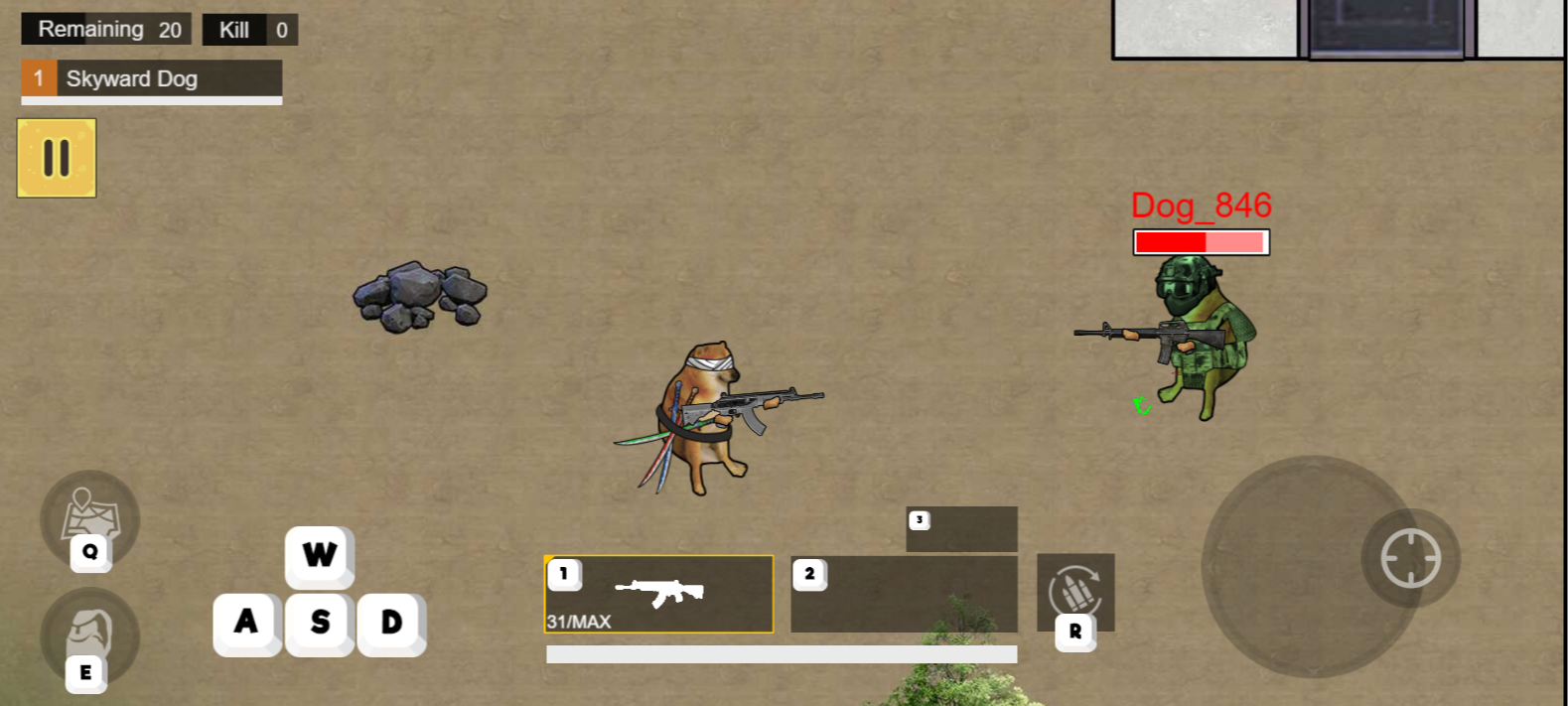
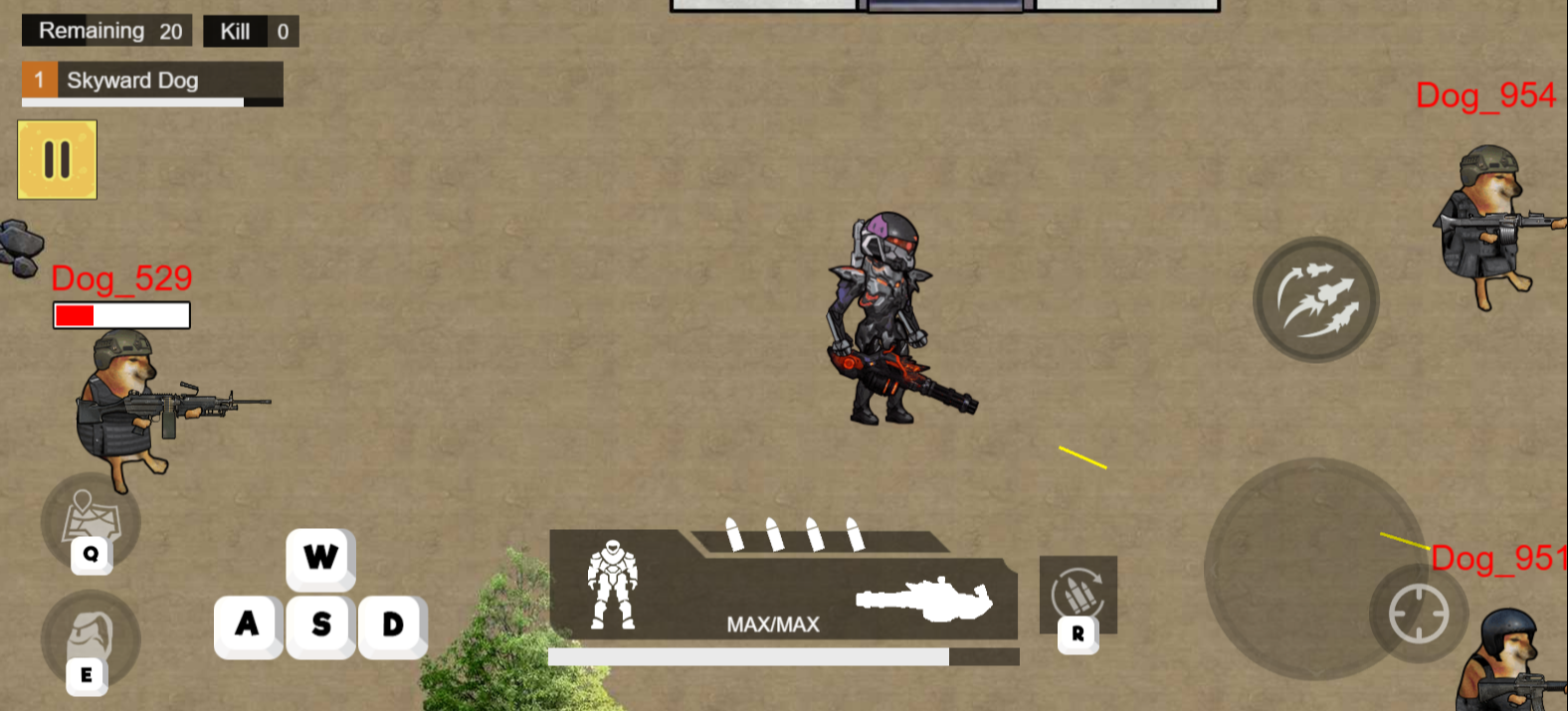
What’s the Point?
Dog Battle Royale drops the legendary Shiba Inu samurai Doge into a vibrant blue-vs-red arena packed with katana, bazooka, and high-tech mecha foes. The premise is pure meme energy: iconic Doge faces off in epic clashes where hilarious Doge meme vibes blend with samurai flair and futuristic mechs. Fast-paced battle royale combat drives every match — outgun rivals, loot dropped weapons, and dominate the battlefield through precise shooting and strategic item grabs in non-stop action.
How to Play
The goal is to outlast every opponent in the arena. Defeat enemies, collect the weapons and items they drop for upgrades, and combine smart positioning with well-placed shots to stay alive. Racking up kills builds your score, and victory goes to the last Doge standing.
2. Ragdoll Battle Royale! Throw Down the Enemy!
Quick Info
- Genre: Ragdoll, Battle Royale
- Developer: Eccentric Studio Games
- Rating: 4.7/5.0 (1289 ratings)
- Platforms: PC, Android, iOS
Screenshots
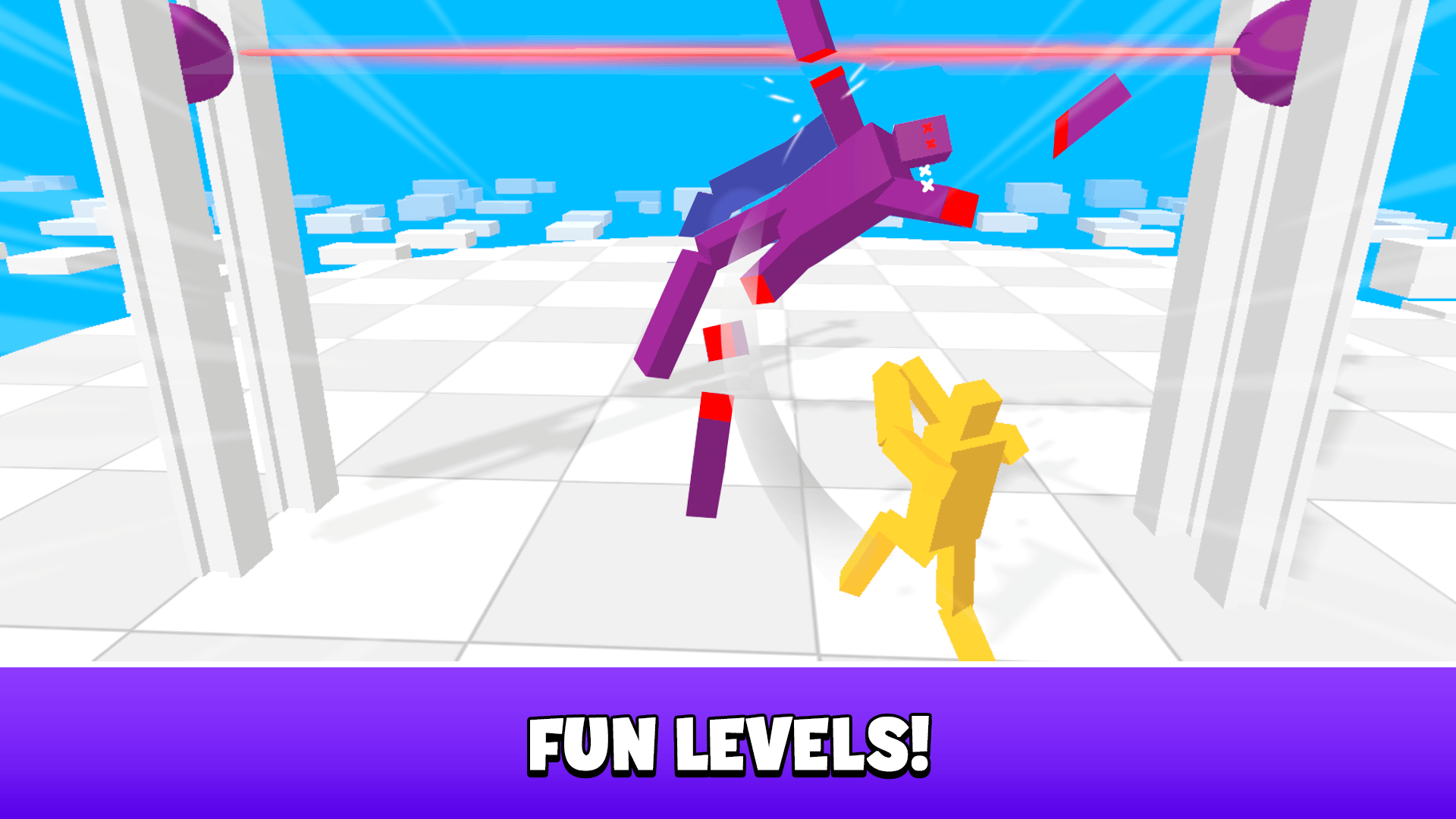
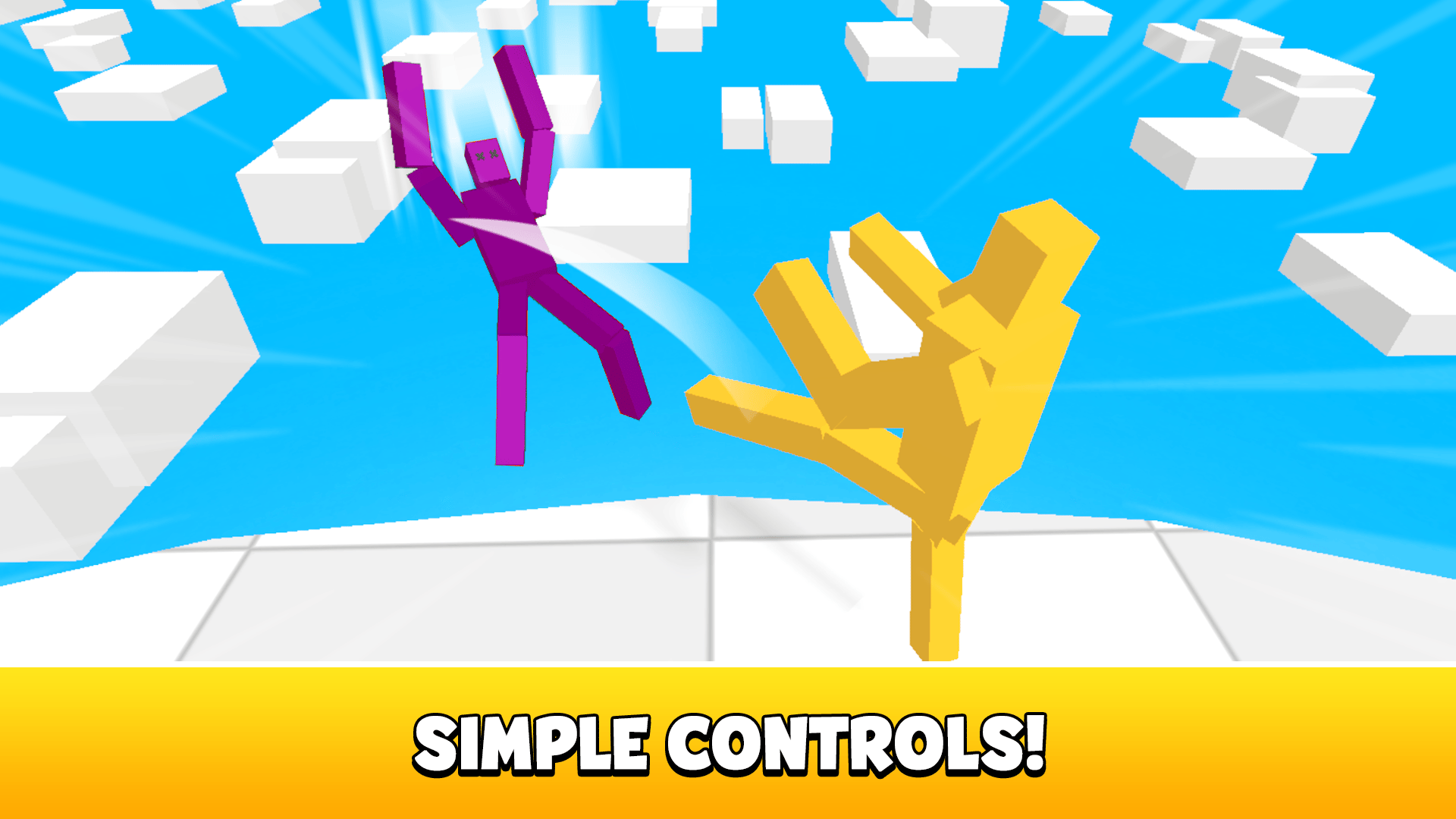
What’s the Point?
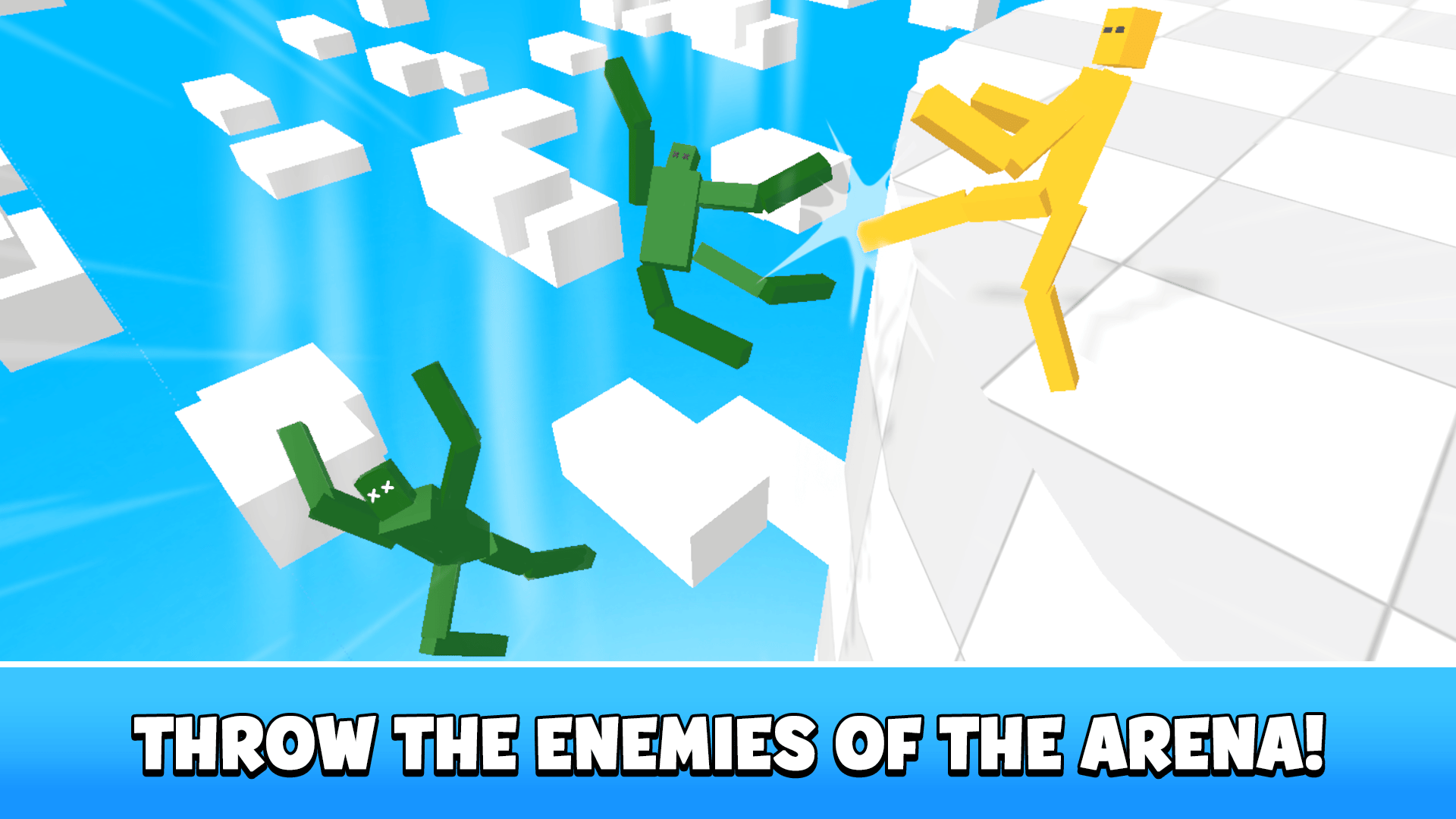
Ragdoll Battle Royale! Throw Down the Enemy! drops you into a fun 3D physics arena where ragdoll opponents collide, tumble, and fly off platforms in chaotic, laugh-out-loud fights. The goal is straightforward: push, throw, and knock every enemy off the stage until you’re the last fighter standing. Several scenes show a floating white tiled platform surrounded by a blue void with scattered white cubes drifting below.
How to Play
The objective is to push all ragdoll opponents off the arena and be the last fighter standing. Stay away from the edges and always keep an eye on your opponent to avoid being thrown into the abyss.
Controls:
- Mouse (hold left button + move): Move the character on PC
- Virtual joystick (move finger across screen): Move the character on mobile devices
3. Hazmob FPS: Online Shooter
Quick Info
- Genre: Multiplayer FPS / Team Deathmatch
- Developer: Hazmob
- Rating: 4.2/5.0 (4580 ratings)
Gameplay Video
Watch real gameplay footage
Screenshots
Player aims at enemy
Reloading weapon, fire
Player shoots enemy
What’s the Point?
Hazmob FPS is a no-frills, fast-paced multiplayer shooter with seven game modes (Team Deathmatch, Search and Destroy, Capture the Flag, etc.). It’s clearly modeled after Call of Duty Mobile but stripped down for browser play. The maps are small and designed for close-quarters combat, so matches are quick and reflex-heavy. You get standard FPS fare—assault rifles, snipers, grenades—and the controls are intuitive if you’ve played any modern shooter. The skill system (buttons 4, 5, 6) adds light abilities, though they’re not well explained.
Personal Experience
From the author: I loaded into a Team Deathmatch and was immediately in the action—no lobby wait, just spawn and shoot. The hit markers felt satisfying, and I racked up a ‘Triple Kill’ within the first minute, which gave me a nice dopamine spike. The sniper rifle was my favorite—one-shot kills felt crisp. But the more I played, the more I noticed the low-poly models and basic textures. It’s functional, not pretty. The ‘Penta Kill’ overlay after wiping a team was a fun touch, but the maps started feeling repetitive after five matches. My laptop stayed cool, though, which is rare for browser shooters.
How to Play
Controls: WASD to move, Space to jump, Left Mouse to shoot, Right Mouse/V to aim, Shift to run, 1-3 to switch weapons, 4-6 for skills
Goal: Dominate opponents across various modes (TDM, S&D, CTF) by getting kills and completing objectives
Performance & Browser Compatibility
Speed: Instant load, runs 40-50 FPS consistently, minimal lag in combat
Works best on: Desktop or mobile (mobile controls supported, but aiming is easier with mouse)
Browser: Chrome, Firefox, Safari (HTML5)
Who is this game for?
Casual mobile gamers aged 10-25 looking for quick, competitive FPS matches without the 2GB download of COD Mobile. Perfect for short sessions—matches last 5-10 minutes. If you want deep strategy or high-fidelity graphics, look elsewhere. This is for players who just want to shoot stuff during a commute or break.
Pros & Cons
✅ Pros
- Seven game modes provide variety beyond basic deathmatch
- Fast matchmaking and instant action
- Runs smoothly even on low-end devices
⛔ Cons
- Low-poly graphics look dated even for a browser game
- Maps are small and repetitive
- Hard to distinguish skill-based kills from bot farming
4. Endgame
Quick Info
- Genre: Shooting, Action
- Developer: Alexandr Zapasnik
- Rating: 4.4/5.0 (19 ratings)
- Platforms: PC, Android, iOS
Screenshots
What’s the Point?
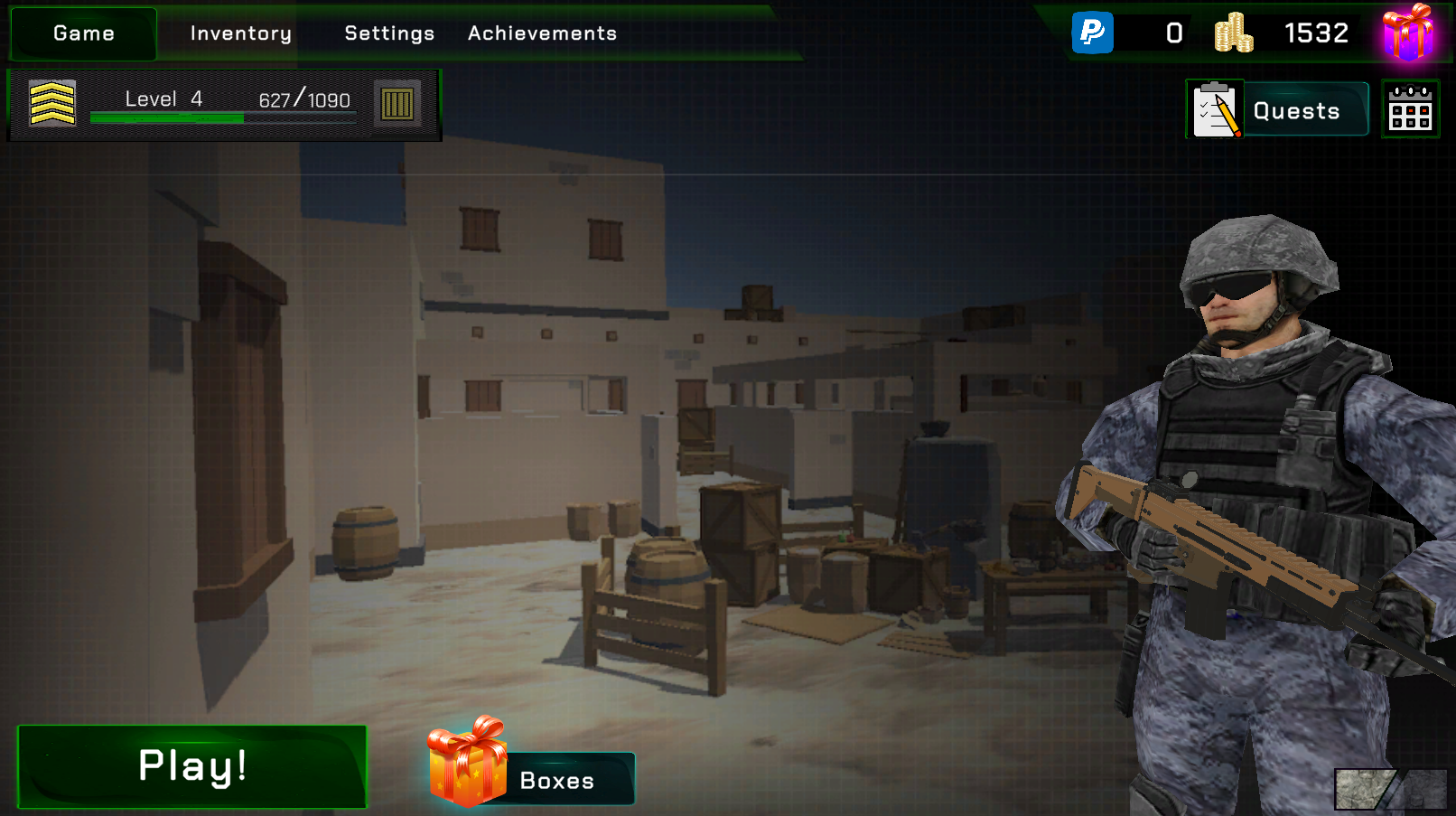
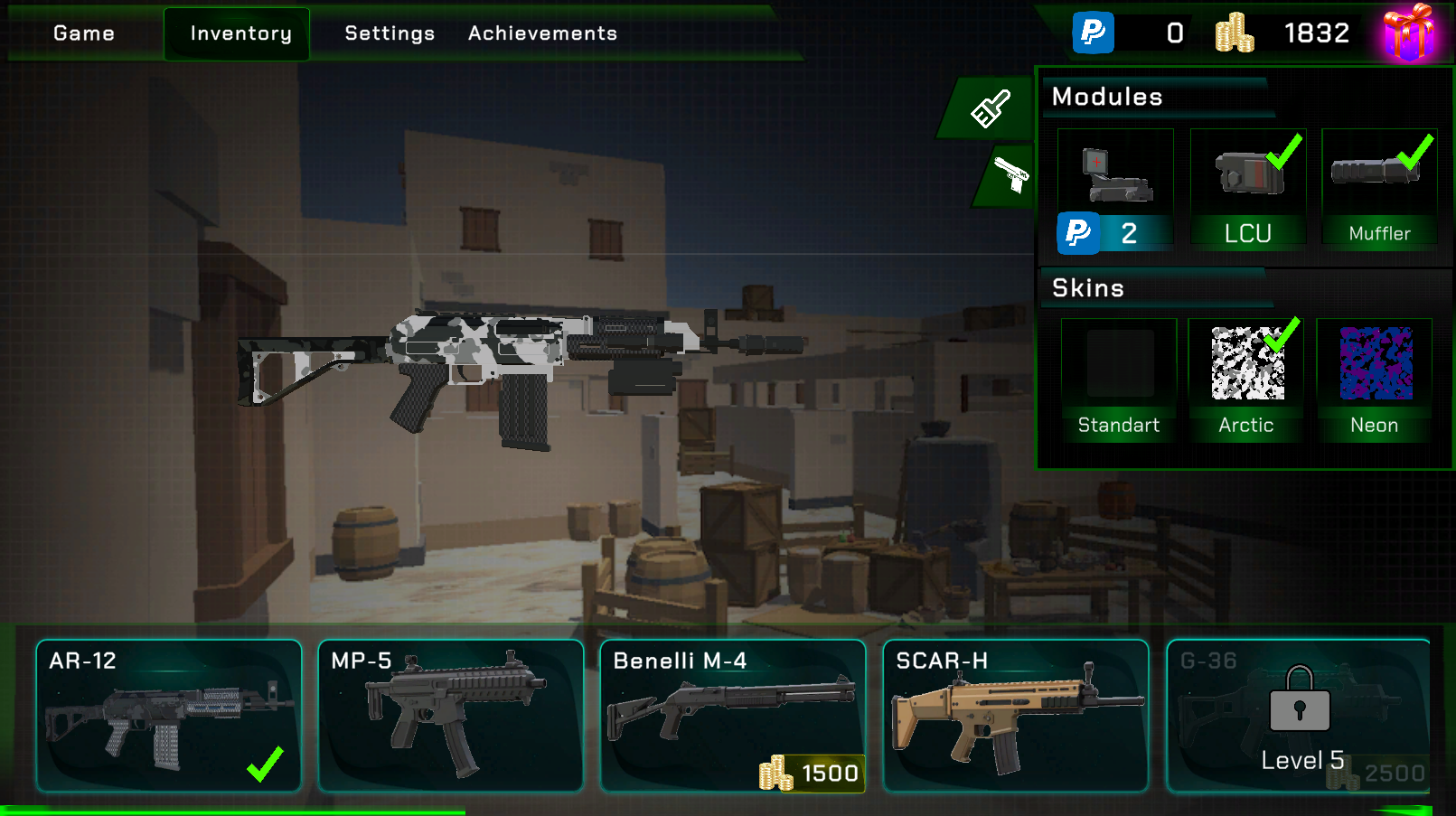
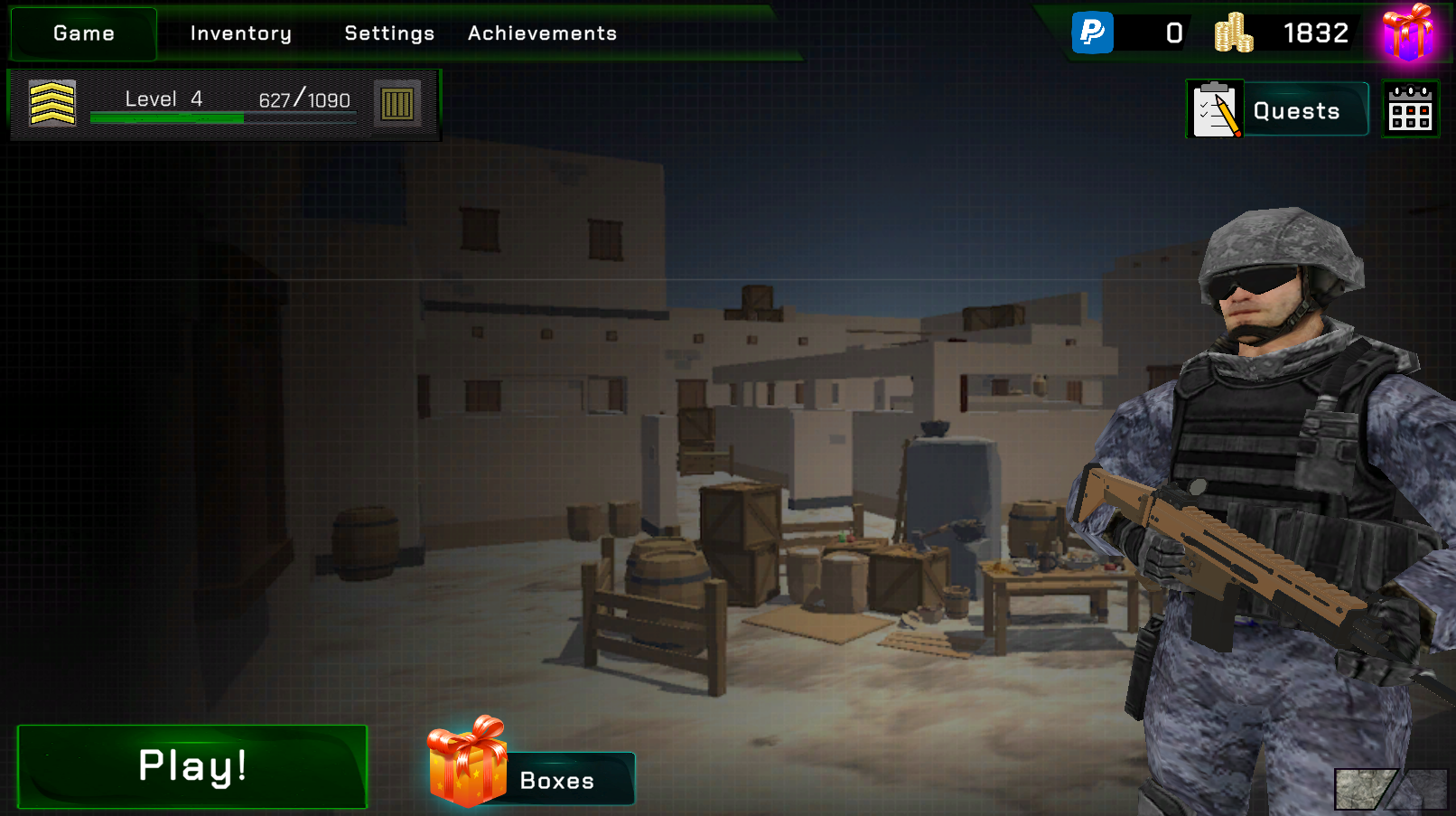
Endgame is an intense tactical first-person shooter where every round carries real weight. The game blends sharp shooting dynamics with a deep strategic layer, drawing on the spirit of the genre’s most demanding entries. Several scenes show white-walled, flat-roofed buildings arranged around a central area stocked with wooden crates and barrels. A humanoid figure in a grey camouflage uniform, black tactical vest, and grey helmet with black goggles appears across multiple views of the game.
How to Play
Each match puts you into a first-person perspective across one of Endgame’s varied maps. Pick up weapons with the dedicated key, inspect them to understand their feel, and reload before you run dry. The scoreboard keeps track of how every player is performing, and pausing is always available when you need a moment.
Controls:
- WASD: Move
- Shift: Sprint
- Left mouse: Shoot
- Right mouse / V: Aim
- R: Reload weapon
- E: Pick up a weapon
- T: Inspect a weapon
- P: Pause
- Tab: Scoreboard
5. Obby: Mini-Games VS 1000
Quick Info
- Genre: Battle Royale / Party Game / Obstacle Course
- Developer: DepGet
- Rating: 4.5/5.0 (446 ratings)
Gameplay Video
Watch real gameplay footage
Screenshots
Character running on field
Character navigating maze path
Character pushing another player
What’s the Point?
This is a blatant Fall Guys clone, but in a browser. You compete against up to 1,000 players (or bots pretending to be players) across obstacle courses and mini-games. The challenges range from dodging giant hammers to solving math problems under pressure to surviving collapsing tiles. It’s less about shooting and more about platforming, timing, and light physics puzzles. The low-poly art style and chaotic multiplayer vibe make it instantly accessible. You can push other players off ledges, which adds a fun griefing element.
Personal Experience
From the author: I jumped into my first round and was immediately thrown into a ‘Savage Hammers’ level where I had to dodge swinging obstacles. The controls felt responsive—my character jumped when I hit Space, no delay. But the physics were unpredictable. I got knocked off a platform by another player, which was frustrating but also made me laugh. The ‘Math Spikes’ round was stressful in a good way—I had to solve ‘7 + 5’ while running, and I barely made it. The ‘Falling Tiles’ level was where I died most—standing still for even a second meant instant elimination. After three rounds, I was hooked on the ‘one more try’ loop.
How to Play
Controls: WASD to move, Space to jump, C to crouch, Left Mouse to attack/push, On-screen controls for mobile
Goal: Survive elimination rounds by completing obstacle courses and mini-game challenges faster than other players
Performance & Browser Compatibility
Speed: Loads in ~6 seconds, runs 30-40 FPS with occasional lag when many players are on-screen
Works best on: Mobile or Desktop (touch controls work well, but keyboard gives better precision)
Browser: Chrome, Firefox, Safari (HTML5)
Who is this game for?
Casual gamers aged 8-16 who loved Fall Guys but don’t want to pay for it. Perfect for quick, silly sessions with friends or solo grinding. The low skill floor means anyone can jump in, but the physics-based challenges keep it from being too easy. Great for kids who prefer colorful chaos over serious shooters.
Pros & Cons
✅ Pros
- Instant fun with no learning curve
- Variety of mini-games keeps it fresh
- Physics-based interactions add unpredictability
⛔ Cons
- Shameless Fall Guys ripoff with zero originality
- Hard to tell if you’re playing against real people or bots
- Physics can feel random and unfair
6. Epic Battle Simulator 2
Quick Info
- Genre: Real-Time Strategy / Battle Simulator
- Developer: Ermac Alex
- Rating: 4.9/5.0 (1458 ratings)
Gameplay Video
Watch real gameplay footage
Screenshots
Armies prepare for battle
Melee combat in progress
Close-up shield combat
What’s the Point?
This isn’t a shooter—it’s a battle simulator where you set up two armies and watch them clash. You choose unit types (swordsmen, archers, cavalry, etc.), position them on a field, then hit ‘Start’ and observe the carnage. The appeal is in experimenting with different compositions and formations to see which strategy wins. The low-poly units and ragdoll physics make battles look chaotic and occasionally hilarious. It’s more ‘sandbox toy’ than ‘game,’ but if you like the idea of orchestrating medieval warfare without direct control, it scratches that itch.
Personal Experience
From the author: I set up a blue army of 50 swordsmen and a red army of 30 archers, then watched them charge. The initial clash was satisfying—units swung weapons, ragdolls flew, and the battle resolved in about 20 seconds. I tried adding cavalry to the mix, which changed the dynamic. The problem is, once you hit ‘Start,’ you’re just watching. There’s no mid-battle control, no pause-and-adjust. After a few setups, I started wishing for more depth—unit abilities, terrain effects, anything to add strategy beyond ‘more units = win.’ The ragdoll physics were the highlight, though. Watching a guy get launched 10 feet by a sword swing never got old.
How to Play
Controls: WASD to move camera, Drag to position units, Click to select unit types, Start button to begin simulation
Goal: Create and position an army that defeats the opposing force through smart composition and formation
Performance & Browser Compatibility
Speed: Loads fast, runs 40-60 FPS with small armies, drops to 20-30 FPS with 100+ units
Works best on: Desktop (mouse needed for precise unit placement)
Browser: Chrome, Firefox, Safari (HTML5)
Who is this game for?
Casual strategy fans of all ages who enjoy sandbox experimentation over competitive gameplay. Perfect for kids who like setting up toy soldiers and watching battles unfold. Not for players seeking deep tactics or direct control—this is more ‘set it and forget it’ entertainment. Great for short 5-minute sessions when you want to see something explode.
Pros & Cons
✅ Pros
- Satisfying ragdoll physics make battles entertaining
- Easy to experiment with different army setups
- Runs well even with large unit counts
⛔ Cons
- Zero player control once battle starts—just watch
- Lacks strategic depth beyond unit quantity
- Gets repetitive after a few battles
7. Gangsta Island: Crime City
Quick Info
- Genre: Open-World Crime / Hyper-Casual
- Developer: StoreRider
- Rating: 4.9/5.0 (2002 ratings)
Gameplay Video
Watch real gameplay footage
Screenshots
Player interacting with hotdog
Player stealing a car
Player robbing an ATM
What’s the Point?
This is a hyper-casual, top-down crime simulator where you control a character running around a city, stealing cars, robbing ATMs, and beating up NPCs. It’s GTA stripped down to its most basic elements and optimized for mobile. The core loop is simple: accept a task (indicated by an icon), walk to the objective, hold a button to complete it (e.g., ‘96%’ progress bar for stealing a car), collect money, repeat. There’s a city-building element where you upgrade properties, but it’s shallow. The appeal is in the ‘bad guy simulator’ fantasy without any real consequences or complexity.
Personal Experience
From the author: I started by walking up to a parked car and holding the button to steal it. A progress bar filled to 96%, then I was driving. The controls were floaty—turning felt delayed, and I crashed into a building within 10 seconds. I walked to an ATM, held the button, and money popped out. An NPC walked by, so I punched him for no reason, and he dropped cash. That’s the game. After 15 minutes, I realized every task is just ‘walk here, hold button, get reward.’ The low-poly art is colorful, and the city has a decent layout, but there’s no depth. It’s a dopamine loop with no substance.
How to Play
Controls: Virtual joystick to move, On-screen buttons for actions (steal, rob, attack), Tap icons to accept tasks
Goal: Complete criminal tasks, collect money, upgrade properties, and progress through the city
Performance & Browser Compatibility
Speed: Instant load, runs 50+ FPS on mobile, smooth even on older devices
Works best on: Mobile (designed for touch controls, awkward on desktop)
Browser: Chrome, Firefox, Safari (HTML5)
Who is this game for?
Casual mobile gamers aged 10-25 looking for a mindless, repetitive experience with instant gratification. Perfect for killing 5 minutes on the bus. If you want actual open-world depth or engaging gameplay, this will bore you in 10 minutes. It’s a hyper-casual clone designed to hook players with simple tasks and bright visuals, nothing more.
Pros & Cons
✅ Pros
- Runs flawlessly on low-end mobile devices
- Bright, colorful low-poly aesthetic
- Instant gratification loop for quick dopamine hits
⛔ Cons
- Extremely shallow—every task is ‘hold button, get reward’
- Blatant clone of popular hyper-casual crime games
- Gets boring after 15 minutes due to lack of variety