If you’ve ever shipped a Unity game to the web, you already know the truth: build size matters.
Large web builds lead to longer loading times, worse retention, lower conversion, and, in many cases, poorer platform performance. This is especially noticeable on web portals, embedded platforms, and environments where users expect games to start instantly. We’ve talked about this problem before and even published a detailed guide on how to reduce Unity web build size. But for many developers, build optimization still remains a tedious, manual process: digging through assets, guessing what exactly bloats the build, experimenting with settings inside Unity, and repeating the process over and over again. So we decided to take a step further and make build optimization part of the Playgama Bridge workflow itself.
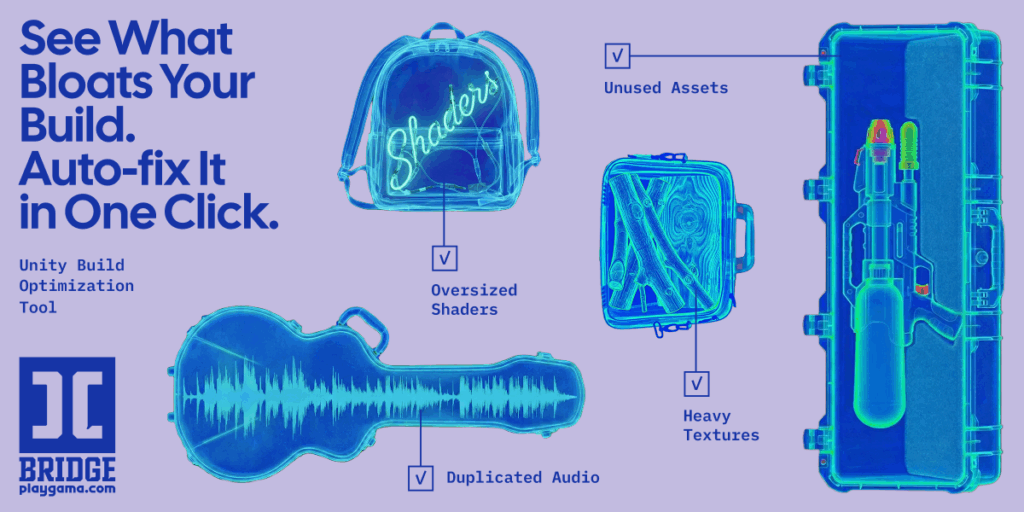
Why Web Build Size Is Important
On the web, performance constraints are much stricter than on native platforms. Every extra megabyte increases:
Play free games on Playgama.com
- initial loading time,
- the chance that a player will drop before the game even starts,
- memory usage in the browser,
- and overall friction with distribution platforms.
For many developers, the problem is not just reducing the build size, but understanding what exactly causes it:
- Which shaders are included in the build?
- Which features and modules add unnecessary weight?
- Which assets have the biggest impact on final size?
Without proper tooling, answering these questions usually means manual investigation and a lot of trial and error inside Unity.
From Guides to Built-In Tooling
Previously, our approach was educational: we shared best practices, settings, and workflows for optimizing Unity web builds. These guides are still relevant and useful. However, we realized that knowing what to do is only half of the problem. The other half is having clear, actionable analytics on your actual build.
This is why we introduced the Unity Optimization Tool inside Playgama Bridge. Instead of building custom workflows or relying on external tools, you can now analyze and optimize your Unity web builds directly as part of your Playgama Bridge pipeline.
What the Unity Build Optimization Tool Does
The Unity Optimization Tool is designed to give you visibility into what really affects your web build size and performance. With the tool, you can:
- Analyze your build size
See how heavy your web build actually is and how different components contribute to the final result. - Inspect shaders and features
Identify which shaders, rendering features, and Unity modules are included in the build and how much they impact its size. - Understand what bloats your build
Get a clearer picture of which parts of your project add unnecessary weight and can be optimized or removed. - Reduce build size as part of your distribution workflow
Optimization becomes a natural step in your release process, not a separate, manual task inside Unity.
Why This Matters for Web Distribution
For web games build size directly affects product performance:
- Faster loading means higher player retention.
- Smaller builds reduce friction for first-time players.
- Better performance improves how your game behaves across portals, platforms, and devices.
By making build analysis and optimization part of the Playgama Bridge workflow, we aim to lower the barrier for developers who want to ship performant Unity web games without spending days on manual optimization cycles.
How to Get Started
If you’re already using Playgama Bridge SDK with Unity, the Unity Build Optimization Tool is available as part of your workflow. You can start analyzing your builds and understanding what impacts their size today.
If you’re new to Playgama Bridge, this feature is a good example of how we approach web distribution: not just helping you publish your game, but also giving you tools to improve its technical quality and performance on the web.
You can find the full documentation here:
https://wiki.playgama.com/playgama/performance-and-optimization/unity/unity-optimization-tool

Reducing build size isn’t just about cutting down assets; it’s about being strategic with which components to focus on. It’s refreshing to see a tool that helps prioritize what’s actually impacting performance.