I just finished a marathon testing session of casual browser games, and honestly? Most of them were forgettable time-sinks with the same recycled mechanics. But here’s the thing: I found 10 that actually deliver what they promise. No bloated tutorials, no predatory monetization schemes (mostly), just straightforward gameplay you can jump into during a coffee break. Some are shamelessly derivative, others surprised me with how polished they felt for browser games. Here’s what I learned after spending way too many hours clicking, matching, and bouncing through these titles.
TL;DR (Quick Summary)
- Total Games: 10 browser games tested
- Tested on: MacBook/PC, Chrome browser, no special hardware
- Average Rating: 4.4/5.0
Quick Comparison Table
| # | Game | Genre | Key Feature | Rating |
|---|---|---|---|---|
| 1 | Stack Ball 3D | Endless Runner/Arcade | Instant tap response | 4.6/5.0 |
| 2 | Connecting Flowers: Garden Merge | Match-3/Puzzle | Relaxing pace | 4.9/5.0 |
| 3 | Veggie Cats: Idle Farm Tycoon | Idle | Tycoon, Farm | 4.1/5.0 |
| 4 | TB World | Decoration | Dress Up, Make Up | 4.6/5.0 |
| 5 | Diamond Painting by Number | Casual Puzzle/Color by Number | Relaxing painting | 4.2/5.0 |
| 6 | Candy for capybara | Claw Machine/Collection | Gacha mechanics | 4.7/5.0 |
| 7 | Pirate Raid | Adventure | Arcade, Action | 4.3/5.0 |
| 8 | Button Bonanza | Idle | Clicker, Arcade | 4.1/5.0 |
| 9 | Grow a Garden 3D | Farming Sim/Idle Game | Seasonal progression | 4.4/5.0 |
| 10 | Jump to the Rhythm of Songs! Musical Ball! | Rhythm Game/Endless Runner | Music sync | 4.5/5.0 |
1. Stack Ball 3D
Quick Info
- Genre: Endless Runner/Arcade
- Developer: Dream World
- Rating: 4.6/5.0 (1332 ratings)
Gameplay Video
Watch real gameplay footage
Screenshots
Ball falling through platforms
Ball breaking blue platforms
Pink platforms with black
What’s the Point?
You’re controlling a falling ball that smashes through colored platforms by tapping. The trick? Avoid the black sections or you shatter and start over. It’s pure reflex training wrapped in vibrant low-poly graphics. The speedboost mechanic when you chain multiple platforms creates this weird risk-reward loop where you’re tempted to just hold down and pray. The core loop is addictive because it’s so brutally simple. One tap, one action, instant feedback. No upgrades, no progression systems, just you versus your own impatience. The platforms rotate at varying speeds, so pattern recognition becomes key after the first few runs.
Personal Experience
From the author: When I first launched this, I immediately recognized it as a Helix Jump ripoff. But the responsiveness shocked me – the ball reacts the exact millisecond you tap, with zero input lag. I found myself in this flow state where I’d chain 10+ platforms, then panic and hit a black section. The visual feedback is satisfying: platforms shatter cleanly, and the ball’s color shifts as you progress. After about 15 minutes, my hand started cramping from the rapid tapping, which tells you everything about the game’s pace.
How to Play
Controls: Tap screen (mobile) or left mouse button (desktop) to make the ball break through platforms
Goal: Break through as many platforms as possible while avoiding black sections to achieve the highest score
Performance & Browser Compatibility
Speed: Loads instantly, runs at smooth 60 FPS with no frame drops
Works best on: Mobile (designed for touch, but works fine with mouse)
Browser: Chrome, Firefox, Safari (HTML5)
Who is this game for?
Perfect for casual mobile gamers aged 8-40 who want zero-commitment sessions. Ideal for waiting rooms, commutes, or any situation where you need to kill 2-5 minutes. Kids will love the bright colors and simple mechanics, while adults will appreciate the lack of tutorials or forced progression. Not for anyone seeking depth or strategy.
Pros & Cons
✅ Pros
- Instant input response with zero lag
- Clean, vibrant visuals that run smoothly on any device
- No ads or monetization interruptions during gameplay
⛔ Cons
- Shameless Helix Jump clone with no original ideas
- Becomes repetitive after 10-15 minutes
- No progression system or unlockables to work toward
2. Connecting Flowers: Garden Merge
Quick Info
- Genre: Match-3/Puzzle
- Developer: NazzalexGames
- Rating: 4.9/5.0 (104 ratings)
Gameplay Video
Watch real gameplay footage
Screenshots
Flower matching puzzle game
What’s the Point?
This is a falling-block puzzle where you match flowers from the bottom row to clear incoming flowers from the top. When you make a match, they disappear with a satisfying pop, and you earn points that fill a progression bar. The twist is the beehive theme – you’re supposedly feeding bees, which gives the generic match-3 mechanics a thin narrative wrapper. The gameplay is deliberately slow, giving you plenty of time to plan your moves. Power-ups appear occasionally to help clear the board, and there’s a currency system (honeycombs and stars) that suggests some meta-progression, though the core loop remains simple matching.
Personal Experience
From the author: I was immediately struck by how slow this game is compared to most hyper-casual puzzles. Flowers fall gently, and you have several seconds to react. The photorealistic 3D background clashes weirdly with the stylized 2D flowers, giving it an AI-generated aesthetic. I found myself zoning out while playing – not in a bad way, just genuinely relaxed. The score pop-ups (+300, +450) provide nice dopamine hits without feeling manipulative.
How to Play
Controls: Drag and drop flowers to desired positions; tap matching flowers in bottom row to clear them
Goal: Match falling flowers to clear the board, fill the beehive progression bar, and achieve high scores
Performance & Browser Compatibility
Speed: Loads in 2-3 seconds, runs smoothly with simple animations
Works best on: Mobile (portrait orientation, touch-optimized UI)
Browser: Chrome, Firefox, Safari (HTML5)
Who is this game for?
Targets casual mobile gamers aged 8-60 who want non-stressful puzzle sessions. Perfect for parents playing alongside kids, or anyone seeking a meditative time-killer without pressure. The nature theme and slow pace make it ideal for winding down before bed or during breaks. Not for competitive players or anyone seeking challenge.
Pros & Cons
✅ Pros
- Genuinely relaxing pace with no time pressure
- Clear, distinct flower designs make matching easy
- Pleasant nature theme without annoying sound effects
⛔ Cons
- Photorealistic background looks cheap and AI-generated
- Core mechanic is extremely common in mobile puzzles
- Currency systems hint at future monetization pressure
3. Veggie Cats: Idle Farm Tycoon
Quick Info
- Genre: Idle, Tycoon
- Developer: Booblyc
- Rating: 4.1/5.0 (11 ratings)
- Platforms: PC, Android, iOS
Screenshots
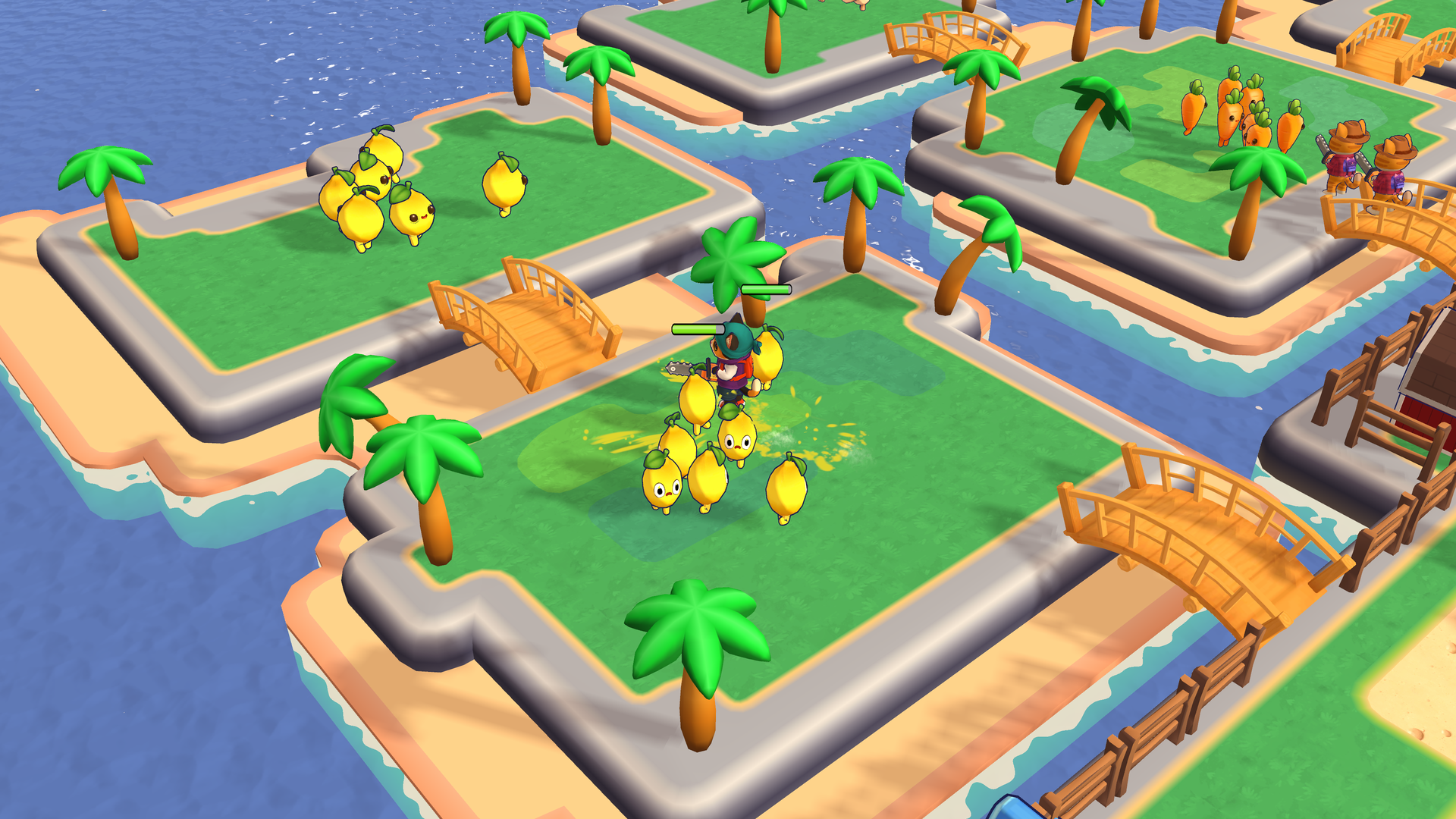
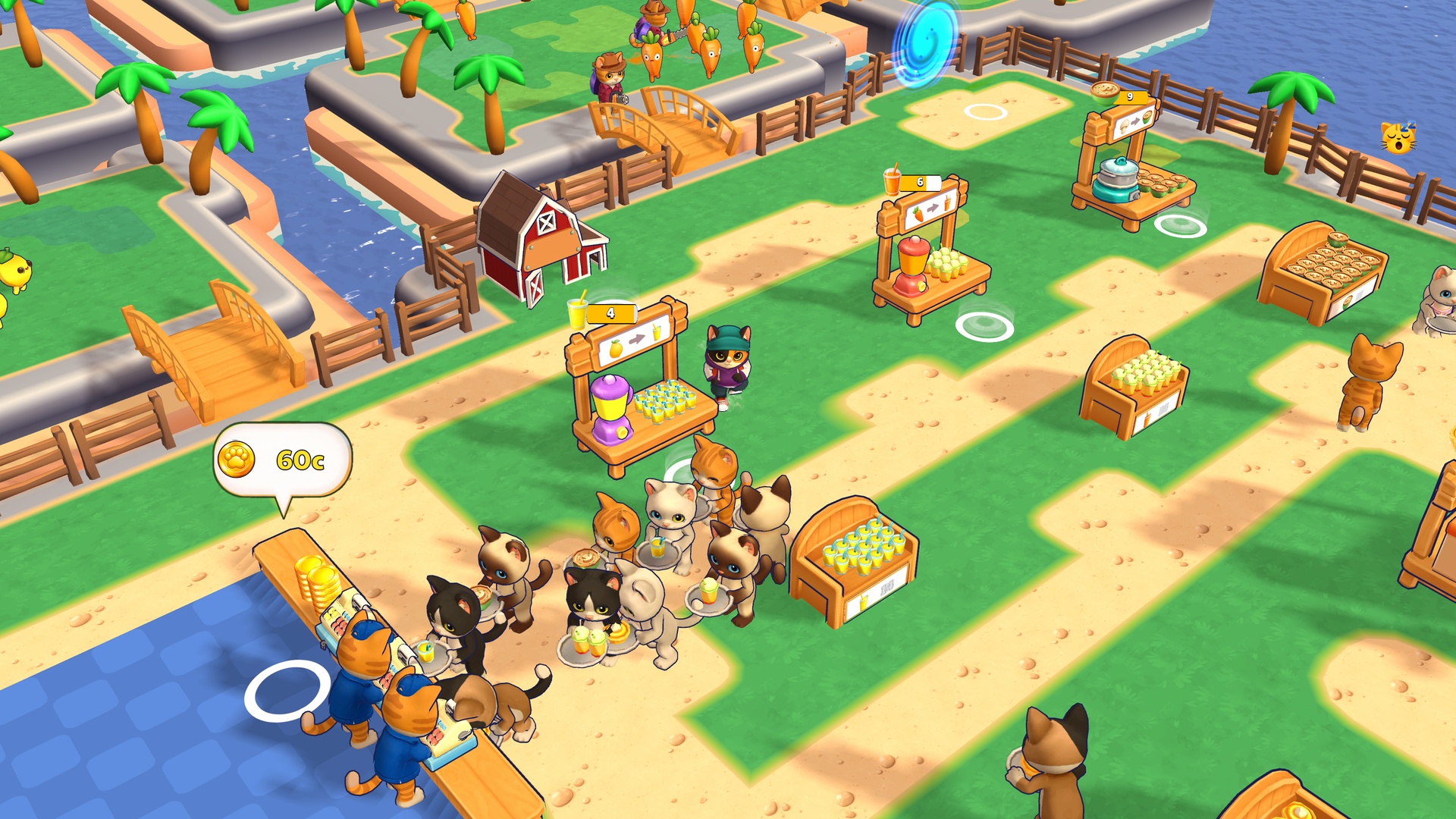
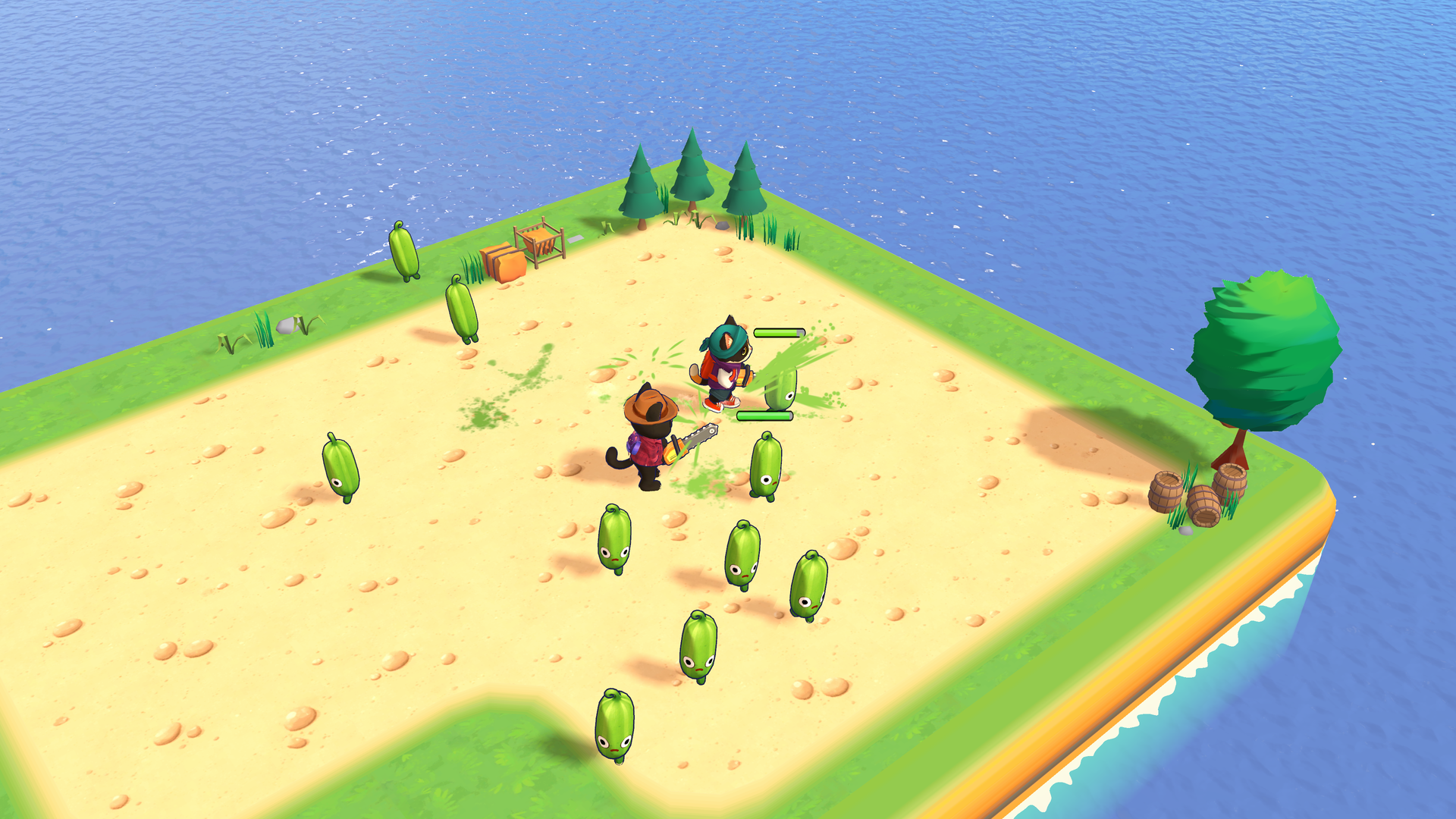
What’s the Point?
Veggie Cats: Idle Farm Tycoon is a cozy idle farm tycoon where you run a growing veggie business across a series of islands. Harvest runaway vegetables, process them into juices and snacks inside your factory, and serve a line of hungry customers at the counter. The business keeps earning even while you are away, so there is always progress waiting when you return.
How to Play
Walk your cat up to vegetables to harvest them, carry the crop to the machines to process it, then bring the finished products to the counter to sell. Spend coins on upgrades and new buildings, complete quests for rewards, and unlock the next island when you are ready. Hire cashiers, porters, and hunters, upgrade every machine, and build the biggest veggie business around.
Controls:
- WASD or Arrow Keys: Move your cat
- Press and drag (mouse or finger): Use the on-screen joystick to move your cat
4. TB World
Quick Info
- Genre: Decoration, Dress Up
- Developer: Dmitry FTD
- Rating: 4.6/5.0 (17270 ratings)
- Platforms: PC, Android, iOS
Screenshots
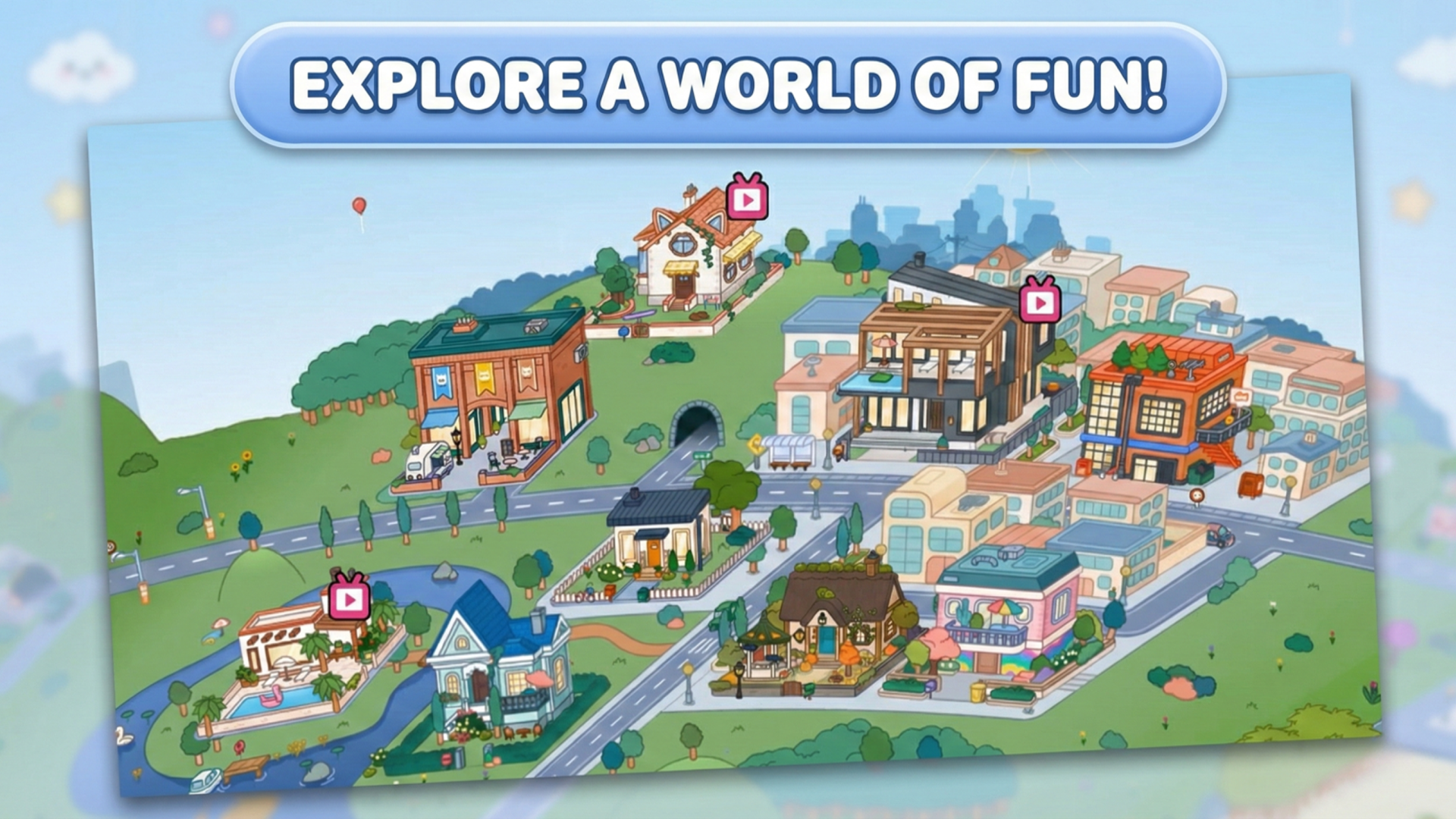
What’s the Point?
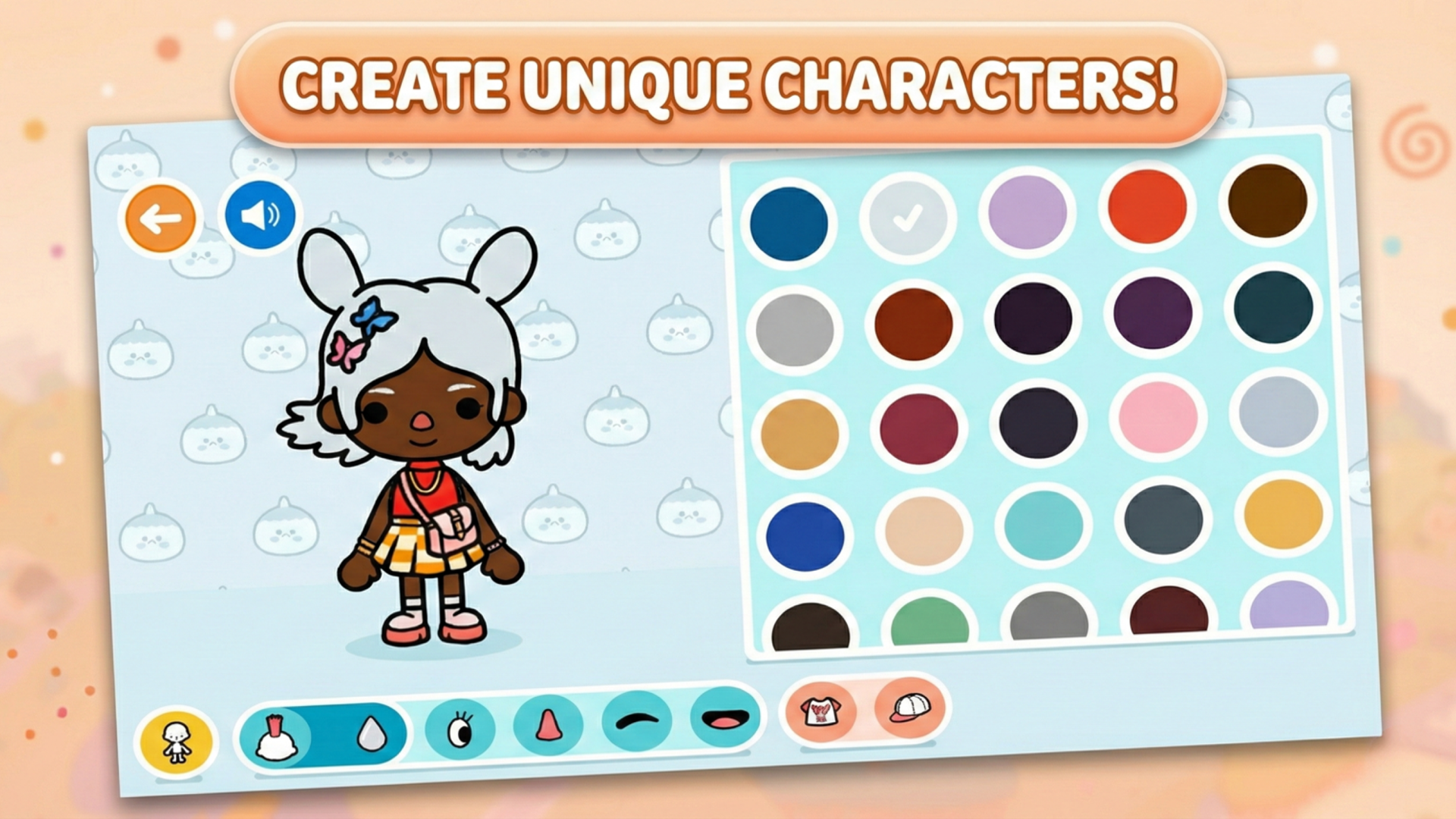
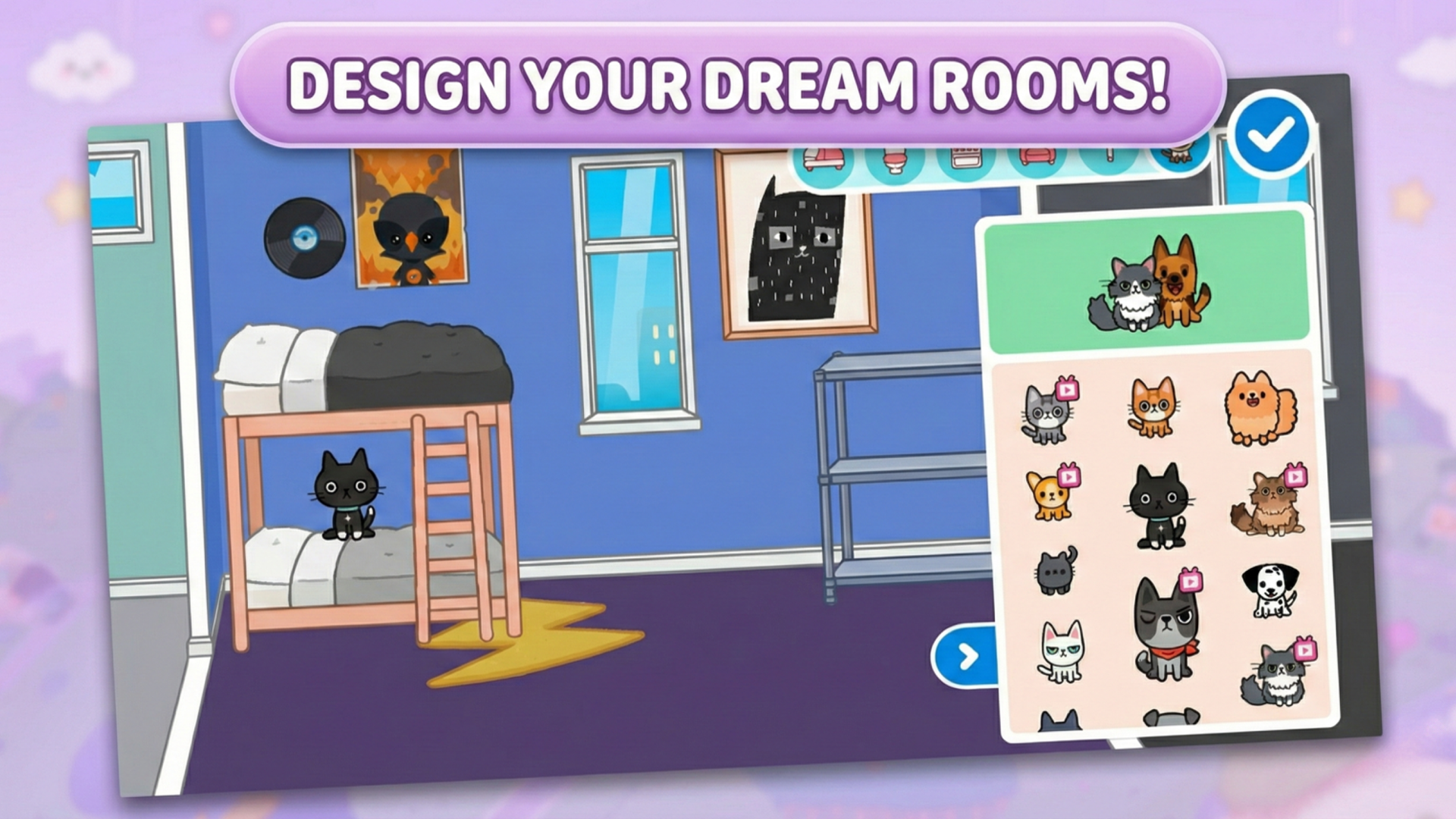
TB World is a creative sandbox experience built around one idea: bringing your own stories and looks to life. The game invites players to design one-of-a-kind character outfits and cozy interiors, with imagination as the only real boundary. One scene shows a world map dotted with illustrated buildings — a pool house, a residential home with a cat-shaped roof, and a multi-story apartment complex. Another moment places a bunk bed against a blue wall beside a three-tier metal shelving unit, hinting at the kind of lived-in spaces waiting to be arranged. The interface is described as intuitive and user-friendly, making it accessible to players of all ages.
How to Play
The central task in TB World is to author your own adventures and stories using a wide range of scenarios, characters, and items. You’ll find no strict rules or fixed storylines — you decide what happens and how everything looks.
The open-ended structure means every session can produce something completely different.
Controls:
- Swipe: Move characters, items, and decor across the screen
- Tap: Select clothing and accessories to dress up characters
- Drag: Place and arrange items to decorate interiors
5. Diamond Painting by Number
Quick Info
- Genre: Casual Puzzle/Color by Number
- Developer: Mirra Games
- Rating: 4.2/5.0 (218 ratings)
Gameplay Video
Watch real gameplay footage
Screenshots
Filling numbered grid cells
Multi-gem placement tool
Completed cactus image
What’s the Point?
This is a digital version of ‘diamond painting’ craft kits. You select a numbered gem type (represented by dice faces), then tap or drag to fill corresponding numbered cells on a grid. As you fill cells, a pixel-art image gradually reveals itself. The ‘pen’ tool auto-places multiple gems as you drag, speeding up the process. The gameplay is meditative and low-stress. There’s no fail state, no time pressure, just the satisfying process of watching an image come together. The low-poly 3D gems have a slight glow effect that provides visual feedback when placed.
Personal Experience
From the author: When I started playing, I was surprised by how immediately satisfying the gem placement felt. The auto-fill drag mechanic works smoothly – I could paint entire sections in one swipe. The subtle glow effect when placing gems provides nice feedback without being distracting. After about 10 minutes, I found myself in a zen-like state, just methodically filling cells. The designs are simple pixel art, nothing impressive, but the process itself is calming.
How to Play
Controls: Select numbered gem type, then tap or drag to fill corresponding cells on the grid
Goal: Complete various pixel-art designs by filling all numbered cells with matching gems
Performance & Browser Compatibility
Speed: Loads in 2-3 seconds, runs smoothly with basic 3D rendering
Works best on: Mobile (touch controls feel more natural than mouse)
Browser: Chrome, Firefox, Safari (HTML5)
Who is this game for?
Casual mobile gamers of all ages seeking relaxing, low-stress activities. Perfect for players who enjoy ‘color by number’ or pixel art puzzles, with short satisfying sessions (5-15 minutes). Appeals to anyone looking for meditative gameplay to unwind, particularly during commutes or before bed. Not for players seeking challenge or skill-based gameplay.
Pros & Cons
✅ Pros
- Genuinely relaxing with no pressure or fail states
- Auto-fill drag mechanic speeds up the painting process
- Clean aesthetic with satisfying gem placement feedback
⛔ Cons
- Direct clone of numerous diamond painting mobile games
- Simple pixel art designs lack visual appeal
- No originality in mechanics or presentation
6. Candy for capybara
Quick Info
- Genre: Claw Machine/Collection
- Developer: FunArtsStudio
- Rating: 4.7/5.0 (826 ratings)
Gameplay Video
Watch real gameplay footage
Screenshots
Claw machine setup
Candy falling, coins collected
Claw grabbing items
What’s the Point?
This is a claw machine simulator with gacha elements. You spend virtual currency (coins) to ‘launch’ a claw that grabs random candy items. The goal is to collect specific items indicated by the capybara character and recipe counter. Some candies award bonus coins, creating a gambling-lite loop. The pacing is deliberately slow with long animations for the claw descent and grab. It’s designed to stretch out the dopamine hits, making each ‘launch’ feel like an event. The cute capybara character reacts to your success, adding personality to the otherwise mechanical gameplay.
Personal Experience
From the author: When I first tapped ‘Launch,’ I immediately recognized the mobile gacha formula. The claw descends slowly, grabs an item, then drops it into the play area with exaggerated physics. I found myself watching the capybara’s reactions more than the actual gameplay – it’s genuinely cute when it gets happy. The coin economy feels balanced for free play, but I can see where monetization would kick in. After 20 minutes, I realized I was just gambling for virtual candy.
How to Play
Controls: Tap ‘Launch’ button (costs 1 or 10 coins); slide finger or mouse to move claw; release to grab candy
Goal: Collect specific candy items to fulfill recipes and feed the capybara; earn coins by collecting bonus items
Performance & Browser Compatibility
Speed: Loads in 3-4 seconds, runs smoothly with basic 2D physics
Works best on: Mobile (designed for portrait mode and touch controls)
Browser: Chrome, Firefox, Safari (HTML5)
Who is this game for?
Casual mobile gamers, likely kids or young teens aged 6-14, who enjoy simple collection mechanics and low-stakes gambling elements. The cute capybara and candy theme appeal to younger players. Perfect for short, repetitive sessions with minimal mental engagement. Not for players seeking skill-based gameplay or meaningful progression.
Pros & Cons
✅ Pros
- Genuinely cute capybara character with personality
- Simple mechanics require zero learning curve
- Coin economy feels balanced for free play
⛔ Cons
- Gacha-lite mechanics designed to encourage monetization
- Slow animations stretch out gameplay artificially
- No skill involved – purely random chance
7. Pirate Raid
Quick Info
- Genre: Adventure, Arcade
- Developer: AMCorp
- Rating: 4.3/5.0 (13 ratings)
- Platforms: PC, Android, iOS
Screenshots
What’s the Point?
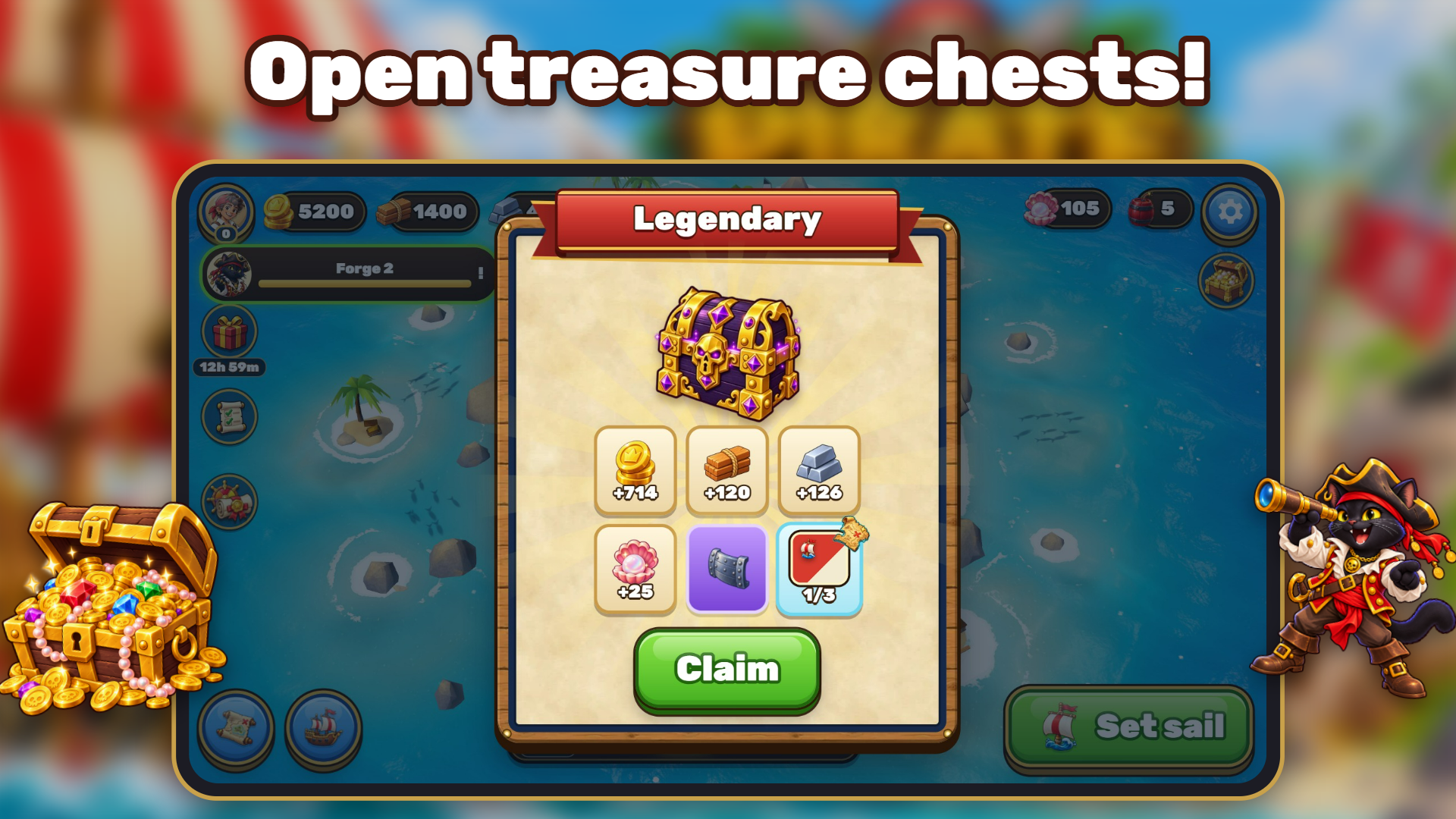
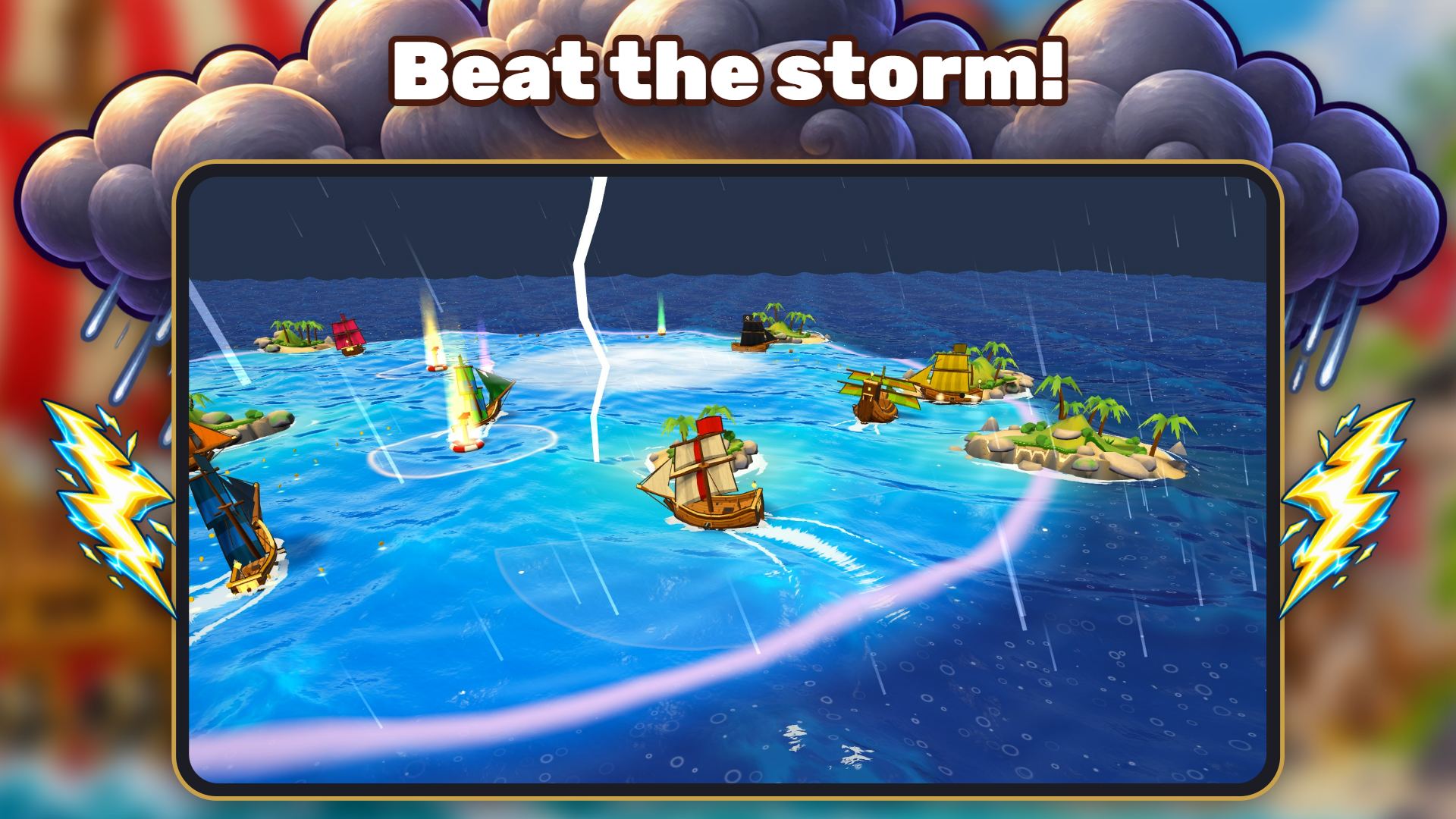
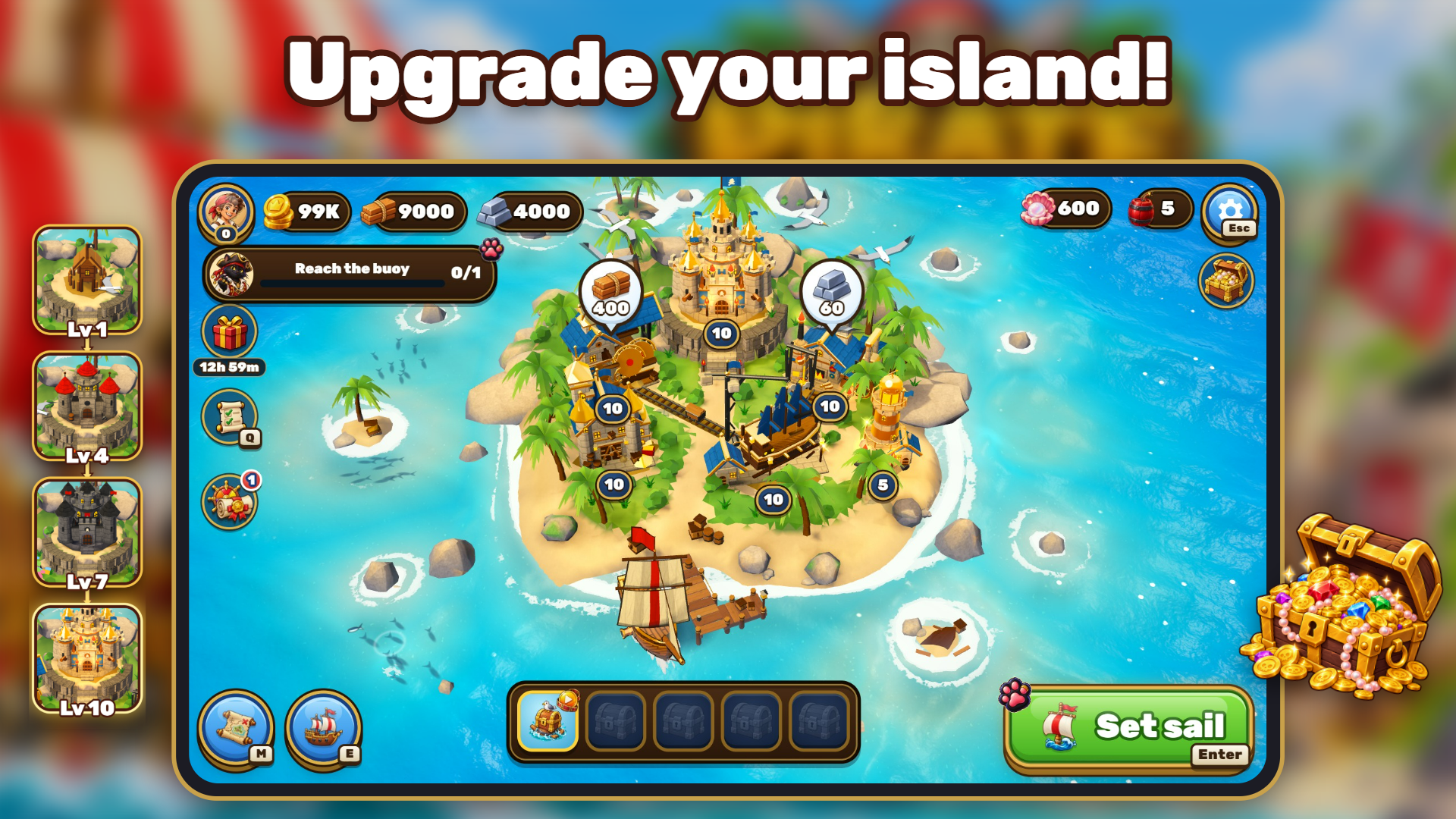
Pirate Raid is a casual 3D pirate action game with island building, where every session is a 3-minute raid against 9 rival captains on the open sea. Collect barrels of gold, planks, and scrap, crack open treasure chests, and sink enemy ships with automatic broadside volleys — but your loot only counts once you bank it at a buoy. Sink before you get there, and everything in your hold is gone. In the final 45 seconds, a storm drives all captains toward the buoys, forcing a frantic dash to safety.
How to Play
Each raid runs for 3 minutes against 9 rival captains. Sail around collecting barrels and chests, then stop inside a buoy circle and wait for the ring to fill to bank your loot. Reach the buoy before the storm hits, or lose everything in your hold if your ship sinks. Cannons fire automatically — turn your broadside toward an enemy to engage; ships directly ahead or behind are out of reach. Stay side by side with a ship for 2 seconds to board it. The Ram button dashes forward and finishes off damaged ships. Spend collected loot on your island and Shipyard upgrades, then storm forts — each costs 1 powder — to capture islands.
Controls:
- Touch and drag (mobile): Ship sails toward your finger
- WASD or arrow keys (PC): Steer your ship
- Ram button / Space (PC): Dash forward and finish off damaged ships
8. Button Bonanza
Quick Info
- Genre: Idle, Clicker
- Developer: Fabio Blankenhorn
- Rating: 4.1/5.0 (7 ratings)
- Platforms: PC, Android, iOS
Screenshots
What’s the Point?
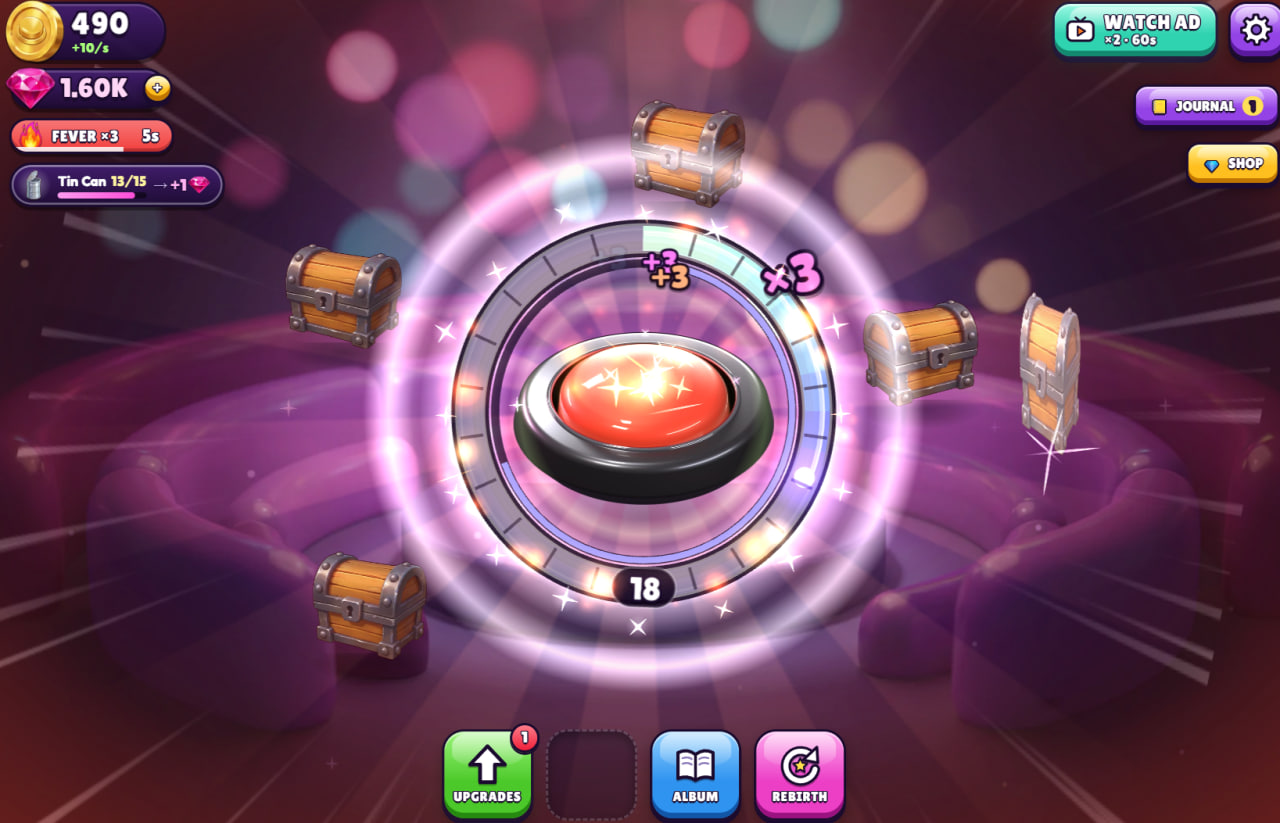
Button Bonanza is a colorful incremental collection game built around a single satisfying loop: press the giant button, fill its ring, and crack open surprise chests to discover 25 treasures. Income upgrades, production automation, and a rebirth system for permanent skills keep the progression moving, while daily gifts, daily and weekly goals, achievements, and a leaderboard for your permanent collection score give every session a fresh target. Progress saves automatically and carries over to your Playgama account when you sign in. Gems are also earned through normal play.
How to Play
Hit the big button to fill its ring and earn chests, then open those chests to collect coins. Spend coins on upgrades to grow your income, and use the skill tree to unlock new abilities. The Album lets you explore your full collection, while the Journal is the hub for free daily gifts, daily and weekly goals, achievements, collection milestones, rankings, and account options.
When the moment feels right, rebirth to trade a run for permanent progress. Tickets earned along the way go into Choose a Bonus, where you pick one of three boosts: Turbo, Chest Storm, or Haunted mode. Open Settings to adjust sound, music, quality, and reduced motion.
Controls:
- Left click: Press the big button
- Tap: Press the big button on touchscreen
- Space: Press the big button
- Enter: Press the big button
- Button Bonanza supports play in English, German, French, Spanish, Portuguese, Russian, and Turkish.
9. Grow a Garden 3D
Quick Info
- Genre: Farming Sim/Idle Game
- Developer: NISHAD GAMES
- Rating: 4.4/5.0 (204 ratings)
Gameplay Video
Watch real gameplay footage
Screenshots
Snowy farm environment
Seed shop interface
Desert farm plants
What’s the Point?
This is a farming simulation with idle mechanics and Roblox-inspired aesthetics. You buy seeds from a shop (with in-game currency or gems), plant them in your garden, wait for them to grow, harvest the produce, and sell it for more currency. The cycle repeats with increasingly expensive seeds and rare ‘giant tree’ variants. The game features seasonal changes (Winter, etc.) that affect your garden’s appearance, and a character customization system with player skins. The shop has stock limits and restock timers, indicating idle progression mechanics where you wait for resources to become available.
Personal Experience
From the author: When I started playing, the blocky Roblox aesthetic immediately told me the target audience. The character movement is basic WASD navigation, and planting seeds is a simple tap interaction. I watched seeds grow in real-time with simple animations, then harvested them by pressing ‘E’. The shop UI shows stock levels and restock timers, which means progression is time-gated. After 15 minutes, I realized this is a simplified Roblox-style tycoon game ported to browser.
How to Play
Controls: WASD to move, mouse to look around, LMB to plant seeds, E to interact (buy/sell/collect), Tab for inventory
Goal: Buy seeds, plant them, harvest crops, sell for currency, and expand your garden with new seeds and upgrades
Performance & Browser Compatibility
Speed: Loads in 4-6 seconds with low-poly 3D graphics
Works best on: Desktop (keyboard controls optimized for PC)
Browser: Chrome, Firefox, Safari (HTML5)
Who is this game for?
Casual mobile gamers and children aged 6-12, particularly those familiar with Roblox, who enjoy simple farming simulations and idle progression. Perfect for short sessions with minimal mental engagement. The game is designed for players who like collecting cosmetic items and watching numbers go up. Not for players seeking depth or original mechanics.
Pros & Cons
✅ Pros
- 25+ seed varieties provide collection goals
- Seasonal changes add visual variety to garden
- Simple mechanics accessible to young children
⛔ Cons
- Heavily mimics Roblox aesthetic with no original identity
- Idle mechanics and timers gate progression
- Low-poly graphics look dated and uninspired
10. Jump to the Rhythm of Songs! Musical Ball!
Quick Info
- Genre: Rhythm Game/Endless Runner
- Developer: Eccentric Studio
- Rating: 4.5/5.0 (374 ratings)
Gameplay Video
Watch real gameplay footage
Screenshots
Orange ball on tiles
Striped ball on tiles
Basketball on tiles path
What’s the Point?
This is a rhythm-based endless runner where a ball bounces automatically, and you guide it left or right to land on glowing tiles in sync with music. The game pace increases dynamically as you progress, with tile patterns becoming more complex. The goal is to maintain rhythm, hit all tiles, and achieve high scores. The visual feedback is clean: ripple effects on tile hits, bright colors, and simple particle effects. It’s designed for quick, engaging sessions focused on rhythm and music, likely with unlockable songs or cosmetic ball skins as progression.
Personal Experience
From the author: When I started playing, the ball’s automatic bounce felt smooth, and the tile patterns synced well with the music. I tapped to guide the ball left or right, and the responsiveness was instant – no lag between input and trajectory change. The ripple effect when landing on tiles provides satisfying feedback. As the pace increased, I found myself focusing entirely on the rhythm, which created a nice flow state. After a few runs, I recognized this as a direct clone of ‘Tiles Hop: EDM Rush!’
How to Play
Controls: Swipe left or right (mobile) or move mouse with button held (PC) to guide the bouncing ball
Goal: Land on glowing tiles in sync with music, maintain rhythm, and achieve high scores to unlock new songs
Performance & Browser Compatibility
Speed: Loads quickly, runs at smooth 60 FPS with simple 3D rendering
Works best on: Mobile (designed for swipe controls and portrait mode)
Browser: Chrome, Firefox, Safari (HTML5)
Who is this game for?
Casual mobile gamers of all ages who enjoy rhythm games and music-based challenges. Perfect for quick, engaging sessions (3-5 minutes) with a focus on hand-eye coordination. The simple controls and bright visuals make it accessible to children, while the rhythm challenge appeals to teens and adults. Not for players seeking original mechanics or deep gameplay.
Pros & Cons
✅ Pros
- Smooth, responsive controls with instant feedback
- Clean visuals with satisfying tile hit effects
- Music sync creates engaging rhythm challenge
⛔ Cons
- Direct clone of popular mobile rhythm games
- Limited innovation beyond visual presentation
- Becomes repetitive without song variety