
























Kids Coloring Book: Peppa Pig
Kids Coloring Book: Peppa Pig - Play Online

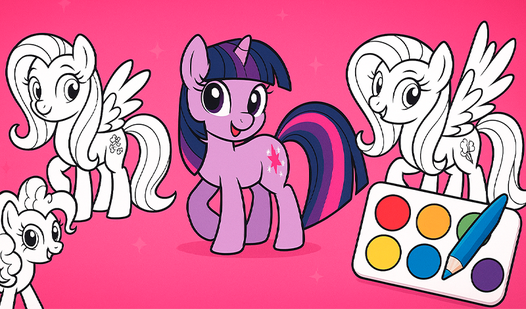
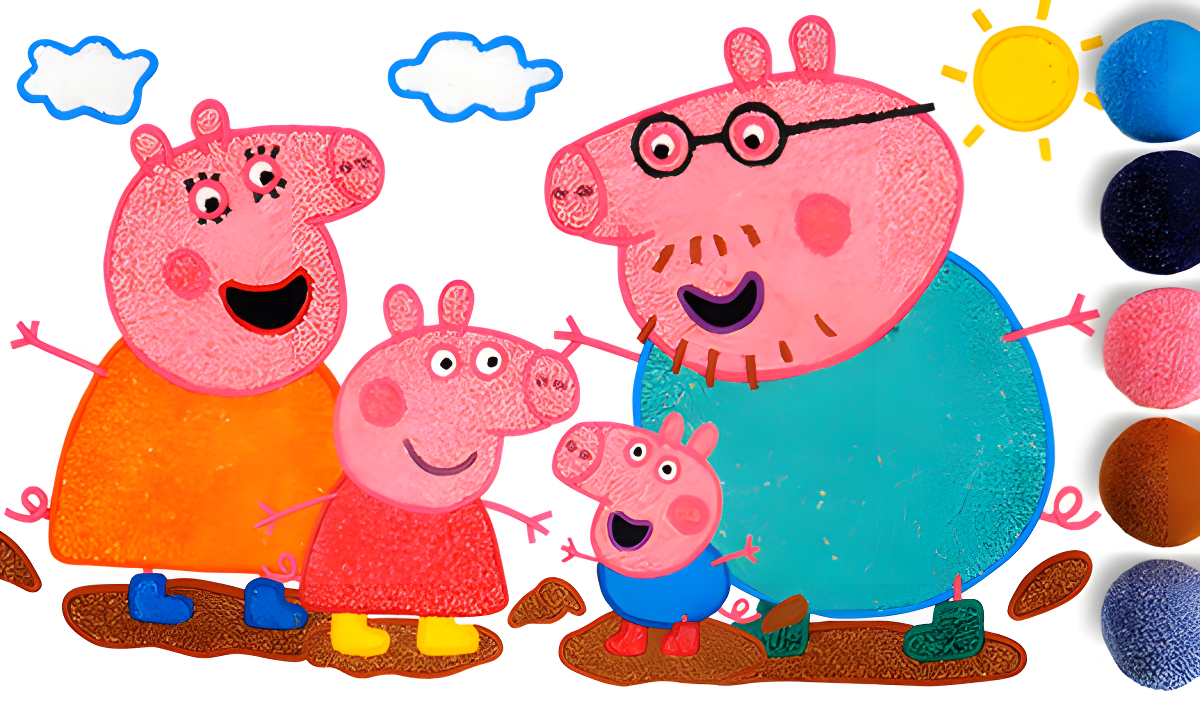
Grab a bucket, pick a color, and bring Peppa Pig to life. This is a straightforward digital coloring book aimed squarely at toddlers and preschoolers who love the cartoon. You tap on colors, flood-fill the outlines, and watch Peppa, George, Mummy Pig, and Daddy Pig transform from black-and-white sketches into vibrant scenes. It's not a game in the traditional sense—there's no scoring, no timer, no "game over." It's purely a creative tool designed to keep little hands busy and introduce basic color recognition while parents get five minutes of peace.
Key Features
- 15+ Templates: A variety of Peppa Pig scenes and characters to color, from simple portraits to multi-character sandbox setups.
- Toddler-Proof Controls: Giant buttons and a simple flood-fill tool mean even two-year-olds can tap and color without frustration.
- Save & Share: A camera button lets you capture finished artwork, perfect for proud parents to show off.
- Random Color Surprises: The paint can feature occasionally spills a random unusual shade to keep things interesting.
How to Play Kids Coloring Book: Peppa Pig

It's dead simple—if your kid can tap a screen, they can play this.
Pick Your Template
You start at a gallery screen showing all available drawings in a grid. Tap on any black-and-white outline of Peppa, her family, or her friends to open it up. The left sidebar also shows other cartoon categories (like Paw Patrol), but Peppa's the main attraction here.
Choose Colors and Fill
On the right side of the screen, you've got a vertical palette of basic colors—red, yellow, green, blue, purple, black. Tap one, then tap any section of the drawing to instantly flood-fill it with that color. There's also a color picker wheel if you want something more specific, though toddlers mostly stick to the big buttons. The paint can icon occasionally spills a surprise color onto the palette for variety.
Save or Start Over
Once you've colored everything, hit the camera button to save a snapshot. The undo button (blue curved arrow) lets you reverse mistakes, and the circular arrow resets the entire drawing if things get messy. Left and right arrows let you jump between templates without going back to the menu.
Who is Kids Coloring Book: Peppa Pig for?

This is for parents of toddlers, plain and simple. If you've got a kid aged two to six who's obsessed with Peppa Pig and you need fifteen minutes to cook dinner or answer emails, this will hold their attention. It's not challenging, it's not strategic—it's a digital babysitter disguised as a learning activity. Older kids and teens will find it boring within thirty seconds. Adults won't touch it unless they're testing it for their children.
The Gameplay Vibe
It's extremely chill and repetitive. There's no music, just the soft sound effect of paint splashing when you tap. The visuals are basic flat 2D vectors—exactly what you'd expect from a budget coloring app. The tiled background pattern is honestly distracting and kind of ugly, creating visual noise that competes with the actual coloring area. The core loop—pick template, tap colors, fill sections, save—gets old fast for anyone over the age of seven, but toddlers seem hypnotized by the instant gratification of watching blank spaces turn bright pink or green. It's not polished, but it works.
Technical Check: Saves & Performance
Saves: The game doesn't have user accounts or cloud saves. Your colored drawings are saved locally in your browser cache, so if you clear your history or switch devices, they're gone. The camera button lets you export images to your device, which is the only permanent backup option. Performance: It's lightweight and runs smoothly even on older tablets or budget smartphones. I didn't notice any lag or crashes—it's basically just displaying vector art and running a simple flood-fill algorithm, so there's not much to stress your hardware.
Quick Verdict: Pros & Cons
A functional but uninspired coloring app that does exactly what it promises—nothing more, nothing less.
- ✅ Pro: Zero learning curve. Kids can start coloring within two seconds of opening it.
- ✅ Pro: Works instantly in the browser—no downloads, no waiting, no install hassle.
- ❌ Con: The background pattern is visually noisy and the overall presentation feels cheap and rushed, like a template flip using unlicensed cartoon assets.
Controls
Perfectly responsive for touch screens, which is the intended platform. Desktop use feels awkward—you're clicking oversized buttons clearly designed for tiny fingers on tablets.
- Desktop: Mouse to click colors and drawing sections. Arrow keys don't work—you have to click the UI buttons to navigate.
- Mobile: Tap colors, tap drawing sections. Giant touch targets make accidental taps rare.
Release Date & Developer
Developed by Universe 25 and released on June 18, 2025. The studio appears to focus on quick-turnaround educational apps for very young children.