




























Five Nights at Freddy's: 3D Escape










About Five Nights at Freddy's: 3D Escape — First-Person Pixelated 3D Horror
Five Nights at Freddy's: 3D Escape puts you in the role of a night-shift security guard navigating a first-person pixelated 3D horror experience. The goal is straightforward and unforgiving: survive until morning while keeping the animatronics at bay. Dark corridors stretch through the location, a security office serves as your base, and a camera system lets you track movement across the building — all wrapped in an ambient tension that builds with every passing minute.
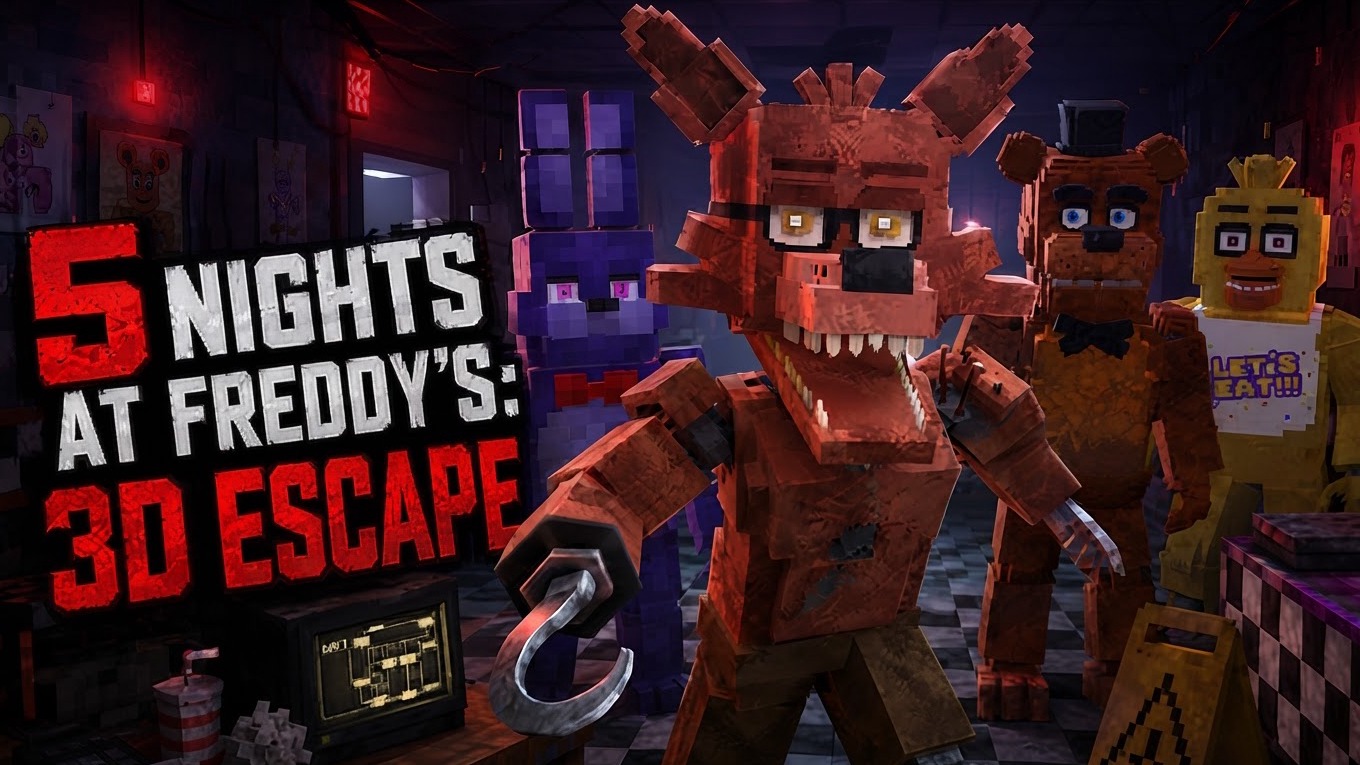
Each animatronic moves independently around the location and can appear at the most unexpected moment. Conserving battery is as important as watching the cameras, and knowing when to close a door or flip on a corridor light can mean the difference between making it to dawn and not. Several scenes show a purple character with long ears and a red bow tie standing in a darkened hallway. A black and white checkered floor pattern runs through the hallways and rooms in multiple views. In one scene, a small desk holds a multi-bladed black fan, several monitors, and a red and white striped cup.
How to Play Five Nights at Freddy's: 3D Escape — Survive the Night Shift
The core loop is to check the cameras, monitor the corridors, and manage your resources until morning arrives. The camera tablet lets you survey the location and track where each animatronic is at any given moment. Door controls and door lights are your primary defenses — open or close a door and toggle the light to check what is lurking just outside. Battery conservation runs underneath all of this, so every action carries weight.
PC Controls
- WASD: Move
- Mouse: Rotate the camera
- Left-click: Perform an action — open or close a door, or turn on or off the door light
- E: Open the camera tablet
- ESC: Pause the game
- Mouse wheel: Switch camera view — first-person or side-facing
Mobile Controls
- Joystick: Move
- Jump button: Jump
- Drag finger across screen: Look around
- Tap screen: Perform an action — open or close a door, or turn on or off the light
- Tablet button: Open the cameras
- Pause button: Open the pause menu
- F5: Switch camera view — first-person or behind the character
Controls
All control mappings are listed in full under the PC Controls and Mobile Controls sections above within How to Play.
Games You Might Like
If the animatronic survival loop keeps you coming back, the Fnaf Games series collects the full run of FNAF titles in one place, and Five Nights at Freddy's 2 expands the camera-and-mask formula across twelve surveillance rooms with its own animatronic roster. For a different kind of night-shift dread, Five Nights in the Digital Circus trades the pizzeria for a virtual big top where you survive five increasingly tense nights as Pomni. Fans of first-person darkness and a depleting resource will also find a lot to like in The Tall Man, a forest horror game where a flashlight with a dying battery is your only tool against something always just out of sight.
The escape-and-evade structure here also connects naturally to Granny 2 Original, where two patrolling captors and a puzzle-filled house demand the same careful, quiet decision-making. Browse the full Horror games catalog for more survival experiences, and check out the 3D games and Monster games categories for titles that share the same first-person tension and creature-driven stakes.
Video