






silver coin
3000Daily bonus
Word Search 2023
Word Search 2023
Puzzle
Word Search 2023
Word Search 2023
Word Search 2023
Puzzle
Save IconKeep your progress on every device — log in

Word Search 2023

★★★★★★★4.2 / 967 votesPG
Developer: crossman
Game Orientation: Portrait
Platforms: PC, Android, iOS
Release date: January 2023
Last Update: January 2026
Game Engine: Unity
Supported Languages: English
Categories: Puzzle, Scrabble

Word Search 2023 - Play Online

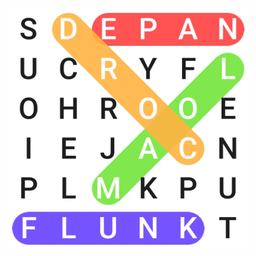
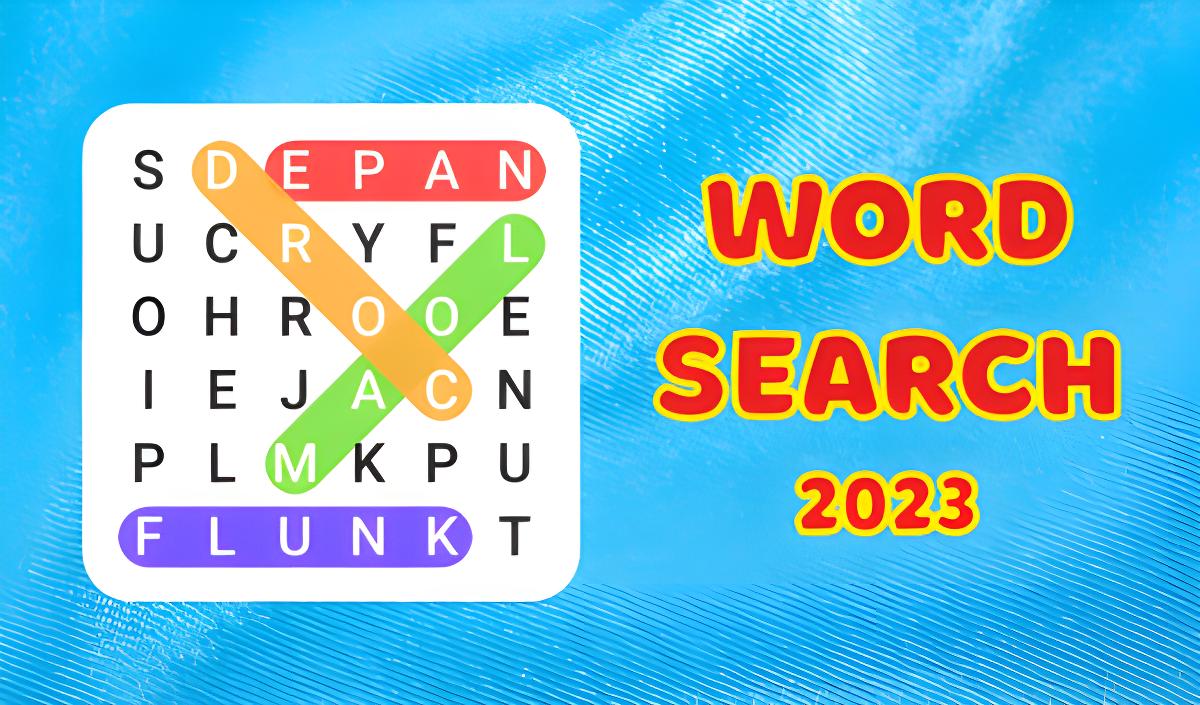
If you've ever filled time with a puzzle book during a long flight, you already know this vibe. Word Search 2023 is a straightforward brain-training game where you hunt down hidden words in a letter grid. No timers stressing you out, no explosions—just you, a grid, and a list of words to find. It's the digital version of the paper puzzles your grandma used to do, now with 1000 levels and three difficulty modes to keep your mind sharp.

Key Features

    • 1000 Levels: That's a lot of puzzles. You'll be busy for weeks if you commit.
    • Three Difficulty Tiers: Easy mode shows all letters. Hard mode hides some, forcing you to think harder about word placement.
    • Bilingual Support: Plays in both English and Russian, so you can train your brain in two languages.
    • Browser-Friendly: Runs on any PC or phone without downloading anything. Just click and play.

How to Play Word Search 2023

It's simple to start, but the hard levels will test your patience and pattern recognition skills.

Scan the Grid and Select Words

You get a letter grid and a list of target words below it. Words hide horizontally, vertically, or diagonally—sometimes they even overlap. On desktop, click and drag your mouse across the letters to highlight a word. On mobile, swipe your finger. When you nail it, the word gets crossed off the list and the letters light up in color.

Tackle Hidden Letters on Hard Mode

Easy and medium difficulties show you every letter right away. But once you hit the three-star hard levels, some letters vanish. You have to guess where words might fit based on the visible letters and the word list. It's trickier than it sounds, especially when words intersect. If you get stuck, there's a hint button—but use it sparingly.

Clear All Words to Progress

Find every word on the list to complete the level. The game tracks your progress with a counter (like 0/100 for each difficulty tier). Beat all 100 puzzles in a tier, and you unlock the next grid size and difficulty. Rinse and repeat until you've conquered all 1000 levels.

Who is Word Search 2023 for?

This is perfect for casual players who want a low-pressure mental workout. If you're 45+ or just like classic puzzle games, you'll feel right at home. It's also solid for kids learning vocabulary—no violence, no stress, just words. Not for adrenaline junkies, though. If you need explosions and leaderboards, look elsewhere.

The Gameplay Vibe

It's chill. Like, really chill. The graphics are bare-bones—flat colors, basic fonts, zero flash. Think functional Google Sheets, not a AAA game. There's no music to speak of, just some light sound effects when you find a word. Honestly, that's fine. I threw on a podcast while playing and zoned out for 20 minutes. It's meditative in the same way Sudoku is: repetitive, methodical, and oddly satisfying when you clear a tough grid.

Technical Check: Saves & Performance

The game saves your progress automatically in your browser's local storage. As long as you don't clear your cache or switch browsers, you'll pick up right where you left off. Performance-wise, it's lightweight—ran smoothly on my old laptop without a hitch. Even a potato phone should handle it fine since there's barely any animation or fancy effects.

Quick Verdict: Pros & Cons

A solid time-killer for puzzle fans, but don't expect any bells and whistles.

    • ✅ Pro: 1000 levels means you won't run out of content anytime soon.
    • ✅ Pro: The hidden letter mechanic on hard mode adds a nice challenge.
    • ❌ Con: Visually boring. It looks like a free template someone slapped together in an afternoon.

Controls

Responsive enough. No lag when dragging across letters, which is the bare minimum you'd expect.

    • Desktop: Click and drag with your mouse to highlight words.
    • Mobile: Swipe your finger across the screen to select letters.

Release Date & Developer

Developed by crossman and released on January 1, 2023. It's a straightforward puzzle game with no frills, exactly what you'd expect from an indie browser title.

FAQ

Where can I play Word Search 2023?

Play it free on Playgama. It works on PC and Mobile without downloads.

What happens when I use a hint?

The hint button reveals one word from your list by highlighting its location on the grid. Use it when you're stuck on hard levels with hidden letters, but don't abuse it—figuring out the words yourself is the whole point.

Is there a mobile version?

Yes, the game fits any screen size and supports touch controls.

Video

Screenshots

screenshot-0screenshot-1screenshot-2screenshot-3
Free Online Games at PlaygamaPlaygama features the latest and best free online games. You can enjoy playing fun games without interruptions from downloads, intrusive ads, or pop-ups. Just load up your favorite games instantly in your web browser and enjoy the experience.
Random Game