





















Arrows










Arrows - Play Online
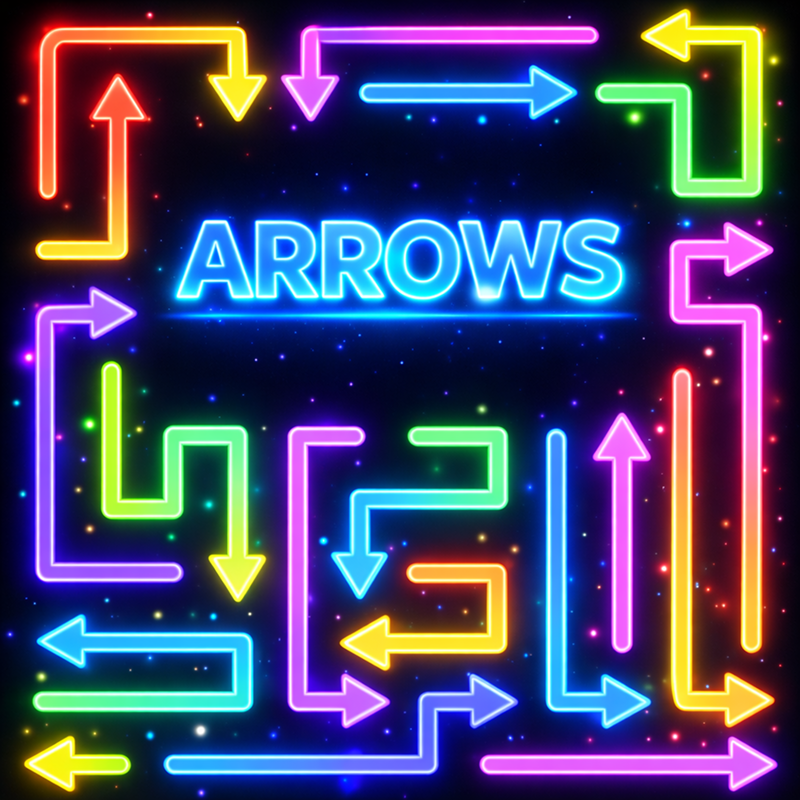
Tap arrows to launch them off the grid—but hit another arrow mid-flight and you waste the move. Clear the entire field within a strict move limit by planning launch sequences, predicting trajectories, and avoiding collisions. Early levels teach direction basics; later stages pack hundreds of winding vectors into heart, butterfly, and abstract shapes. One wrong tap locks the board. Precision and spatial reasoning decide victory.
How to Play Arrows
Goal: remove every arrow from the field without exceeding your move budget. Tap an arrow, it flies in its set direction and exits. Collide with another arrow? Bounce back, stay on the grid, lose the move. Map the exit order before you commit.
Launch Sequences and Collision Chains
Study the entire grid before tapping. Identify arrows that block multiple paths and prioritize clearing the periphery first. Each arrow points a fixed direction—horizontal, vertical, diagonal. Overlapping trajectories create trap zones where order is everything. Launch from the outermost edge inward to shrink collision risk. Lime green, cyan, purple, and orange vectors distinguish paths; use the zoom slider on dense puzzles to inspect tight clusters. The charcoal background highlights every line, making trajectory planning faster once you learn pattern recognition.
Move Economy and Progression
Levels escalate from linear grids to massive silhouettes filled with hundreds of arrows. Move counts drop as complexity rises. Waste one shot and you may need to restart. Arrows rewards careful players with bursts of colorful particles and a collectible metallic egg floating in blue sky clouds after each stage. Coins accumulate through successful clears, feeding meta-progression. The minimalist 2D vector style keeps load times instant across puzzle games on any device—desktop, Android, iOS—no downloads required.
Advanced Grid Reading
Scan for bottleneck arrows that gate multiple exits. Visualize phantom paths by tracing each arrow's trajectory in reverse. If two arrows aim at the same cell, one must launch first—figure out which by checking their blocking zones. On heart or butterfly stages, the outer contour arrows typically clear first, then work toward the center. Use the hint lightbulb sparingly; mastering trajectory prediction builds sharper spatial skills. Mistakes teach the fastest: replay failed levels to memorize safe sequences. Arrows appears in educational games collections because every level trains logic deduction and planning under constraints.
Key Features
- Collision-Based Logic: Launch arrows in sequence; one wrong path bounces back and burns a move.
- Flat Vector Aesthetic: Neon-adjacent palette of lime, cyan, purple, and orange against deep charcoal; clean 2D lines highlight every trajectory.
- Move-Limited Challenges: Clear all arrows within a strict move count; no timers, pure spatial planning.
- Progressive Complexity: From basic grids to intricate heart and butterfly silhouettes packed with hundreds of overlapping paths.
Who is Arrows for?
Brain-training fans who crave addictive, challenging puzzles without pressure. Casual players enjoy the Zen-like loop; hardcore logic enthusiasts dig the steep difficulty spikes on later levels. Anyone seeking Sudoku's step-by-step deduction or Arrows Escape's monochrome grid extraction will appreciate the directional twist. Suitable for ages six and up—just click and play on Playgama, no installs, any browser.
Developer
Arrows was developed by Cosmos Pixel Games. This collision-based logic puzzle runs instantly in your browser, delivering hundreds of arrow-filled grids across desktop, Android, and iOS platforms.
Controls
- Mouse Click / Tap: Launch the selected arrow in its fixed direction.
- Zoom Slider: Scale large puzzles to inspect tight trajectory clusters.
- Hint Lightbulb: Reveal one safe arrow to launch next.
- Eraser Tool: Reset mistakes on current level.
FAQ
What happens if I tap an arrow that collides with another?
The arrow bounces back to its original position, remains on the grid, and you lose one move. Plan trajectories to avoid overlapping paths.
Do arrows change direction after I launch them?
No. Each arrow has a fixed direction shown by its graphic. Study the grid before tapping to predict exit paths.
Can I replay a level if I run out of moves?
Yes. Restart the level to try a different launch sequence. Arrows encourages experimentation to master collision-free paths.
What are coins used for in Arrows?
Coins accumulate as you clear levels and unlock collectible metallic eggs. They track your progress across the puzzle campaign.
Is Arrows similar to other logic puzzle games on Playgama?
Yes. Fans of DOP Erase's one-tap eraser challenges and strategy games requiring move optimization will enjoy Arrows' trajectory planning and collision avoidance mechanics.
Use this link to embed the game on your website using an iframe
 Sign in to Embed and Monetize Games