

























ColorVerse
ColorVerse - Play Online
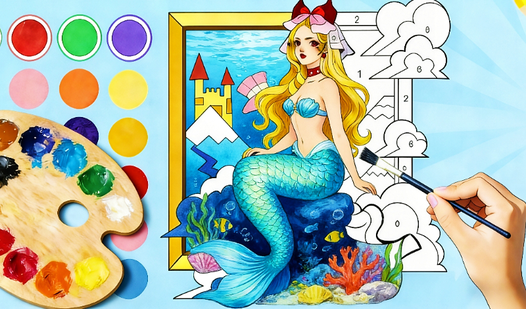
Coloring game. Creative playground. ColorVerse hands you a palette and says "Go wild." Pick preset images. Animals. Food. Vehicles. Abstract chaos. Fill them your way. No rules. Just colors and a blank canvas waiting.
How to Play ColorVerse
Mission? Simple. Take a blank outline. Apply colors. Make it yours. The goal is pure creativity. No timers. No scores. Just you and the fill tool transforming empty space into finished art.
Color Application
Click inside any blank section. Boom. Instant fill. Want precision? Grab the Brush Tool. Paint exact strokes. Control every pixel. Desktop? Click. Mobile? Tap. Same power. Different input.
Palette Expansion
Start with basic colors. Unlock more palettes. Explore the Color Menu. New shades appear. More options unlock as you play. Keep creating. Keep discovering. Fresh colors = fresh inspiration.
Image Library
Preset images span everything. Animals. People. Food. Vehicles. Even Abstract Concepts. List updates constantly. Check back often. New images drop regularly. Never run out of canvases.
Save and Share
Finished? Download your masterpiece. One click saves it locally. Then share with friends. Show off your style. Compare creations. ColorVerse makes sharing effortless.
Key Features
- Dual Tools: Fill tool for speed. Brush for precision control.
- Endless Images: Animals, food, vehicles, abstract art. Always updating.
- Unlockable Palettes: More colors as you create. Check the menu often.
- Download & Share: Save finished work. Share instantly with friends.
- Clean Interface: Simple controls. Desktop or mobile. Lag-free coloring.
Who is ColorVerse for?
Perfect for casual artists. Great for stress relief. Ideal for quick creative breaks. Anyone who loves coloring books but wants digital freedom. All ages. All skill levels.
Release Date & Developer
ColorVerse was developed by Volan Interactive. Released in March 2026.
Controls
- Mouse Click / Tap: Fill blank sections with selected color
- Brush Tool: Precise manual coloring control
- Color Menu: Select and unlock new palettes
- Download Button: Save finished artwork locally
FAQ
Where can I play ColorVerse online?
How do I unlock more color palettes in ColorVerse?
What types of images can I color?
Can I save my ColorVerse artwork?
Video