




































Vega Mix 2: Adventure
Sorting Nuts and Bolts by Color: Home Repair
Plants vs Zombies Fusion Edition
Hidden Object: Clues and Mysteries
Sprunki World Online RP - Play with Friends!
TB World
Snake 2048
My Town Home: Family Playhouse
Hazmob FPS: Online Shooter
Piece of Cake: Merge & Bake
Pregnant Mother SimulatorColoring book
Coloring book - Play Online
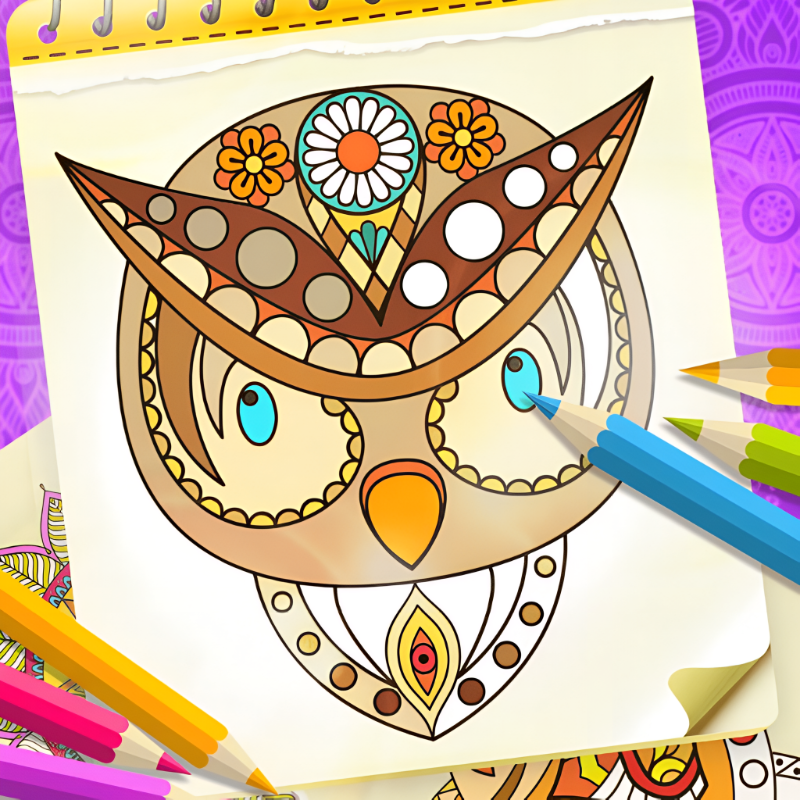
Ever needed a break from the chaos? Coloring book drops you straight into pure zen mode—no tutorial, no stress, just you and a canvas waiting to be filled. Think adult coloring books meet your phone screen, with mandalas, animals, and floral patterns ready to absorb your focus. The goal is simple: pick a color, tap to fill, and watch the pattern come alive. Released by Lazy GameDev on February 4, 2026, this is your pocket-sized art therapy session.
Key Features
- Massive Template Library: Dozens of mandalas, animals, and floral designs to color at your own pace.
- One-Tap Fill System: No need to stay inside the lines—the game auto-fills enclosed shapes instantly.
- Ad-Unlocked Premium Palettes: Expand your color options by watching short videos to unlock exclusive shades.
- Cross-Platform Performance: Runs smoothly on any browser or mobile device thanks to lightweight 2D vector rendering.
How to Play Coloring book
Getting started is instant, but finding your rhythm takes a few taps. Here's the flow:
Pick Your Canvas and Colors
You start by choosing a template—mandalas for meditation, animals for personality, flowers for classic vibes. Once you're in, the color palette sits at the top. Tap a color, then tap any enclosed shape on the canvas to fill it. The flood-fill logic handles the rest, so you never worry about messy edges. Some premium colors are locked behind short ads, but the base palette gives you enough variety to finish any design.
Refine Your Masterpiece
Made a mistake? Hit the undo button in the bottom toolbar. Want to switch things up mid-session? The tool menu lets you swap palettes, preview different brush styles, or reset sections without starting over. The interface keeps everything one tap away, so you stay in the creative zone instead of hunting through menus.
Save and Share Your Work
Once you're satisfied, the gallery button saves your finished piece to a personal collection. You can revisit old creations, compare progress, or jump straight into the next template. The game autosaves your current work in the browser cache, so closing the tab won't erase your progress—just reopen and pick up where you left off.
Who is Coloring book for?
This one's built for the ultra-casual crowd—parents unwinding after bedtime, students procrastinating between study sessions, or anyone who needs a 5-minute mental reset. The low difficulty floor means kids can jump in too, but the mandala designs offer enough complexity to keep adults engaged. If you're the type who opens a game to relax instead of compete, this hits the sweet spot. No timers, no scores, no pressure—just pure creativity on demand.
The Gameplay Vibe
Playing Coloring book feels like flipping through a physical coloring book, but without the pencil sharpening or waxy residue. The minimalist vector art style keeps the focus squarely on the patterns themselves—clean lines, high contrast, zero visual noise. Some might call it basic, but that's the point: the retro-inspired simplicity ensures your brain stays locked on the meditative act of filling shapes, not decoding cluttered UI. The skeuomorphic notebook border adds a nostalgic touch, like coloring at a kitchen table instead of staring at another sterile app interface. It's intentionally lo-fi, and that's why it works.
Technical Check: Saves & Performance
The game saves your progress automatically in the browser cache, so you can close the tab mid-session and return to the exact same state later. On the performance side, the lightweight 2D vector rendering keeps frame rates buttery smooth even on older phones or budget laptops. No lag, no freezes—just instant color fills every single tap. The ad-unlock system is the only potential hiccup: you'll watch 5-15 second videos to grab premium colors, but the base palette is already generous enough to complete any template without paying or waiting.
Quick Verdict: Pros & Cons
A solid pick if you need a judgment-free creative outlet that fits in your pocket.
- ✅ Pro: Instant stress relief—no learning curve, just tap and zone out.
- ✅ Pro: Runs perfectly on any device, even potato-tier hardware.
- ❌ Con: The ad-gating for premium colors can feel intrusive if you're hunting for a specific shade mid-flow.
Controls
Responsive and foolproof—tap accuracy is forgiving, and undo is always one button away.
- Desktop: Left-click to select colors and fill shapes. Mouse wheel to zoom if needed.
- Mobile: Single-tap color selection, then tap the canvas area to fill. Pinch to zoom for detailed patterns.
Release Date & Developer
Developed by Lazy GameDev and released on February 4, 2026. It's a straightforward passion project focused on accessibility over flash.
FAQ
Where can I play Coloring book?
Do I need to unlock all the colors to finish a template?
Is there a mobile version?
Use this link to embed the game on your website using an iframe
Sign in to Embed and Monetize Games

TB World
Hidden Object: Clues and Mysteries
Melon Sandbox
Deadly Descent
Pregnant Mother Simulator
Plants vs Zombies Fusion Edition
Playground Man! Ragdoll Show!
Hazmob FPS: Online Shooter
Hidden Object: My Hotel
My Town Home: Family Playhouse
Piece of Cake: Merge & Bake
Sprunki World Online RP - Play with Friends!