silver coin
3000Daily bonus
Chess for two
Chess for two
2 Player
Chess for two
Chess for two
Chess for two
2 Player
Save IconKeep your progress on every device — log in

Chess for two

★★★★★★★3.9 / 274 votesPG
Developer: Andles Games
Game Orientation: Landscape
Platforms: PC, Android, iOS
Release date: November 2024
Last Update: January 2026
Game Engine: Unity
Supported Languages: English
Categories: 2 Player , Chess , Intelligence , Board

Chess for two - Play Online

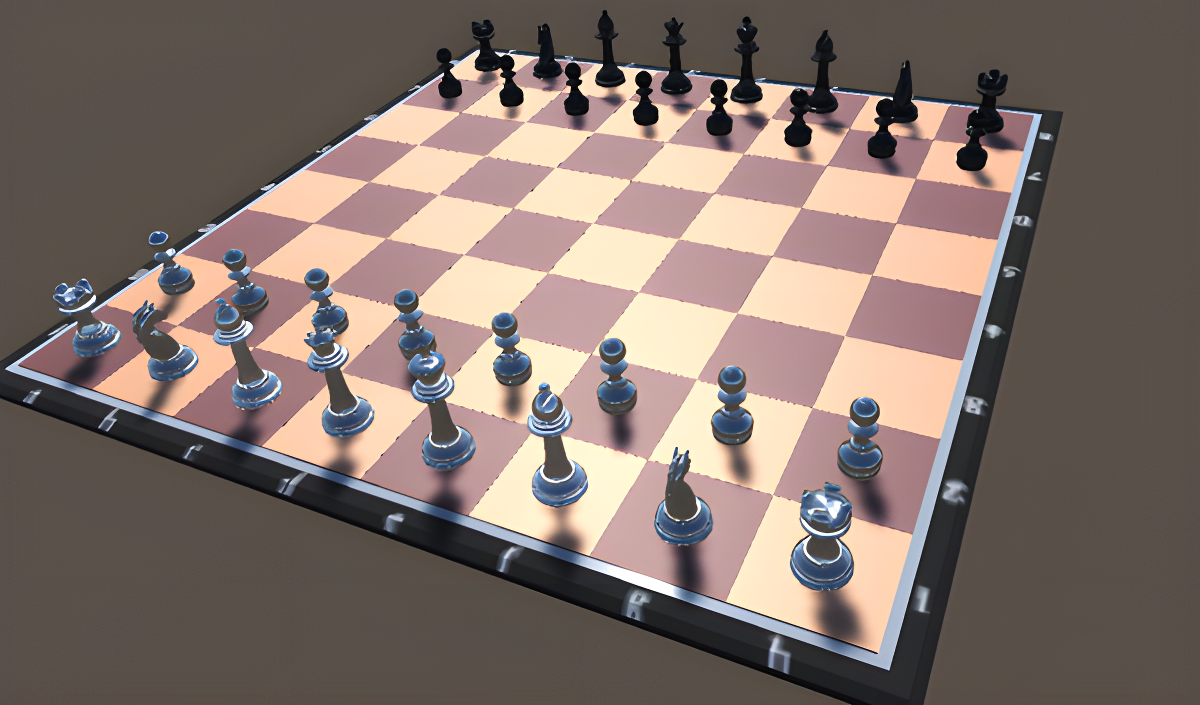
Look, it's chess. The same game that's been around for centuries, now in a no-frills browser version. You've got a 3D board, standard pieces, and one goal: checkmate the opponent's king. Whether you're drilling against an AI with 11 difficulty levels or battling a friend locally, this is pure turn-based brain combat. No bells, no whistles—just the classic strategy game stripped down to its bones.

Key Features

    • 11 AI Difficulty Levels: From beginner-friendly to genuinely challenging. The hardest levels will make you sweat.
    • Local Multiplayer: Play against a friend on the same device. Perfect for settling debates.
    • Basic 3D Visuals: Runs smoothly even on older PCs. Don't expect eye candy, but it gets the job done.
    • Undo/Redo System: Made a mistake? Rewind your moves and try a different strategy.

How to Play Chess for two

Getting started is dead simple, but mastering it? That's a whole other game.

Choosing Your Battle

First, you pick your mode: versus the computer or local two-player. If you're going solo, select your difficulty—the easy levels are beatable if you know basic tactics, but the hard ones demand serious foresight. Then choose your color (white or black) and you're off.

Moving Your Pieces

Click the piece you want to move. The game will show you where it can legally go. Click your target square and the piece slides over. All pieces follow international chess rules—pawns push forward, knights hop in L-shapes, bishops cut diagonals, you know the drill. The AI responds instantly on lower levels, but takes its time thinking on higher difficulties.

Winning the Match

Your job is to trap the enemy king in checkmate. The score indicator at the top shows who's winning based on material advantage—positive numbers mean white is ahead, negative means black. Use the undo button if you mess up, save your game if you need a break, and keep grinding until one king has nowhere left to run.

Who is Chess for two for?

This is for anyone who wants to practice chess without distractions. Beginners can learn the ropes against forgiving AI. Intermediate players can sharpen tactics on medium levels. Advanced players might find the top difficulty interesting for casual drilling, though it won't replace serious chess engines. It's also great if you just want to play a quick game with someone sitting next to you—no account setup, no matchmaking wait times.

The Gameplay Vibe

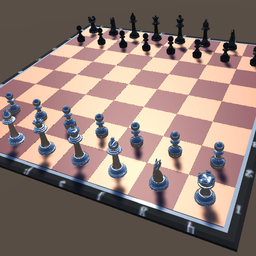
It's slow, deliberate, and totally stress-free unless you're losing. The 3D graphics are basic programmer art—flat textures, harsh shadows, grey void background. Honestly, it looks like a Unity tutorial project. The UI uses clunky gold buttons that clash with the board, and there's no music or ambient sound to speak of. But if you're here for pure chess logic and don't care about polish, it does the job. The green highlight showing the last move is helpful, and the evaluation score gives you a rough idea of who's winning.

Technical Check: Saves & Performance

The game has a "Save Game" button that stores your progress in the browser. Just don't clear your cache or you'll lose it. Performance is rock solid—this runs smoothly on basically any PC from the last decade. The simple graphics mean no lag, no stuttering, even if you're multitasking with a dozen browser tabs open.

Quick Verdict: Pros & Cons

A functional chess trainer that gets the mechanics right but skips all the presentation.

    • ✅ Pro: Instant setup. No login, no downloads, just click and play.
    • ✅ Pro: The 11 difficulty levels give you room to grow from novice to intermediate.
    • ❌ Con: The visuals are rough. If you care about aesthetics, this will feel like a student project.

Controls

Responsive and straightforward. Point-and-click does all the work.

    • Desktop: Mouse to select pieces and target squares. Sidebar buttons for undo, redo, save, and AI move.
    • Mobile: Tap controls work fine—touch a piece, tap where you want it to go.

Release Date & Developer

Developed by Andles Games and released on November 13, 2024. It's a recent release, but the design feels timeless—in the sense that it could've been made five years ago.

FAQ

Where can I play Chess for two?

Play it free on Playgama. It works on PC and Mobile without downloads.

How hard is the highest AI difficulty level?

The top level is genuinely tough. It thinks several moves ahead and punishes mistakes quickly. If you're a casual player, expect to lose a lot before you start winning consistently.

Is there a mobile version?

Yes, the game fits any screen size and supports touch controls.

Video

Screenshots

screenshot-0screenshot-1screenshot-2screenshot-3screenshot-4screenshot-5screenshot-6screenshot-7screenshot-8screenshot-9
Free Online Games at PlaygamaPlaygama features the latest and best free online games. You can enjoy playing fun games without interruptions from downloads, intrusive ads, or pop-ups. Just load up your favorite games instantly in your web browser and enjoy the experience.
Random Game