





























Fruit Merge: Juicy Drop Game
Hidden Object: My Hotel
Sprunki World Online RP - Play with Friends!
Piece of Cake: Merge & Bake
Plants vs Zombies Fusion Edition
Hidden Object: Clues and Mysteries
Deadly Descent
My Town Home: Family Playhouse
Snake 2048Construction Set - 3D Builder
Construction Set - 3D Builder - Play Online

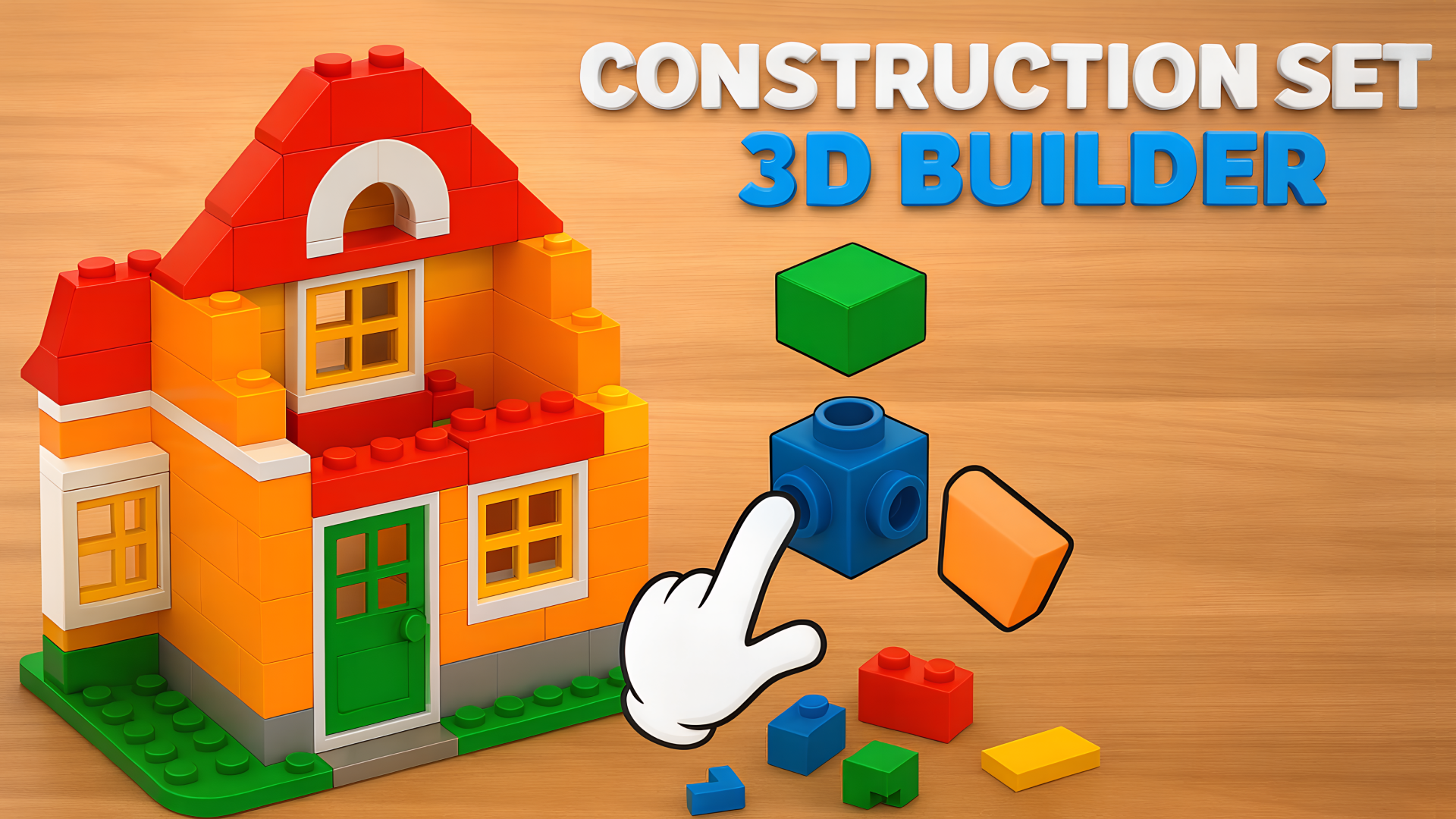
Ever spent hours building LEGO sets and felt that satisfying click when the pieces snap together? This is that feeling, but digital. Construction Set - 3D Builder drops you into a zen zone where you assemble 3D models piece by piece—robots, vehicles, buildings—without the risk of stepping on a brick at 3 AM. Your goal is simple: follow the blueprint, place each part correctly, and watch your creation come to life on a virtual workbench.

Key Features
- Multiple Build Projects: From yellow tracked robots to detailed mechanical structures, each model has its own set of unique parts to assemble.
- Low-End Friendly: The simple 3D graphics run smoothly on older phones and budget laptops—no lag when rotating your build.
- Ghost-Piece Guidance: Each part you need lights up with a white outline exactly where it goes. Zero guesswork, just pure building flow.
- Progress Tracking: A green bar at the top shows how close you are to finishing each model, perfect for quick sessions.
How to Play Construction Set - 3D Builder

Getting started takes about five seconds, but finishing a complex build? That's where the satisfaction kicks in.
Select Your Next Piece
You'll see a pile of parts at the bottom of the screen. The game highlights which piece you need next—just tap it on mobile or left-click on desktop. The part jumps to your cursor, ready to place. No hunting through hundreds of bricks like in real life.
Snap It Into Place
Look for the glowing white outline on your model. That's your target slot. Drag the piece there and release—it locks in with a satisfying snap. The game won't let you place things wrong, so you can zone out and just enjoy the assembly process. Use the right mouse button or double-tap-and-hold to zoom and rotate your view when things get detailed.
Complete the Build and Move On
Watch that progress bar fill up as you add more pieces. Once the last part clicks in, your model is done. The game unlocks the next build—maybe a cabin, maybe a skyscraper. Each one gets a bit more complex, testing your patience and spatial thinking without ever stressing you out.
Who is Construction Set - 3D Builder for?

Perfect for anyone who finds manual work relaxing. If you're the type who assembles IKEA furniture for fun or watches restoration videos on YouTube, you'll love this. Kids can play it easily since there's no time pressure or fail states. Parents can hand this to a 7-year-old and know they'll be occupied for an hour. Also great for older players who want to unwind after work—just boot it up, put on a podcast, and build.
The Gameplay Vibe
This is pure meditation. There's no timer ticking down, no enemies rushing you, no leaderboards making you feel inadequate. The background is a simple wooden table texture, the music is soft and ambient (think lo-fi study beats), and the only sound effect is that gentle *click* when pieces lock together. The plastic bricks have a nice sheen to them—basic rendering, sure, but clean enough to look polished on a phone screen. It feels like digital fidget therapy.
Technical Check: Saves & Performance
The game auto-saves your progress in the browser cache, so you can close the tab and pick up right where you left off. Just don't clear your browser data mid-build or you'll start over. Performance-wise, this runs on anything—I tested it on an old tablet and got zero stuttering. The developers clearly optimized for mobile-first, so even weaker hardware handles it fine. No downloads, no install bloat.
Quick Verdict: Pros & Cons
A solid chill-out game that nails the "one more piece" loop without any stress attached.
- ✅ Pro: Instant relaxation. No fail states, no pressure, just building at your own pace.
- ✅ Pro: The ghost-piece guidance removes all frustration—you always know what goes where.
- ❌ Con: Can feel too easy for hardcore puzzle fans. There's no real challenge, just systematic assembly.
Controls
Responsive and simple. The tap-to-select works perfectly on mobile, and mouse controls feel precise on PC. Zooming could be smoother, but it gets the job done.
- Desktop: Left mouse button to select parts, right mouse button to zoom and rotate view.
- Mobile: Tap to select pieces, double-tap and hold to zoom and rotate your model.
Release Date & Developer
Developed by Mirra Games and released on October 13, 2025. These folks clearly know their audience—people who just want to build stuff without the cleanup.
FAQ
Where can I play Construction Set - 3D Builder?
Can I mess up a build and have to start over?
Is there a mobile version?
Video
Use this link to embed the game on your website using an iframe
Sign in to Embed and Monetize Games