



































Hazmob FPS: Online Shooter
Pregnant Mother Simulator
Playground Man! Ragdoll Show!
Hidden Object: Clues and Mysteries
Melon Sandbox
Snake 2048
Fruit Merge: Juicy Drop Game
My Town Home: Family Playhouse
Piece of Cake: Merge & Bake
TB World
Sprunki World Online RP - Play with Friends!Railroad Master
Railroad Master - Play Online
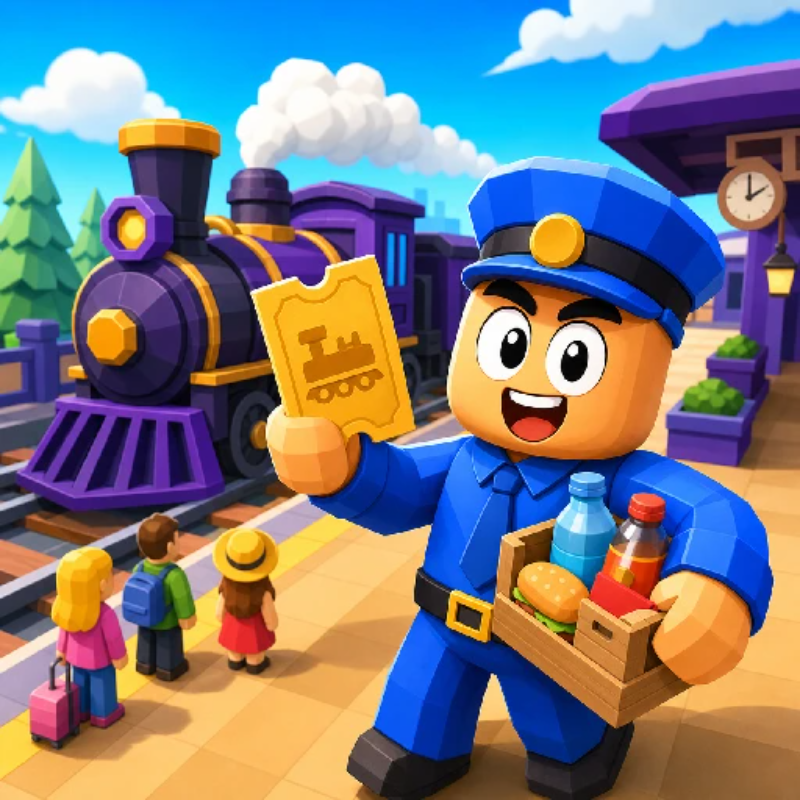
Ever wanted to run a train service without the boring parts? Railroad Master throws you straight into the hustle—boarding passengers, shoveling coal, serving snacks, and keeping a locomotive rolling through endless stations. It's got that same "collect-stack-deliver" loop you've seen in those hyper-casual mobile hits, but wrapped in a railroad theme. Your goal? Keep passengers happy, upgrade your train, and expand your railway empire one station at a time. Think of it as a blend of Overcooked chaos meets idle business tycoon, minus the kitchen fires.
Key Features
- Multi-Tasking Mayhem: Board passengers, load coal, serve food, and manage timers all at once.
- Endless Progression: Unlock new train cars, stations, and hire helpers to automate tasks.
- Works Anywhere: Runs smooth on low-spec PCs and mobile browsers—no fancy GPU needed.
- Simple Controls: WASD or drag-to-move. You'll be playing within seconds.
How to Play Railroad Master
Getting started is dead simple, but juggling everything at once? That's where it gets spicy.
Phase 1: Collect and Stack Resources
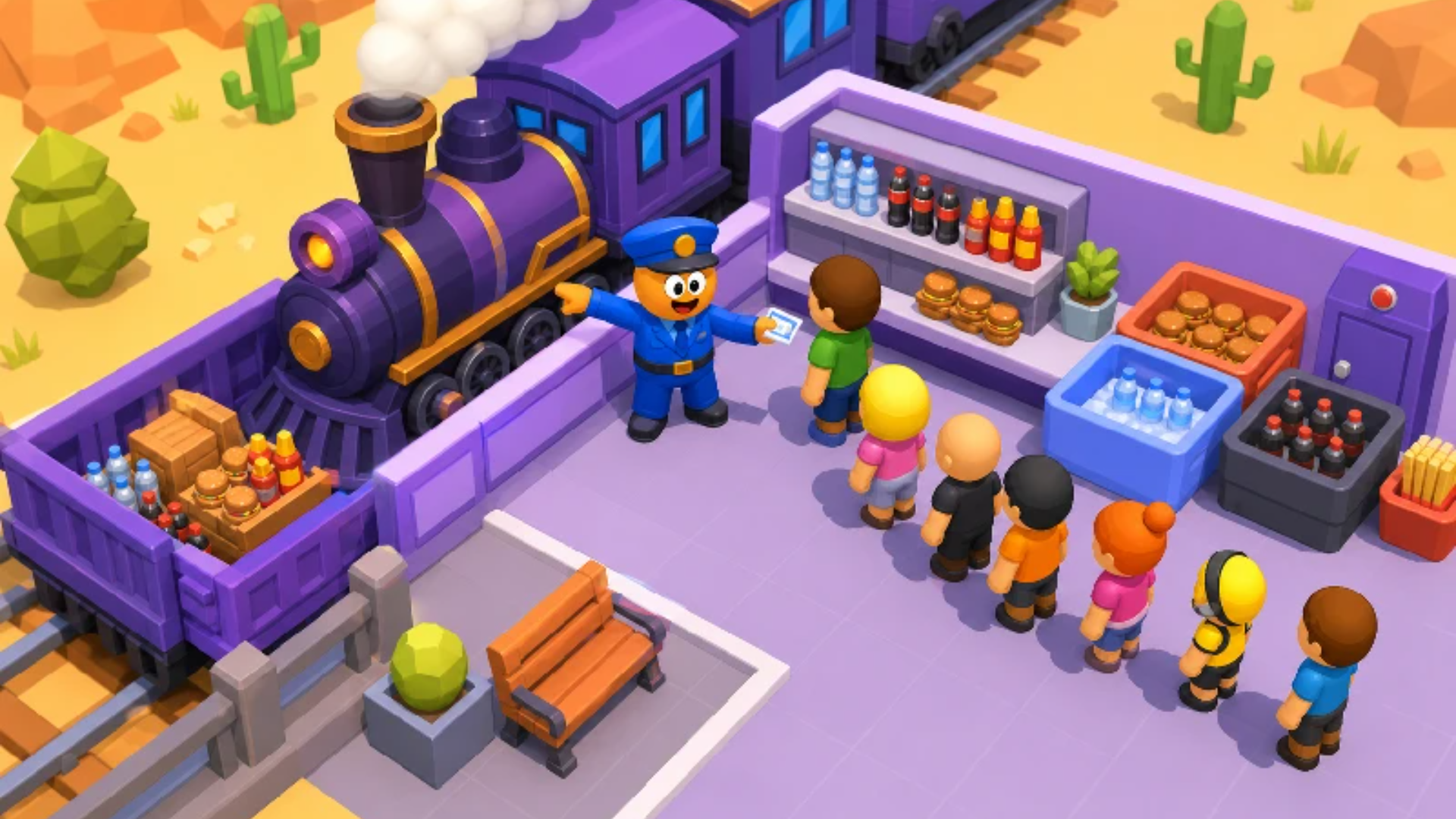
You start at the station platform. Walk up to passengers waiting in line and collect their tickets—they drop cash on the ground that you automatically pick up by moving over it. Same goes for coal piles and food items at the shop. You'll see a little stack growing on your character's hands as you gather. The more you carry, the bigger your delivery.
Phase 2: Serve the Train
Once passengers are seated, they'll throw up speech bubbles showing what they need—burgers, drinks, whatever. You dash to the store zone, grab the items (tap to stack), then run back and deliver. Meanwhile, the train's furnace needs constant coal feeding or you're not going anywhere. A meter shows how much fuel is loaded (like "0/12"), and you gotta keep it topped up before hitting the "GO" button.
Phase 3: Expand and Automate
Earn enough cash and you unlock new train cars, extra platforms, and—thank god—helpers. Hire NPCs to handle the grunt work like coal loading or food service while you focus on boarding passengers and managing the chaos. Each station you unlock adds more tasks, so scaling up is the only way to survive.
Who is Railroad Master for?
Perfect for casual players who want something brainless but satisfying during a commute or lunch break. It's designed for quick 2-5 minute sessions—jump in, do some tasks, watch numbers go up, log off. Kids and teens will dig the colorful low-poly style and simple loop. Not for hardcore gamers looking for depth, though. This is fidget-spinner gaming: repetitive, mildly addictive, totally mindless.
The Gameplay Vibe
It's chill with occasional bursts of panic. The isometric view and flat-shaded graphics give it a toy-train aesthetic—nothing fancy, but clean enough to read at a glance. There's no music that I noticed, just basic sound effects for pickups and dings. Honestly, it feels like dozens of other hyper-casual stacking games you've probably played on your phone. The "train" theme is basically cosmetic. I did laugh at a mistranslation that said "DROWN THE TRAIN" instead of "Drive the Train"—quality localization right there.
Technical Check: Saves & Performance
The game auto-saves progress in your browser cache, so don't panic if you close the tab—just don't clear your cookies and you're golden. Performance-wise, it's buttery smooth even on older machines or budget phones. The developers clearly optimized for potato hardware, which is a blessing if you're gaming on a work laptop or a hand-me-down Android.
Quick Verdict: Pros & Cons
A solid time-waster if you know what you're signing up for.
- ✅ Pro: Instant action, zero learning curve. You're productive in 10 seconds.
- ✅ Pro: Runs on literally anything with a browser.
- ❌ Con: Gets super repetitive after 20 minutes. It's the same loop forever with minimal variety.
Controls
Responsive and foolproof. Movement is snappy, and the auto-pickup radius is generous so you're not pixel-hunting.
- Desktop: WASD, Arrow Keys, or click-and-drag with the mouse.
- Mobile: Swipe in any direction to move your character.
Release Date & Developer
Developed by Каракусики and released on June 18, 2025. Pretty fresh off the press.