





























Poppy Playtime 5: Defeat the Prototype










About Poppy Playtime 5: Defeat the Prototype — Clicker Horror in the Abandoned Factory
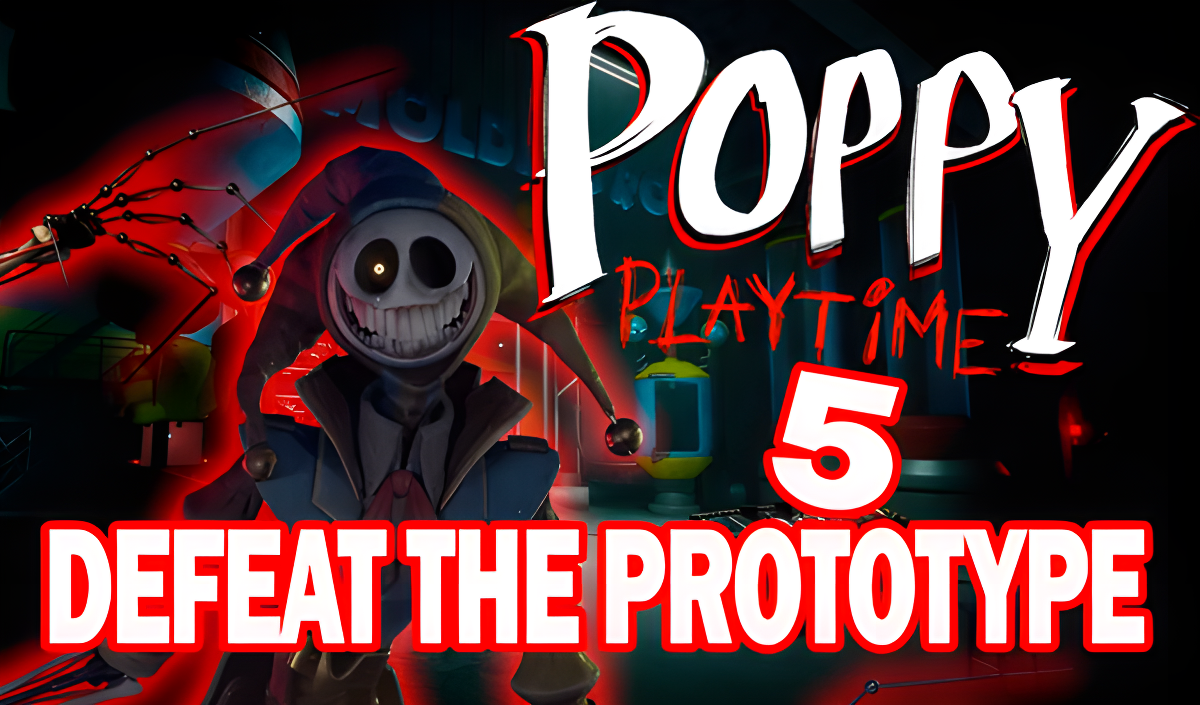
Poppy Playtime 5: Defeat the Prototype drops you inside the abandoned Playtime Co. factory, where chaos has taken hold after a series of disasters. The central threat is the Prototype — a dangerous experiment assembled from metal parts and fragments of old toys, now the strongest creation the factory has ever produced. The game blends horror atmosphere with clicker mechanics, building constant tension as you fight a living machine trying to break free.
A large mechanical creature wearing a jester mask and framed by sharp red outlines stands at the center of the action in several scenes. A round clock-like object marked with Roman numerals I through XII appears behind that central figure across multiple views.
How to Play Poppy Playtime 5: Defeat the Prototype — Click, Earn, and Upgrade
The goal is to deal enough damage to stop the Prototype before it breaks free. Tap the boss to deal damage and collect coins for each hit. Those coins go into upgrades that either increase click power or add passive income — the passive route lets coins accumulate even when you are not tapping. Upgrade prices rise as you progress, so the core decision is whether to push direct damage higher or build a steady automatic income stream. Each victory makes the enemy stronger, and your growing power lets you face those stronger forms and advance deeper into the factory.
Controls
- Tap the Prototype: Deal damage and earn coins
- Shop interaction: Buy and manage upgrades
Games You Might Like
If the clicker-and-upgrade loop in Poppy Playtime 5: Defeat the Prototype appeals to you, clicker games on Playgama offer a wide range of tap-to-progress titles worth exploring. For more action-driven progression, Merge & Fight lets you combine weapons and battle through waves of enemies and epic bosses. Fans of idle income mechanics will find a familiar rhythm in Idle Vlogger Simulator, where passive earnings and strategic upgrades drive your growth. Chicken Merge 2 mixes merging and tower defense in a way that rewards careful upgrade decisions, much like managing the shop here. The broader Boys games category on Playgama covers action, strategy, and combat titles across many styles.
Steal and Catch Obby: Mini-Games shares the passive income and base-upgrading loop that makes Poppy Playtime 5's economy satisfying to build.
Video