


 Tank Stars

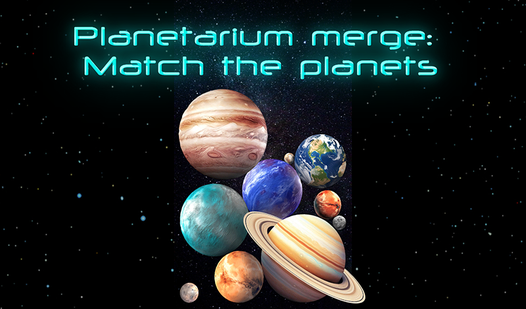
Planetarium merge: Match the planets
Planetarium merge: Match the planets - Play Online
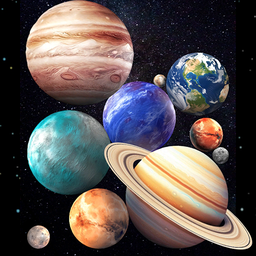
Merge puzzle meets space education. Planetarium merge: Match the planets is all about stacking, matching, and reaching the solar system's biggest worlds. Drop planets. Combine duplicates. Don't cross the line. Simple physics. Endless climb.
How to Play Planetarium merge: Match the planets
The Goal: Reach the final planet. Match identical planets to merge them into bigger ones. Keep them below the losing line. Score climbs with every merge. Your mission? Build the solar system from scratch.
Drop and Match
Control planets with your finger (mobile) or mouse (desktop). Hold to position. Release to drop. Land on matching planets to merge them. Physics takes over. Watch the stack shift. Plan your drops or risk a pile-up.
Climb the Solar System
Start small. Merge up the planetary ladder. Each successful match unlocks the next tier. Planetarium merge: Match the planets rewards patience. Rush it? You'll hit the losing line fast. Stack smart. Build momentum. The biggest planet waits at the top.
Strategy Tips
Keep identical planets close. Drop new ones directly on their match. Avoid random placement—physics will scatter your stack. Use the edges for overflow control. Check the guidebook between rounds. Learn planet order. Know what's coming next. Compete with friends. High scores demand precision.
Key Features
- Educational Guidebook: Learn real solar system facts. Each planet unlocks info.
- Clean Space Aesthetic: Smooth animations. Multiple background themes. Change them anytime.
- Chill Soundtrack: Relaxing music. No stress. Just physics and planets.
- Competitive Leaderboards: Challenge friends. Show off your high score.
Who is Planetarium merge: Match the planets for?
Perfect for puzzle fans and space nerds. Great for quick sessions or long grinds. Kids learn planets. Adults chase scores. Works on any device.
Release Date & Developer
Planetarium merge: Match the planets was developed by KLYUKVA GAMES. Released on March 3, 2025.
Controls
- Mouse (Desktop): Hold and drag to position planet. Click to drop.
- Touch (Mobile): Hold finger to control. Release to drop.
FAQ
Where can I play Planetarium merge: Match the planets online?
How do you merge planets in Planetarium merge: Match the planets?
What happens if planets cross the line?
Does Planetarium merge: Match the planets teach real astronomy?
Video