


























Neon Lane Dash
Neon Lane Dash - Play Online
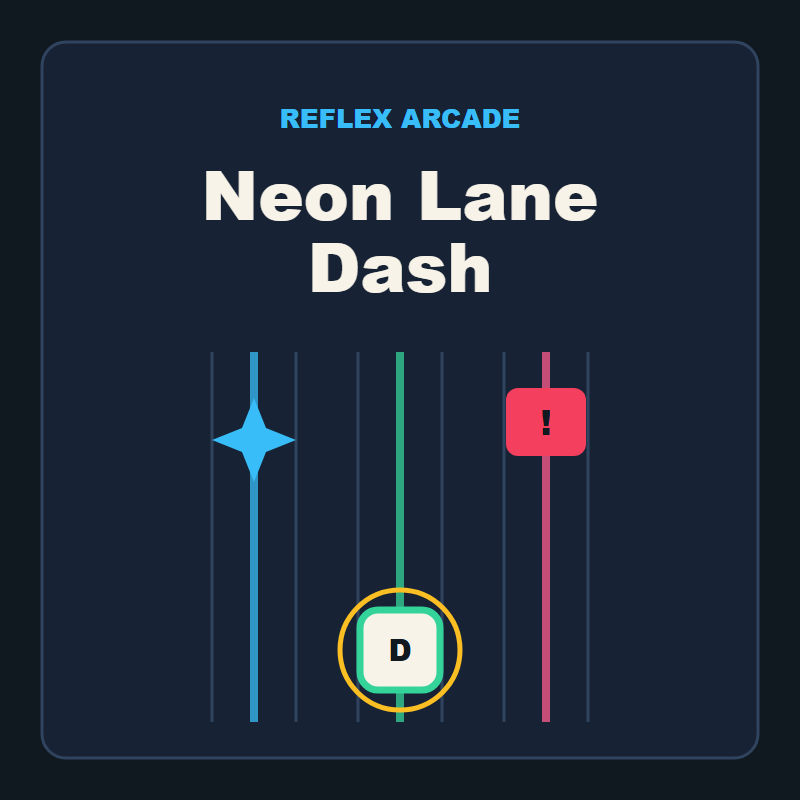
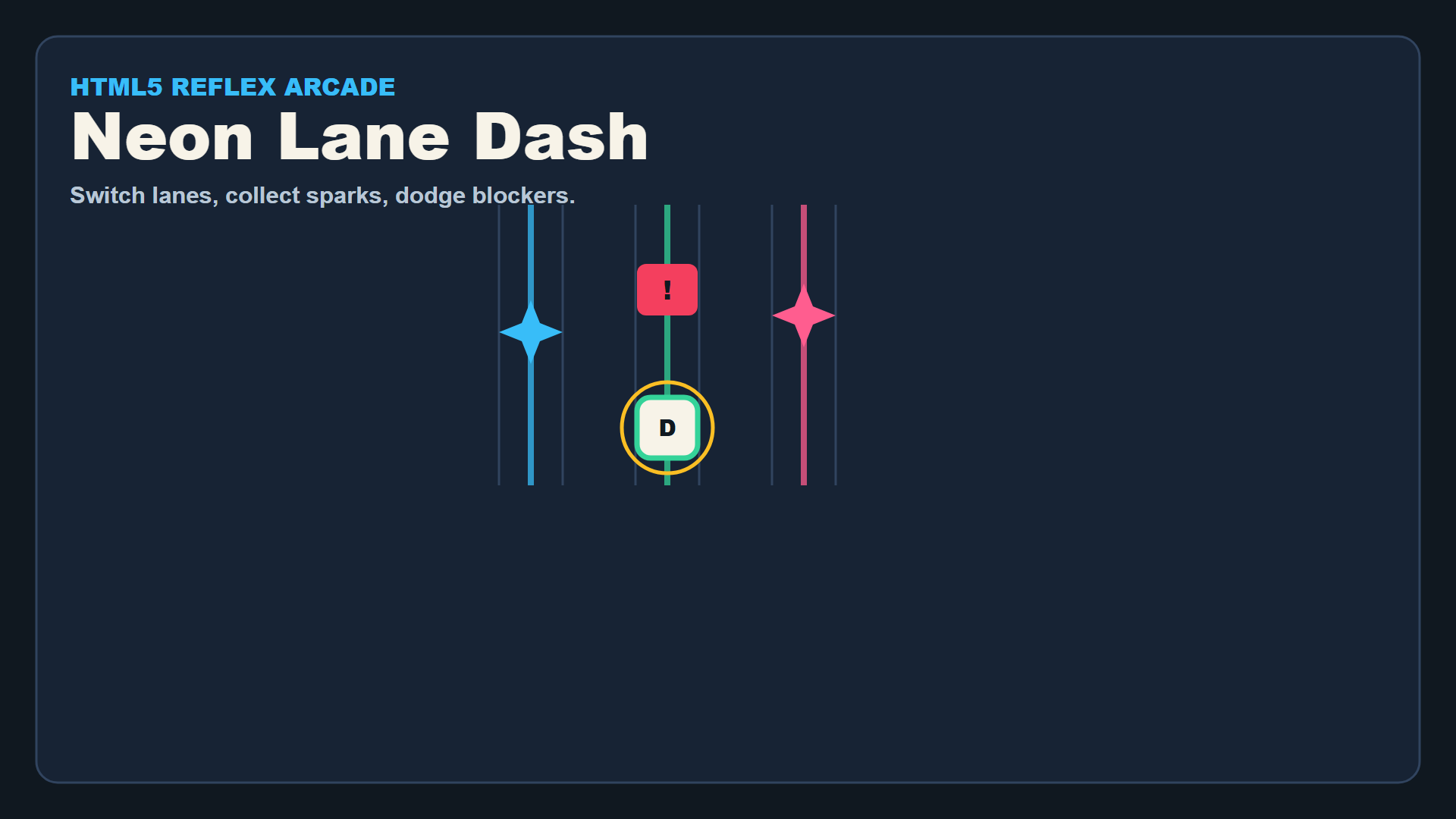
Switch lanes, grab sparks, avoid red blockers. Neon Lane Dash strips arcade dodging to three columns of pure reflex. No tutorial bloat—tap left, tap right, survive. Combo stacks when you chain sparks cleanly; one blocker breaks the streak and resets your rhythm. Focus mode slows the road for a heartbeat when chaos peaks. Launch it in seconds on Playgama, desktop or mobile, no install.
How to Play Neon Lane Dash
Survive as long as possible by collecting green sparks and dodging red blocker tiles. Score climbs with every spark; combo multiplies when you chain pickups without collision. Each run lasts until a blocker hits you.
Lane Switching and Spark Collection
Press A or left arrow to jump left, D or right arrow to jump right. Sparks appear in all three lanes; grab them to raise score and extend your combo counter. Miss a spark and you lose combo—hit a red blocker and the run ends. Touch controls mirror the same logic: tap the left button to shift left, right button to shift right. Players who master quick three-lane dodging in arcade games will recognize the core loop instantly.
Focus Assist and Combo Management
Tap Space, F, or the on-screen Focus button to trigger a brief slow-road assist. The road decelerates for a second, giving you time to read incoming patterns and reposition. Use it when blockers cluster or when a perfect spark chain is at stake. Combo decays if you miss pickups, so chaining sparks cleanly becomes the meta-game. If you enjoy Geometry Dash Wave: Original, Neon Lane Dash offers the same high-contrast neon outlines and timing-focused obstacle avoidance, just in a vertical lane format instead of side-scrolling.
Timing and Survival Strategy
Watch the upper third of the screen. Sparks and blockers spawn predictably; experienced players pre-position in the safest lane before obstacles arrive. Shield pickups appear rarely—grab them for one free blocker hit. High scores demand patience: wait for clean spark chains instead of diving into risky center-lane grabs. When the road fills with red tiles, burn Focus to create a two-second window. Players who appreciate Geometry Arrow 2 will recognize the same split-second timing and minimalist vector style, applied to a three-lane structure.
Key Features
- Three-lane dodging: Collect green sparks, avoid red blockers, chain combos.
- Minimalist neon vector style: Simple geometric shapes, CSS-style glows, high-contrast visuals.
- Focus assist: Slow the road briefly to read tight patterns and reposition.
- Instant browser sessions: Click and play on desktop or mobile; no downloads, no installs.
Who is Neon Lane Dash for?
Built for hyper-casual players chasing short 30–90 second sessions between meetings or commutes. If you crave quick reflex tests without narrative filler, this delivers. Fans of Motorcycle Racer: Road Mayhem will find the same lane-switching avoidance mechanic, just condensed into a faster, leaner format. Desktop keyboard warriors and mobile tap experts both get responsive controls. Perfect for ai games enthusiasts exploring procedural content and rapid prototyping experiments.
Developer
Neon Lane Dash was developed by wuqidashi. The game uses web-native JavaScript and Canvas rendering to deliver instant three-lane dodging across desktop and mobile browsers without downloads.
Controls
- A / Left Arrow: Move left one lane
- D / Right Arrow: Move right one lane
- Space / F: Activate Focus (slow road briefly)
- Touch: Tap left/right lane buttons; tap Focus button for slow-road assist
FAQ
How do I increase my combo in Neon Lane Dash?
Chain green sparks without missing any or hitting red blockers. Every consecutive spark raises your combo multiplier. One collision or missed spark resets the counter to zero.
When should I use Focus mode?
Trigger Focus when red blockers cluster across multiple lanes or when you need extra time to read a tricky spark pattern. The road slows for one second, giving you a reaction window. Save it for critical moments to preserve high combos.
Can I play Neon Lane Dash on mobile?
Yes. Tap the left and right lane buttons on screen to switch lanes, then tap the Focus button for slow-road assist. The game runs in any mobile browser without installation.
What happens if I hit a red blocker?
The run ends immediately unless you have an active shield. Shields absorb one blocker hit, then disappear. Without a shield, any red tile collision restarts your session.
How do I improve my high score?
Focus on combo chaining. Each spark adds to your multiplier; long chains multiply your score exponentially. Pre-position in the safest lane by watching the upper screen, and use Focus only when patterns become impossible to read at full speed.
Use this link to embed the game on your website using an iframe
Sign in to Embed and Monetize Games

TB World
Melon Sandbox
Obby but You're on a Bike
Hidden Object: Street Of Secrets
Hazmob FPS: Online Shooter
Geometry Arrow 2
My Town Home: Family Playhouse
Fruit Merge: Juicy Drop Game
Hidden Object: My Hotel
Piece of Cake: Merge & Bake
Hedgies