












silver coin
3000Daily bonus
Minecube
Minecube
Adventure
Minecube
Minecube
Minecube
Adventure
Save IconKeep your progress on every device — log in

Minecube

★★★★★★★4.2 / 5002 votesPG
Developer: BobikGames
Game Orientation: Landscape
Platforms: PC, Android, iOS
Release date: November 2024
Last Update: January 2026
Game Engine: Unity
Supported Languages: English
Categories: Adventure , Card , Simulation , 3D , Minecraft , Block

Minecube - Play Online

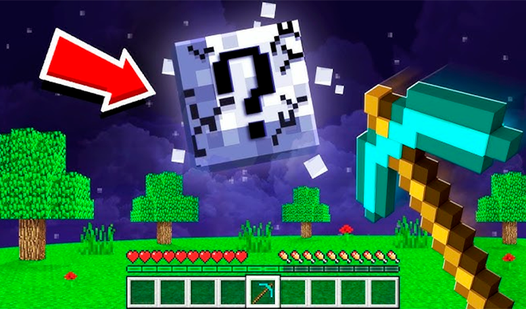
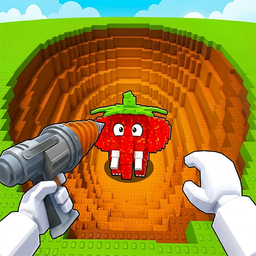
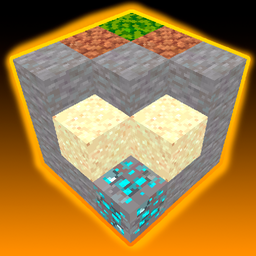
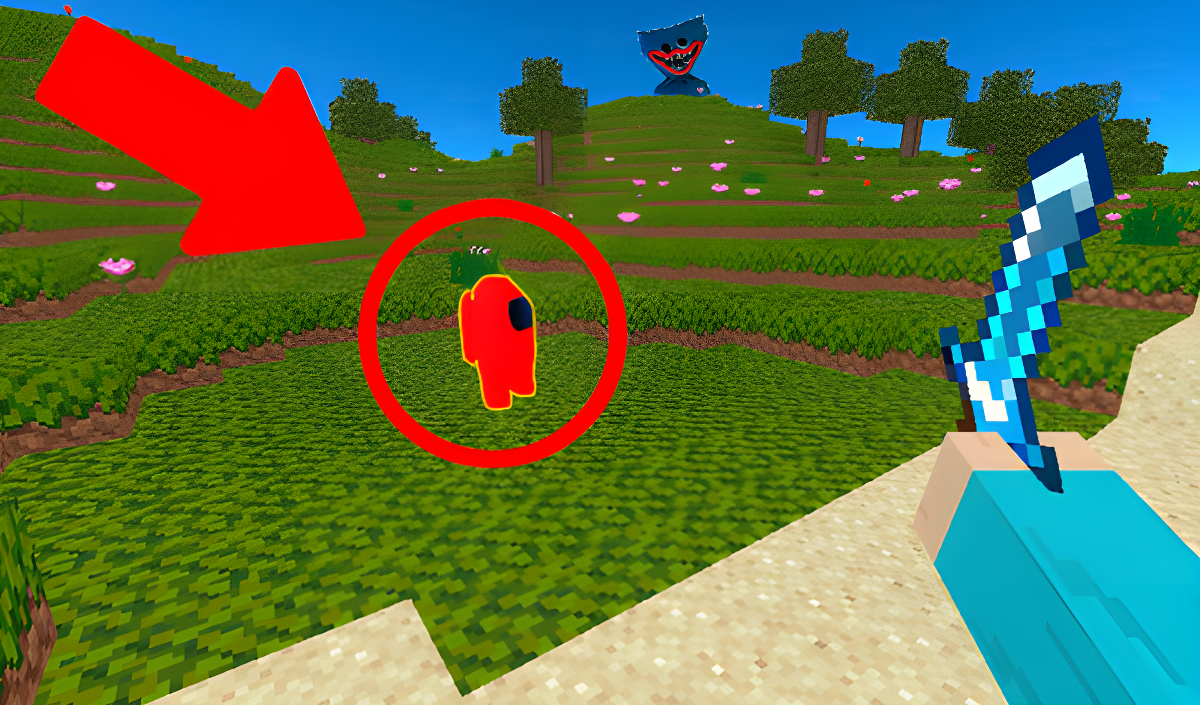
If you've ever searched "free Minecraft" and wondered what you'd get, well... here it is. Minecube is a browser-based sandbox that borrows heavily from the blocky survival genre—think classic Minecraft but stripped down to the bare essentials. You mine blocks, build structures, and wander around a procedurally generated voxel world. The goal? Do whatever you want. Dig for diamonds, fight mobs, or just fly around placing blocks. It's open-ended sandbox gameplay for anyone who wants that blocky fix without downloads.

Key Features

    • Open-World Sandbox: Explore a randomly generated map filled with blocks, trees, and caves.
    • Creative Flight Mode: Press F to toggle flight and build structures from any angle.
    • Mining & Crafting: Break blocks with tools, collect resources like diamonds, and place them wherever you want.
    • Mob Encounters: Run into blocky creatures—including a weirdly out-of-place FNAF-style character that honestly feels like fanservice crossover bait.

How to Play Minecube

Getting started is dead simple—controls are basic, and you're dropped into the world immediately.

Breaking and Placing Blocks

You left-click to break blocks and right-click to place them. Your hotbar at the bottom shows your tools and block inventory. Equip a pickaxe to mine stone or diamonds faster. Equip blocks to build walls, towers, or whatever you're imagining. The world is a giant grid, so everything snaps cleanly into place.

Surviving and Exploring

You'll encounter mobs wandering the landscape. Some are neutral, some will attack. Left-click with your sword equipped to fight back. Gravity works here too—dig straight down and you might fall into a cave system filled with ore blocks. Press E to open your inventory and manage what you're carrying.

Building Freely with Flight

Press F to toggle flight mode. This is where the game becomes pure creative freedom. Fly up, hover in place, and place blocks mid-air. Build towers, bridges, or pixel art. There's no survival pressure here—just you and the blocks. It's the fastest way to construct large-scale builds without dealing with ladders or scaffolding.

Who is Minecube for?

This one's aimed squarely at younger players—kids aged 6 to 12 who want a Minecraft-like experience in their browser. It's also perfect for casual gamers on school computers or folks who can't (or won't) download anything. If you're looking for depth, complex redstone-style mechanics, or polished visuals, look elsewhere. But if you just want to mess around with blocks for 20 minutes? It does the job.

The Gameplay Vibe

Honestly? It feels like a knockoff, and it doesn't try to hide it. The textures are flat, the lighting is basic, and there's zero ambient sound design—just simple background music and block-breaking sound effects. The vibe is early-2010s indie sandbox, the kind you'd find on browser game portals back in the day. It's not stressful or competitive. You set your own pace. Want to dig a giant hole? Go for it. Want to build a blocky castle? No one's stopping you. The FNAF chicken character showing up out of nowhere is... bizarre, but it's clearly there to grab attention from kids who recognize the franchise.

Technical Check: Saves & Performance

The game saves your world progress in your browser's local storage, so as long as you don't clear your cache, you should be able to pick up where you left off. Performance-wise, it runs smoothly even on older PCs or budget laptops—the low-poly visuals and simple lighting mean it doesn't demand much GPU power. I didn't notice any major lag spikes, even when breaking multiple blocks quickly. Mobile touch controls work, but placing blocks precisely can be a little fiddly on smaller screens.

Quick Verdict: Pros & Cons

It's a functional sandbox clone that gets you playing instantly, but don't expect innovation.

    • ✅ Pro: Instant browser-based play—no downloads, no registration.
    • ✅ Pro: Flight mode makes building way less tedious than traditional survival sandboxes.
    • ❌ Con: Visuals are rough, even by retro standards. It screams "asset flip" and lacks personality beyond copying the Minecraft formula.

Controls

Controls are responsive and follow the standard first-person sandbox layout. No surprises here.

    • Desktop: Left Mouse Button - Break block/Attack | Right Mouse Button - Place block/Use item | E - Inventory | F - Flight | WASD - Move
    • Mobile: Touch controls with on-screen buttons for movement, breaking, and placing blocks.

Release Date & Developer

Developed by BobikGames and released on November 13, 2024. It's a Unity-based browser game targeting the casual sandbox audience.

FAQ

Where can I play Minecube?

Play it free on Playgama. It works on PC and Mobile without downloads.

How do I get diamonds in Minecube?

Dig deep underground using a pickaxe. Diamond blocks spawn in cave systems and lower layers of the map. Mine them with left-click and they'll be added to your inventory.

Is there a mobile version?

Yes, the game fits any screen size and supports touch controls.

Video

Screenshots

screenshot-0screenshot-1screenshot-2screenshot-3screenshot-4
Free Online Games at PlaygamaPlaygama features the latest and best free online games. You can enjoy playing fun games without interruptions from downloads, intrusive ads, or pop-ups. Just load up your favorite games instantly in your web browser and enjoy the experience.
Random Game