





































Pregnant Mother Simulator
Hidden Object: Clues and Mysteries
Hazmob FPS: Online Shooter
Sprunki World Online RP - Play with Friends!
Piece of Cake: Merge & Bake
Playground Man! Ragdoll Show!
Fruit Merge: Juicy Drop Game
Deadly DescentKingdom Builder
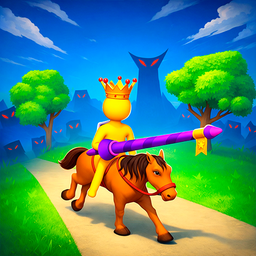
Kingdom Builder - Play Online
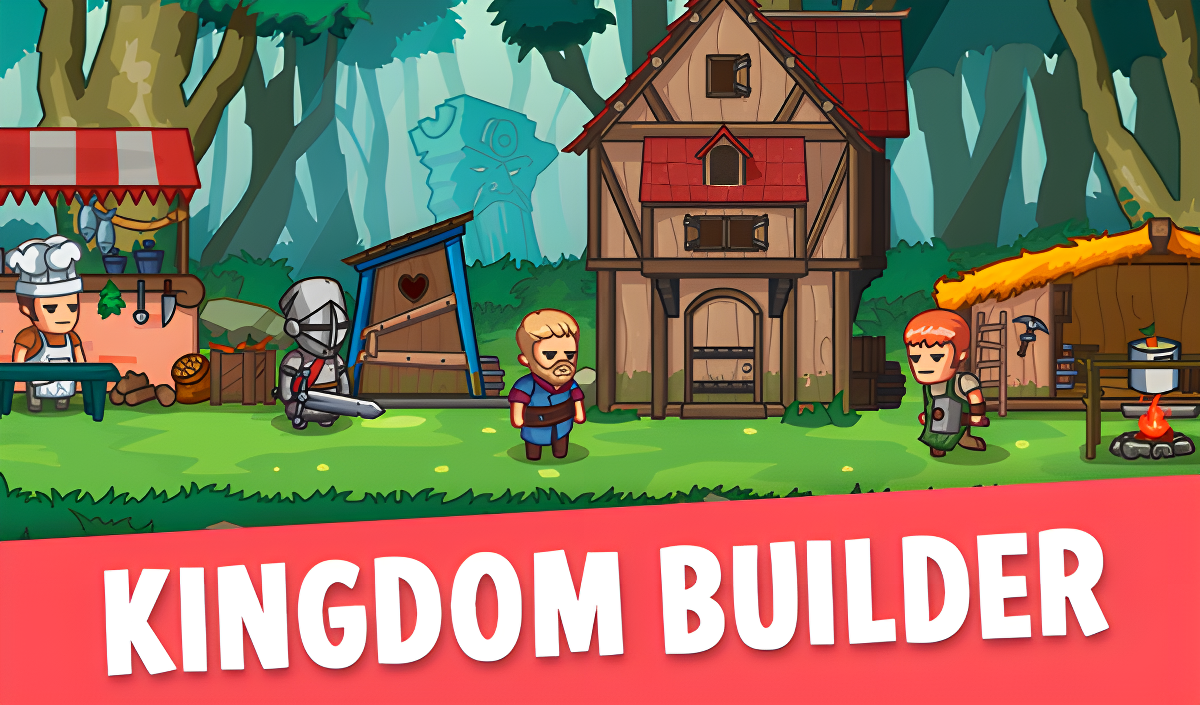
Ever wanted to play king without the boring parts? Kingdom Builder throws you into the boots of a monarch who actually has to do the work—running left and right across your growing settlement, poking villagers to give them jobs, and organizing your ragtag crew before enemies show up. It's got that Kingdom series vibe (you know, the pixel art side-scrollers), but simplified for quick browser sessions. Your goal? Build up your realm from a few tents and a campfire into a thriving kingdom while keeping invaders at bay.
Key Features
- Hands-On Kingdom Management: You physically run around assigning jobs—no clicking menus from a bird's-eye view.
- No Downloads Required: Runs straight in your browser on PC or mobile, lightweight enough for older devices.
- Multiple Job Classes: Recruit builders, chefs, knights, archers, and more to keep your kingdom functioning.
- Defend Your Territory: Take warriors into battle by marching to enemy flags marked with skulls.
How to Play Kingdom Builder
Getting started is dead simple, but juggling everything gets hectic fast.
Recruit and Command Your People
You control the king directly. On desktop, press A and D to shuffle left and right across your kingdom. On mobile, tap the left or right side of the screen. To recruit a villager, just poke them. They'll follow you around in a little squad. Need to kick someone out of your group? Poke them again while they're following you, then hit the action button.
Assign Jobs to Keep Things Running
Drag your recruited villagers to specific spots—a campfire for a chef, a construction site for a builder, a guard post for soldiers. Select the villager, move them to the right building or resource spot, and hit the action button to lock them into that role. Without workers gathering food and building structures, your kingdom stalls out fast. This is where the resource management kicks in.
Expand and Defend Your Kingdom
As you build more structures (houses, markets, military tents), you unlock new possibilities and attract more residents. But enemies will attack. When you're ready to fight, gather your warriors into your squad and march toward the skull flags at the edge of the map. Win battles to expand your territory and earn resources for even bigger upgrades. The loop is endless—there's always another building to construct or another wave to repel.
Who is Kingdom Builder for?
This one's perfect for casual players and kids who like management games without overwhelming complexity. If you enjoyed those idle kingdom builders on mobile or want a lighter version of Kingdom: Two Crowns, you'll feel right at home. It's chill enough for younger teens but has enough moving parts to keep you engaged for 20-30 minute sessions. Not for hardcore strategy fans looking for deep tech trees or combat mechanics.
The Gameplay Vibe
It's super laid-back. The cute, flat art style with thick outlines gives it a storybook feel—think simple vector graphics with bright colors. There's no voice acting, just ambient sound effects (hammering, crackling fires, footsteps). The pacing is relaxed; you're never rushed, which makes it great for playing while listening to music or winding down. The construction smoke clouds that pop up when buildings are being upgraded are a nice touch, even if they're obviously hiding the fact that nothing's actually animating underneath. Honestly, it's charming in a budget-friendly way.
Technical Check: Saves & Performance
The game autosaves your progress in your browser's local storage, so you can close the tab and pick up where you left off—just don't clear your cache or you'll lose everything. Performance-wise, it runs smoothly even on older laptops or mid-range phones. The simple 2D graphics and minimal animations mean you won't see any lag or stuttering unless your browser is overwhelmed with other tabs.
Quick Verdict: Pros & Cons
A cute, accessible kingdom sim that's easy to jump into but might feel repetitive after a few hours.
- ✅ Pro: Instant play with zero downloads—loads in seconds.
- ✅ Pro: Simple controls make it perfect for kids and casual gamers.
- ❌ Con: The art style and gameplay loop feel very derivative—if you've played similar side-scrolling kingdom builders, this won't surprise you.
Controls
Responsive and straightforward. No lag between button presses and character movement, which is crucial when you're trying to organize villagers quickly.
- Desktop: A and D to move left/right. Mouse click to select villagers and interact with action buttons.
- Mobile: Tap left or right side of screen to move. Tap villagers and UI elements directly.
Release Date & Developer
Developed by Сборник игр and released on November 13, 2024. It's part of a collection of browser-based games aimed at quick, accessible fun.