


































silver coin
3000Daily bonus
Grow a Garden
Grow a GardenSimulation
Grow a Garden
Grow a Garden
Grow a GardenSimulation
Save IconKeep your progress on every device — log in

Grow a Garden

★★★★★★★4.2 / 3679 votesPG
Developer: ShadouGames
Game Orientation: Landscape
Platforms: PC, Android, iOS
Release date: June 2025
Last Update: January 2026
Supported Languages: English

Grow a Garden - Play Online

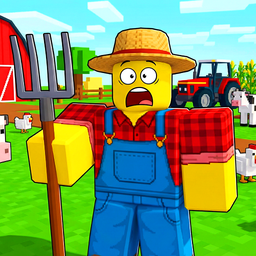
Picture a super simplified farming sim built entirely in Roblox, and you've got Grow a Garden. This is pure dopamine-loop territory: buy seeds, plant them, wait for timers to tick down, harvest, sell, repeat. It's aimed squarely at younger kids or anyone wanting a zero-stress clicker with almost no gameplay challenge. You're building a garden that grows even when you're offline, which sounds cooler than it actually plays out. Think of it as a baby's-first-farm-game that borrows heavily from every other Roblox farming template you've seen.

Key Features

    • Idle Progression: Your garden grows even when you're offline, so coming back later always shows new crops ready to harvest.
    • Ultra-Simple Controls: WASD to walk, spacebar to jump, E to collect. That's it. A toddler could figure this out.
    • Rarity System for Seeds: Shop menu shows seeds with different rarities (Common, Rare, etc.), giving you something to grind toward.
    • Cross-Platform Ready: Works on desktop browsers and mobile with touch controls. No download needed.

How to Play Grow a Garden

Getting started takes about 30 seconds, and there's zero learning curve.

Buy Seeds from the Market

You spawn in a tiny hub area with NPCs running little stands. Walk up to the "Seeds" shop and you'll see a menu with carrots, strawberries, blueberries—all with price tags and a countdown timer for restocking. Spend your starting cash, grab some seeds, and they drop into your hotbar at the bottom of the screen. There's even a "Restock" button with a video ad icon if you want to skip the wait timer.

Plant and Wait for Timers

Head to the "Garden" area through the navigation buttons. You'll see a grid of dirt plots with wooden fences. Walk up to an empty plot, select your seed from the hotbar, click to plant, and watch a little carrot or berry model pop up. Now you wait. The plants grow in real-time (or while you're offline), and a prompt says "E To collect" when they're ready. No watering, no pests, no challenge—just pure timer-watching.

Harvest and Sell for Currency

Once plants are grown, mash E to collect them. They stack in your inventory as giant carrot models you carry around. Walk back to the hub, find the "Sale" stand, and offload your crops for cash. Use that money to buy better seeds, unlock rare plants, or expand your farm. Rinse and repeat forever. That's the entire loop.

Who is Grow a Garden for?

This is laser-focused on young kids (ages 6-12) who play a ton of Roblox and want something comfy with zero fail states. If you're an adult looking for depth or strategy, walk away now. There's no skill ceiling here. It's perfect if you want a game you can check once a day for five minutes while doing literally anything else. Parents looking for safe, non-violent games for their children will love this. Hardcore gamers will uninstall in under two minutes.

The Gameplay Vibe

It feels like playing a mobile clicker game that got ported to Roblox with the absolute minimum effort. The visuals are blocky and flat—think default Roblox assets with zero custom polish. Your character is the standard "Bacon Hair" avatar. The ground textures tile awkwardly, and there's no lighting effects or atmosphere. It's not ugly, just aggressively plain. The music is forgettable background loops, and sound effects are basic pops and dings. The whole experience is meditative to the point of boring. You won't feel challenged or excited, just mildly satisfied watching numbers go up. It's the gaming equivalent of popping bubble wrap.

Technical Check: Saves & Performance

Progress saves automatically in your browser's local storage, so don't clear your cache or you'll lose your farm. Performance is flawless even on ancient hardware because the graphics are so simple. I tested it on an old laptop and it ran at smooth 60fps without breaking a sweat. Mobile version works fine with the virtual joystick and tap controls, though the UI buttons feel slightly cramped on smaller phone screens.

Quick Verdict: Pros & Cons

A harmless time-waster for little kids, but there's almost no game here for anyone else.

    • ✅ Pro: Completely stress-free and safe for children. No violence, no chat, no danger.
    • ✅ Pro: Offline progression means you don't have to babysit the game constantly.
    • ❌ Con: Restock timers and the ad-skip button scream "mobile monetization trap" even in a browser game. You'll hit wait walls constantly.

Controls

Responsive enough, but there's so little to actually do that control quality barely matters.

    • Desktop: WASD or arrow keys to move, Spacebar to jump, Left mouse click to plant/use items, E key to harvest or open inventory.
    • Mobile: Virtual joystick for movement, tap on garden plots to plant, on-screen E button to harvest, menu icons for inventory and settings.

Release Date & Developer

Developed by ShadouGames and released on June 18, 2025. It's a super fresh release, though it feels like a dozen other Roblox farming games that came before it.

FAQ

Where can I play Grow a Garden?

Play it free on Playgama. It works on PC and Mobile without downloads.

How do I unlock rare plants?

Keep harvesting and selling crops to earn cash, then check the Seeds shop when the restock timer finishes. Rare plants appear randomly in the rotation, so you'll need to grind currency and wait for the timer cycles to catch the good stuff.

Is there a mobile version?

Yes, the game fits any screen size and supports touch controls.

Video

Screenshots

screenshot-0screenshot-1screenshot-2screenshot-3screenshot-4screenshot-5
Free Online Games at PlaygamaPlaygama features the latest and best free online games. You can enjoy playing fun games without interruptions from downloads, intrusive ads, or pop-ups. Just load up your favorite games instantly in your web browser and enjoy the experience.
Random Game