








Bank Robbery - Classic
Bank Robbery - Classic - Play Online

Ever wanted to live out your Payday heist fantasies without needing a gaming PC? Bank Robbery - Classic throws you straight into the action—you're a lone bandit breaking into vaults, drilling through gates, and shooting your way past guards. The goal is simple: grab as much cash ("Kush") as possible, find the extraction point, and escape before the timer runs out or you bleed out. It's a no-nonsense, sandbox-style heist simulator built for browsers, and it doesn't pretend to be anything more than pure, chaotic robbery action.

Key Features
- Payday-Style Heists: Hunt for keys, drill through vault doors, and loot everything that isn't nailed down.
- Combat or Stealth: Choose to go in guns blazing or sneak past guards—though honestly, stealth is tricky with these graphics.
- Full Arsenal: Pistols, rifles, grenades, and first-aid kits to keep you alive during shootouts.
- Multiple Escape Routes: Call for extraction via phone, then choose between getaway cars or helicopters.
How to Play Bank Robbery - Classic

The setup is simple, but surviving long enough to cash out? That's the real challenge.
Breaking In and Gathering Intel
You spawn into a bare-bones level—think grey concrete rooms, ATMs, and vault doors with giant pixelated locks. Use WASD to move around and press F or E to interact with everything. Your first job is finding keys scattered around the map. Guards patrol the area, and they'll open fire the second they spot you. Mouse to aim and shoot, Space to jump over obstacles or climb stairs. The timer's already ticking, so don't waste time admiring the scenery (there isn't much to admire anyway).
Cracking the Vault and Fighting Back
Once you've grabbed a key, sprint to the vault gate. Some doors need drilling—you'll attach the drill and wait while a progress bar fills up. Guards pour in during this phase, so swap between your weapons (F/E to pick up new guns) and mow them down. Grenades (G key) help clear rooms fast. Health drops when you get hit, and there's no cover system, so you're basically circle-strafing like it's a 90s shooter. Toggle between first-person and third-person with V if you need a better view of the chaos.
Grabbing Cash and Escaping Alive
After looting the vault (walk over cash piles to collect Kush), find the phone and select your escape plan. Then book it to the extraction vehicle—either a car or helicopter depending on the level. If you're bleeding out or the timer hits zero before you reach it, mission failed. The whole loop takes maybe 5-10 minutes per heist if you're fast, but expect to retry a few times while you learn the level layouts.
Who is Bank Robbery - Classic for?

This is for casual players who love heist themes but don't want to commit to a full Payday session. If you're a teen looking for a quick adrenaline fix on a school Chromebook, this fits the bill. It's also decent for fans of janky indie games who appreciate the "so-bad-it's-charming" vibe. Not recommended for anyone expecting AAA polish or deep stealth mechanics—this is pure arcade action with rough edges.
The Gameplay Vibe
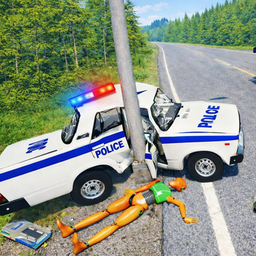
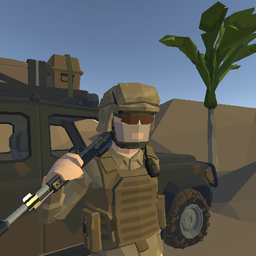
Let's be real: the visuals are rough. We're talking untextured walls, flat lighting, and asset-store models that clash with pixel-art UI icons. It feels like a student project or a Roblox game that escaped into the wild. The action is frantic and messy—guards spawn unpredictably, the drill segments drag on, and the gunplay is stiff. But there's a weird charm to the chaos. No music stuck out (might not even be there), and sound effects are basic pops and bangs. If you're into meme-tier gameplay or just want to shoot stuff without thinking, it delivers that low-stakes fun.
Technical Check: Saves & Performance
The game saves your Kush balance and unlocked weapons automatically using browser storage—just don't clear your cache or you'll lose progress. Performance-wise, it's a Unity browser game with basic graphics, so it runs fine even on older laptops or budget desktops. I didn't notice any major lag, though the frame rate dips a bit when you toss grenades into crowds. Mobile controls are listed, but honestly, this feels built for keyboard and mouse.
Quick Verdict: Pros & Cons
A scrappy heist game that's fun in short bursts if you manage your expectations.
- ✅ Pro: Instant action—no tutorials, just jump in and start robbing.
- ✅ Pro: The drill-and-defend loops feel satisfying when you barely survive.
- ❌ Con: Graphics look like a prototype from 2005, and the stealth option is basically nonexistent.
Controls
Keyboard controls feel responsive enough for the arcade-style shooting, though the interaction prompts (F and E doing similar things) can get confusing mid-firefight.
- Desktop: WASD to move, Mouse to aim/shoot, F/E to interact, G for grenades, Space to jump, V to toggle camera.
- Mobile: Touch controls supported but likely clunky given the fast-paced combat.
Release Date & Developer
Bank Robbery - Classic was developed by digitalcaramel2 and released on November 13, 2024. It's a fresh indie release still finding its audience.