






























silver coin
3000Daily bonus
Toca World: Dream Home

Toca World: Dream HomeKids
Toca World: Dream Home


Toca World: Dream HomeKids
Save IconKeep your progress on every device — log in

Toca World: Dream Home

★★★★★★★4.5 / 31 537 votesPG
Developer: TokaLoka
Game Orientation: Landscape
Platforms: PC, Android, iOS
Release date: December 2024
Last Update: January 2026
Game Engine: Construct
Supported Languages: English
Categories: Kids, Horror

Toca World: Dream Home - Play Online

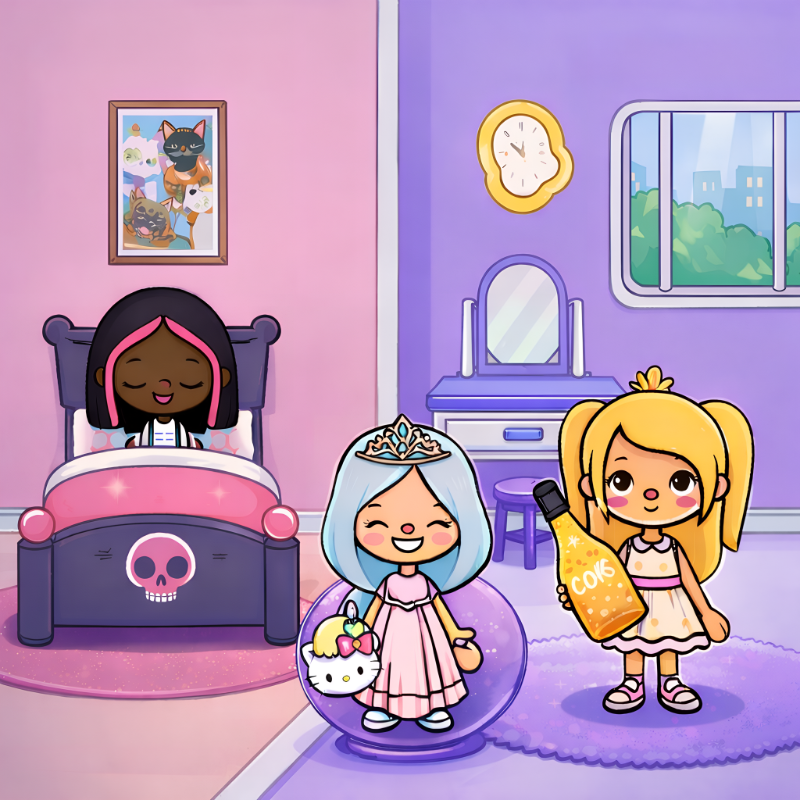
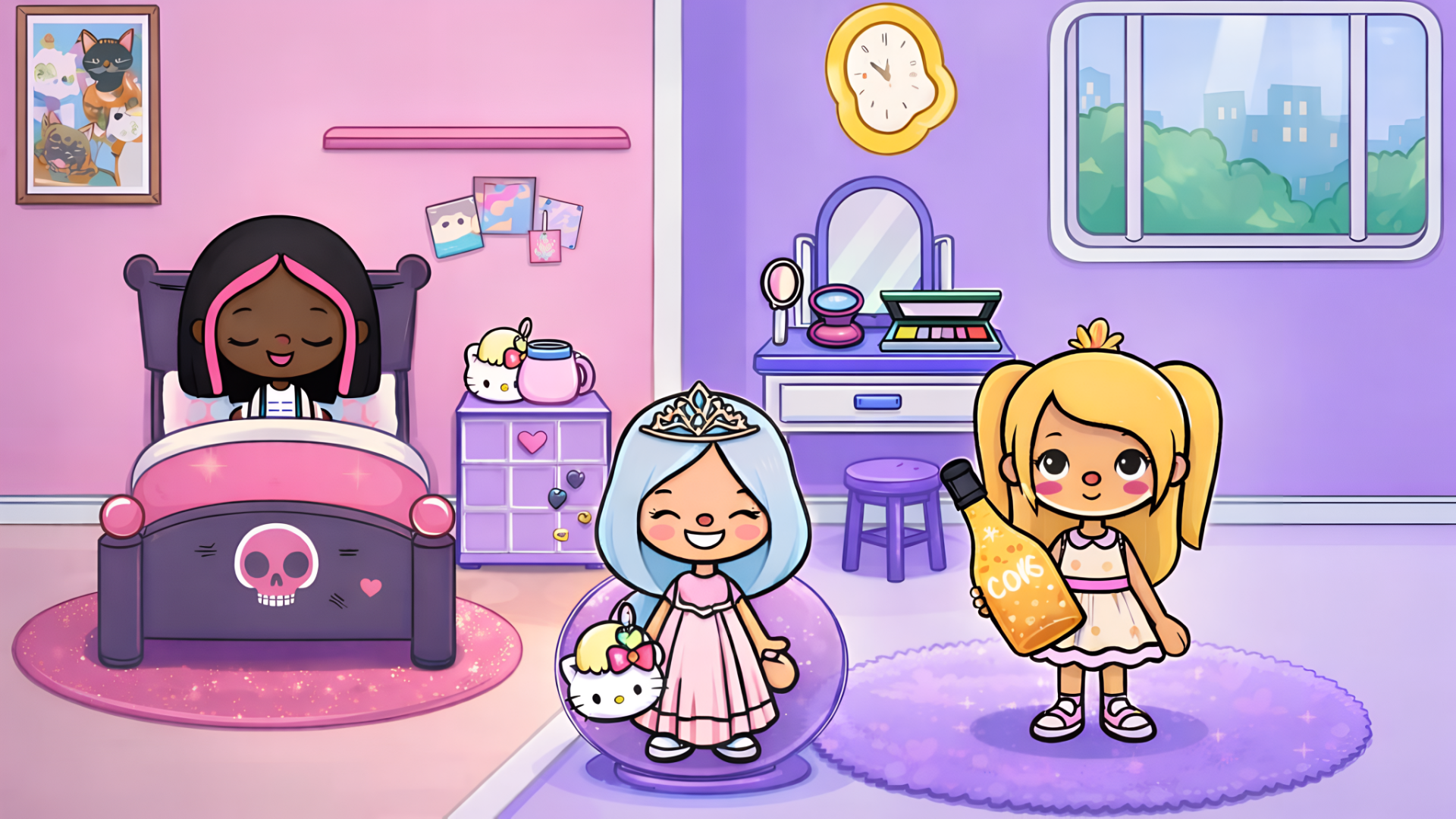
Ever wanted to build the perfect dollhouse without cleaning up plastic pieces? This is basically a digital version of those Toca Boca apps that kids obsess over, but running straight in your browser. You get to design rooms from scratch, dress up characters in wild outfits, and create whatever stories pop into your head. It's pure creative sandbox with zero rules—no timer, no losing, just decorating and role-playing until you're satisfied.

Key Features

    • Everything Unlocked: All furniture, clothes, and characters are available from the start—no grinding required.
    • Multi-Room Setup: Switch between bedroom, backyard, and other locations to build different scenes.
    • Deep Character Editor: Change skin tones, hairstyles, outfits, and accessories with a randomize button for instant looks.
    • Interactive Props: Characters can hold items like phones, food, baseball bats, and even interact with trampolines and pet houses.

How to Play Toca World: Dream Home

There's no "winning" here—just jump in and start dragging stuff around. The interface is huge buttons and simple gestures, perfect for touchscreens.

Building Your Scene

You pick a room from the main menu, then tap the furniture icon to browse categories. Drag beds, chairs, shelves, or decorations directly onto the floor. Everything snaps into place smoothly, and you can layer items to create depth. I stacked books on shelves and put a cat house next to a hanging chair—it all just works without fiddly alignment.

Designing Characters

Hit the character button to spawn people into your scene. Tap one to open the avatar maker, where you get tabs for skin, hair, eyes, clothes, and accessories. The randomize dice button is addictive—I kept clicking it until I got a kid in a dragon costume. You can make characters hold props by dragging items to their hands, which makes posing scenes way easier.

Creating Stories

Once your room is set and characters are dressed, you just... play. Move people around, make them jump on the trampoline, tuck someone into bed, or have a character film another one with the tripod camera. There's no objective beyond whatever narrative you invent. It's digital pretend play—some kids will spend hours here, others will get bored in ten minutes.

Who is Toca World: Dream Home for?

This is aimed squarely at kids aged 4-9 who love role-playing and decorating games. If you grew up making houses in The Sims but never cared about their needs bars, this strips it down to pure creativity. Parents will appreciate the zero-violence, zero-pressure vibe. Teens might find it too babyish unless they're into character design as a hobby. Adults? Only if you're procrastinating or testing it for a younger sibling.

The Gameplay Vibe

It's extremely chill—almost meditative. The art style is that thick-lined, bright vector look you see in kids' apps everywhere now, with saturated blues, pinks, and yellows. There's no music that I noticed, just soft sound effects when you place objects. The pacing is entirely self-directed, so you can zone out rearranging furniture for half an hour or speedrun a character makeover in two minutes. It feels responsive and polished, not clunky like some browser knockoffs.

Technical Check: Saves & Performance

The game saves your progress automatically using browser local storage, so your decorated rooms and characters stick around between sessions. Just don't clear your cache or you'll lose everything. Performance-wise, it's super lightweight—I didn't see any lag even with multiple characters and tons of props on screen. It runs fine on older tablets and budget laptops since it's just 2D assets, no heavy 3D rendering.

Quick Verdict: Pros & Cons

A solid creative toy for young kids who want freedom without complexity. Not much replay value for goal-oriented players.

    • ✅ Pro: No paywalls or locked content—everything's free from the jump.
    • ✅ Pro: Simple drag-and-drop controls work perfectly on touch devices and mice.
    • ❌ Con: Gets repetitive fast if you're not naturally into decorating or storytelling—there's no challenges or achievements to chase.

Controls

Super intuitive. I tested both mouse and touchscreen; both felt natural with zero learning curve.

    • Desktop: Click and drag items/characters. Use menu buttons to switch rooms or open editors.
    • Mobile: Tap to select, drag with your finger to move. Pinch-to-zoom isn't needed since scenes are pre-sized.

Release Date & Developer

Developed by TokaLoka and released on December 26, 2024. It's clearly inspired by the popular Toca Life series but runs entirely in the browser without needing an app store download.

FAQ

Where can I play Toca World: Dream Home?

Play it free on Playgama. It works on PC and Mobile without downloads.

Can I save multiple characters and rooms?

Yes, the game automatically saves all your decorated rooms and customized characters in browser storage. You can switch between locations and your designs stay put. Just avoid clearing your browser cache or you'll reset everything.

Is there a mobile version?

Yes, the game fits any screen size and supports touch controls.

Video

Screenshots

screenshot-0screenshot-1screenshot-2screenshot-3screenshot-4
Free Online Games at PlaygamaPlaygama features the latest and best free online games. You can enjoy playing fun games without interruptions from downloads, intrusive ads, or pop-ups. Just load up your favorite games instantly in your web browser and enjoy the experience.
Random Game