































silver coin
3000Daily bonus
Night City Racing
Night City Racing
Action
Night City Racing
Night City Racing
Night City Racing
Action
Save IconKeep your progress on every device — log in

Night City Racing

★★★★★★★4.1 / 10 683 votesPG
Developer: RHM Interactive
Game Orientation: Landscape
Platforms: PC
Release date: January 2023
Last Update: January 2026
Game Engine: Unity
Supported Languages: English

Night City Racing - Play Online

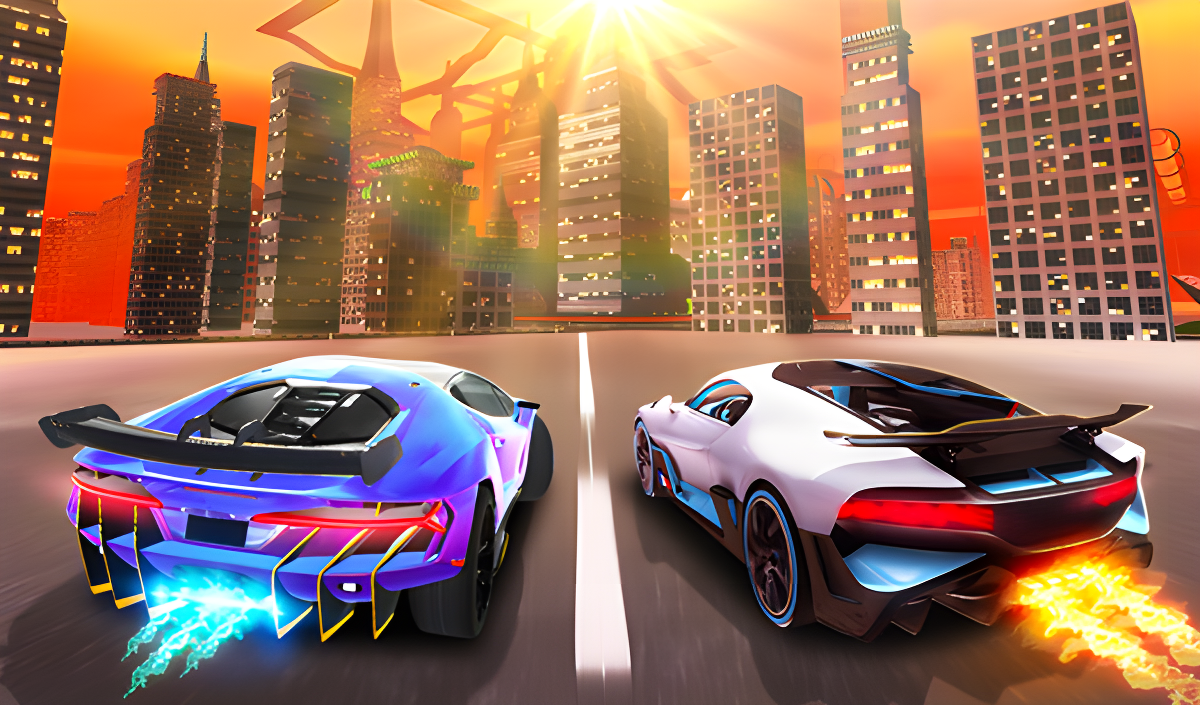
Ever wanted to boost a car so hard it literally flies over a jet airplane? Night City Racing throws you into an open-world playground where the laws of physics take a coffee break. This is arcade racing cranked up to ridiculous levels—think Need for Speed meets those over-the-top stunt YouTube videos. Your mission is simple: race through 16 tracks, customize your ride, collect coins, and master the art of not flipping your car upside down when you hit nitrous at 399 km/h. Yeah, it gets that wild.

Key Features

    • 21 Total Races: 16 standard races against CPU or a friend, plus 5 challenge races that test your stunt skills.
    • Split-Screen Multiplayer: Grab a buddy and race head-to-head on the same keyboard—old-school couch gaming style.
    • Car Customization: Change your car's color, swap wheels, upgrade the engine, and make your ride truly yours in the garage.
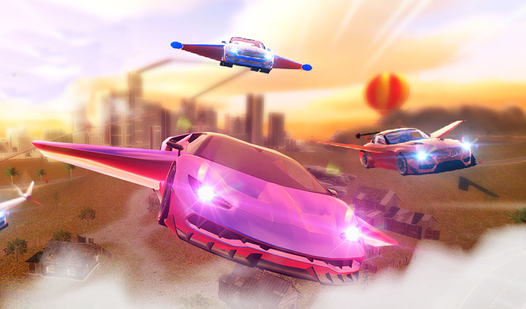
    • Flying Cars: Yes, you read that right. Your car can literally take off and soar over Night City with dedicated flying physics.

How to Play Night City Racing

Jump in, pick a race, and floor it—but actually mastering those mid-air flips takes practice.

Pick Your Mode and Hit the Track

You start by choosing between single-player against AI or split-screen with a friend. Use W,A,S,D or Arrow Keys to steer and accelerate. The speedometer climbs fast, and when you're ready to leave everyone in the dust, slam that Shift key for nitrous. The boost flame effect is satisfying, but be careful—hit it on a ramp and you'll launch into low orbit. Press C to cycle camera views, including a first-person cockpit view that makes those high-speed turns feel even more intense.

Mastering the Chaos

The real challenge isn't just racing—it's controlling your car when it decides to become a stunt plane. The game lets you drive over ramps and fly, which sounds cool until you're spinning sideways at 40 km/h trying to figure out which way is up. Press R to reset your car position when (not if) you end up flipped against a hangar. The AI competitors are decent, but the environment is your biggest enemy. Those green barrier arrows guide you, but miss one turn and you're sailing past airplanes wondering how you got here.

Upgrading Your Garage

Collect coins scattered around the open-world free mode. Take those earnings to the customization garage where you can buy new wheels, change colors, and upgrade your engine for better performance. The upgrade system is straightforward—more money equals faster car. You'll feel the difference when your upgraded ride pulls ahead on straightaways, though the game's physics still send you flying if you're not careful with that nitrous button.

Who is Night City Racing for?

This is perfect for teens and casual players who want instant arcade action without a steep learning curve. If you've got 5-10 minutes and want to race a friend or just mess around with flying cars, this delivers. It's not a hardcore sim—it's pure popcorn entertainment. Kids will love the wild stunts and customization options, though younger players might get frustrated with the touchy flying physics. Definitely not for racing purists who want realistic handling.

The Gameplay Vibe

The whole experience feels like a low-budget action movie—over-the-top and a little janky, but entertaining enough that you keep playing. Visually, it's basic Unity work with flat lighting and simple textures that scream "browser game from 2023." The skybox is a plain gradient, and the environmental models like hangars and planes look copy-pasted into the scene. But here's the thing: when you're boosting at max speed with flame trails behind you, the simplicity actually helps performance. The split-screen mode runs smoothly even on older PCs, which is a plus. Sound-wise, expect generic engine noises and boost whooshes—nothing memorable, but it gets the job done.

Technical Check: Saves & Performance

The game saves your progress and car customizations automatically in your browser's local storage. Just don't go clearing your cache unless you want to start from scratch with coin collection. Performance is solid—this runs fine on older desktops and laptops since the graphics are intentionally kept simple. I didn't experience any frame drops even during split-screen races with multiple cars on screen. It's a WebGL Unity game, so as long as your browser supports that (Chrome, Firefox, Edge all work), you're good to go. No downloads, no installation headaches.

Quick Verdict: Pros & Cons

A fun distraction with some genuinely goofy moments, held back by dated visuals and repetitive challenges.

    • ✅ Pro: Split-screen multiplayer on browser is rare and works great here—instant party game.
    • ✅ Pro: The flying car mechanic is ridiculous in the best way, creating hilarious moments.
    • ❌ Con: Graphics look like they're from 2015 mobile gaming—very basic textures and lighting that make everything feel flat and disconnected.

Controls

Responsive enough for arcade racing, though the flying physics can feel slippery when you're airborne.

    • Single Player Desktop: W,A,S,D or Arrow Keys to move, L-Shift or R-Shift for nitrous, R to reset position, T to look back, C to change camera.
    • Two Player Desktop: Player 1 uses Arrow Keys (M for nitrous, O to reset, P look back, K camera). Player 2 uses W,A,S,D (L-Shift nitrous, R reset, T look back, C camera).

Release Date & Developer

Developed by RHM Interactive and released on January 1, 2023, this browser racer targets the casual web gaming crowd looking for quick multiplayer action.

FAQ

Where can I play Night City Racing?

Play it free on Playgama. It works on PC and Mobile without downloads.

How do I control my car when it starts flying?

Use the same movement keys to tilt and steer in mid-air. If you lose control and flip upside down, press R to reset your car back on the track. The flying physics are touchy, so ease off the nitrous when you're airborne until you get the hang of it.

Is there a mobile version?

Yes, the game fits any screen size and supports touch controls.

Video

Screenshots

screenshot-0screenshot-1screenshot-2screenshot-3screenshot-4screenshot-5
Free Online Games at PlaygamaPlaygama features the latest and best free online games. You can enjoy playing fun games without interruptions from downloads, intrusive ads, or pop-ups. Just load up your favorite games instantly in your web browser and enjoy the experience.
Random Game