






























silver coin
3000Daily bonus
City Parking Simulator 2D

City Parking Simulator 2DCard
City Parking Simulator 2D


City Parking Simulator 2DCard
Save IconKeep your progress on every device — log in

City Parking Simulator 2D

★★★★★★★4.2 / 1500 votesPG
Developer: VikTop
Game Orientation: Landscape
Platforms: PC, Android, iOS
Release date: November 2024
Last Update: January 2026
Game Engine: Unity
Supported Languages: English
Categories: Card, Simulation, Story, Parking

City Parking Simulator 2D - Play Online

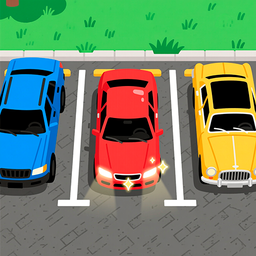
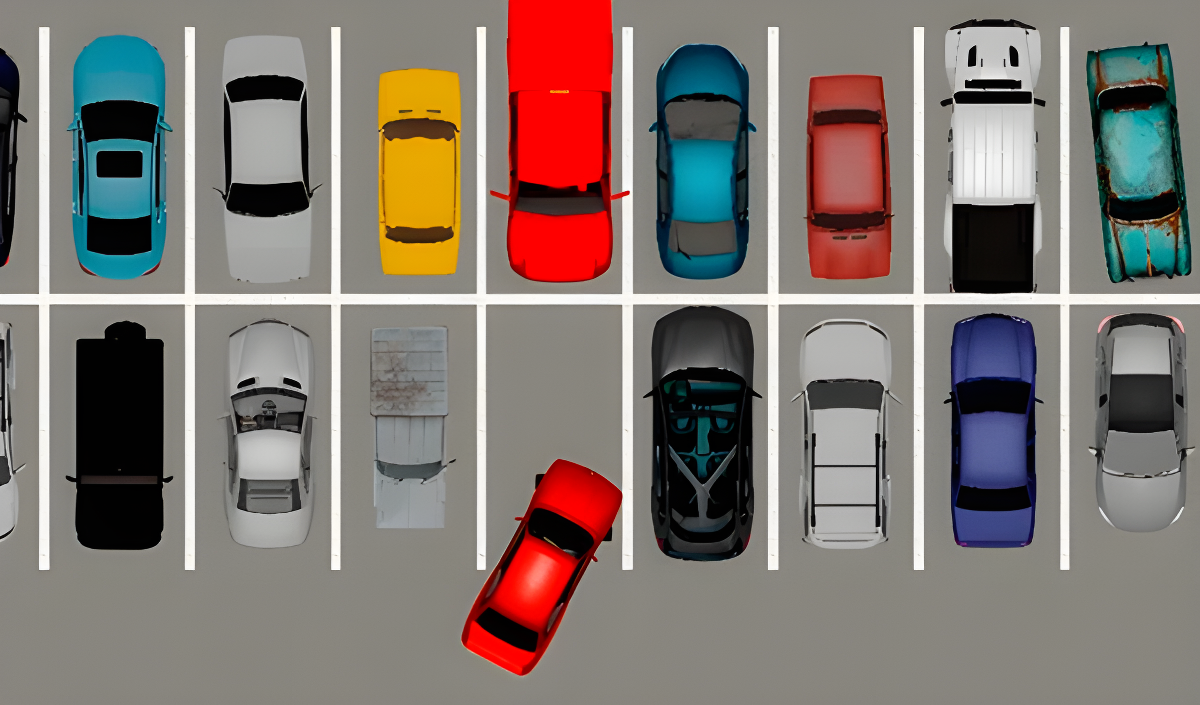
Ever backed into a tight parking spot and felt like a champion? This is that feeling, turned into a browser game. City Parking Simulator 2D gives you a bird's-eye view of parking challenges where your goal is simple: squeeze your car into the yellow zone without crashing. Navigate through crowded city streets, dodge parked vehicles, and prove you've got the precision to park like a pro. It's a quick-fire challenge game that tests your spatial awareness one tight spot at a time.

Key Features

    • Multiple Levels: Dozens of parking challenges that increase in difficulty as you progress.
    • Star Rating System: Earn up to 3 stars per level based on your crashes, time, and accuracy.
    • Night Mode Levels: Some stages throw you into darkness with only headlight cones to guide you.
    • Leaderboard Competition: Track your best times and compete against other players online.

How to Play City Parking Simulator 2D

The controls are dead simple, but nailing that perfect park takes practice.

Master the Basic Steering

You control your car with WASD or arrow keys. W (or Up Arrow) accelerates forward, S (or Down Arrow) reverses. A and D (or Left/Right Arrows) turn your wheels. The physics feel a bit floaty—your car doesn't turn on a dime, so you need to plan your angles ahead of time. On mobile, you'll tap on-screen buttons instead.

Navigate Without Crashing

Here's where it gets tricky. The levels are packed with parked cars, sidewalks, and random obstacles. Hit anything and you'll rack up crashes, which tanks your star rating. Some levels have moving traffic or tight alleyways that require you to reverse multiple times. The night levels are brutal—you can barely see what's around you outside the headlight cone.

Park in the Yellow Zone and Beat the Clock

Your target parking spot glows yellow. Get your car fully inside it without touching the edges, and the level ends. Speed matters—the faster you park, the better your time score. After each level, you'll see stats for cars parked, crashes, and time. Three stars means you were flawless. One star means you made it, but barely.

Who is City Parking Simulator 2D for?

This is for casual players who want a low-stakes puzzle challenge. If you've got five minutes between classes or during a lunch break, it's perfect for that. The game isn't demanding—there's no violence, no pressure beyond the timer you set for yourself. It's rated for teens, but honestly, anyone who's ever struggled with parallel parking will get a kick out of it. Not for hardcore gamers looking for deep mechanics, though.

The Gameplay Vibe

It's chill with occasional bursts of frustration. The top-down perspective reminds me of those old Flash parking games from the 2000s—simple, straightforward, no frills. Visually, it's pretty basic. The textures look tiled and repetitive, and the car models are flat with no real detail. The night levels add a bit of variety with the spotlight effect, but it feels more like a gimmick than a real challenge. There's no music to speak of during gameplay, just engine sounds and collision noises. It's the kind of game you play while listening to a podcast or music in another tab.

Technical Check: Saves & Performance

The game saves your progress through browser cookies, so as long as you don't clear your cache, you'll keep your level unlocks and leaderboard stats. Performance-wise, it runs smoothly even on older laptops or budget phones—the graphics are so stripped-down that there's nothing demanding happening under the hood. I didn't experience any lag or stuttering, which is a plus for a browser game.

Quick Verdict: Pros & Cons

A decent time-waster if you're into parking puzzles, but don't expect anything groundbreaking.

    • ✅ Pro: Instant access, no downloads, works everywhere.
    • ✅ Pro: Star system gives you a reason to replay levels for perfection.
    • ❌ Con: Graphics look like placeholder assets—very low visual polish and the art style feels inconsistent.

Controls

Responsive enough, though the steering feels a bit loose. You'll overshoot turns until you get used to the physics.

    • Desktop: WASD or Arrow Keys to drive, E to return to the main menu.
    • Mobile: On-screen buttons for accelerate, reverse, and steering.

Release Date & Developer

Developed by VikTop and released on November 13, 2024.

FAQ

Where can I play City Parking Simulator 2D?

Play it free on Playgama. It works on PC and Mobile without downloads.

How do I get 3 stars on a level?

Avoid all crashes, park quickly, and position your car perfectly in the yellow zone. Even small bumps count against you, so take your time on tight corners and reverse carefully.

Is there a mobile version?

Yes, the game fits any screen size and supports touch controls.

Video

Screenshots

screenshot-0screenshot-1screenshot-2
Free Online Games at PlaygamaPlaygama features the latest and best free online games. You can enjoy playing fun games without interruptions from downloads, intrusive ads, or pop-ups. Just load up your favorite games instantly in your web browser and enjoy the experience.
Random Game