




































Pregnant Mother Simulator
Snake 2048
Sprunki World Online RP - Play with Friends!
Hidden Object: My Hotel
Piece of Cake: Merge & Bake
Melon Sandbox
Hidden Object: Clues and Mysteries
Playground Man! Ragdoll Show!
Fruit Merge: Juicy Drop GameArmy Playground 3D
Army Playground 3D - Play Online
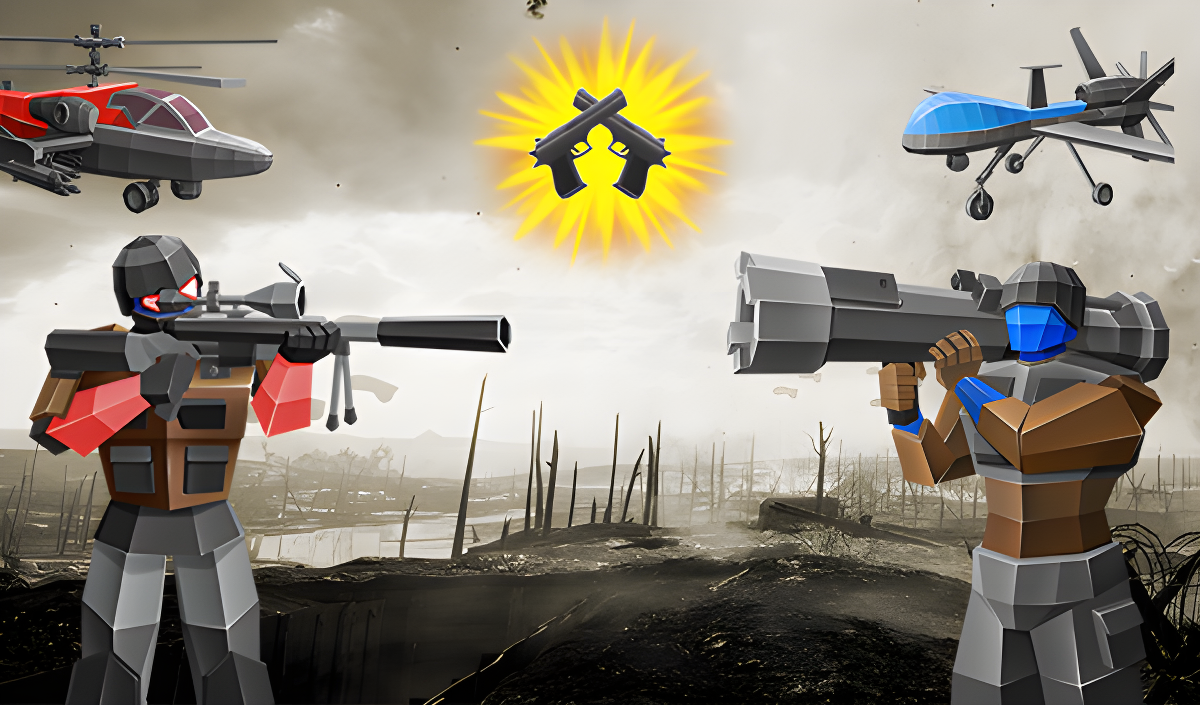
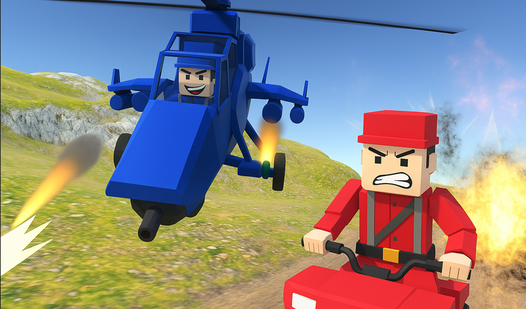
Ever wanted to play god with toy soldiers? Army Playground 3D throws you into quick, chaotic battles where you deploy tanks, helicopters, mechs, and infantry on a grid, then watch them duke it out automatically. It's like a stripped-down Totally Accurate Battle Simulator with a military skin—simple placement, instant action, no micromanagement. Your goal? Build the perfect army composition, upgrade your units, and steamroll increasingly tough enemy formations. Pure tactical toy box warfare.
Key Features
- Auto-Battle Chaos: Deploy your units and watch the fireworks—no real-time control needed.
- Varied Unit Roster: Command ground troops, heavy armor, helicopters, bombers, and sci-fi mechs.
- Unit Upgrade System: Level up your army with diamonds earned from victories.
- Quick Sessions: Each battle lasts 2-3 minutes—perfect for short breaks or mobile play.
How to Play Army Playground 3D
Getting started is dead simple, but winning later levels takes actual planning.
Deploy Your Forces on the Grid
You start each mission on a brown checkerboard battlefield. Drag and drop your available units—infantry squads, tanks, helicopters, bombers—from your roster onto the blue deployment zone. Each unit costs resources, so you can't spam everything at once. Position matters: put tanks in front as shields, keep helicopters mobile on the flanks, and save bombers for devastating air strikes. Look for the small numbered badges (1, 2, 3) on units—those show their level and power.
Watch the Battle Unfold
Once you hit "Start Battle," the camera switches to a cinematic view and your army charges forward automatically. Units fire missiles, explosions light up the battlefield, and mechs stomp toward the enemy. You can rotate the camera with your mouse to get better angles, but you're just a spectator now. The combat is fast and loud—projectile trails everywhere, smoke effects covering half the screen. It's satisfying when your bomber makes a perfect bombing run, but frustrating when you realize you placed your infantry in a terrible spot and they get shredded instantly.
Upgrade and Adapt
Win or lose, you earn diamonds. Use them to level up units in the main menu, unlocking better stats and new unit types. Early missions are a cakewalk, but around level 5 the enemy starts fielding advanced units and you'll need to think about counter-play. Did the enemy spam helicopters? Bring anti-air. Did they wall up with heavy tanks? Bombers are your friend. The progression loop is simple: lose, upgrade, retry, win.
Who is Army Playground 3D for?
This is aimed squarely at casual players and younger gamers (think 8-14 year olds) who want quick military action without complex controls. If you loved setting up toy soldier battles as a kid, this is the digital version of that. It's not for hardcore strategy fans—there's zero micro, no fog of war, no economy management. Just placement and spectating. Perfect if you have 10 minutes to kill on the bus or between classes.
The Gameplay Vibe
Visually, it's rough around the edges. The textures are muddy, the lighting is flat, and the fog is cranked up to hide the lack of environmental detail. Explosions are big and colorful but basic—just billboard sprites with zero subtlety. The checkerboard grid screams "asset flip prototype," and honestly, it probably is. The unit models are generic Unity store purchases. But here's the thing: the chaos is fun. Watching 20 units trading fire, missiles crisscrossing, helicopters swooping in—it scratches that dopamine itch. The audio is forgettable stock military sounds. No music during deployment, just explosion spam during combat. It feels like a mobile hyper-casual game stretched to desktop, which it probably is.
Technical Check: Saves & Performance
The game saves your progress and upgrades automatically using browser cache, so don't panic-clear your history or you'll lose everything. Performance-wise, it's super lightweight—runs fine on old laptops and weak mobile devices. The low-poly models and aggressive fog mean even a potato phone can handle it at 30fps. I had zero lag on a mid-tier setup. Just make sure you have a stable internet connection for the initial load.
Quick Verdict: Pros & Cons
A brainless but satisfying toy soldier sim for quick sessions.
- ✅ Pro: Instant action—no tutorials, no fluff, just deploy and watch explosions.
- ✅ Pro: Runs smoothly on basically any device without downloads.
- ❌ Con: Graphics look cheap and repetitive—this is budget-tier Unity all the way.
Controls
Simple and responsive—works fine on both platforms, though the mobile joystick feels a bit sluggish when panning the camera.
- Desktop: WASD or Arrow keys to move the camera. Hold left mouse button and drag to rotate during battle.
- Mobile: On-screen joystick in the lower left to move camera. Swipe anywhere to rotate view during combat.
Release Date & Developer
Developed by FPDA and released on January 1, 2023. It's available free to play directly in your browser.