





































Snake 2048
Deadly Descent
Fruit Merge: Juicy Drop Game
Pregnant Mother Simulator
Hidden Object: Clues and Mysteries
TB World
Sprunki World Online RP - Play with Friends!
Hidden Object: My Hotel
Steal Brainrot OnlineZombies Coming
Zombies Coming - Play Online
The horde doesn't stop. More pour onto the road every wave, and if you're not ready with traps, guns, and a solid barricade, you're going to restart from scratch. Zombies Coming is a pixel-art survival shooter where you defend one spot against endless undead waves—think Dead Ahead or those minimalist zombie defense games that exploded around 2018, but with a focus on grinding out a huge arsenal of 60+ weapons and items. Your goal? Last as long as possible, unlock everything, and see how high your killcount can go before the swarm overwhelms you.
Key Features
- 60+ Unlockable Items: Firearms, melee weapons, traps, medkits, and headgear to collect through progression.
- Ragdoll Physics: Zombies flop and fly when you blast them—satisfying, chaotic ragdoll carnage.
- Custom Game Mode: Adjust difficulty and wave settings to test your limits or practice strategies.
- Browser-Based Action: No downloads, no installs. Runs in Unity directly on your PC or mobile browser.
How to Play Zombies Coming
It's easy to start shooting, but lasting past wave 10 takes planning and quick reflexes.
Set Up Your Defenses
You start each run with limited cash. Before hitting Tab to trigger the next wave, you need to buy barricades and spike traps from your inventory (keys 1-9) and place them on the road. The zombies come from the right, so layer your defenses smart—wooden barriers buy you time, spikes damage them passively. Move with W/A/S/D and position yourself behind cover.
Survive the Waves
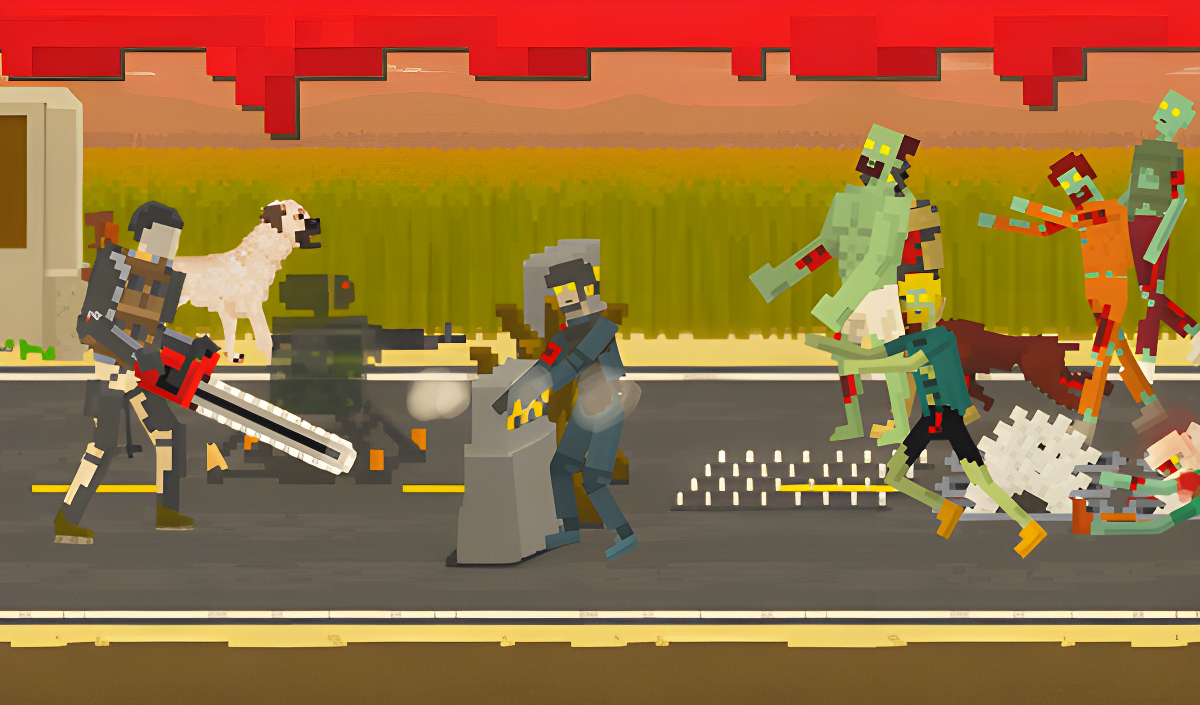
Once the wave starts, zombies flood in. You shoot with the left mouse button (firearms) or right mouse button (alternate fire). Switch weapons with Q, reload with R, and pull out melee weapons with E when they get too close. The chainsaw is brutal up close, but risky—one mistake and they're clawing your face. Press Space to kick zombies back if you're cornered. Each wave gets harder, with more zombies and tougher variants.
Grind for Upgrades
Dead zombies drop cash. Between waves, you unlock new items from the 10x7 grid in your collection menu. Better guns, stronger traps, health packs—you need them all to push further. The catch? When you die, you start over. It's a roguelite grind where permanent unlocks are your only long-term progress. How long can you survive before restarting?
Who is Zombies Coming for?
Perfect for casual players who want a low-commitment time killer with a progression hook. If you like unlocking stuff and don't mind repeating the same core loop to grind out new weapons, you'll get sucked in for a few hours. It's not deep, but it's addictive in that "one more run" way. Fans of Vampire Survivors or mobile defense games will recognize the vibe immediately.
The Gameplay Vibe
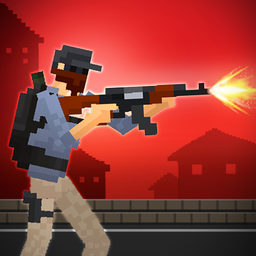
It's frantic but repetitive. The pixel art is basic—low-res sprites with simple bone animations that give characters a stiff, puppet-like look. Blood splatters are satisfying, and the ragdoll physics add some slapstick charm when zombies tumble backward from shotgun blasts. Audio is minimal; gunfire and zombie groans loop constantly, which gets old fast if you're grinding for an hour straight. The visual style screams "2018 mobile trend"—it's functional, not pretty. You're here for the grind and the carnage, not the aesthetics.
Technical Check: Saves & Performance
The game saves your unlocked items automatically in your browser's local storage—don't clear your cache or you'll lose everything. Progress within a run (current wave, health) resets when you die, which is intentional. Performance-wise, it's lightweight. The simple pixel art and flat shading mean it runs smoothly even on older laptops or budget phones. I didn't notice any lag, even with 20+ zombies on screen at once.
Quick Verdict: Pros & Cons
A solid arcade distraction if you don't mind the grind, but it's not reinventing the wheel.
- ✅ Pro: Instant action—no tutorial bloat, just buy stuff and shoot.
- ✅ Pro: Ragdoll physics make every kill feel weighty and satisfying.
- ❌ Con: The permadeath loop gets stale quickly; you're replaying the same early waves constantly to unlock new gear.
Controls
Responsive and straightforward on desktop. Mobile touch controls work but feel cramped during intense moments—aiming while dodging is trickier on a phone.
- Desktop: WASD to move, Mouse to aim and shoot, Q/E to swap weapons, R to reload, Space to kick, Tab to start waves.
- Mobile: Swipe to move, tap to shoot, on-screen buttons for items and weapon swaps.
Release Date & Developer
Developed by OrangeCompany and released on November 13, 2024.