































silver coin
3000Daily bonus
Word Game
Word Game
Puzzle
Word Game
Word Game
Word Game
Puzzle
Save IconKeep your progress on every device — log in

Word Game

★★★★★★★3.7 / 2906 votesG
Developer: Taber Play
Game Orientation: Portrait
Platforms: PC, Android, iOS
Release date: January 2023
Last Update: January 2026
Game Engine: Construct
Supported Languages: English
Categories: Puzzle , Quiz , Word , Scrabble , Educational , Brain

Word Game - Play Online

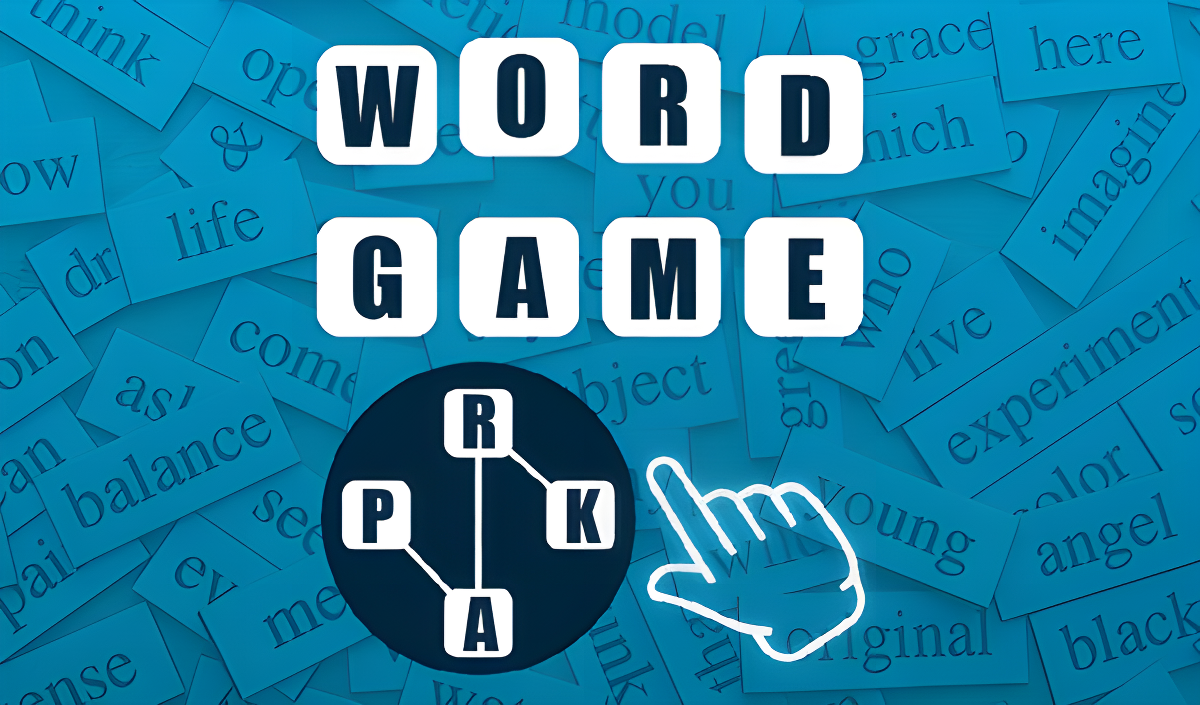
You know those word puzzles your aunt shares on Facebook? This is basically that, but in your browser. Word Game is a no-frills word connect puzzle where you swipe letters to fill crossword grids. It's aimed squarely at the casual crowd looking for brain training without the brain strain—perfect for memory sharpening, vocabulary building, and killing time during your commute.

Key Features

    • Level-Based Progression: Start easy with 3-letter words, gradually unlock tougher puzzles as you advance.
    • Mobile-First Design: Portrait mode, one-handed play, works smoothly even on older phones.
    • Hint System: Earn lightbulbs as currency to reveal letters when you're stuck.
    • Multi-Language Support: I saw levels with Cyrillic characters, so it's localized for different regions.

How to Play Word Game

The concept is dead simple—connect letters to form words. Actually finding all the hidden words? That takes focus.

Swipe and Connect Letters

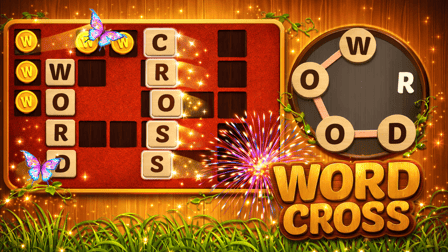
You drag your finger (or mouse) across a circular letter wheel at the bottom of the screen. Connect letters in the right order to spell valid words. On desktop, click and drag. On mobile, just swipe. The letters light up as you trace them, and if the word's correct, it pops into the crossword grid above.

Fill the Entire Grid

The crossword board shows empty slots—your job is to find every word that fits. Some are obvious (like "CAT" or "ACT"), but others require you to spot longer words or awkward letter combinations. If you're stuck, there's a shuffle button to rearrange the wheel, and you can burn a hint to reveal a single letter.

Advance Through Levels

Beat a level and you get a "+1 lightbulb" reward with a little celebration screen. The difficulty creeps up slowly—more letters, bigger grids, trickier vocabulary. There's no timer, so you can take your time, but the game definitely wants you watching ads or spending hints when the puzzles get mean.

Who is Word Game for?

This is textbook hyper-casual mobile design. If you're over 30 and like Wordscapes or Words With Friends, you'll feel right at home. It's safe for kids (no violence, no weird content), but honestly, it's targeted at adults who want low-stress mental exercise during coffee breaks. Not for adrenaline junkies—this is slow, methodical, and way too chill for anyone craving action.

The Gameplay Vibe

It's meditative to the point of being boring if you're not in the mood. The visuals are generic—flat colors, basic gradients, zero personality. Think "mobile game template from 2018." There's no music worth mentioning, just quiet taps and success chimes. The whole thing feels like a clone of Wordscapes with the serial numbers filed off. It works fine, but don't expect any wow moments. Perfect for zoning out or multitasking with a podcast.

Technical Check: Saves & Performance

Your progress saves automatically in your browser's local storage, so as long as you don't wipe your cache, you'll pick up where you left off. Performance-wise, this is featherweight—it'll run on a potato. The 2D graphics are so simple that even ancient hardware won't break a sweat. No lag, no stuttering, just smooth swiping.

Quick Verdict: Pros & Cons

A functional word puzzle that does the job but brings nothing new to the table.

    • ✅ Pro: Zero learning curve—launch and play immediately.
    • ✅ Pro: Actually decent for vocabulary practice if you're learning English.
    • ❌ Con: Completely derivative. If you've played any word connect game in the last five years, you've played this.

Controls

Responsive enough. No issues with swipe detection on mobile, and the mouse dragging on desktop works fine.

    • Desktop: Click and drag across letters with your mouse.
    • Mobile: Swipe your finger across the letter wheel to connect words.

Release Date & Developer

Developed by Taber Play and released on January 1, 2023. It's a browser-based title, so no app store downloads needed.

FAQ

Where can I play Word Game?

Play it free on Playgama. It works on PC and Mobile without downloads.

What happens if I run out of hints?

You earn one lightbulb (hint currency) per level completed. If you're stuck and out of hints, you can watch a rewarded video ad to get more, or just shuffle the letters and keep guessing.

Is there a mobile version?

Yes, the game fits any screen size and supports touch controls.

Screenshots

screenshot-0screenshot-1screenshot-2screenshot-3
Free Online Games at PlaygamaPlaygama features the latest and best free online games. You can enjoy playing fun games without interruptions from downloads, intrusive ads, or pop-ups. Just load up your favorite games instantly in your web browser and enjoy the experience.
Random Game