
















 Kick a Lucky Block: Tsunami Waves

 Barry Prison: Parkour Escape!

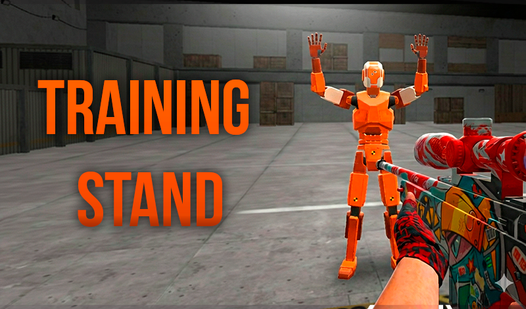
Training Stand
Training Stand — play online 🎮
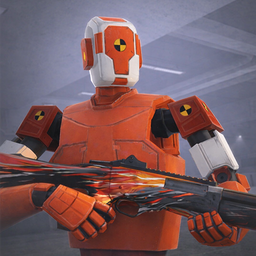
Welcome to Training Stand, the ultimate PC and mobile game designed for players eager to enhance their aiming skills and reactions to a professional level. Here, you’ll immerse yourself in a shooting experience that features an array of gold, exciting cases, and stunning skins to help you build your dream inventory. Featuring realistic shooting mechanics reminiscent of your favorite shooters, Training Stand is the perfect platform to refine your skills.
Game tips
Maximize your performance by focusing on accuracy and speed. Compete on global leaderboards to showcase your skills and aim for that top position! Be mindful of your environmental surroundings in each mode to improve your reaction times and aiming precision.
How to play
To play Training Stand on your computer, utilize the WASD keys for moving around, the left mouse button to shoot or stab, and the right mouse button to zoom in with sniper rifles. Use the space bar to jump, Shift to crouch, and the number keys 1, 2, and 3 to switch weapons rapidly. On your mobile phone, control your character's movement using the left joystick and swipe on the right side of the screen to aim. The bullet button shoots, while the scope button allows zooming in. Easily switch between jumping and crouching with designated buttons, and toggle between knife and rifle using the weapon icons.
How to play Training Stand for free?
You can play Training Stand for free on Playgama. Take advantage of our extensive selection of exciting online games, including Training Stand and many other thrilling titles.
Controls
— PC controls:
WASD - character movement.
Left mouse button (LMB) - shoot or stab.
Right mouse button (RMB) - use scope (on sniper rifles).
Space bar - jump.
Shift (left) - crouch.
Numbers 1, 2, 3 - quick weapon change.
Tab - open menu.
— Controls on phones:
Left joystick - move the character.
Right side of the screen (swipes) - rotate the camera and aim.
Button with a bullet - shoot.
Button with a scope - turn zoom on/off.
Buttons with characters - jump and crouch.
Weapon icons - switch between knife and rifle.
History or origin
Training games like this one originated from competitive shooting simulations, where players sought a platform to improve their skills in a virtual setting. Over time, these games evolved, providing various features like case openings and trading systems, catering to gamers who enjoy both skill development and inventory management.
Description of the game or theme
In Training Stand, players will experience a beautifully crafted environment filled with multiple shooting challenges. The game offers strong customization options, allowing players to showcase unique skins and build a personalised inventory. It promises an engaging atmosphere that combines elements of fun and intense competitive gameplay, making it irresistible for both casual and hardcore gamers.
Frequently Asked Questions
Is Training Stand truly free to play?
Absolutely! You can launch it directly in your browser and enjoy unlimited free play.
Can I enjoy the gameplay on my phone?
Yes — the game is optimised for touch controls, allowing seamless access on any mobile device.
What modes are available in Training Stand?
The game features various modes, including classic target shooting and obstacle courses designed to challenge your skills.
Video