


Solitaire Emperor - Secrets of Fate
Magic Story of SolitaireSpider solitaire all maste
Spider solitaire all maste - Play Online
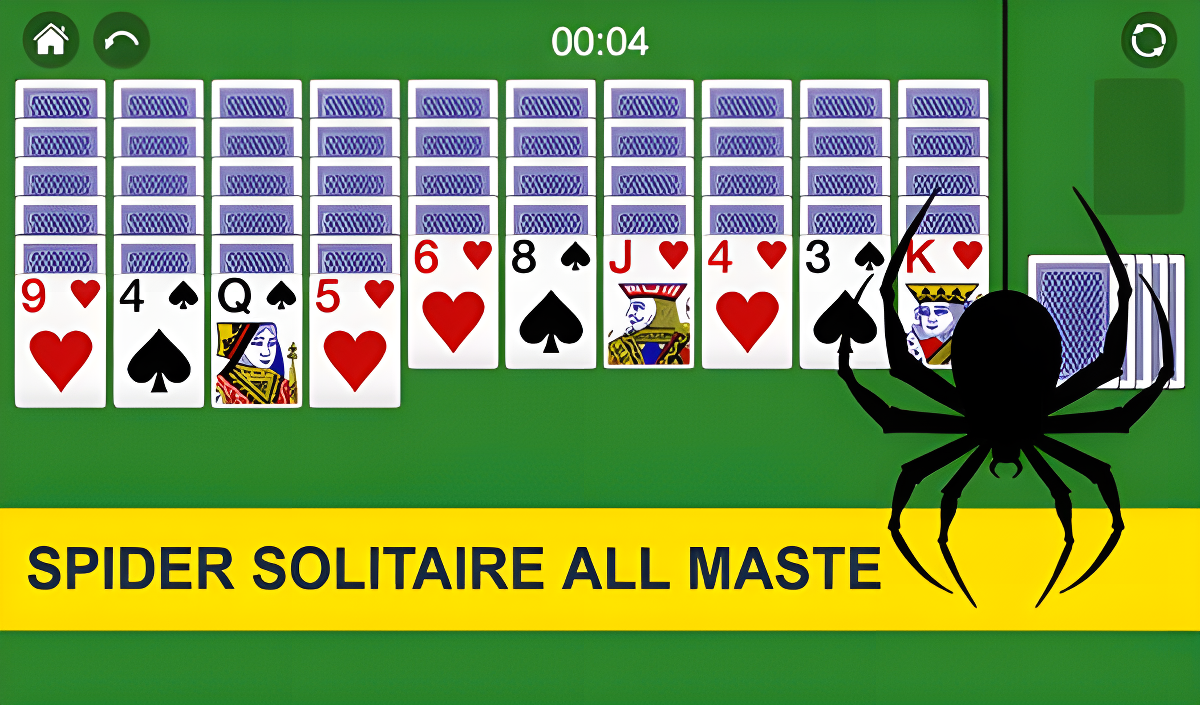
You know that classic Windows card game your grandma used to play for hours? Yeah, this is that. Spider Solitaire All Maste is the no-frills, browser-based version of the solitaire variant where you stack cards in descending order to clear the board. Your goal is simple: organize all 52 cards by suit, starting from King down to Ace, then watch them fly off to the base. It's pure brain training wrapped in a relaxing, low-pressure package. No timers stressing you out (well, there's one, but it doesn't punish you), no explosions—just you, a deck, and some light mental gymnastics.
Key Features
- Classic Spider Solitaire Rules: The traditional 10-column layout with full 52-card deck gameplay.
- Customization Options: Change background colors, card backs, and even toggle a snow effect for some reason.
- Hint System: Stuck? Use the hint button with a lightbulb icon to get unstuck (limited uses though).
- Works Everywhere: Runs smoothly on desktop and mobile browsers without any downloads or installs.
How to Play Spider solitaire all maste
The learning curve is practically flat, but clearing a full game without getting stuck? That takes practice.
Stack Cards in Descending Order
You drag cards around the 10 columns, placing them in descending order (Queen on King, 10 on Jack, etc.). You can mix suits while building sequences, but only same-suit runs from King to Ace will clear off the board. Click and drag with your mouse on desktop, or tap and swipe on mobile. The controls are responsive enough that I never felt like I was fighting the interface.
Manage the Stockpile
When you run out of moves, tap the stockpile deck in the bottom corner to deal a new row of cards across all columns. Here's the catch: you can't deal new cards if any column is completely empty, so you need to plan ahead. This is where the game punishes careless play—deal at the wrong time and you'll bury crucial cards under junk.
Clear Full Sequences to Win
Once you build a complete King-to-Ace sequence of the same suit, it automatically flies off to the "base" with a little animation. Clear all eight sequences (yes, eight full runs) and you win. The timer at the top tracks how fast you finish, and there's a high score table if you're competitive with yourself.
Who is Spider solitaire all maste for?
This is squarely aimed at casual players who want something to occupy their brain during downtime. Perfect if you're waiting for a meeting to start, sitting on the bus, or just need to unwind after work without committing to anything intense. It's also safe for teens and older—zero violence, zero story, just pure logic puzzles. If you loved the Windows XP solitaire suite, you'll feel right at home here. Hardcore gamers looking for adrenaline? Look elsewhere.
The Gameplay Vibe
It's incredibly meditative. I found myself zoning out in a good way, just focusing on the cards and tuning out everything else. The visuals are bare-bones functional—flat colors, standard card graphics, and a weird giant spider logo that pops up on the main menu. There's no music, just some basic sound effects when you move cards or complete a sequence. Honestly, the lack of audio polish works in its favor; you can throw on a podcast or music in the background without distraction. The snow toggle in settings is hilariously unnecessary—it just adds some drifting white pixels that don't affect gameplay at all.
Technical Check: Saves & Performance
Your game progress saves automatically in the browser cache, so you can close the tab and come back later without losing your current game. Just don't clear your browsing data or you'll wipe your high scores. Performance-wise, this thing could run on a potato. I had zero lag or stuttering even on an older laptop. The game uses basic HTML5 tech, so as long as your browser is from this decade, you're good to go. Mobile performance is equally smooth—no battery drain or overheating issues during a 20-minute session.
Quick Verdict: Pros & Cons
A solid, no-nonsense Spider Solitaire clone that does exactly what it promises—nothing more, nothing less.
- ✅ Pro: Instant access with zero downloads or account creation required.
- ✅ Pro: Simple customization options let you tweak the look without overwhelming menus.
- ❌ Con: Visually bland—looks like a template pulled straight from a generic asset pack. No charm or personality.
Controls
Responsive and straightforward. I never had a misclick ruin a move, which is crucial for a card game.
- Desktop: Mouse click and drag to move cards. Left-click the stockpile to deal new cards.
- Mobile: Tap and drag cards with your finger. Tap the deck icon to deal.
Release Date & Developer
Developed by sb-games and released on January 1, 2023. It's a straightforward browser port with no bells and whistles beyond the core solitaire experience.