























Move Blocks 100
Move Blocks 100 - Play Online
Number puzzle meets strategic stacking. Move Blocks 100 is all about merging identical blocks to climb the numeric ladder. Goal? Hit exactly 100. No cheating. No shortcuts. Just pure logic.
How to Play Move Blocks 100
The Mission: Reach 100. Not 99. Not 101. Exactly 100. Stack cubes with matching numbers. Watch them fuse into higher values. Simple math. Complex strategy.
Core Mechanic: Stack and Merge
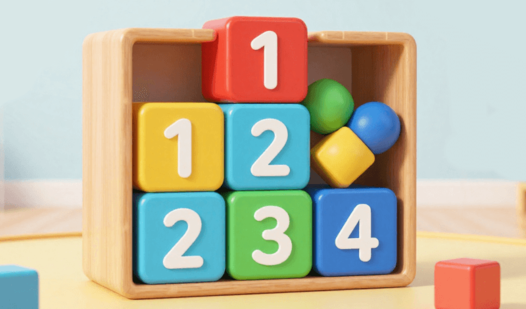
Move number cubes. Drop them on matching cubes. Identical numbers merge instantly. A 2 plus a 2 becomes a 4. Two 4s become an 8. The chain continues. Position matters. One wrong move? Game over. No undo button here.
The Climb to 100
Start small. Build big. Each merge pushes you closer to the target. Path looks linear? Think again. Space runs out fast. Plan several moves ahead. That empty corner? You'll need it. That tempting merge? Might block your endgame. Every cube placement is a mini-decision.
Survival Strategy
Never fill the board randomly. Keep high-value cubes together. Save space for emergency merges. Stuck with odd numbers scattered everywhere? That's the trap. Think three steps ahead. Ask yourself: "Where does this cube go after it merges?" Master that mindset. Win the game.
Key Features
- Pure Number Logic: No timers. No distractions. Just you versus the math.
- Clean Geometry: Sharp cube visuals. No clutter. Focus stays on the grid.
- One Goal System: Reach exactly 100. Crystal clear objective.
- Brain Training Core: Sharpens logic, memory, and forward planning in every session.
Who is Move Blocks 100 for?
Perfect for puzzle addicts and number game veterans. Great for quick brain workouts. Ideal if you loved 2048 but want a tighter challenge. Casual players welcome. Mastery takes patience.
Release Date & Developer
Move Blocks 100 was developed by soulGames. Released in April 2026.
Controls
- Mouse/Touch: Drag cubes to stack them
- Click/Tap: Select and place number blocks
FAQ
Where can I play Move Blocks 100 online?
What happens if I can't reach 100?
How do blocks merge in Move Blocks 100?
Is there a time limit?
Can I undo moves in Move Blocks 100?
Video