


 Obby but You're on a Bike
 Kick a Lucky Block: Tsunami WavesSprunki World Online RP - Play with Friends!Barry Prison: Parkour Escape!
Obby Pets: ASMR Painting
Obby Pets: ASMR Painting - Play Online
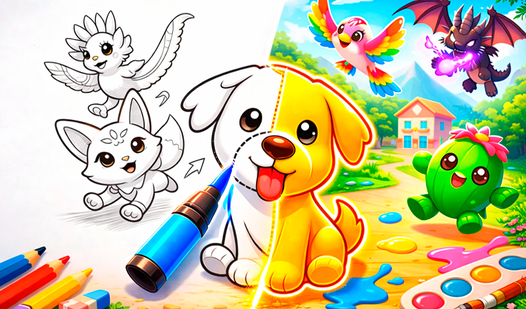
Coloring game meets endless grinding. Obby Pets: ASMR Painting strips it down to basics: color pets, earn coins, unlock stuff. Pure ASMR vibes. Zero stress. Developed by JTL STUDIO.
How to Play Obby Pets: ASMR Painting
Mission is dead simple: fill every section. Each pet comes with blank spaces. Pick colors. Paint them. Complete the page. Cash out. Your job? Turn grayscale animals into vibrant art pieces. Every stroke = progress.
The Coloring Loop
Click a color from the palette. Move mouse over blank sections. Watch them fill instantly. No mistakes. No timers. Just smooth painting. Each completed section adds to your total. Finish the pet. Collect coins. Next page loads automatically. Repeat forever.
Progression System
Earn coins for every completed job. Stack currency. Hit the shop. Unlock new markers. Get fresh colors. More options = more variety. Each unlock changes your palette. Grind early. Unlock fast. New markers feel satisfying.
Strategy Tips
Start with large sections. Big blocks = fast coins. Small details come last. Focus on completing full pets before chasing unlocks. Don't waste time perfecting. Speed matters more. Watch for new color sets. Some palettes work better for specific animals. Experiment with marker types for visual variety.
Key Features
- Endless Pet Gallery: Infinite coloring pages. Dogs. Cats. Bunnies. Never runs out.
- ASMR Atmosphere: Peaceful sounds. Smooth visuals. Zero pressure gameplay.
- Unlock System: Earn coins. Buy new markers and colors. Constant progression.
- One-Click Painting: Click color. Paint section. Instant fill. No complex controls.
- Cross-Platform: Desktop browser. Mobile touch. Works everywhere.
Who is Obby Pets: ASMR Painting for?
Perfect for casual players. Great for kids. Ideal for stress relief. Anyone wanting brain-off gameplay. 5-minute sessions or hour-long grinds. Your call.
Release Date & Developer
Obby Pets: ASMR Painting was developed by JTL STUDIO. Released March 26, 2026.
Controls
- Mouse Click / Tap: Select color or marker
- Mouse Move / Swipe: Paint sections
FAQ
Where can I play Obby Pets: ASMR Painting online?
How do I earn coins in Obby Pets: ASMR Painting?
What can I unlock in the game?
Is Obby Pets: ASMR Painting free to play?
Video