

































silver coin
3000Daily bonus
Flight Simulator
Flight Simulator
Simulation
Flight Simulator
Flight Simulator
Flight Simulator
Simulation
Save IconKeep your progress on every device — log in

Flight Simulator

★★★★★★★3.5 / 3723 votesPG
Developer: PLEXYGAMES
Game Orientation: Landscape
Platforms: PC, Android, iOS
Release date: January 2023
Last Update: January 2026
Game Engine: Unity
Supported Languages: English
Categories: Simulation, Airplane

Flight Simulator - Play Online

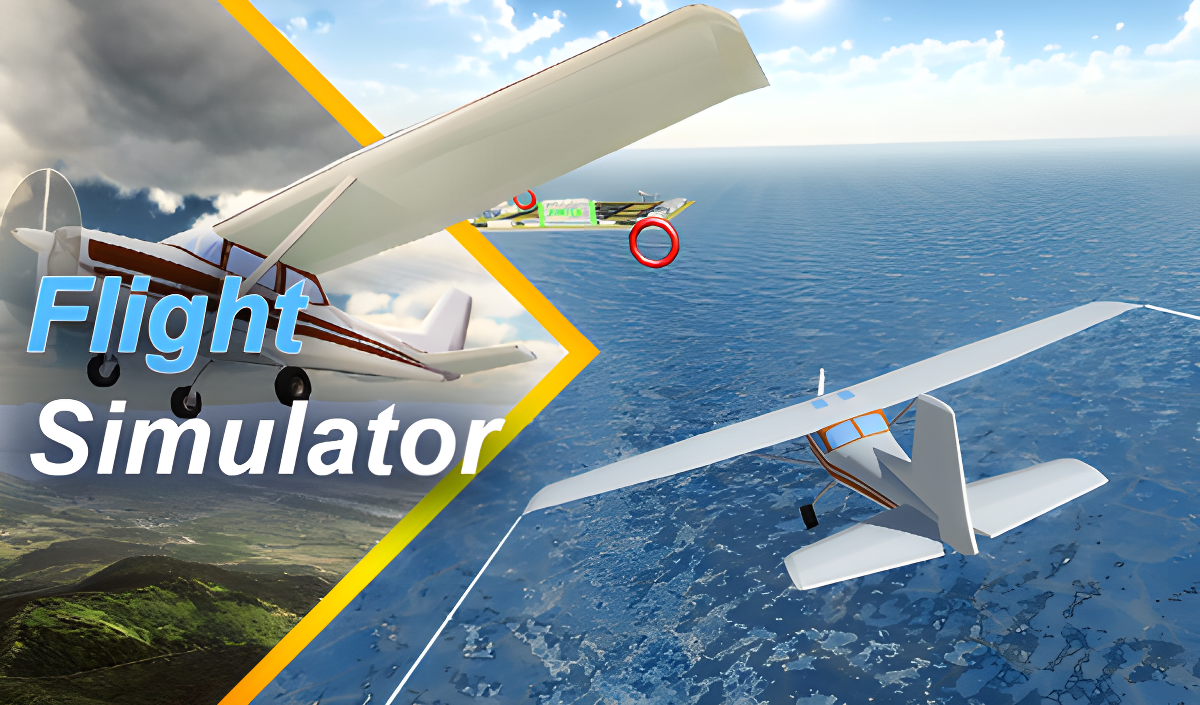
Strap into the cockpit and take off into endless blue skies. Flight Simulator gives you 30 missions where you'll race against time, rescue drowning people from the ocean, and thread your plane through tight ring courses like a stunt pilot. It's a straightforward arcade flight game that throws variety at you—one level you're landing on a tiny floating platform in the middle of nowhere, the next you're flying full throttle to save lives. If you ever wanted a no-frills flight game you can jump into without reading a manual, this is it.

Key Features

    • 30 Mission Variety: High-speed races, rescue ops, stunt flying, and precision landings.
    • Simple Controls: Tilt with WASD or a virtual stick, throttle with arrow keys or an on-screen lever.
    • Works Anywhere: Runs smoothly on older PCs and mobile browsers without a download.
    • Unlockable Planes: Progress through levels to fly different aircraft models.

How to Play Flight Simulator

Getting airborne is easy—keeping your plane steady and completing the mission on time is the real test.

Takeoff and Basic Flight

You start on a runway or airfield. Push the throttle lever up (or hit the up arrow key) to build speed, then gently pull back on the stick to lift off. The left stick or WASD controls your pitch and roll—tilt left or right to bank, push forward to dive, pull back to climb. The physics are forgiving, so you won't nosedive if you make a small mistake, but you can't just slam the controls around either.

Completing Mission Objectives

Each level throws a different challenge at you. Sometimes you fly through glowing rings in sequence for stunt missions. Other times a timer counts down and you need to reach a rescue zone before it hits zero. The trickiest part is navigating to distant platforms or landing zones without overshooting—there's no autopilot, so you're eyeballing distances the whole way. If you crash into the water or miss your landing strip, you restart the mission.

Landing and Progression

Landing is where most people mess up. You need to reduce throttle, line up with the runway or platform, and touch down gently. Come in too fast or at a steep angle and you'll bounce or flip. Nail the landing and you unlock the next level, sometimes with a new plane. The game doesn't hold your hand—you learn by trial and error, which keeps it from feeling too hand-holdy.

Who is Flight Simulator for?

This one's built for casual players and families. If you've got 5-10 minutes to kill and you like the idea of flying without studying real flight manuals, you'll enjoy it. Kids and teens will find it approachable since there's no combat or violence—just you, a plane, and the sky. It's not a hardcore sim, so don't expect realistic weather systems or complex instrumentation. Think of it as an arcade flight game with mission structure, not Microsoft Flight Simulator.

The Gameplay Vibe

The game feels relaxed until the timer starts ticking on rescue missions—then it gets tense fast. Visually, it's simple: bright blue skies, tiling water textures, and low-poly islands. The graphics won't blow you away, but they're clean enough and run smoothly even on weaker devices. There's no music to speak of, just engine hum and wind sounds, which honestly works fine. You can zone out during the calmer missions or focus hard when threading through stunt rings. It's the kind of game you play in short bursts without much mental load.

Technical Check: Saves & Performance

Your progress saves automatically in your browser's local storage, so you can close the tab and come back later without losing your unlocked levels. Just don't clear your browser cache or you'll start over. Performance-wise, this runs on pretty much anything—I tested it on an older laptop and it never stuttered. Mobile works fine too, though the touch controls take a minute to get used to since you're managing tilt and throttle separately.

Quick Verdict: Pros & Cons

A solid pick if you want instant flight action without the complexity of a full simulator.

    • ✅ Pro: 30 missions keep things varied—you're not just doing the same thing over and over.
    • ✅ Pro: Runs smoothly on low-end hardware and mobile without any downloads.
    • ❌ Con: Graphics are basic, and the environment gets repetitive after a while—lots of ocean and copy-pasted islands.

Controls

Responsive enough once you get the hang of balancing tilt and throttle. Desktop feels more precise, but mobile works if you're patient.

    • Desktop: WASD or arrow keys to control tilt and pitch. Up/Down arrows adjust throttle.
    • Mobile: Virtual joystick on the left for tilt, slider on the right for speed.

Release Date & Developer

Developed by PLEXYGAMES and released on January 1, 2023. It's a browser-based Unity game designed for quick, casual flight sessions.

FAQ

Where can I play Flight Simulator?

Play it free on Playgama. It works on PC and Mobile without downloads.

How do I land without crashing?

Reduce your throttle early, level out your plane so it's not tilted, and approach the runway slowly. Aim to touch down on the front wheels first, not the tail. If you come in too steep or too fast, you'll bounce or flip.

Is there a mobile version?

Yes, the game fits any screen size and supports touch controls.

Video

Screenshots

screenshot-0screenshot-1screenshot-2screenshot-3screenshot-4screenshot-5
Free Online Games at PlaygamaPlaygama features the latest and best free online games. You can enjoy playing fun games without interruptions from downloads, intrusive ads, or pop-ups. Just load up your favorite games instantly in your web browser and enjoy the experience.
Random Game