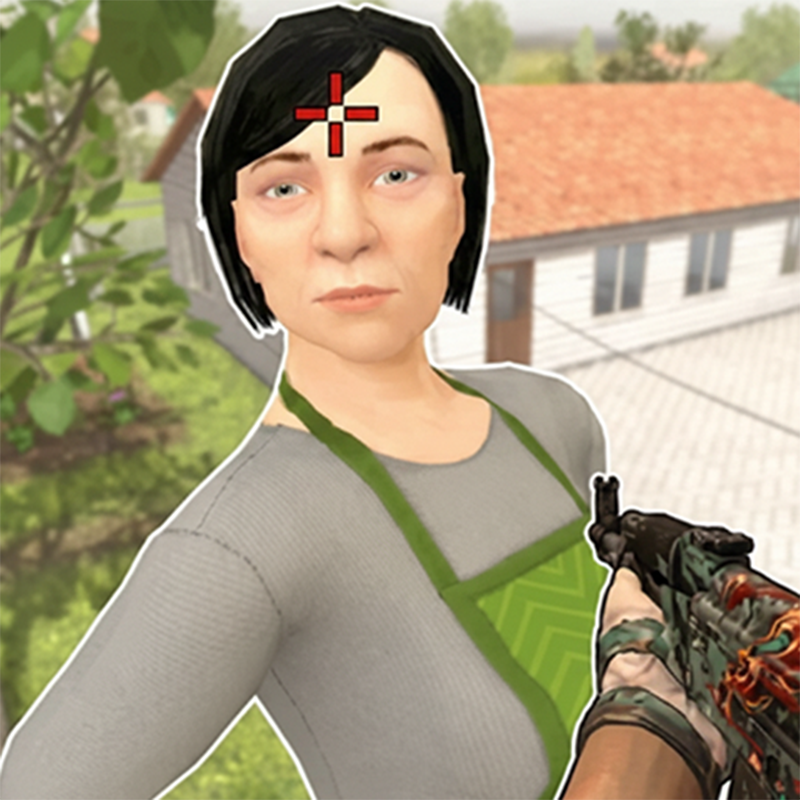

Robbery home SchoolBoy's - Play Online
Break into SchoolBoy's suburban fortress. Dodge guards, crack safes, bag loot, and escape with your jackpot before the timer hits zero. Low-poly Unity chaos meets first-person heist thrills—no downloads, just instant browser action on any device through Arcade games.
How to Play Robbery home SchoolBoy's
Your mission: rob SchoolBoy's house to fund a date with Vika at the restaurant and cinema. Enter the neighborhood map, eliminate patrolling guards and SchoolBoy himself, interact with objects to steal furniture and cash, then call the getaway vehicle before reinforcements arrive. Grab weapons, toss grenades, and use stealth or speed to fill your jackpot counter and exfiltrate clean.
Core Mechanics: Infiltrate, Steal, Eliminate
Move with WASD, aim with your mouse, and fire on sight. Guards spawn across the map—take them down fast or crouch with C to stay hidden. Press F or E near loot piles, safes, or furniture to add their value to your jackpot total. Sprint with Shift when noise discipline doesn't matter, or toggle stealth mode with C to reduce detection range. The radial skill wheel (Q) offers perks like speed boosts, armor buffs, and energy regeneration mid-heist.
Progression and Unlocks
Complete levels to save progress and climb the all-time leaderboard. Each successful robbery unlocks higher-value targets and tougher enemy AI. Weapon variety includes pistols, rifles, and CS:GO-style skins scattered around the environment—press the hand button (mobile) or F (PC) to swap gear. Grenades (G key) clear rooms fast, while portal mechanics (E key) offer tactical repositioning when walls close in. If you crave more stealth chaos in domestic settings, Cat and Granny delivers similar first-person mischief with low-poly Unity madness.
Strategy and Pro Tips
Always reload (R) after eliminating a guard—empty magazines in a firefight end runs fast. Use the drill or lockpick tool on safes with timers displayed on-screen; the countdown adds pressure, so clear the room first. Watch your health and armor HUD—when shields drop, find cover or activate a defensive perk from the Q menu. Call the Kamaz truck only after hitting your jackpot threshold; early extraction nets smaller rewards. Players who dig the tactical shooting loop should try RIVALS FPS: Online Shooter for refined gunplay in competitive multiplayer arenas with similar low-poly aesthetics and arcade tempo.
Key Features
- First-Person Heist Combat: Eliminate SchoolBoy and armed guards using rifles, pistols, grenades, and stealth tactics across suburban maps.
- Low-Poly Unity Aesthetic: Mixed textures, high-saturation weapon skins, and LOD-heavy environments create a budget-friendly, accessible visual style.
- Jackpot-Based Loot System: Interact with safes, money stacks, gold bars, and furniture to build your score before calling the escape vehicle.
- Skill Wheel and Perks: Activate speed, strength, and stealth modifiers mid-mission through a radial selection menu.
Who is Robbery home SchoolBoy's for?
Younger players and ironic gamers hunting quick, arcade-style FPS thrills. Fans of objective-based stealth games like Rainbow Friends Return will appreciate the AI evasion and trap-filled environments, while those craving direct combat can jump to Stickman Kombat 2D for intense one-on-one action. Perfect for anyone seeking low-cost, browser-based heist chaos with straightforward controls and instant access across Action games.
Developer
Robbery home SchoolBoy's was developed by ElezthemGames. The game blends first-person shooting, puzzle-solving, and tactical heist mechanics into a fast-paced browser experience playable on desktop, Android, and iOS without downloads.
Controls
- W, A, S, D: Move around the map
- Mouse: Aim and shoot
- F, E: Pick up weapons or interact with loot
- R: Reload your current weapon
- Space: Jump over obstacles
- G: Throw grenade
- Q: Open mod menu (skill perks)
- E (alternate): Use portals
- C: Toggle stealth mode or crouch
- Shift: Sprint
- V: Change camera view
- Mobile Joystick: Move character
- Fire Button: Shoot weapon
- Jump Button: Jump
- Aim Button: Precision aiming
- Reload Button: Reload weapon
- Hand Button: Pick up weapon
- Grenade Button: Throw grenade
- Pistol Button: Switch weapon
- Sit Down Button: Crouch
FAQ
How do I increase my jackpot value in Robbery home SchoolBoy's?
Interact with safes, cash piles, gold bars, and furniture using F or E. Each object adds a specific dollar value to your jackpot counter displayed in the HUD. Prioritize high-value items like safes (which require drilling or lockpicking) and clear guards first to loot safely.
Can I play Robbery home SchoolBoy's on mobile devices?
Yes. Robbery home SchoolBoy's supports Android and iOS with dedicated touch controls including on-screen joystick, fire button, grenade button, and crouch button. Desktop players use keyboard and mouse. All versions run in browser—no downloads required.
What happens if I die before calling the escape vehicle?
You lose all progress for that heist attempt and must restart the level. Progress only saves after completing a full robbery and exfiltrating successfully. Watch your health and armor bars closely, and use the skill wheel (Q) to activate defensive perks if guards overwhelm you.
How does the leaderboard work in Robbery home SchoolBoy's?
The all-time leaderboard tracks every completed level and ranks players by total successful heists. Finish levels to climb the board. Higher-value targets and faster completion times may improve your standing, though the game prioritizes mission completion over speed.
What are the skill perks in the mod menu?
Press Q to open the radial menu and select perks like speed boosts (faster sprint), strength buffs (more damage or health), and stealth enhancements (reduced enemy detection). Each perk costs energy displayed around the wheel—choose wisely based on your current threat level.